
Table of contents
10 Best No-Code App Builders for Easy Solutions in 2026

Written by
Blaze Team

Reviewed by
Justyna Wojcik
Expert Verified
10 Best No-Code App Builders: At a Glance
| Tool | Best For | Starting Price | Key Strength |
|---|---|---|---|
| Blaze.tech | Enterprise apps | $1,500/month | Enterprise security + HIPAA, SOC 2 enabling |
| Adalo | Small business native mobile apps | $45/month | Drag-and-drop simplicity + app store publishing |
| Glide | Aesthetic apps | $25/month | Stylish internal apps powered by spreadsheets/databases |
| Softr | Database-driven web apps | $59/month | Turns Airtable/Google Sheets into web apps quickly |
| Bubble | Complex web apps | $32/month | Advanced workflows + plugin ecosystem |
| AppSheet | Google Workspace users | $5/user/month | Native Google integrations + budget-friendly pricing |
| GoodBarber | E-commerce mobile apps | $30/month | E-commerce + content monetization tools |
| Airtable | Collaborative databases | $24/month | Flexible relational database + workflow automations |
| Thunkable | Visual app logic design | $19/month | Visual backend logic builder + strong integrations |
| Xano | No-code backends | $99/month | Databases + complex backend logic, strong APIs |
The best no-code app builders are Blaze for enterprises, Adalo for small businesses, and Glide for modern and aesthetic apps. After testing 20 no-code app builders, I selected 10 based on ease of use, integrations, and backend flexibility. I compare AI features, publishing speed, and real user reviews to help you pick the right no-code app builder for your needs.
How I Tested These No-Code App Builders
Since every business has a unique need, I tested all the app-building software against common scenarios to see which tools offered the most value in practice. Here’s what I looked for while testing:
- Actually no-code: Many platforms claim to be no-code but still require hidden scripting or developer knowledge. This means they’re actually low-code platforms. Real no-code requires zero programming, so I focused only on platforms where non-technical users can succeed without writing a single line of code.
- Scalability: Growth matters, so I tested how well each platform handled more users, larger datasets, and feature expansion. The strongest tools scaled smoothly without slowing down performance.
- Integrations: Allowing apps to work in sync creates optimal productivity, so I checked whether each platform connected with popular tools, or third-party apps, that businesses already use.
- App creation time: Speed to build was key. I measured how quickly I could create functional apps and set up workflows. Intuitive platforms made the process fast; more complex ones slowed adoption and required extra training.
- Support: Even no-code tools need guidance. I evaluated the quality of tutorials, documentation, and live help. Platforms that offered quick, human support stood out because they helped me get unstuck faster.
These 10 platforms reduce custom workarounds and prevent integration failures, keeping your systems stable.
1. Blaze: Best for Enterprise No-Code Apps

What it does: Blaze is a no-code app builder for secure business applications, with a focus on enterprise needs.
Who it’s for: We built the platform for medium to large organizations that need SOC 2 compliance or HIPAA-enabling features on e1 HITRUST architecture to build apps for healthcare, finance, and other regulated industries.
I tested Blaze’s inventory workflow by logging a sample delivery and shipment, then checked that the stock count updated right away on the dashboard. This kind of real-time update helps prevent running out of stock and removes the need to track everything in spreadsheets.
Key Features
- Security features: Blaze offers HIPAA-enabling features, e1 HITRUST architecture, and SOC 2 compliance, role-based access, and encryption, making it a fit for apps handling sensitive healthcare or financial data.
- Scalability: The platform supports deep customization so apps can evolve with business needs. The platform allows you to build multiple apps, such as those for client portals and hospital databases.
- AI capabilities: Use the platform’s AI capabilities to rapidly build out your app.
- Fast app building: Blaze features an intuitive drag-and-drop interface, a large library of prebuilt components, and integrated AI tools, letting you create powerful apps faster than other app builders.
Pros
- Strong compliance: Few no-code solutions offer HIPAA-enabling features on HITRUST architecture and SOC 2 compliance, giving Blaze an edge for industries with strict regulatory requirements.
- Outstanding support and onboarding: Blaze’s dedicated team reduces the time to launch compared to traditional no-code platforms, offering email or messaging support. If you go with the enterprise version, their developer team will even build apps for you.
Cons
- Feature-rich: Blaze’s depth of features may feel excessive for smaller teams with simpler needs.
- Pricing geared towards large organizations: The platform doesn’t offer a minimum feature tier. Pricing is geared towards the needs of mid-sized businesses and up.
What Real Users Say
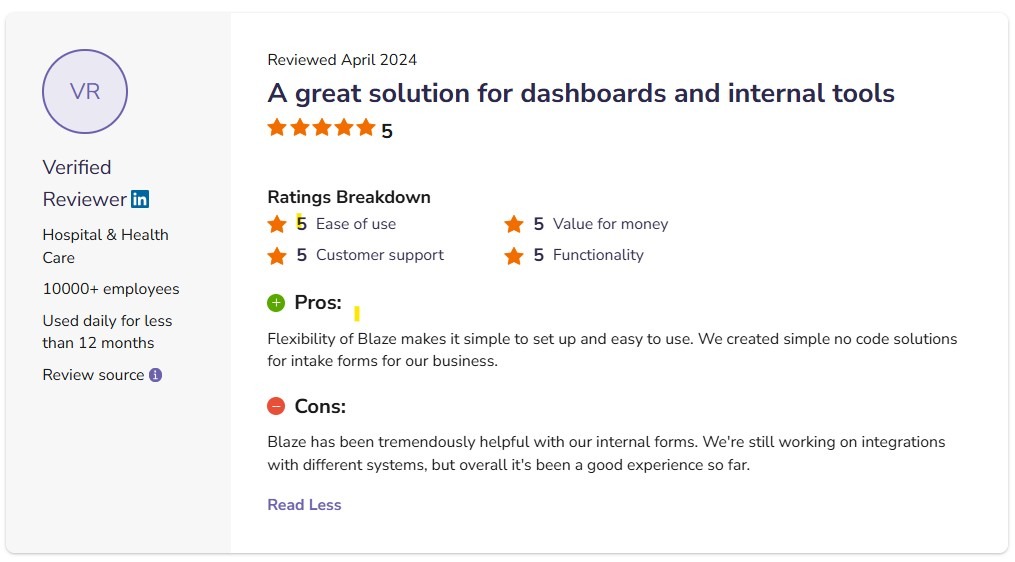
Pro: “Flexibility of Blaze makes it simple to set up and easy to use. We created simple no-code solutions for intake forms for our business.” - Blaze User in Healthcare, SoftwareAdvice

Con: “The initial engagement with Blaze had a learning curve. The platform is robust and was transformative for our operations, but it did also require a dedicated period to learn. New users took some time to get used to it, but after the learning curve, things went very smoothly.” - Ryan C., G2
Pricing
Pricing begins at $1,500/month. For HIPAA and SOC-2 compliance, schedule a demo of the enterprise version.
Bottom Line
Blaze is a strong choice for growing businesses and enterprises that need to build secure, compliant applications. With its combination of advanced security, AI-powered automation, and a hands-on support team, Blaze is well-suited for organizations planning to scale. If you need a basic app for your small business, try Adalo.
2. Adalo: Best for Small Business Native Mobile Apps

What it does: Adalo is a no-code platform for designing, building, and publishing native mobile and web applications.
Who it's for: The platform suits freelancers, entrepreneurs, small businesses, especially those in the service industry, who need to launch a simple B2C app.
When I tested Adalo, I appreciated its simple drag-and-drop builder, which allowed me to start creating my app without needing to study many tutorials. I could also move screens, elements, and buttons around with my cursor, which allowed me to customize my app in very little time. If you need to build a simple app for your new business fast, Adalo would be suitable.
Key Features
- Prebuilt components and templates: You’ll find a wide variety of reusable UI components, logic blocks, and app templates. These speed up the building process and help you maintain a consistent professional design across all app screens.
- App store publishing: Adalo provides built-in tools for publishing directly to iOS and Android app stores, places where your customers can easily find and download your app.
- Custom backend builder: The platform enables custom workflows and conditional actions that give apps interactivity and flexibility. It also features a database builder, so you can create your app from scratch.
Pros
- Beginner-friendly: Featuring one of the most intuitive drag-and-drop editors in the no-code space, Adalo allows non-technical users to get started quickly.
- Community support and marketplace: Adalo has an active user community and a marketplace filled with templates, plugins, and add-ons. This ecosystem makes it easy to troubleshoot issues and get help from other experienced builders.
Cons
- Limited scalability: Although it offers a plan with enterprise features, such as the ability to create 10 apps monthly, Adalo remains limited in size and database storage compared to other no-code enterprise app builders.
- Best for customer-facing apps: Adalo is ideal for creating apps for scheduling appointments or ordering goods. It’s not ideal for internal business tools like customer portals, inventory management databases, or finance tracking apps.
What Real Users Say

Pro: “Over the last year or so, improvements to the platform have made it much faster and snappy. I love the speed at which I can build something and get a working version on web, iPhone, and Android.” - Daniel M., Capterra
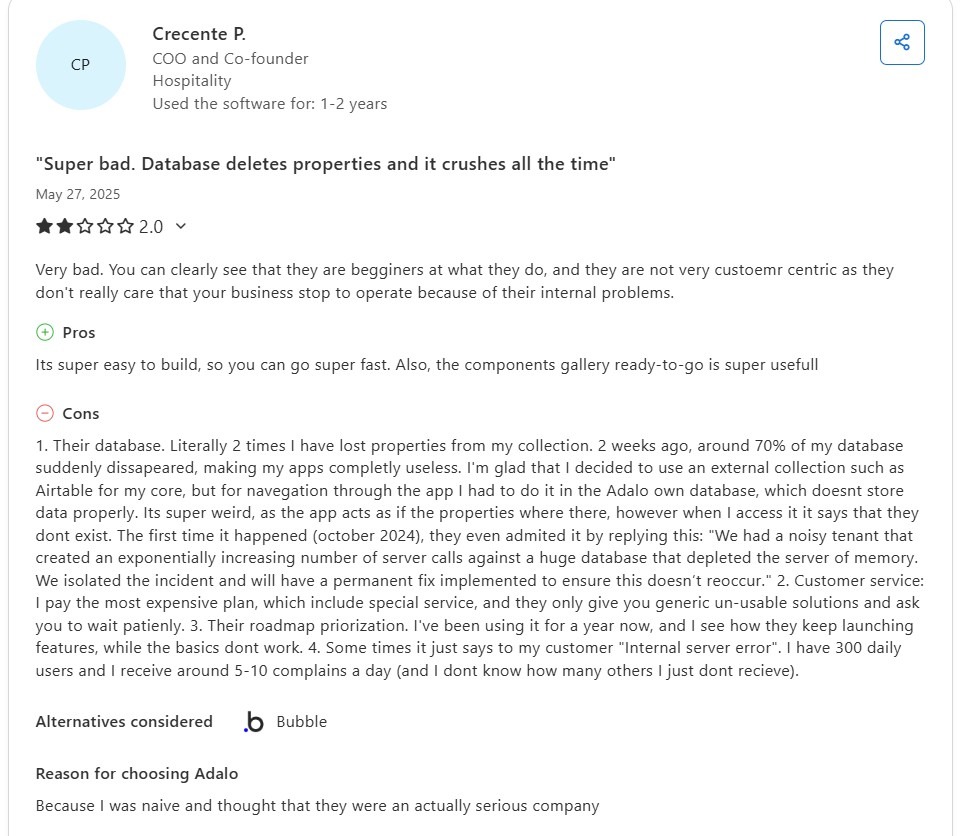
Con: “2 weeks ago, around 70% of my database suddenly disappeared, making my apps completely useless. I'm glad that I decided to use an external collection such as Airtable for my core…” - Crecente P., Capterra
Pricing
Adalo pricing starts at $45/month.
Bottom Line
I recommend Adalo for businesses that need a cost-effective, B2C app builder. However, companies seeking enterprise-level scalability may find its performance and customization options too limited for long-term growth and should consider Bubble.
3. Glide: Best for Aesthetic Apps

What it does: Glide is a no-code platform that enables users to create visually polished web apps powered by spreadsheets or custom databases.
Who it's for: Glide is ideal for small to medium-sized businesses and teams that need professional internal tools such as CRMs, dashboards, or project trackers without coding skills.
I tested Glide Tables by building a database for my client portal app. Then I used Glide’s Client Portal template, which created a working layout with a record list, detail pages, and basic edit forms in just a few minutes. This setup would suit anyone who needs to build and publish a simple app quickly.
After that, I connected my fields and set permissions so each user could only see and update their own records. Glide’s builder uses drag-and-drop, which makes it easy to build screens, but it doesn’t offer much control over layout details. I had to adjust spacing and sizing by trial and error. So if you need customization, Glide might not be the best choice.
Key Features
- Glide AI: The platform’s specialized AI tools analyze data, automating tasks like sending notifications and describing pictures.
- Database builder: If you don’t have a database, use Glide’s proprietary system, Glide Tables, to create and manage data directly in the platform.
- Large template collection: Glide offers more than 100 templates designed for CRMs, dashboards, and project managers.
Pros
- Sleek templates and components: A major selling point is the polished and sleek design that Glide’s templates and components feature. Chances are, you’ll create a very professional-looking and aesthetically pleasing app.
- Database integrations: Glide integrates with several database sources like Airtable, Google Sheets, and BigQuery, making it easy for you to create an app from pre-existing data.
Cons
- Not as customizable as other platforms: You don’t have much leeway to adjust components like buttons, lists, and the overall template layout, as other app builders offer.
- Only creates web apps: You’ll need to use third-party software if you want to transform your Glide app into one that you can publish on the Apple App Store or Google Play Store.
What Real Users Say

Pro: “Glide brilliantly removes the single biggest barrier to app creation: writing code. It works like a powerful translator, turning your structured data from Google Sheets, Airtable, or Excel into a fully functional, native-feeling mobile and web app in minutes rather than months.” - Heths F., G2
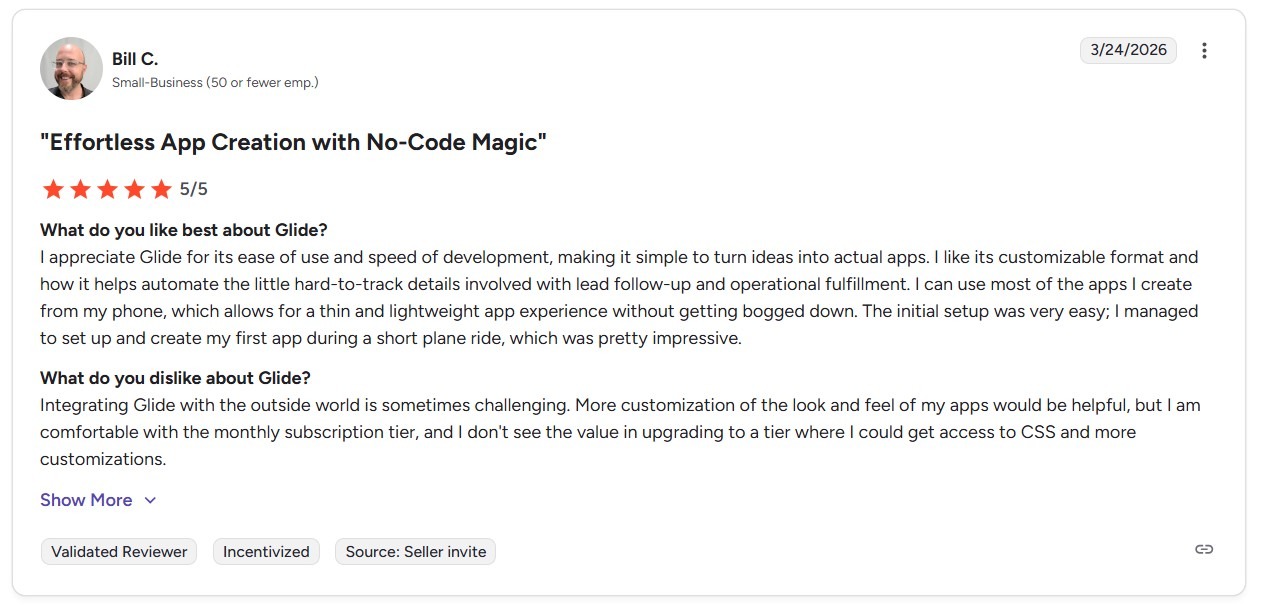
Con: “Integrating Glide with the outside world is sometimes challenging. More customization of the look and feel of my apps would be helpful…” - Bill C., G2
Pricing
Glide’s individual plan starts at $25/month, while business plans start at $249/month.
Bottom Line
Glide is an excellent choice if you want stylish internal apps without hiring a designer. If you need more customization, scalability, and flexibility, try Blaze.
4. Softr: Best for No-Code Frontends
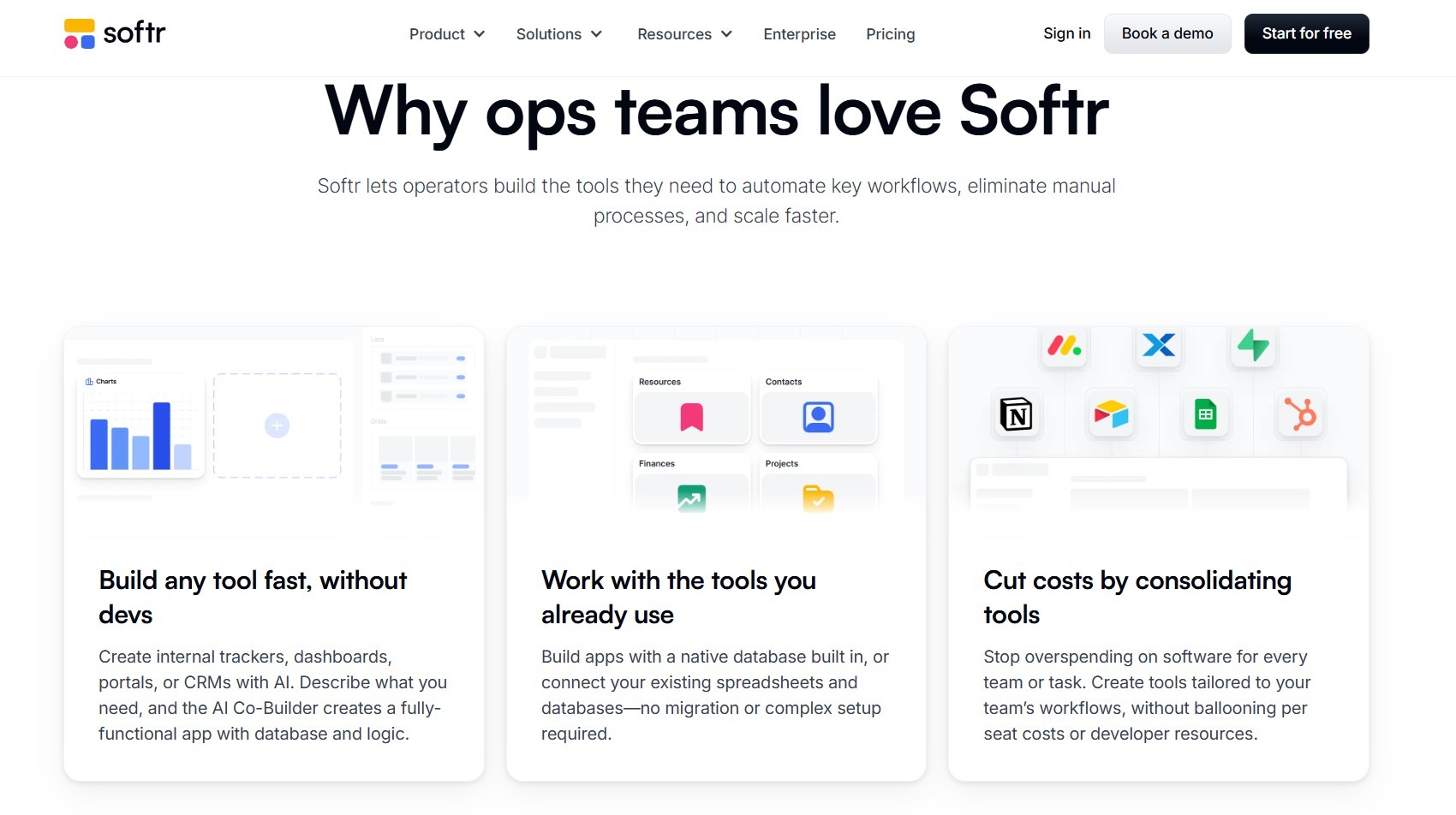
What it does: Softr is a no-code frontend builder that converts existing databases into web apps and Progressive Web Apps (PWAs).
Who it's for: If you’re already using Airtable, Google Sheets, Notion, or similar tools, Softr is a suitable option. It has plans for businesses of all sizes.
When I tested Softr, I connected my Airtable base and used the AI building feature to create a frontend from a prompt. I edited this using Softr’s simple block-based interface. Connecting each element on the frontend to a piece of the database only took a few clicks to bind each piece of data. I published a 12-screen app in just under 2 hours.
Softr would be a good choice if you need to create an app from preexisting data quickly. But I found the database builder slower and harder to use than other no-code tools. Setting up connections between tables took extra manual steps instead of using a clear visual layout.
Key Features
- Visualization features: The platform offers data visualization tools like Gantt charts and Kanban boards to bring your app’s data to life.
- Block-based builder: Softr connects your data to prebuilt blocks like charts, tables, and forms to help you build web app interfaces easily.
- AI app generation: Kickstart your app building with Softr’s AI tool. By describing your app in a few lines, you’ll get an auto-generated draft app to refine further.
Pros
- Rapid app creation: By combining an AI builder with a simple drag-and-drop interface, you can create apps much more rapidly than with other platforms, as long as you have a database.
- Simple database integrations: Softr integrates with many database builders, including Airtable, Coda, Xano, and many others.
Cons
- Performance constraints: Apps built on Softr can slow down if you have large datasets or several users.
- Design limitations: Softr’s templates and blocks are simple but restrictive, making it harder to customize your interface so it matches your unique branding or complex user experiences.
What Real Users Say

Pro: “The platform is incredibly easy to use, even for someone without deep technical skills, and I was able to build a fully functional app in a fraction of the time I expected.” - Kamal K., Trustpilot
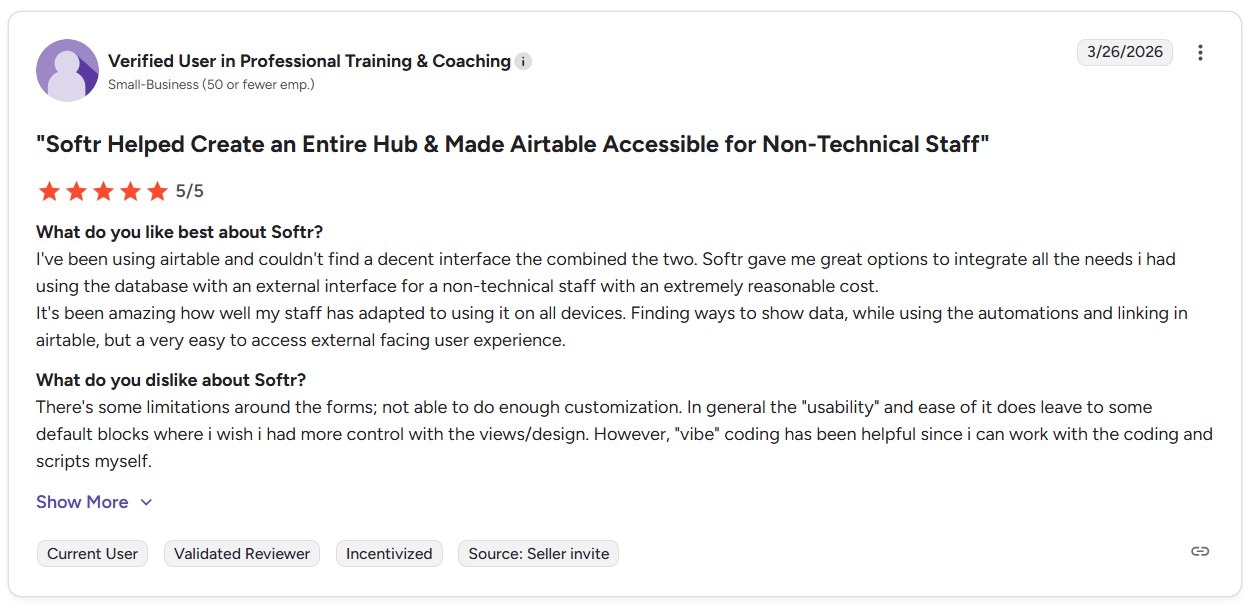
Con: “There's some limitations around the forms; not able to do enough customization. In general…i wish I had more control with the views/design.” - Softr User in Coaching/Training Industry, G2
Pricing
Start using Softr for $59/month.
Bottom Line
Softr is a strong option for teams that already manage data and need a simple frontend creator. If you need an app builder that gives you more customization, try Bubble.
5. Bubble: Best for Full Web Apps

What it does: Bubble is a no-code development platform that lets users design, build, and launch fully functional web applications without programming.
Who it's for: Bubble provides plans suited for individual creators, small businesses, and enterprise-level teams.
When I built a restaurant ordering app, I used Bubble’s templates and plugins to show the menu, let users log in, and accept payments with Stripe without writing code. Bubble has over 3,000 ready-made tools, so you can build almost any type of app. But it can feel hard to use at first and takes time to learn.
Key Features
- Large ecosystem: Operating since 2012, Bubble has developed one of the largest no-code support networks with tutorials, guides, and forums. Beginners can gain valuable resources, while advanced users can access niche plugins.
- Workflow automation: You can build advanced workflows with conditional logic, data triggers, and API connections. This flexibility allows you to automate processes, integrate third-party tools, and run complex app logic, all with a drag-and-drop editor.
- Template variety: The platform offers over 1,000 free and paid templates ranging from e-commerce stores to SaaS apps. Customize each one to suit your business requirements without starting from scratch.
Pros
- Supportive user community: Bubble’s active forums and resource hub are invaluable for troubleshooting and learning. You can get answers to questions from community members whenever you encounter issues.
- Flexible app development: Because it features one of the most advanced building interfaces, Bubble supports building a broad range of apps, from MVPs to enterprise tools.
Cons
- Challenging platform: Although its flexibility allows for creating a wide range of apps, Bubble has one of the most complex and difficult interfaces. You’ll need to study tutorials and documents to fully understand this tool.
- Pricing may increase with growing users: Each of Bubble’s plans gives you a set number of workload units (WUs) per month. If you exceed them, you’ll be charged overage fees.
What Real Users Say
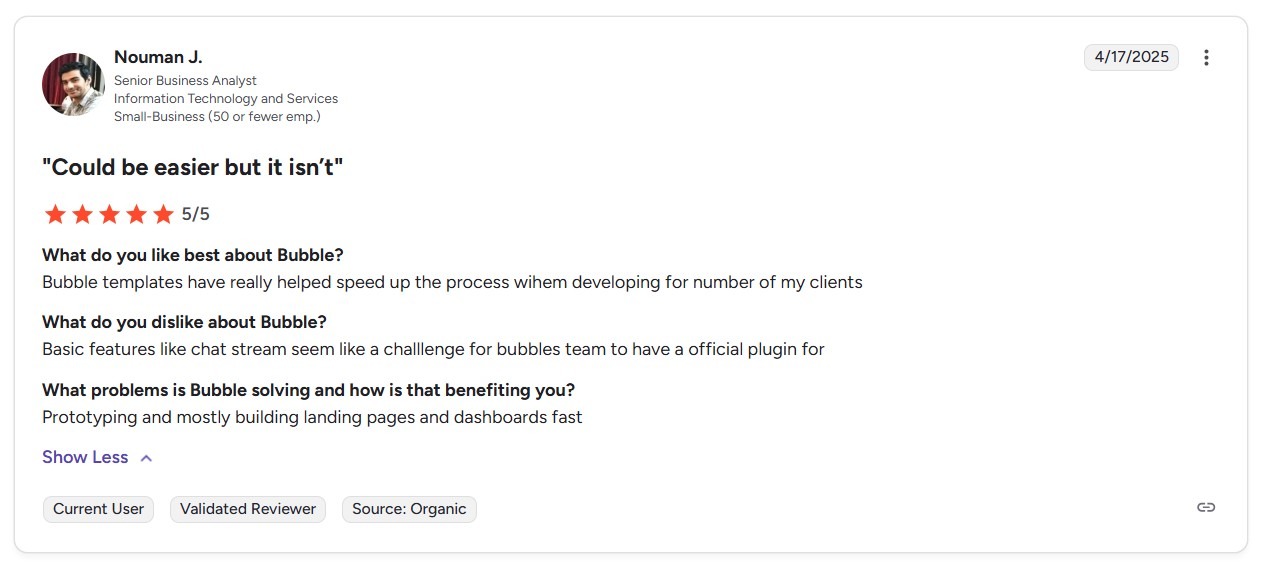
Pro: “Bubble templates have really helped speed up the process when developing for a number of my clients.” - Nouman J., G2
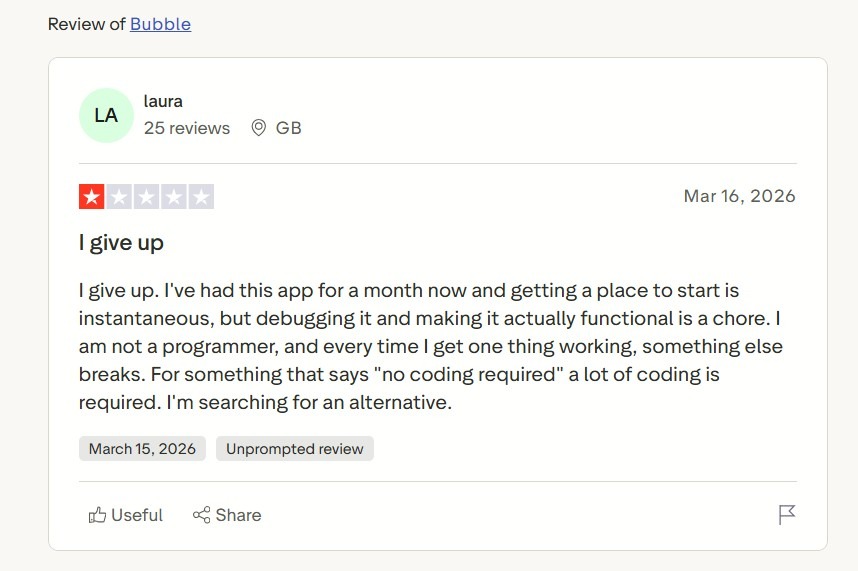
Con: “I give up. I've had this app for a month now, and getting a place to start is instantaneous, but debugging it and making it actually functional is a chore. I am not a programmer, and every time I get one thing working, something else breaks.” Laura, Trustpilot
Pricing
Bubble’s monthly pricing starts at $32/month for web app building and $69/month for web and mobile app building.
Bottom Line
Bubble is an excellent option for entrepreneurs and teams needing the flexibility to build sophisticated applications. However, if you want to avoid the steep learning curve, try Glide.
6. AppSheet: Best for Google Workspace Apps
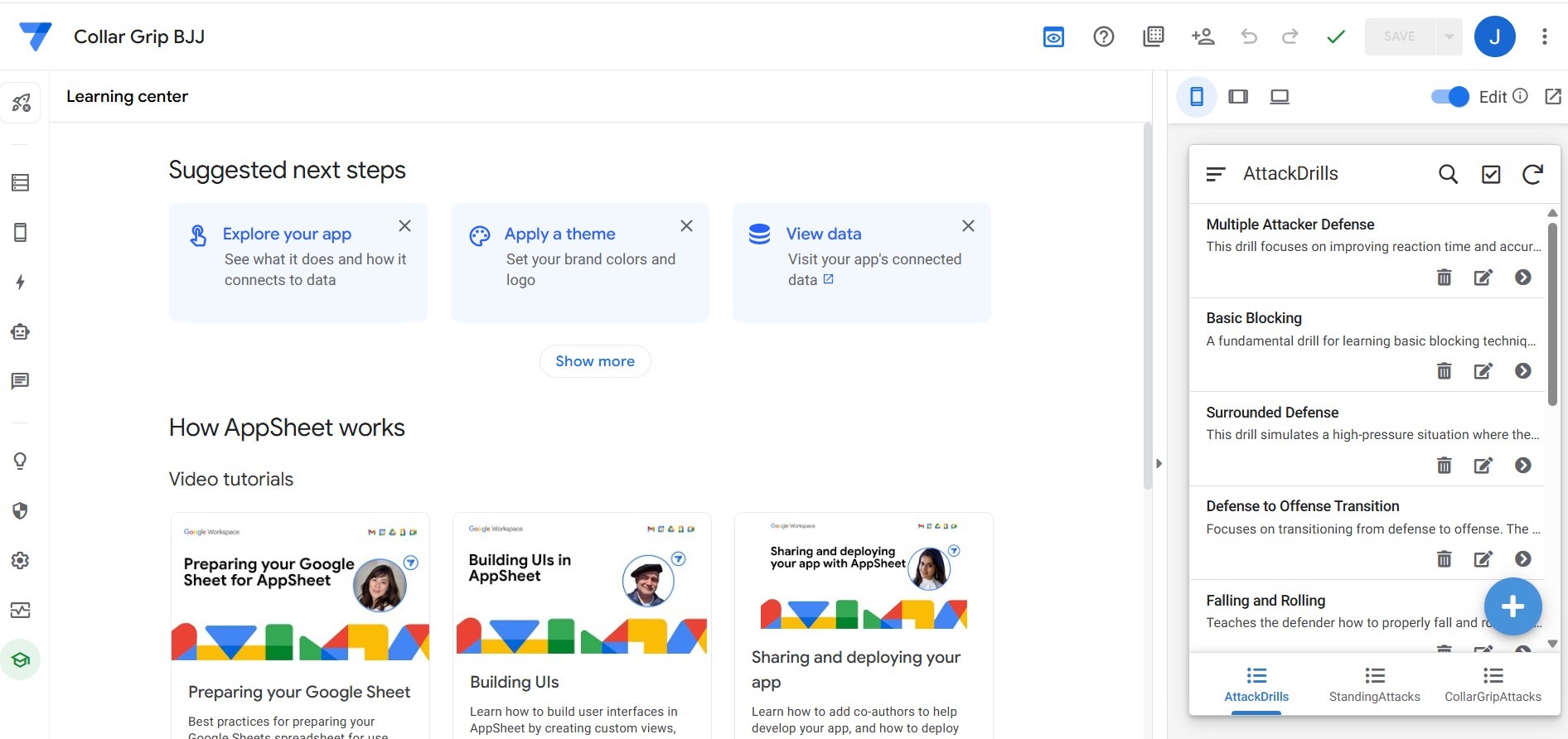
What it does: AppSheet converts spreadsheets and databases into native mobile and web apps. It’s Google’s app-building platform.
Who it's for: AppSheet suits individuals, small teams, and businesses that work with many applications from the Google Ecosystem. Its relatively cheap per-user pricing makes it appeal to small teams.
I connected my AppSheet account to three Google Sheets containing my eBay account sales data. Then, I visualized this raw data into six interactive tables, three interactive graphs, and a KPI tracker. At the end of the month, I exported the summarized data from Google Sheets and used Gemini to create a KPI report, which simplified tracking sample revenue reports.
Overall, AppSheet would work very well for users familiar with the Google Ecosystem. But, AppSheet doesn’t provide much customization, so apps appear bland.
Key Features
- Built-in data visuals: The platform converts spreadsheet data into dashboards, charts, and trackers. Use these to visualize KPIs and performance in ways that are easier to understand and act on.
- Native Google integration: AppSheet connects directly with Google Sheets, Drive, and Workspace apps.
- Multi-platform deployment: You can launch applications built with AppSheet on both the Android and iOS app stores, though publishing on these app stores requires extra steps.
Pros
- Process automation: Features like email alerts, scheduled updates, and triggered workflows reduce manual work. This helps you corral repetitive spreadsheet processes without extra coding or plugins.
- Affordable starting price: AppSheet is one of the lowest-cost no-code tools available. If you’re a freelancer or on a tiny team, you’ll pay just a few dollars per user each month, making it budget-friendly.
Cons
- Restricted design options: AppSheet apps lack advanced UI customization. It’s less customizable than competitors, and the visual design tools feel limited. This lack of customization may limit businesses that need branded or unique layouts.
- Google-centric: The platform is built for the Google ecosystem. If you don’t work with Google tools like Sheets, Documents, or others, you won’t have much use for AppSheet.
What Real Users Say
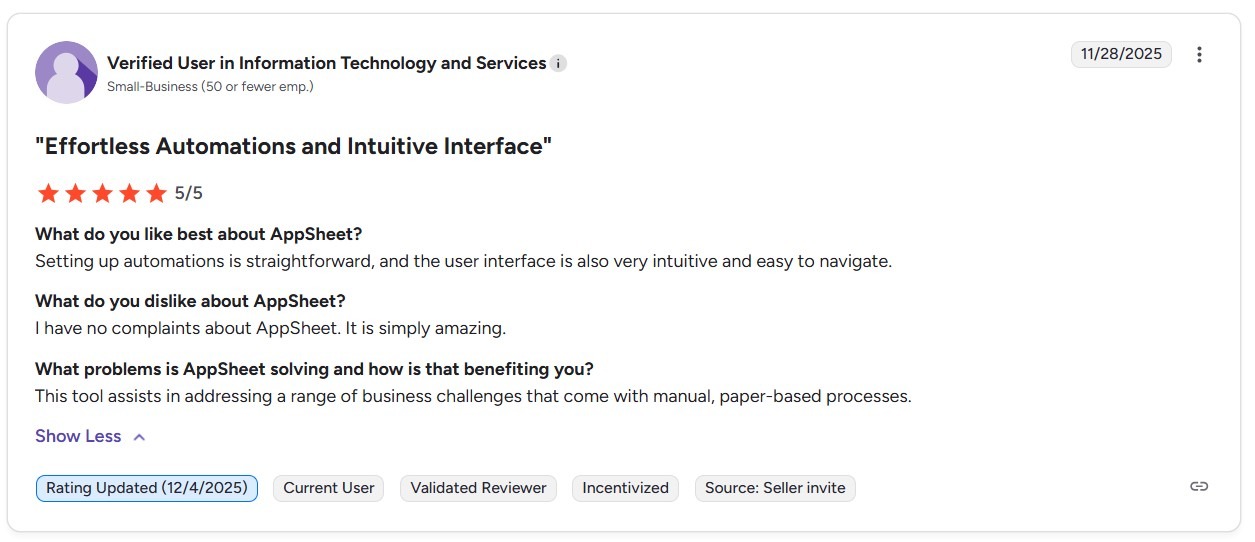
Pro: “Setting up automations is straightforward, and the user interface is also very intuitive and easy to navigate.” - User in the IT Industry, G2
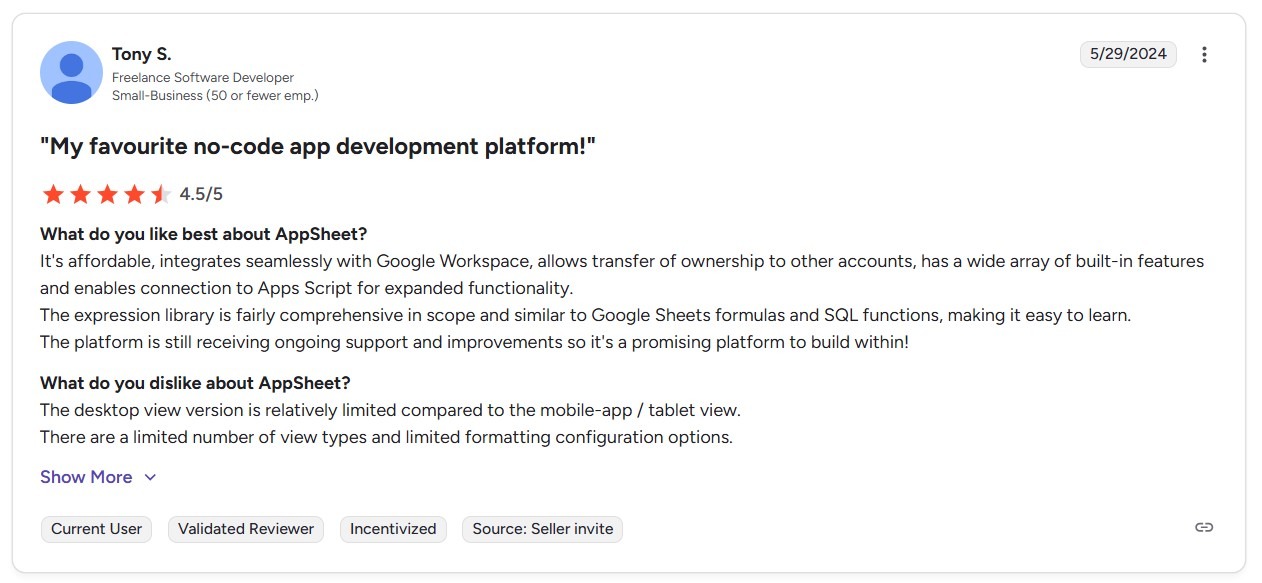
Con: “The desktop view version is relatively limited compared to the mobile-app / tablet view. There are a limited number of view types and limited formatting configuration options.” - Tony S., G2
Pricing
AppSheet pricing starts at $5/user/month.
Bottom Line
If you work primarily on the Google ecosystem and you’re on a budget, put AppSheet on your shortlist. But teams needing advanced customization or customer-facing apps should go for an AppSheet alternative like Bubble
7. Good Barber: Best for E-commerce Mobile Apps

What it does: GoodBarber is a no-code app builder for creating native iOS, Android apps, and Progressive Web Apps (PWAs).
Who it’s for: It's ideal for e-commerce businesses, content creators, and entrepreneurs who want to launch mobile or web apps to sell their products.
When I tested GoodBarber, I created a small app that featured products I currently sell on eBay. I could pick a template, plug in data via its CMS, and generate a working app preview. The simple native app publishing (for iOS + Android) stood out, making the platform an excellent solution if you’re aiming to launch an e-commerce app quickly.
But the rigid templates and lack of customization made it difficult to create an app that reflected my unique branding style.
Key Features
- Content management & monetization: GoodBarber features a built-in CMS for managing blogs, video, and other media. It also supports memberships and subscription models.
- Multi-platform publishing: The platform allows publishing on iOS and Android, while you can also create web apps and PWAs.
- Extensions & integrations: GoodBarber offers over 100 extensions like payment gateways and chat tools, plus integrations with tools like Zapier to add functionality.
Pros
- Strong e-commerce & content tools: With support for selling products, managing memberships, distributing content, and monetization via push notifications or subscription models, GoodBarber covers many common use cases out of the box.
- Web apps attract web traffic: You can also publish to the web and use GoodBarber’s SEO features to help improve search engine visibility.
Cons
- Limited customization freedom: The platform offers little capability to modify templates, backend logic, or interface structure. If you’re looking for pixel-perfect custom layouts or unusual UI flows, you should consider other options.
- Add-ons increase pricing: If you need authentication or chat, you’ll need to pay additional monthly fees.
What Real Users Say
-

Pro: “Working with the GoodBarber team has been an outstanding experience from start to finish. Their platform is incredibly intuitive, powerful, and flexible, allowing me to bring my app vision to life without the need for complex coding.” - Reggy, Trustpilot
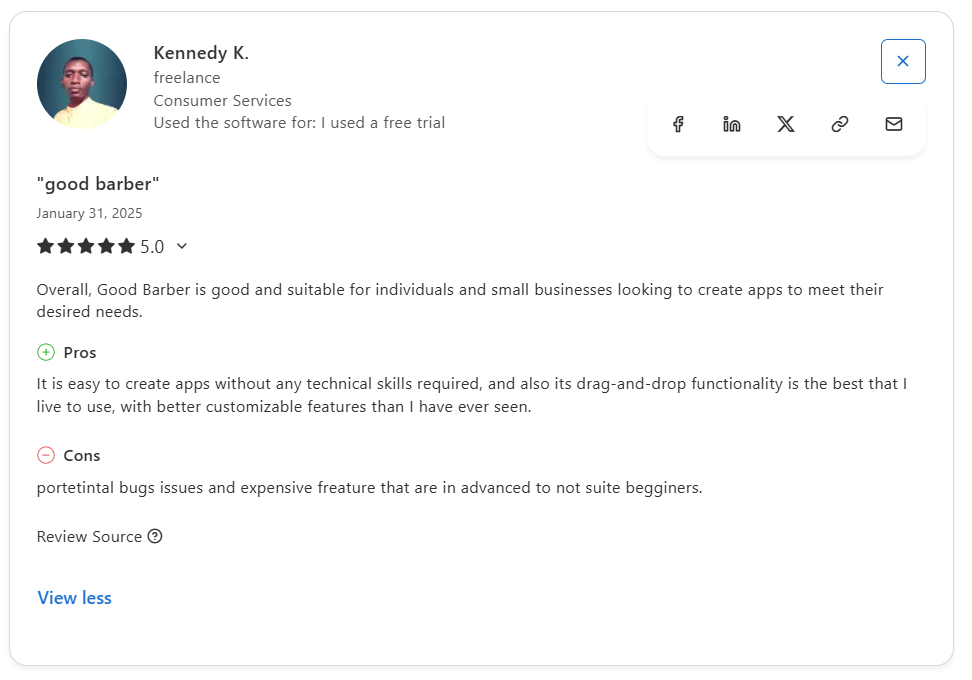
Con: “Potential bug issues and expensive features that are advanced and do not suit beginners.” - Kennedy K., Capterra
Pricing
GoodBarber pricing starts at $30/month.
Bottom Line
If you need to launch a mobile or web app for content or e-commerce, I recommend you give GoodBarber a try. However, if you need to build an app for purposes other than online sales, go with a more well-rounded tool like Softr.
8. Airtable: Best for Collaborative Databases
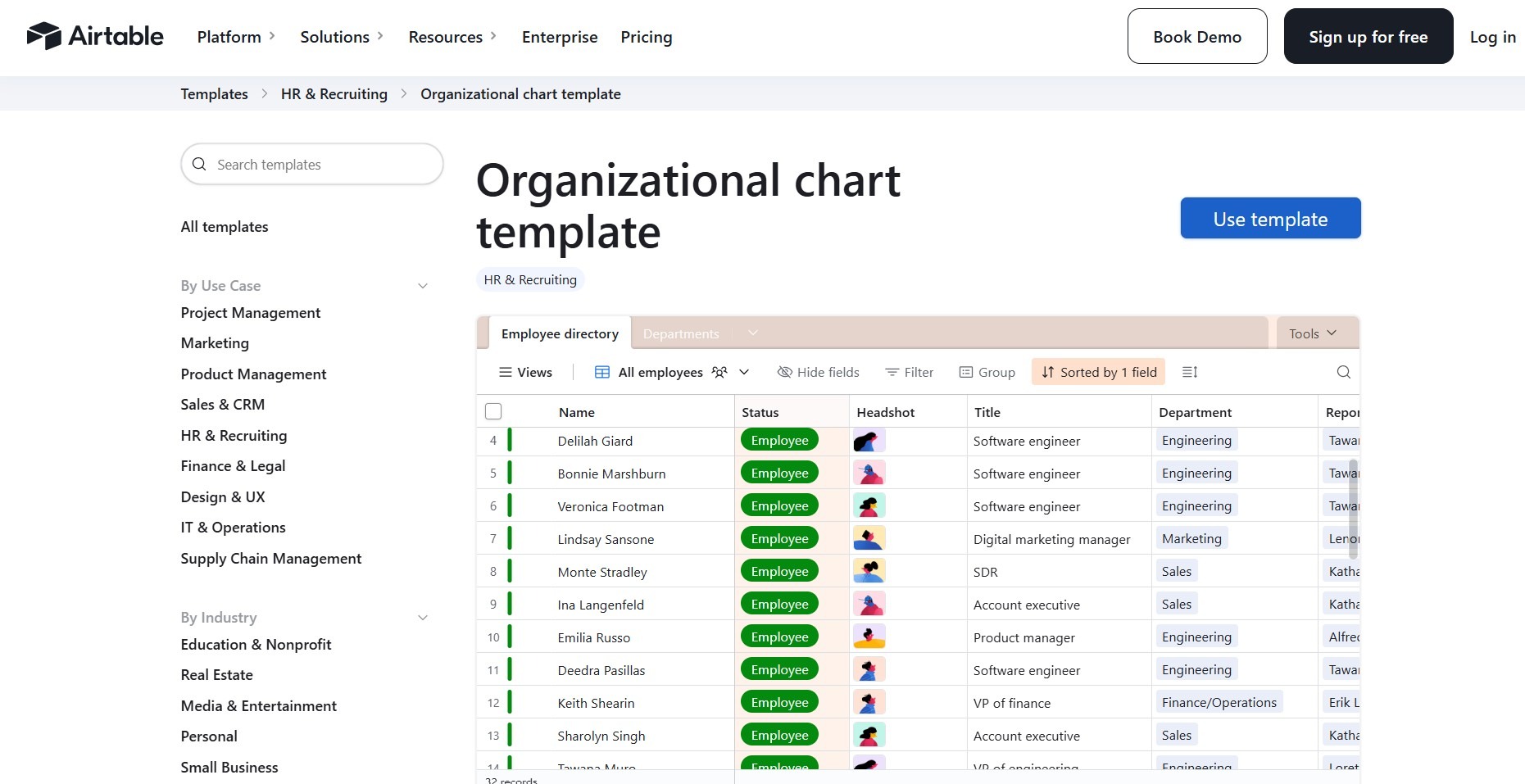
What it does: Airtable is a no-code database platform that makes building and managing databases feel as simple as working in a spreadsheet.
Who it's for: Airtable is ideal for teams of any size that need to create custom backends, streamline workflows, and collaborate on data without coding skills.
To test Airtable, I built a simple inventory database and created charts that tracked stock levels by category. The simplicity of building the database, along with the clear capability to create charts, could give non-technical teams a quick way to build visuals for their data.
But when I needed more advanced rules or system integrations, I had to rely on workarounds outside Airtable.
Key Features
- Visualization tools: Airtable offers several different charts, graphs, and other visualization tools, allowing you to better understand the data you’re working with.
- Workflow automation: The platform provides automations such as sending notifications, updating records, and making API calls.
- Extensive template collection: With several hundred templates for project management, CRM, content calendars, and inventory, Airtable helps teams looking to accelerate setup and customize to fit their workflows.
Pros
- Simple onboarding: Airtable’s spreadsheet-style design and ready-to-use templates make adoption straightforward for non-technical users, reducing barriers to building functional databases quickly.
- Flexible customization: With custom fields, templates, and automation features, Airtable adapts to a variety of workflows and business needs. It offers full control without requiring backend programming knowledge.
Cons
- Builds data tools only: Although it has a limited interface designer for database visualization, you’ll need to get another platform that connects to Airtable if you want to build a frontend to display your data as a true app.
- Limited scalability for complex apps: Airtable struggles with large datasets, heavy automation loads, or complex relational logic, which can impact performance as your app grows.
What Real Users Say

Pro: “I love the way the views of data are customizable to serve the specific needs you have at the time. Different teams required different components of the same dataset to be visible while accessing, and Airtable made it easy to create filtered views for each.” - Dan J., Capterra

Con: “Occasionally, we bump into an advanced function that we would like to achieve that Airtable doesn't support.” - Andy B., Capterra
Pricing
Airtable annual pricing starts at $24/month.
Bottom Line
Airtable is a strong option for teams wanting a collaborative backend that combines spreadsheet simplicity with relational database power. If you need a backend and database builder that offers complex rules and database configuration, try Xano.
9. Thunkable: Best for Visual App Logic Design

What it does: Thunkable is a no-code platform for designing, building, and deploying native mobile and web apps using a visual backend builder and live preview tools.
Who it’s for: It’s great for freelancers, small teams, educators, and businesses who want to build cross-platform apps for iOS, Android, and the web.
In my test of Thunkable, I built an appointment scheduling app and was especially impressed by the backend logic builder. It offered a clean, visual way to implement conditional logic and variable manipulation by placing blocks together. This simple layout helped me string together my app’s rules quickly, which would help non-technical users build a functional app.
But customization hit limits when I tried to create more advanced UI layouts and control icon size and placement. This means that teams who need unique, branded apps will find Thunkable restrictive.
Key Features
- Advanced logic and integrations: The platform supports logic blocks, API / web integrations, real-time data synchronization, conditional logic, and built-in components.
- Collaboration and live testing: Thunkable offers team/project collaboration tools, live device previews, and testing so you can iterate quickly and see results on actual devices.
- Component and template library: A collection of pre-built components, templates, and community-shared projects lets you start from existing designs. You can remix community apps or use templates to avoid building everything from scratch.
Pros
- Beginner-friendly: Thunkable’s visual, block-based interface lowers the bar for non-technical users. I found it intuitive to drag-and-drop and test changes live.
- Strong logic + integrations support: Despite no code, you get solid functionality for API calls and conditional logic.
Cons
- Steep pricing and limited scalability: The flagship $59/month version only offers 1GB of storage, restricting larger, scalable apps.
- Vendor dependency: Apps rely heavily on the platform’s infrastructure, making it difficult to migrate your project or maintain full control over hosting and long-term flexibility.
What Real Users Say
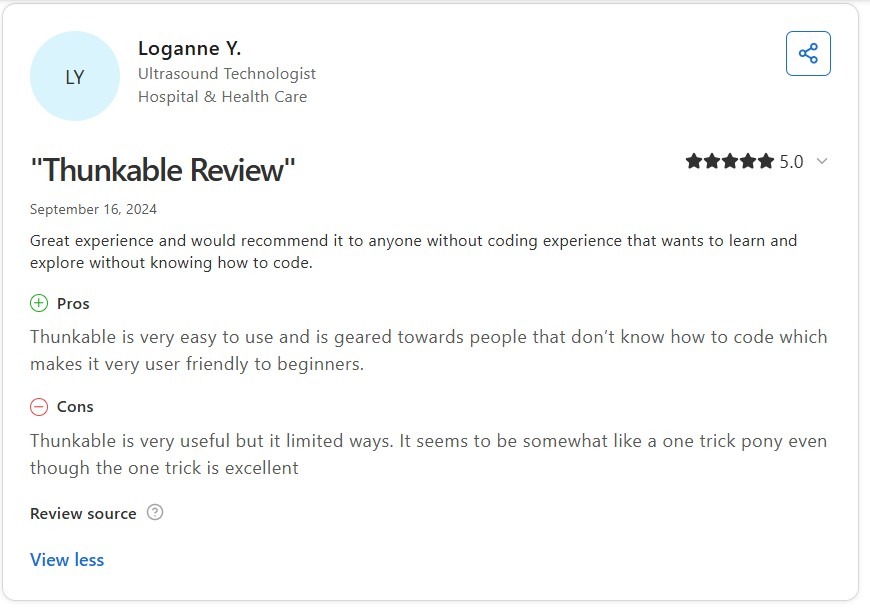
Pro: “Thunkable is very easy to use and is geared towards people who don’t know how to code, which makes it very user-friendly to beginners.” - Loganne Y., Capterra
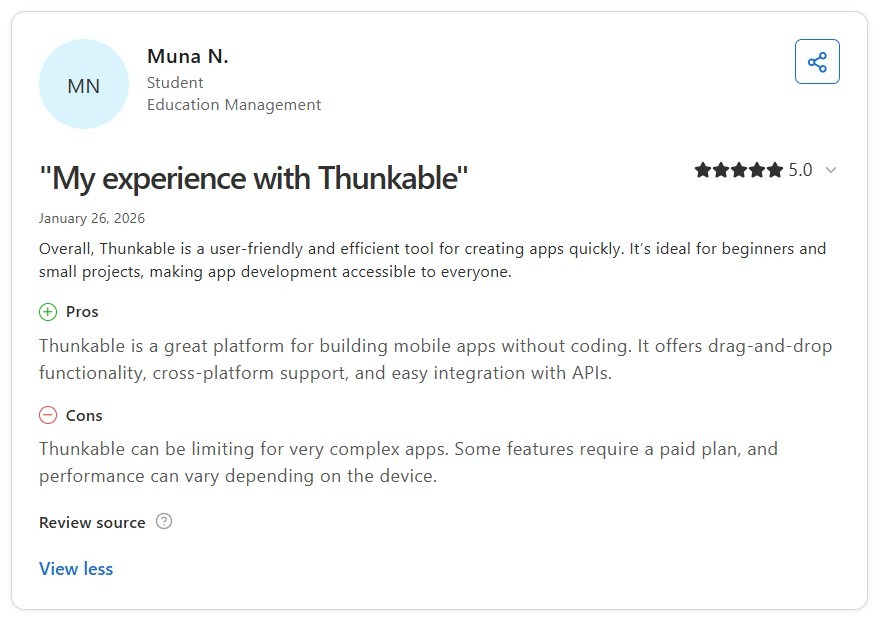
Con: “Thunkable can be limiting for very complex apps. Some features require a paid plan, and performance can vary depending on the device.” - Muna N., Capterra
Pricing
Thunkable’s cheapest pricing plan starts at $19/month.
Bottom Line
Thunkable balances ease-of-use with enough power for many real-world use cases. But if your project demands a highly custom UI, try Bubble.
10. Xano: Best for No-Code Backends

What it does: Xano replaces custom backend development by managing your database, API logic, and server infrastructure without requiring code.
Who it's for: Teams who need to build complex backend applications and have outgrown Airtable-style databases.
For testing, I built a login system in Xano using its visual tools, with different access levels for two types of users, without writing backend code. The logic and conditions worked like what a developer would normally code manually. This means that non-technical teams can use Xano to create production-ready authentication systems quickly.
But when building databases and connecting APIs, I needed to structure relational data models, configure endpoints, and manage request logic manually. Teams that aren’t familiar with backend fundamentals like SQL will find Xano harder to adopt.
Key Features
- AI workflow integration: You can connect and automate AI tools, like OpenAI models, inside your backend workflows. MCP servers connect through APIs.
- PostgreSQL database: Built on a relational database that lets you access tables directly. It supports server-side triggers and can scale automatically on higher plans.
- Auto-generated API docs: Every endpoint comes with built-in documentation. You can import it into frontend tools using OpenAPI or Swagger.
Pros
- Enterprise compliance: Paid plans include standards like SOC 2 Type II, ISO 27001, and GDPR. You still need to manage your own data to stay compliant.
- Scalable logic: You can build logic with conditions, background tasks, and caching. These features help your app handle more users without major changes.
Cons
- Limited to backend and database: Xano only handles backend logic and database building. You need to choose and manage your own frontend.
- Requires technical background: You need to understand databases and how APIs work to get the most out of Xano.
What Real Users Say

Pro: “Xano is above all a robust and scalable backend. For example, we have a table with more than a million rows for one of our clients, without causing performance issues.” - Frederic L., G2

Con: “There’s a little bit of technical knowledge needed (more so than a complete no-code beginner). It’s not a blocker—more like a mindset shift. So even though you don't need to know how to code to use Xano, you do need a little bit of technical knowledge to get started!” - Joshua S., G2
Pricing
Xano pricing starts at $99/month.
Bottom Line
Xano works best when you need real backend features like user login, structured data, background tasks, and versioned APIs. It’s a good option if you’re not ready to hire a backend developer. If you need a simpler no-code tool that also includes a frontend builder and enterprise scalability, try Blaze.
My Final Verdict: Which No-Code App Builder Should You Choose?
Each of my top 10 best no-code app builders serves as an excellent option for building functional applications without writing code. But each platform suits a different use case. Here's how to pick the one for you:
Choose Blaze If You:
Are an organization that needs to build several apps that scale, or needs HIPAA-enabling features, HITRUST architecture, or SOC 2 compliance.
Choose Adalo If You:
Are a freelancer or small business owner who needs a simple, customer-facing iOS or Android app launched quickly and affordably.
Choose Glide If You:
Need a polished, professional-looking app powered by existing spreadsheet or database data.
Choose Softr If You:
Already use Airtable, Google Sheets, or Notion and want to turn that data into a shareable web app.
Choose Bubble If You:
Need full flexibility to create a customized, feature-rich app and are willing to invest time learning the platform.
Choose AppSheet If You:
Rely on Google Sheets and Drive, and need an affordable way to turn that data into a functional app.
Choose GoodBarber If You:
Want to sell products or distribute content through a native iOS and Android app with built-in publishing and SEO tools.
Choose Airtable If You:
Need spreadsheet simplicity combined with relational database power to manage workflows and data across your team.
Choose Thunkable If You:
Are a non-technical builder who needs to create iOS, Android, and web apps with solid conditional rules and API integrations.
Choose Xano If You:
Have outgrown simpler databases and need structured APIs, user authentication, and relational data management.
Avoid This Category Entirely If:
If you need exact control over your design to match strict brand rules, many no-code tools can feel limiting because they rely on pre-built parts. Tools like Bubble and Xano give you more design control than most, but they still have some limits.
Get Started with Blaze
If you're looking for a scalable and secure no-code app builder platform for your next enterprise applications, go with Blaze. Here’s how Blaze simplifies app building:
- Simple drag-and-drop interface: Build business tools without any programming skills using just your mouse and Blaze’s premade components.
- Several integrations: Connect with external databases and third-party platforms to trigger notifications and transfer data.
- Security: Blaze offers advanced security features like single-sign-on, security scans, HIPAA-enabling features, and SOC 2 Type 2 compliance.
- Helpful support: Blaze’s support team will teach you the building interface as soon as you are onboarded. They’ll also help you publish and maintain your app so you can rest assured that it’s always humming.
Schedule a free demo and see how you can build customized apps quickly and at scale with Blaze.
Frequently Asked Questions
Are No-Code App Builders Suitable for Enterprise Use?
Yes, some, but not all, no-code app builders are suitable for enterprise use. Most no-code platforms are built for small businesses and simple projects. They often lack the strong security and compliance features that larger companies need. Always confirm if you need HIPAA or SOC 2 compliance before you choose an app builder.
Which Is the Easiest No-Code App Builder?
The easiest no-code app builder is Adalo for small businesses and Blaze for enterprises. Adalo’s drag-and-drop simplicity, templates, and affordability make it appeal to folks who need a quick app on a budget. Blaze offers scalability, HIPAA-enabling infrastructure, and hands-on support, making it a better fit for organizations needing advanced customization.
How Do I Choose the Best No-Code App Builder for My Needs?
Define your app’s purpose, required features, and target audience to choose the best no-code app builder for your needs. Determine if you need security requirements like HIPAA and SOC 2, integrations with existing tools, and budget constraints. Test platforms through demos or free trials, focusing on ease of use and support quality to find your best match.
The Secure No-Code & AI Platform
Supercharge your team's operations and performance with better apps and tools.
Create custom apps fast
Secure & HIPAA compliant
Streamline complex workflows

The Secure No-Code Platform
Build apps with best-in-class security.
Related Articles
Discover related guides on healthcare no-code development, HIPAA compliance, security, integrations, and launching apps faster.
.png)
17 Top Customer Service Platform: 2026 (Tested & Compared)
Shopping for a customer support platform portal and need some inspiration? I reviewed the top 17, shared features, pricing details, and my verdict.
%20(1).png)
8 Healthcare Dashboard Examples (2026)
Explore healthcare dashboard examples for hospital operations, revenue, and compliance. Discover what each dashboard tracks and how to build one.
%20(1).png)
Healthcare Claims Automation: How It Works (2026)
Healthcare claims automation connects systems to reduce repetitive work. Explore the 9 workflow stages that show how eligibility, validation, and payments move.