
Table of contents
10 HIPAA-Compliant Telehealth Platforms and Features | 2026

Written by
Blaze Team

Reviewed by
Nanxi Liu
Expert Verified
The 10 Best HIPAA-Compliant Telehealth Tools in 2026
| Platform | Best For | Custom Workflows | HIPAA-Compliant | Pricing Starts |
|---|---|---|---|---|
| Blaze.tech | Custom-built telehealth platforms for growing clinics and enterprises | Fully no-code workflows, forms, dashboards, and portals | ✅ HIPAA + SOC 2 Type II | Contact sales for pricing |
| Zoom for Healthcare | Small and mid-sized clinics needing secure video consults with EHR integration | Limited, mostly video-focused with basic integrations | ✅ HIPAA-compliant plan | $16.99/month per user |
| Mend | Payment automation, intake forms, and behavioral health teletherapy | Some templates, limited customization options available | ✅ HIPAA-compliant | Contact sales for pricing |
| VSee | Providers needing device syncing and medical workflow flexibility | Highly customizable no-code workflows for intake, triage, and follow-ups | ✅ HIPAA-compliant | $29/month per provider |
| Ensora | Behavioral health teams, addiction programs, and rehab centers | Offers scheduling, documentation, and portal tools | ✅ HIPAA-compliant | $29/month per user |
| SimplePractice | Solo and small-group therapy and mental health practices | Basic templates; not suited for complex customization | ✅ HIPAA-compliant | $49/month with free trial |
| Qualifacts | Enterprises and startups needing telehealth APIs and scale | Supports API-level customization and scalable workflows | ✅ HIPAA + PIPEDA | Contact sales for pricing |
| Doxy.me | Free, easy video consults for solo and small clinics | Minimal, no deep integration or workflow tools | ✅ HIPAA-compliant | Free; paid starts at $35/month |
| Amwell | Large-scale telehealth programs | Flexible hybrid care workflows with EHR integration | ✅ HIPAA-compliant | Contact sales for pricing |
| Teladoc Health | Nationwide virtual care networks | Limited customization, stronger on routing and network access | ✅ HIPAA-compliant | Contact sales for pricing |
I tested 20 HIPAA-compliant telehealth platforms across compliance, behavioral health, and scheduling workflows. Blaze leads for custom-built platforms, Zoom for small clinics, and Mend for intake and payment automation. Compare each platform’s telehealth and integration capabilities to pick the right one for your practice.
How I Tested These Telehealth Platforms
I started with 20 telehealth platforms and tested each one in sample workflows to see how well it protected patient data, supported providers, and handled daily operations.
Here’s what I looked for:
- Compliance and data security: Strong HIPAA compliance features protect patient data and reduce legal risk. I tested whether platforms log consent forms, track every interaction, and store records securely. I also checked how easily I could access audit logs to verify compliance during reviews.
- Behavioral health use case: Therapists, psychiatrists, and psychologists need specialized workflows for sessions. I tested group session support, consent form handling, and controlled substance workflows.
- Scheduling and workflow: Every provider wants to reduce manual work and prevent missed appointments. I tested self-booking, rescheduling, reminders, and recurring appointment management.
- Consent management and documentation: I tested how platforms collect digital consent, attach forms to services, and store them automatically to see how accurately each tool created records.
- ePrescribing: Testing how platforms connect to pharmacy networks and provide secure prescribing to assess speed, accuracy, and reliability in real-time prescribing workflows without extra follow-up steps.
This hands-on approach helped me see which platforms actually support real clinical workflows. Here are the 10 that delivered the best results.
1. Blaze: Best for Custom-Built HIPAA-Enabling Telehealth Platforms
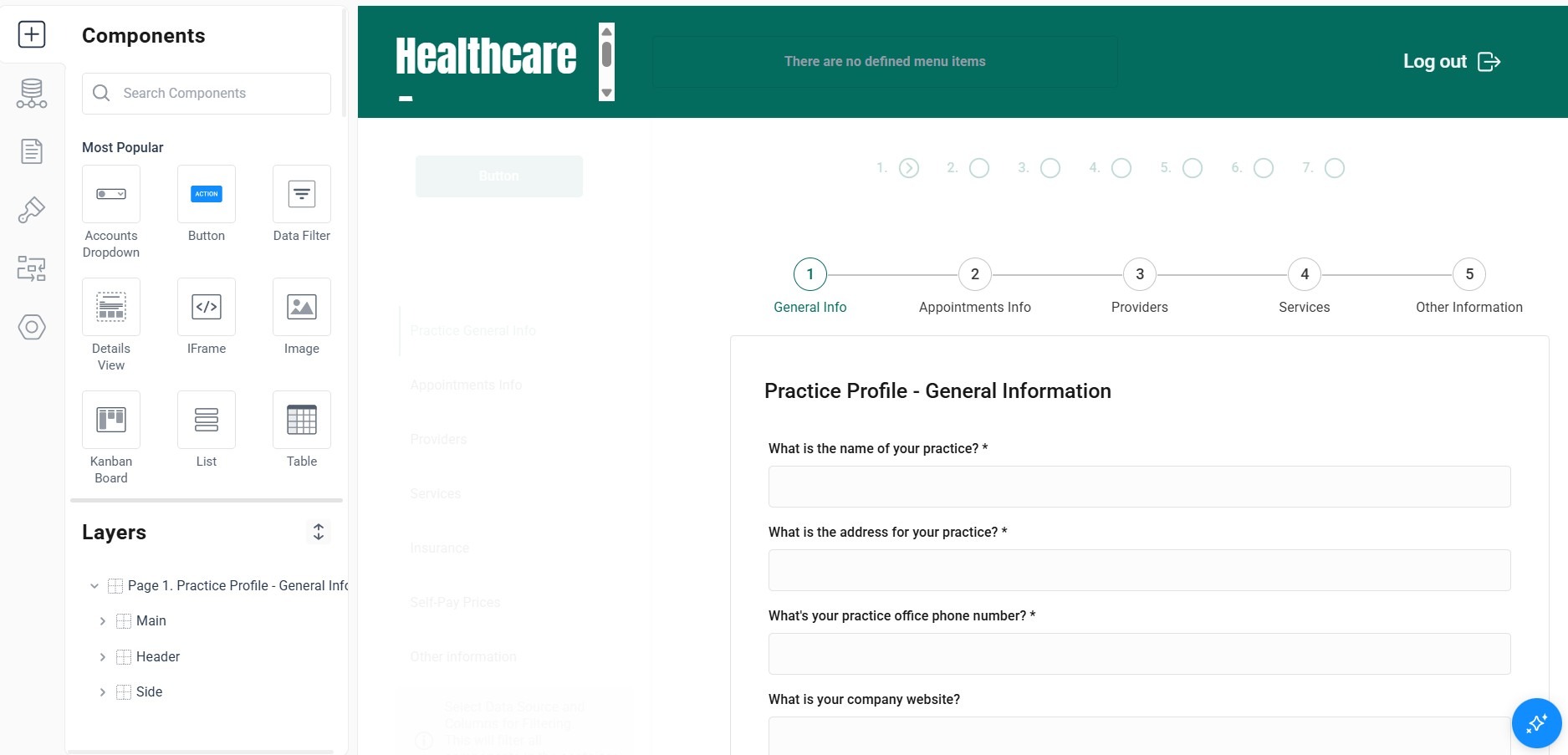
What it is: Blaze is a no-code, enterprise app builder that enables you to configure your own HIPAA-enabling telehealth platform.
Who it’s for: Blaze meets the needs of mid-sized to large healthcare organizations that require custom applications. When you onboard with Blaze, you won’t need to worry about hiring a traditional software development team.
I tested Blaze by building a telehealth portal with video consultation, scheduling, and intake forms. Using the drag-and-drop builder, I customized the user interface to an example clinic’s brand. Then, I connected to Zoom using Blaze’s REST API. The platform allowed me to customize my own telehealth platform to meet my branding needs, unlike off-the-shelf tools.
Features
- Several integrations: Blaze connects easily with healthcare applications like Athenahealth, Cerner, and others. You can also connect with payment platforms like Stripe and databases like MongoDB and Microsoft SQL Server.
- Build unlimited applications: If your clinic is scaling fast, Blaze can grow with you. Build as many applications as you like, with unlimited database storage included.
- Enterprise security features: Blaze focuses on security with SOC 2 and HIPAA compliance, as well as features such as 2FA, role-based permissions, and SSO.
- No-code database builder: Create tables, custom field types, and linked records without any SQL knowledge.
Pros
✅ Support from day one: We guide you through every function from day one, so you’ll know how to use the platform.
✅ Fits several use cases: Blaze’s flexibility makes it suitable for nearly any business process requiring custom logic, forms, or data workflows. This includes everything from internal finance tools to external patient apps.
✅ Scalability: We provide enough database space to accommodate nearly any number of users.
Cons
❌ Best suited for mid-to-large-sized teams: Smaller healthcare organizations might find Blaze’s enterprise-oriented toolset too complex or overpowered for startup apps or minimum viable products.
❌ No native video tool: You’ll need to integrate with a third-party video app provider to offer live telehealth features.
What Users Are Saying
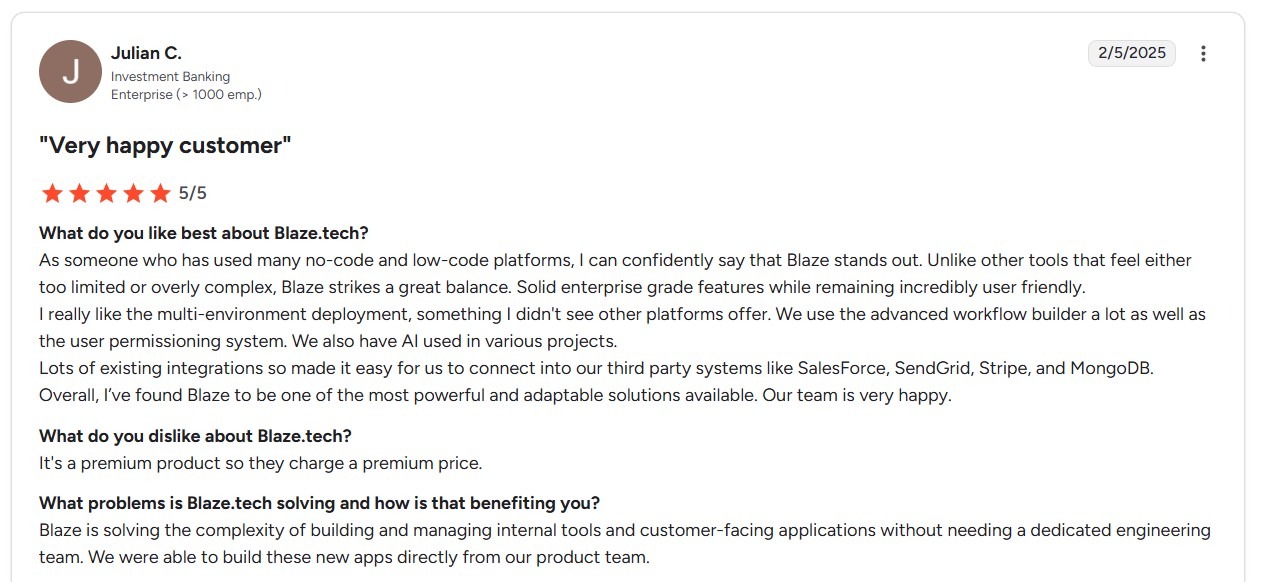
Pro: “As someone who has used many no-code and low-code platforms, I can confidently say that Blaze stands out. Unlike other tools that feel either too limited or overly complex, Blaze strikes a great balance. Solid enterprise-grade features while remaining incredibly user-friendly.” - Julian C., G2
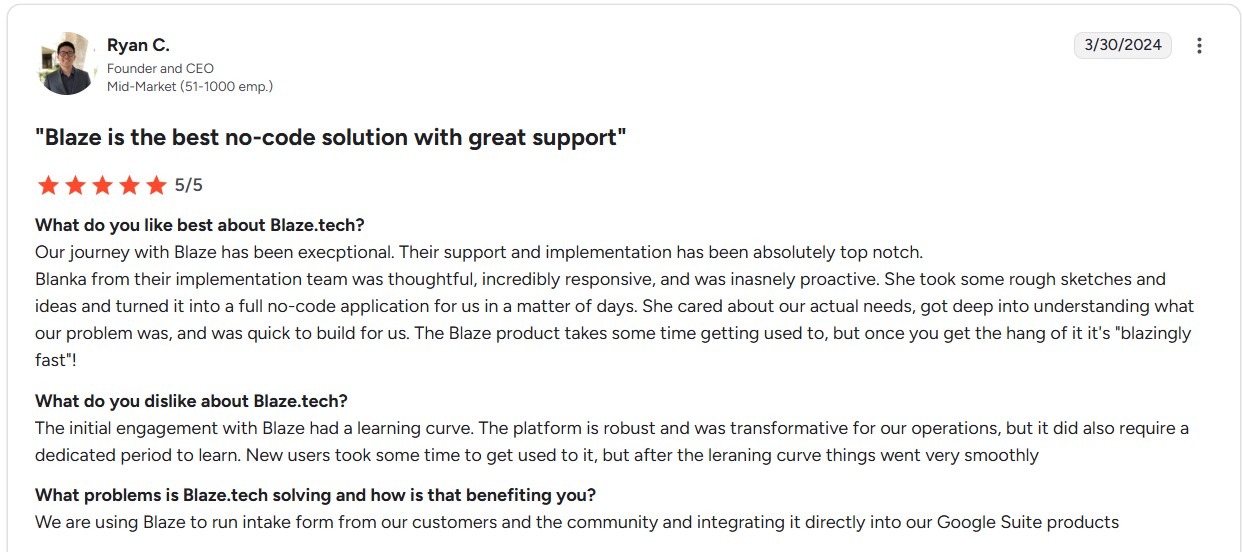
Con: “The initial engagement with Blaze had a learning curve. The platform is robust and was transformative for our operations, but it did also require a dedicated period to learn.” Ryan C., G2
Pricing
Contact our sales team for a custom quote for our HIPAA-enabling app builder.
Bottom Line
Blaze fits mid-to-large healthcare organizations that need a fully custom, branded telehealth platform with patient portal, intake, scheduling, and billing. For a telehealth platform that doesn’t require customization, choose doxy.me.
2. Zoom for Healthcare: Best for Small and Medium Clinics
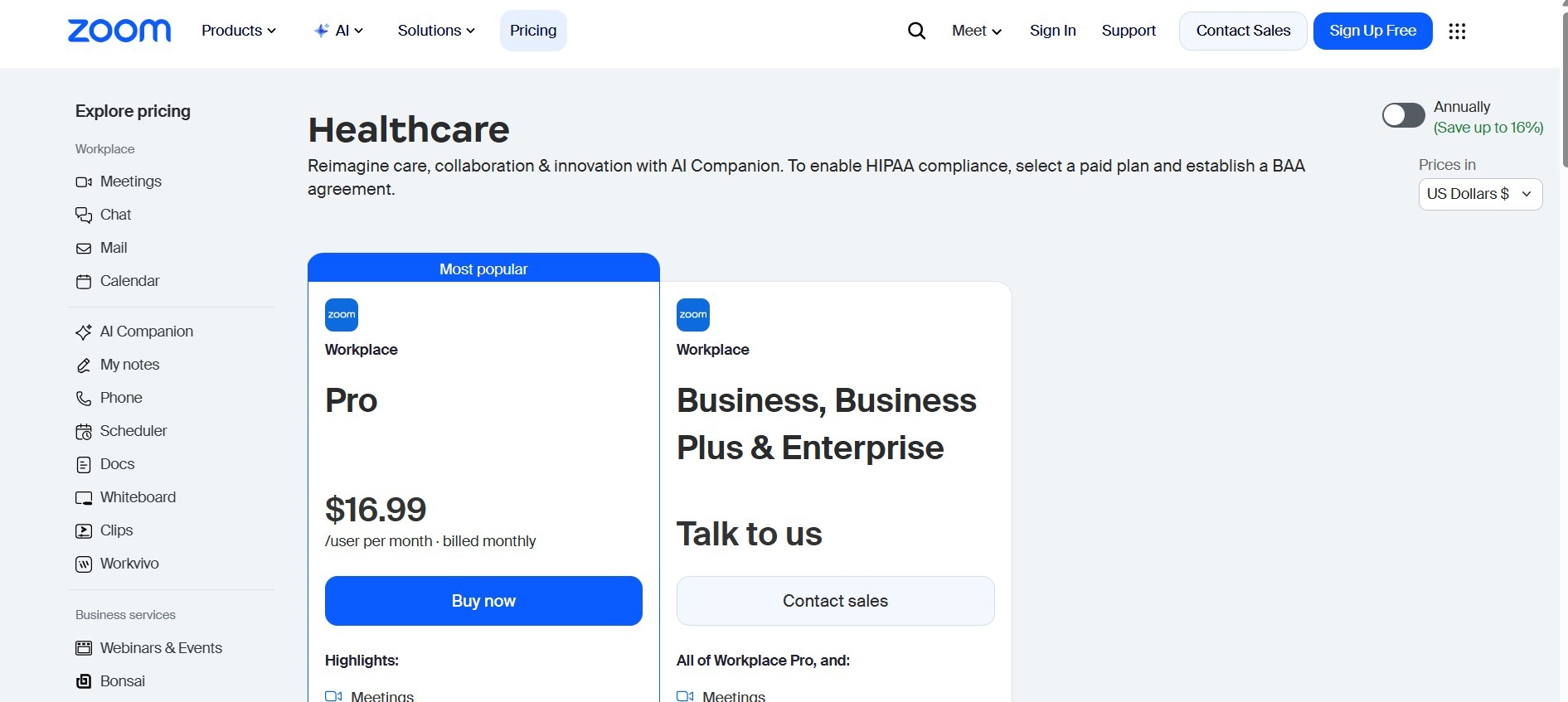
What it is: Zoom for Healthcare is a HIPAA-compliant video conferencing platform designed for healthcare providers. It supports secure virtual consultations, EHR (electronic health records) integrations, virtual waiting rooms, and end-to-end encryption.
Who it’s for: The platform meets the needs of small and mid-sized clinics that need a secure telehealth platform for video consultations. It works well for users looking to augment their existing EHR with secure telehealth capabilities.
I tested Zoom for Healthcare's Epic integration by launching a sample visit. The session opened with single sign-on, and the AI Clinical Note captured and synced documentation back into my chart without manual transfer, which would allow providers to capture every word of the interaction.
But clinics without a dedicated IT resource to configure the platform for HIPAA will run into difficulties.
Features
- End-to-end encryption: Zoom uses AES 256-bit encryption for video, audio, and messaging. Optional waiting rooms and meeting locks give you additional access control and security.
- Supports EHR and calendar integrations: Zoom integrates with major electronic health records like Epic and Cerner for scheduling appointments.
- Handles group visits and care coordination: The platform allows multiple participants to join conferences securely, making it effective for family consults or multidisciplinary care teams working remotely.
Pros
✅ Cost-effective for small organizations: For small teams with fewer than 10 staff members, Zoom offers a more affordable alternative to expensive enterprise-grade telehealth platforms.
✅ Simple setup: Its simple interface makes onboarding with Zoom easier than many other platforms. Patients can join from a browser or app using a single link, while providers gain access to tools and administrative features in one place.
Cons
❌ Limited customization: Zoom focuses on secure video, not specialty medical workflows. If you need built-in SOAP notes, e-prescribing, or automated patient follow-ups, you’ll need to pair it with other tools.
❌ Per-license pricing compounds fast: Each provider requires a separate paid Healthcare license, and costs escalate quickly for multi-provider clinics.
What Users Are Saying
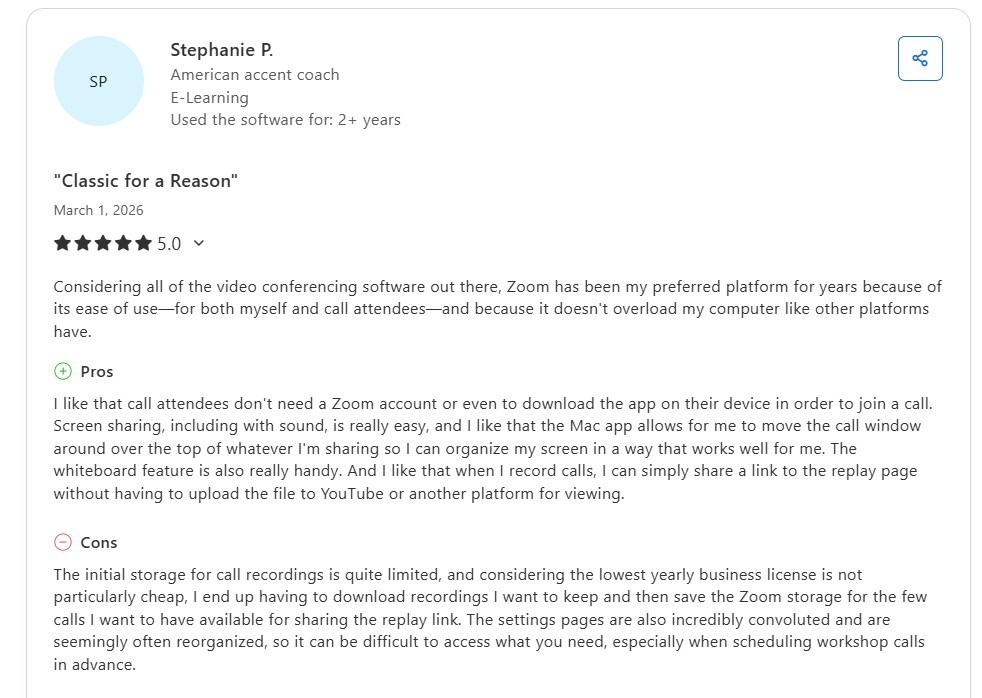
Pro: “Considering all of the video conferencing software out there, Zoom has been my preferred platform for years because of its ease of use…” - Stephanie P., Capterra
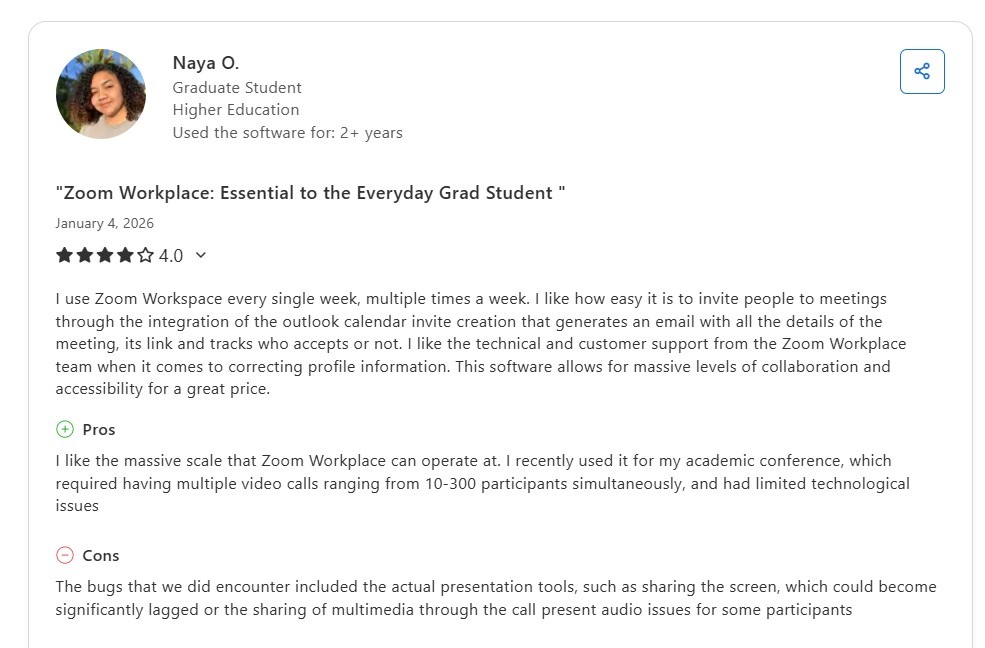
Con: “The bugs that we did encounter included the actual presentation tools, such as sharing the screen, which could become significantly lagged or the sharing of multimedia through the call, presenting audio issues for some participants.” - Naya O., Capterra
Pricing
Zoom for Healthcare’s pricing starts at $16.99/month per user.
Bottom Line
Zoom for Healthcare makes the most sense when a small or mid-sized clinic already runs Zoom internally and wants to extend that same familiar interface to patient-facing telehealth without adopting an entirely new platform. For workflows centered on intake, automated payment collection, or clinical documentation, try SimplePractice.
3. Mend: Best for Payment + Intake Automation
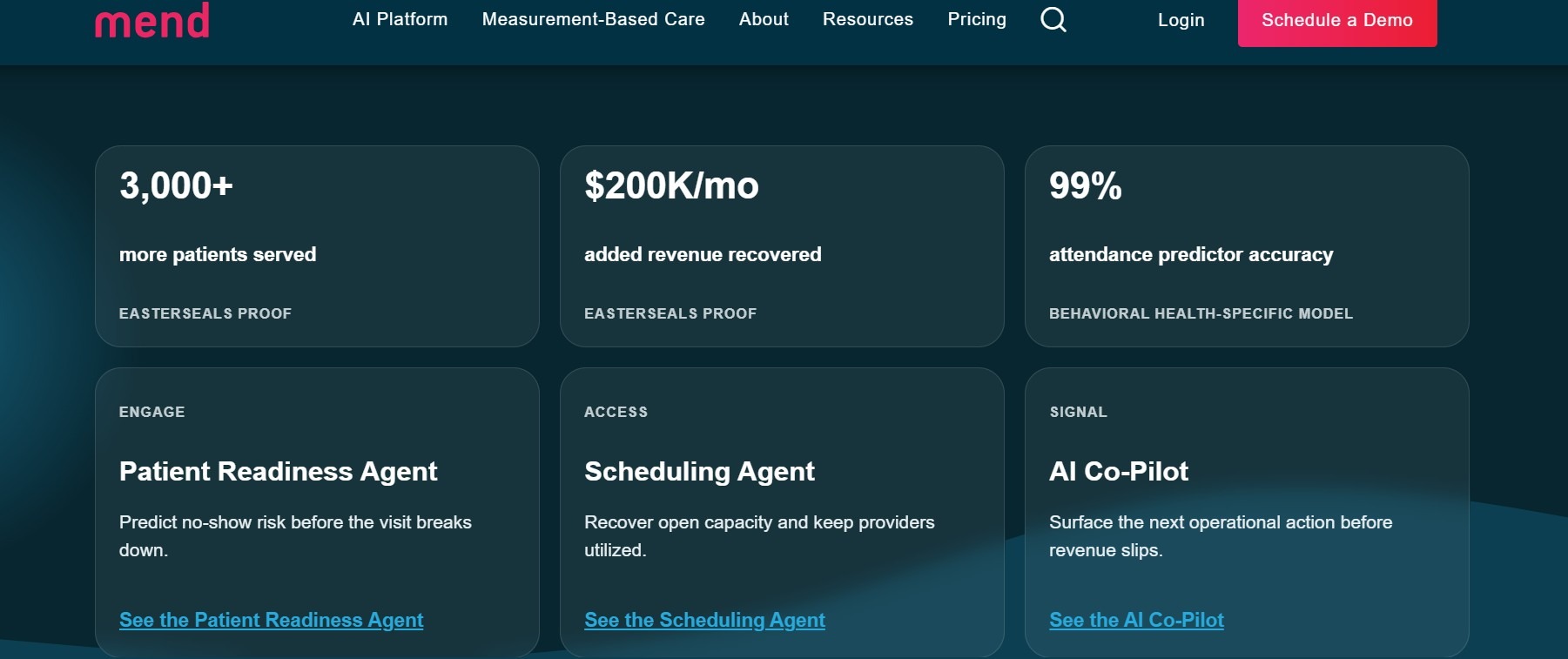
What it is: Mend is a cloud-based HIPAA-compliant telehealth platform designed for virtual care delivery. The platform delivers purpose-built telehealth tools to behavioral health professionals.
Who it’s for: Mend helps behavioral healthcare providers and counselors improve patient engagement and virtual care delivery. It supports remote therapy with features built for virtual care delivery.
I tested Mend's automated intake workflow by sending a new sample patient a pre-visit link ahead of a scheduled telehealth appointment. The patient completed consent forms, insurance capture, and payment authorization from a single link before the session began, which would reduce administrative work in a real setting.
But I found the platform’s depth may exceed what solo practices need, since setting up API integrations with my EHR took significant time,
Features
- Secure video conferencing: Mend provides HIPAA-compliant video sessions accessible via encrypted browsers.
- Digital intake and consent forms: Patients can complete documentation directly through the platform before appointments, accelerating the check-in process.
- Automated reminders: The platform sends text and email reminders to patients as appointment dates approach to reduce no-show rates.
Pros
✅ User-friendly interface: Mend offers an intuitive user experience to simplify navigation for both providers and patients.
✅ Features and integrations: Mend offers a range of tools for video conferencing and patient intake. It also integrates with EHR platforms.
Cons
❌ Limited customization: It offers a set of predefined templates, which can be restrictive for users who want to create customizable workflows.
❌ Not built for solo providers: Mend's pricing structure and implementation process are designed for groups of 11+ providers, making it a poor fit for solo or two-provider practices that need a lightweight, low-overhead solution.
What Users Are Saying
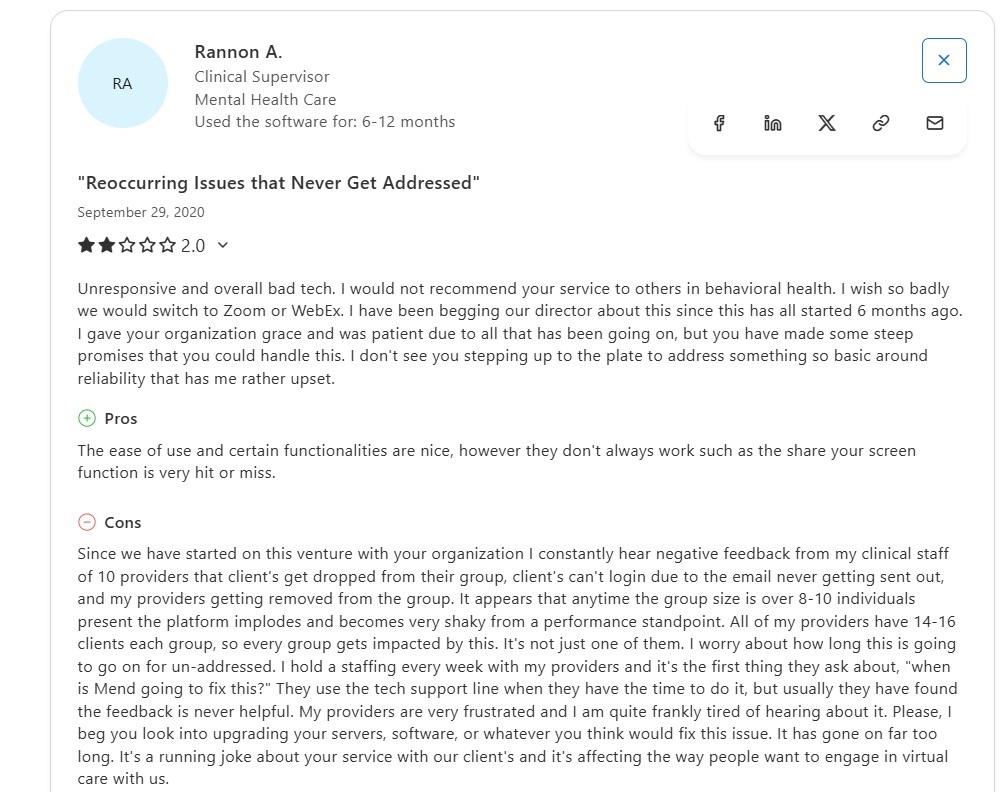
Pro: “The ease of use and certain functionalities are nice…” Rannon A., Capterra
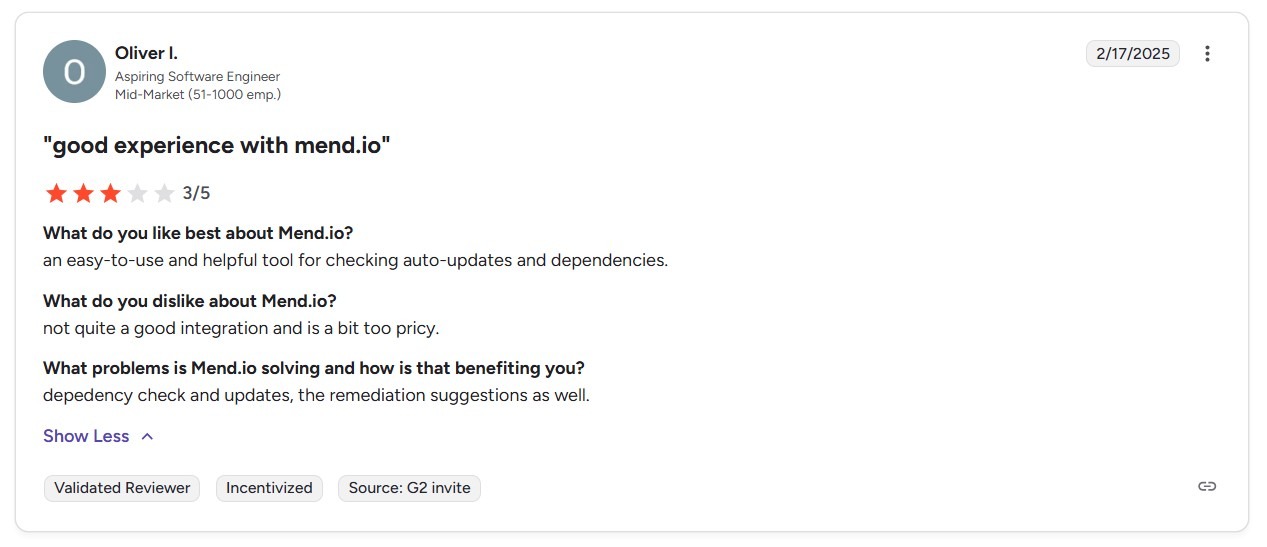
Con: “...not quite a good integration and is a bit too pricey.” - Oliver I., G2
Pricing
Contact Mend’s team for a custom quote.
Bottom Line
Mend suits mid-to-large group practices that need intake automation, predictive no-show management, and payment collection. If you prioritize deep clinical documentation, behavioral-health-specific note templates, or solo-practice simplicity, try Ensora Health or SimplePractice.
4. VSee: Best for Custom Medical Workflows
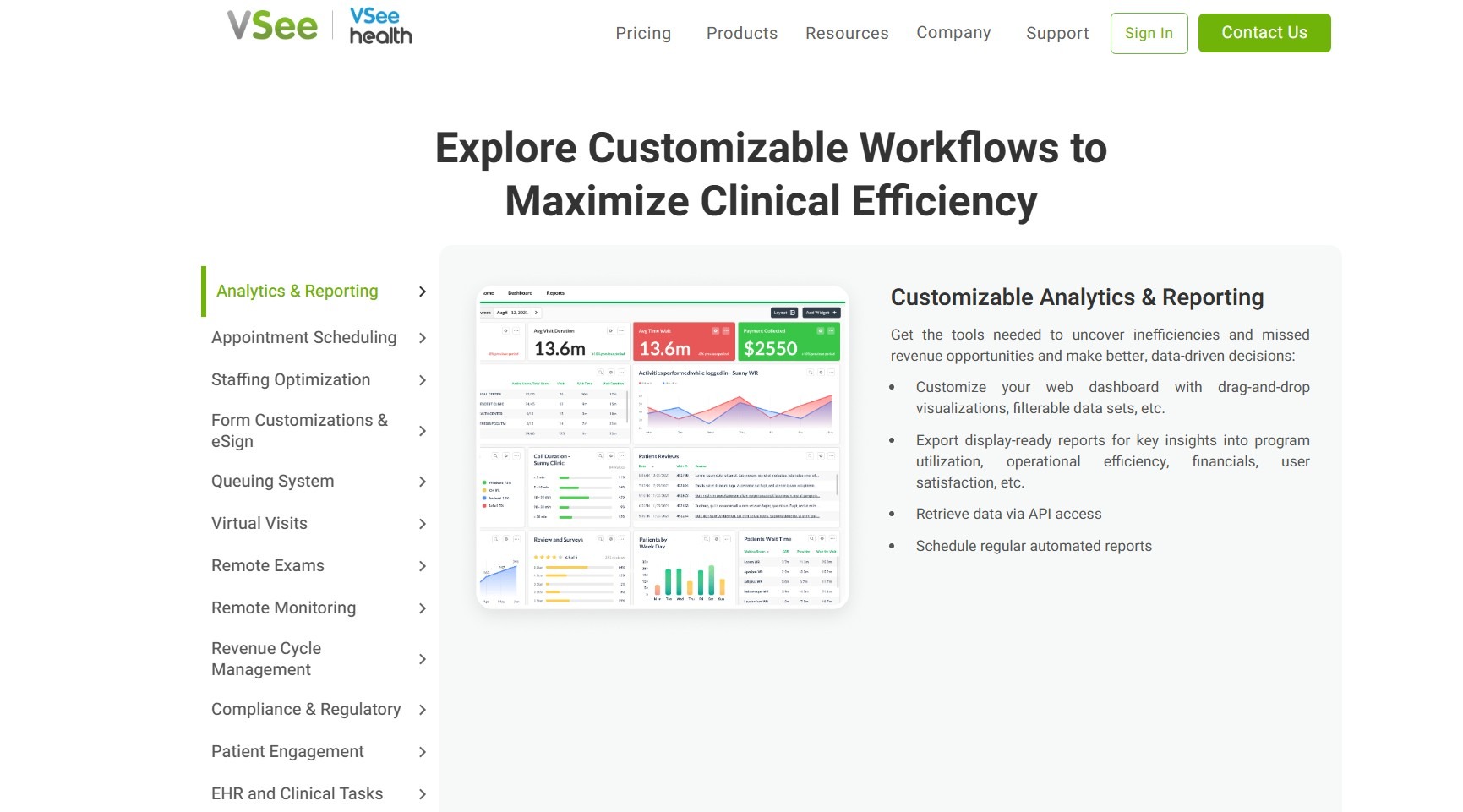
What it is: VSee is a HIPAA-compliant telehealth platform designed for healthcare providers seeking customizable virtual care solutions. Its workflows, video features, and EHR integrations make it suitable for various medical practices.
Who it’s for: VSee caters to a wide range of healthcare providers, including solo practitioners, small clinics, and large healthcare systems. Its flexibility makes VSee ideal for mental health professionals, primary care physicians, and specialists.
I tested VSee's workflow configuration tool by building a custom urgent care intake queue. The configuration panel let me set routing rules from a single dashboard, providing clinics with custom flexibility to meet specialized workflows. But setting up routing rules involved more configuration than typical out-of-the-box solutions.
Features
- Customizable medical workflows: VSee offers no-code workflow customization. The platform allows you to tailor-make intake forms, triage flows, consent capture, appointment types, and follow-up actions without coding.
- Integrated remote patient monitoring and device syncing: VSee integrates with remote monitoring devices such as blood pressure cuffs, glucose meters, pulse oximeters, and wearables.
- EHR integration and API access: Larger clinics and health systems can integrate VSee with their existing EHRs and billing platforms via APIs or HL7/FHIR protocols.
Pros
✅ Highly customizable: VSee's platform allows wide customization, allowing healthcare providers to design workflows that align with their specific operational needs.
✅ User-friendly interface: The intuitive design provides easy navigation for both providers and patients.
Cons
❌ Add-on costs: Not all of the features are included in VSee’s standard pricing packages. For instance, you’ll need to pay an extra $49/month for the messenger feature.
❌ Steeper patient onboarding: Patients unfamiliar with app installs or new browser interfaces might have a more difficult and longer time learning the platform.
What Users Are Saying
Pros: “I am using VSee to communicate with my client, it's like my friend, a mediator to have a good conversation with my client, who will converse with me officially.” - Jayasankar P., G2
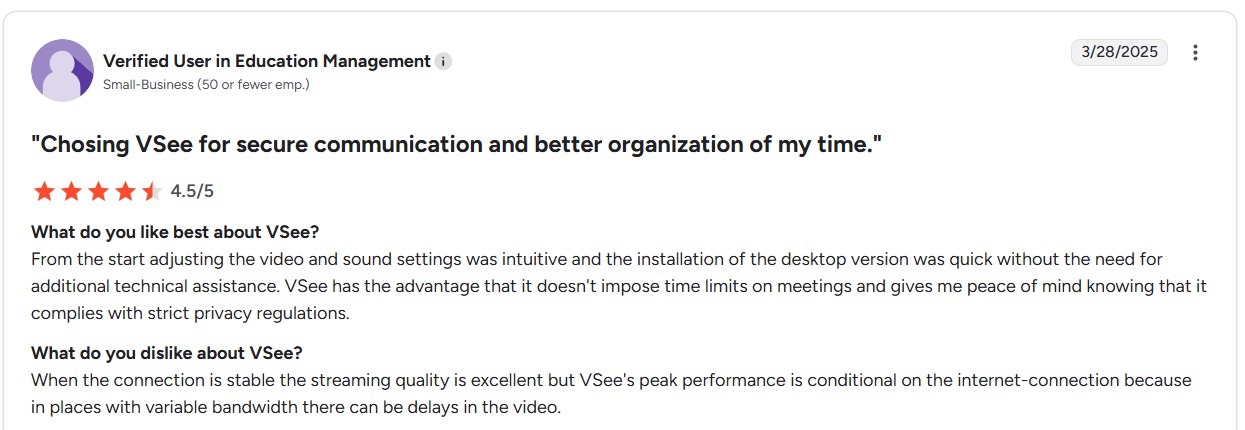
Con: “When the connection is stable, the streaming quality is excellent, but VSee's peak performance is conditional on the internet-connection because in places with variable bandwidth there can be delays in the video.” - Anonymous User., G2
Pricing
- VSee pricing starts at $29/month per provider.
Bottom Line
VSee makes the most sense when a health system or specialty network needs to configure distinct virtual care workflows without writing custom code for each use case. You'll prefer Blaze when your organization needs a fully custom-built telehealth platform with proprietary branding and architecture that VSee's configuration framework can't replicate.
5. Ensora Health: Best for Behavioral Health Teams
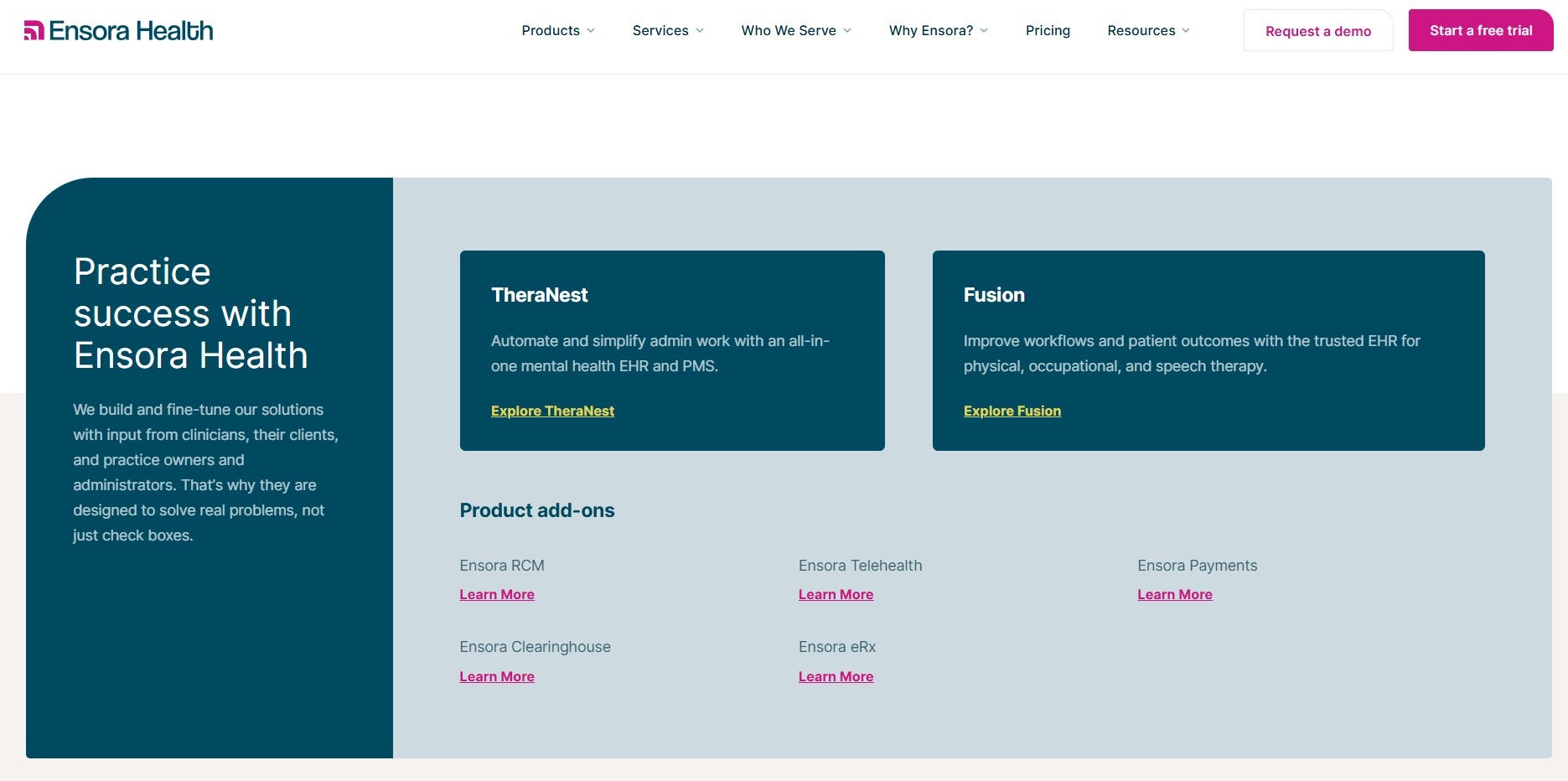
What it is: Ensora Health (formerly TheraNest) is a HIPAA-compliant EHR and practice management platform tailored for behavioral health professionals, addiction counselors, and rehabilitation programs.
Who it’s for: Ensora Health is ideal for behavioral health professionals, including therapists, counselors, psychologists, and social workers working in clinics of all sizes. It’s scalable, so it can meet the growth needs of mid-sized clinics and large group practices.
I tested Ensora's telehealth workflow by scheduling a sample recurring therapy appointment and launching the session directly from the TheraNest calendar. The test client received a secure link by text, joined via browser, and the session note template opened automatically. These features would save providers substantial preparation time.
But if your practice relies on dashboard charts for performance reviews, you’ll need to export and reformat data, which will take some time.
Features
- Various telehealth services: Ensora provides telehealth capabilities for both individual and group sessions.
- Secure Client Portal: Clients can access a dedicated portal to schedule appointments, complete intake forms, and participate in telehealth sessions.
- Scheduling tools: The platform offers intuitive scheduling with calendar sync, online booking, and automated reminders to reduce no-shows.
Pros
✅ Large feature set: Ensora combines important tools, including telehealth, billing, and documentation, in one system.
✅ Applicable to practices of all sizes: The platform’s scalable features and pricing make it ideal for professionals just starting and large, established clinics with multiple locations.
Cons
❌ Complex insurance billing setup: The initial setup for insurance billing can be challenging and time-consuming.
❌ Telehealth is a paid add-on: Video sessions aren’t a part of the base plan, so the true per-provider cost runs higher than the entry price suggests.
What Users Are Saying
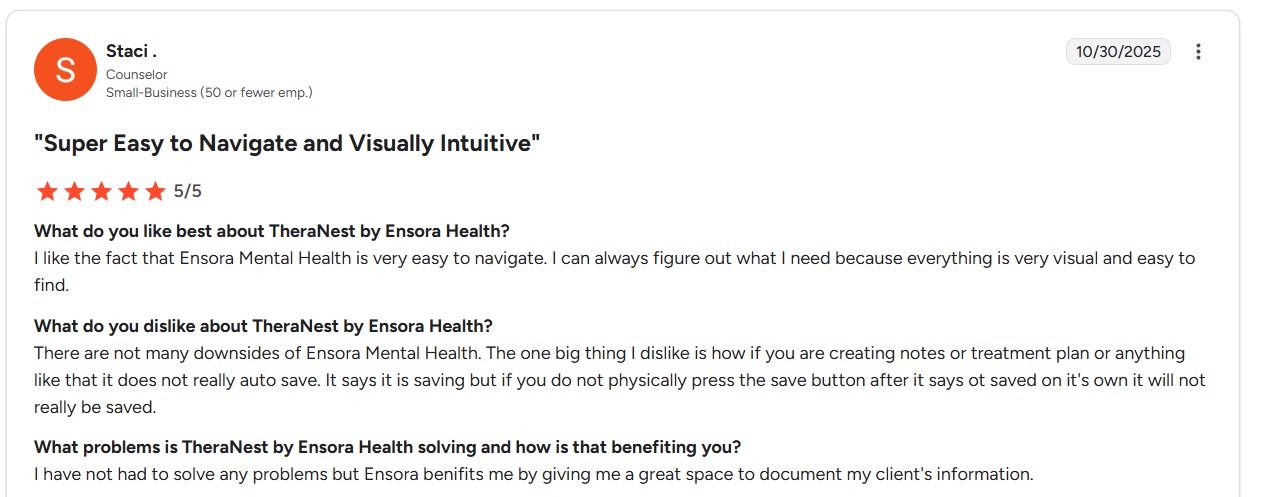
Pros: “I like the fact that Ensora Mental Health is very easy to navigate. I can always figure out what I need because everything is very visual and easy to find.” - Staci., G2
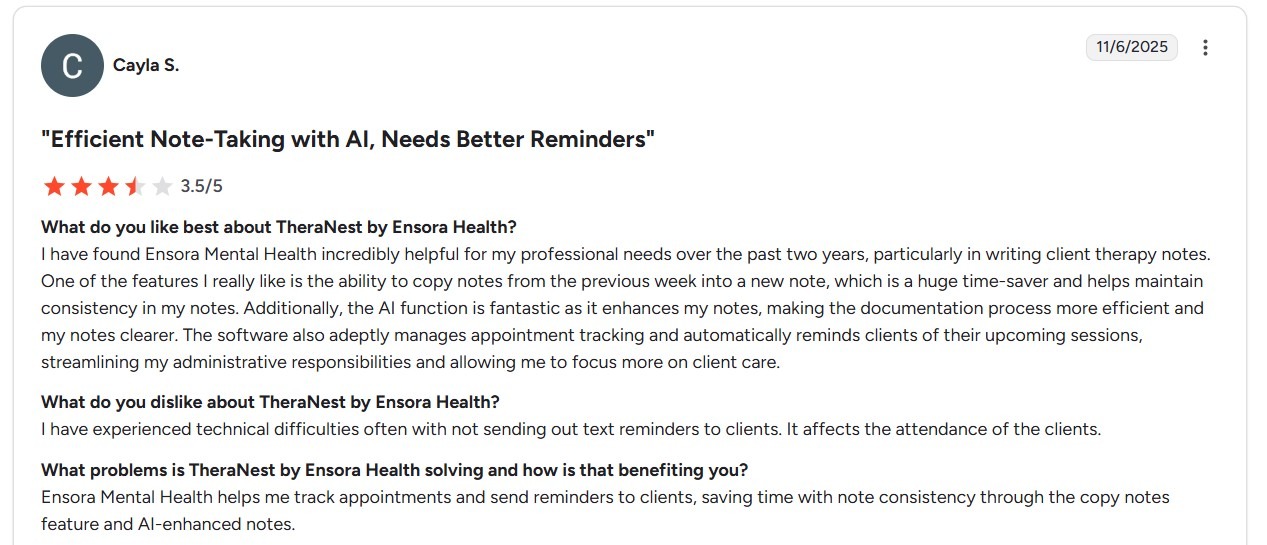
Cons: “I have experienced technical difficulties often with not sending out text reminders to clients. It affects the attendance of the clients.” - Cayla S., G2
Pricing
Ensora starts at $29/month per user.
Bottom Line
Ensora suits behavioral health practice needs, scheduling, documentation, telehealth, and insurance claims to run inside one purpose-built system. But if you prioritize advanced reporting or open API access, you might find Qualifacts more capable.
6. SimplePractice: Best for Small Therapy Practices
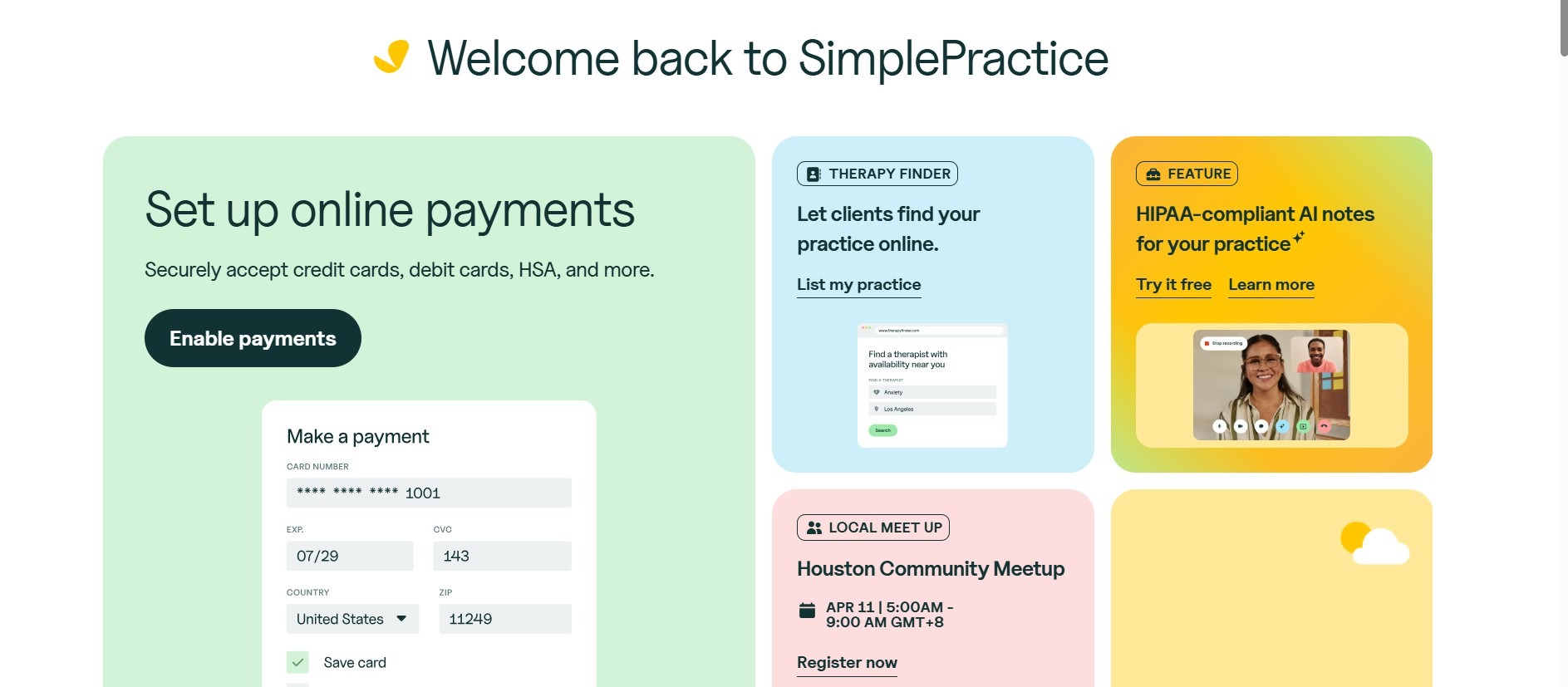
What it is: SimplePractice is a HIPAA-compliant electronic health record (EHR) and practice management platform designed for solo and small group therapy practices.
Who it’s for: SimplePractice serves therapists, counselors, psychologists, and social workers. Its design accommodates solo practitioners, small clinics, and growing group practices, but it may not have the feature set required for larger clinics.
I tested SimplePractice's intake-to-session workflow by sending a sample new client a portal link and tracking each step to their first telehealth appointment. The client completed the intake forms and joined the video session without extra login, offering an easy experience in real life. But the tools don’t support building custom assessment tools from scratch.
Features
- Integrated telehealth services: SimplePractice provides HIPAA-compliant telehealth capabilities for both individual and group sessions.
- Customizable documentation templates: You can tailor intake forms, progress notes, and treatment plans to fit your practice's specific documentation needs.
- Billing and claims management: SimplePractice simplifies billing processes with features like insurance claims automation, credit card processing, and batch invoicing.
Pros
✅User-friendly interface: SimplePractice's user interface simplifies navigation.
✅ Generous feature: The platform combines tools like telehealth, billing, and documentation in one system, reducing the need for multiple software solutions.
Cons
❌ Not ideal for growing or large practices: SimplePractice is purpose-built for solo and small-group practices. The platform lacks enterprise-level tools like deep integrations, enterprise-grade analytics, and custom EHR workflows.
❌ Pricing escalates fast: Per-provider costs double quickly for group practice, as pricing has increased twice over the past 4 years.
What Users Are Saying
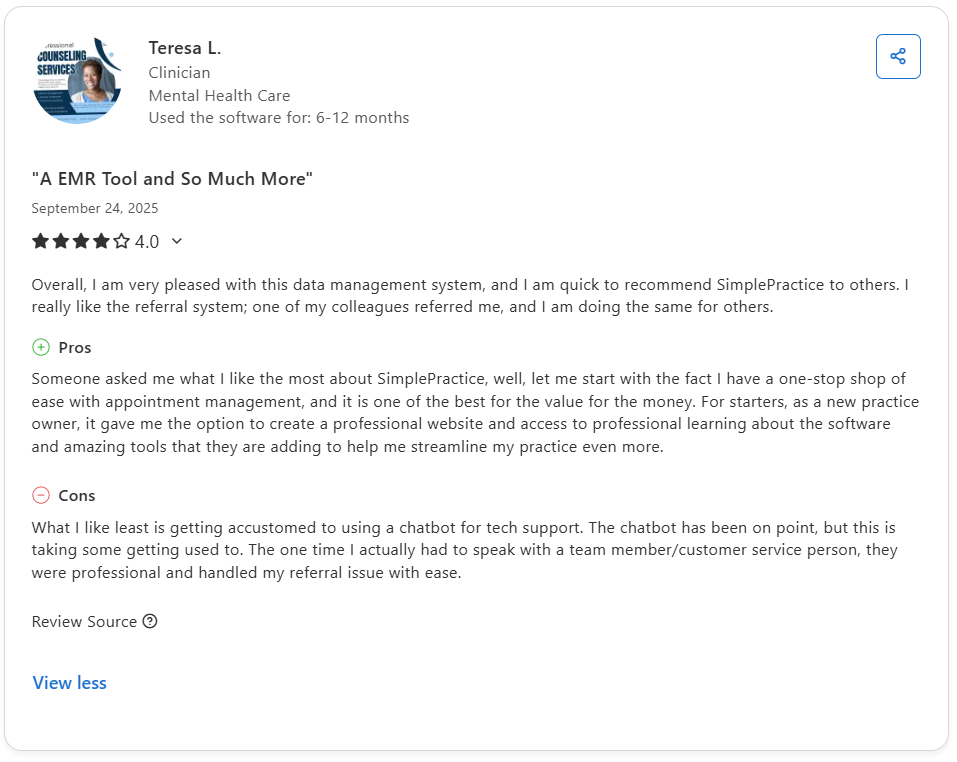
Pro: “Someone asked me what I like the most about SimplePractice, well, let me start with the fact I have a one-stop shop of ease with appointment management, and it is one of the best for the value for the money.” - Teresa L., Capterra
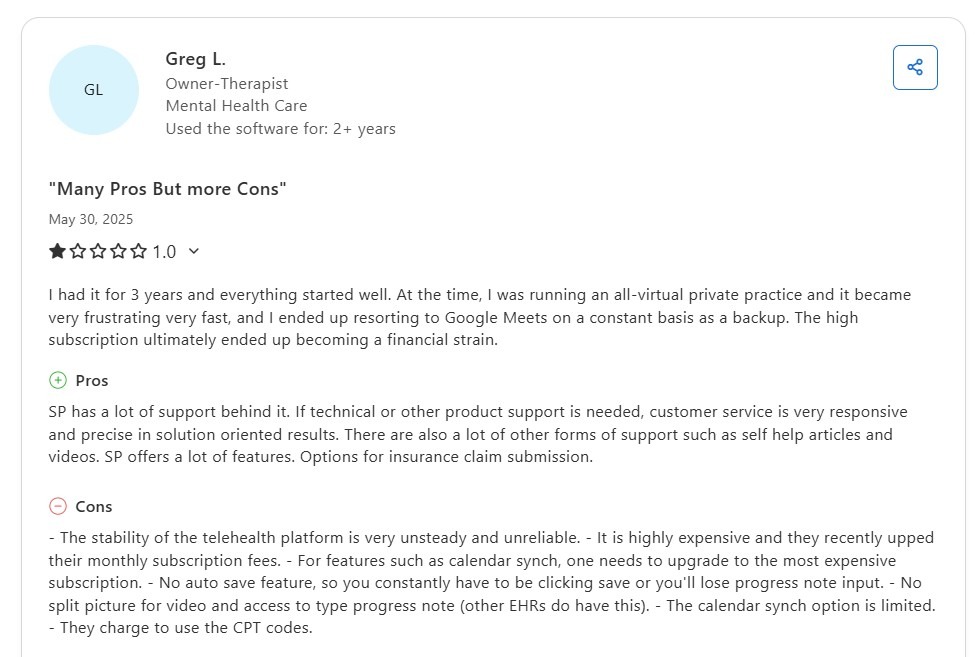
Con: “The stability of the telehealth platform is very unsteady and unreliable. It is highly expensive, and they recently upped their monthly subscription fees.” - Greg L., Capterra
Pricing
SimplePractice starts at $49/month.
Bottom Line
SimplePractice is ideal for solo or small-group therapists' needs, including scheduling, documentation, billing, and telehealth. For workflows centered on multi-provider coordination, custom reporting by insurance type, or intake automation at volume, Mend is a better option.
7. Qualifacts: Best for Enterprise Telehealth APIs
What it is: Qualifacts is a HIPAA-compliant virtual care platform designed for healthcare enterprises, behavioral health networks, and digital health startups.
Who it’s for: Qualifacts is designed to serve a broad spectrum of healthcare organizations, from small digital health startups to large enterprises. Its scalable virtual care infrastructure ensures that large healthcare systems can expand operations.
I tested Qualifacts' CareLogic telehealth documentation workflow by running a virtual session with a dummy patient and completing progress notes. The session data populated the billing record automatically without any manual transfer between systems, which would save providers time.
Setting up the workflow took several hours and several steps. I also ran into glitches, like billing fields that wouldn’t load until I refreshed the page by hand.
Features
- API integrations: The platform offers API support, enabling integrations with electronic health records (EHRs), billing systems, and other third-party applications.
- Secure communication tools: Qualifacts provides HIPAA/PIPEDA-compliant video conferencing, secure messaging, and document sharing capabilities.
- Automated administrative functions: The platform includes features like automated appointment reminders, billing processes, and patient follow-ups.
Pros
✅ Scalable for many organizations: Qualifact’s customizable architecture makes it suitable for a wide range of healthcare providers, from small practices to large enterprises.
✅ Patient engagement: Clinicians deliver more effective care using the platform’s intuitive interface, secure messaging, and automated reminders.
Cons
❌ Limited group call functionality: Some users have noted that the platform's group video features lack stability or flexibility.
❌ Two-platform architecture confusion: CareLogic and Credible are separate products under the Qualifacts brand, creating mismatched expectations that surface after contracts are signed.
What Users Are Saying
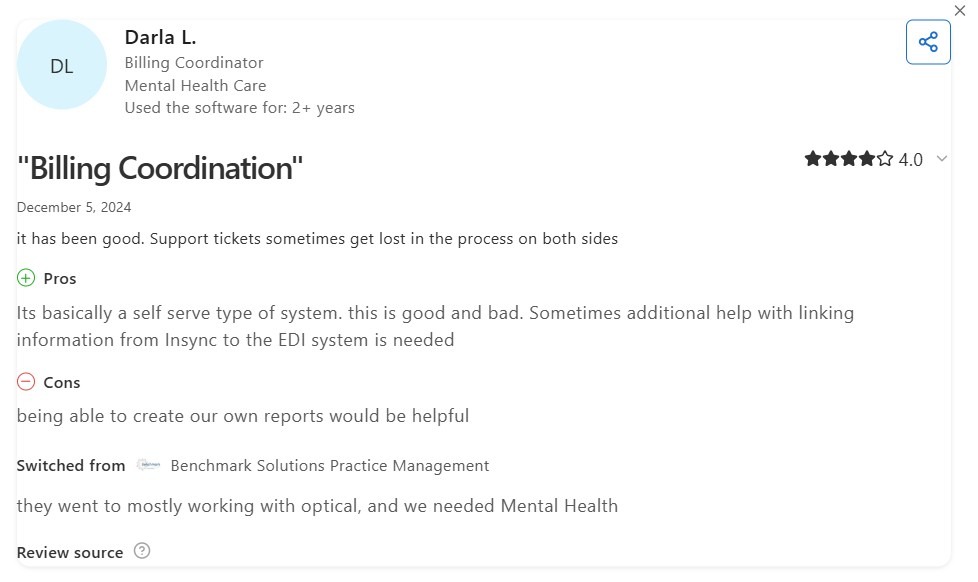
Pro: “Its basically a self-serve type of system. This is good and bad. Sometimes additional help with linking information from Insync to the EDI system is needed.” - Darla L., Capterra
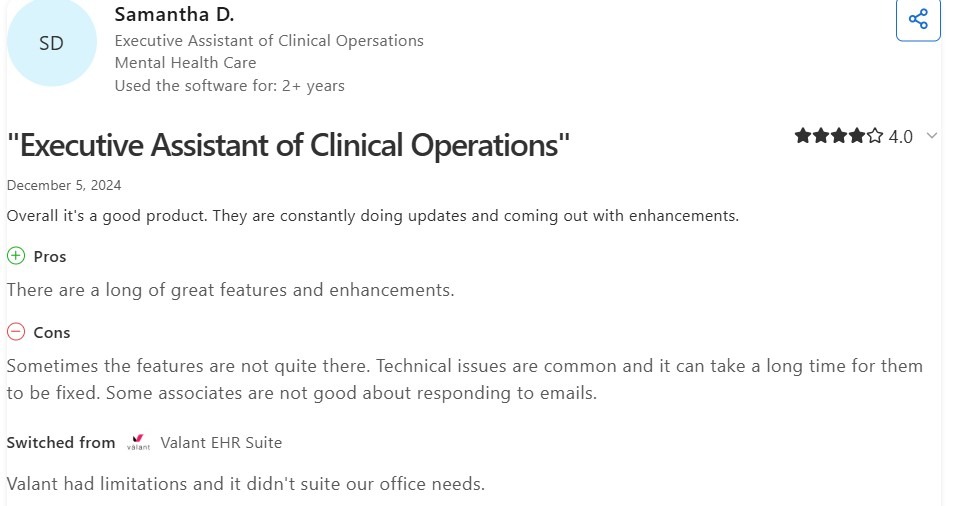
Con: “Sometimes the features are not quite there. Technical issues are common and it can take a long time for them to be fixed. Some associates are not good about responding to emails.” - Samantha D., Capterra
- An executive assistant at a mental health clinic posted on Capterra that Qualifacts offers excellent customer service. However, his team occasionally experiences glitches in the system.
- A billing coordinator said that the system would be better if their clinic could create their own forms, rather than using Qualifacts’ rigid ones.
Pricing
Contact the Qualifacts team for pricing.
Bottom Line
Qualifacts makes the most sense for behavioral health networks that need telehealth, clinical documentation, and billing to run inside a single system. If your primary need is a lightweight video layer, try doxy.me.
8. Doxy.me: Best Free HIPAA-Compliant Platform
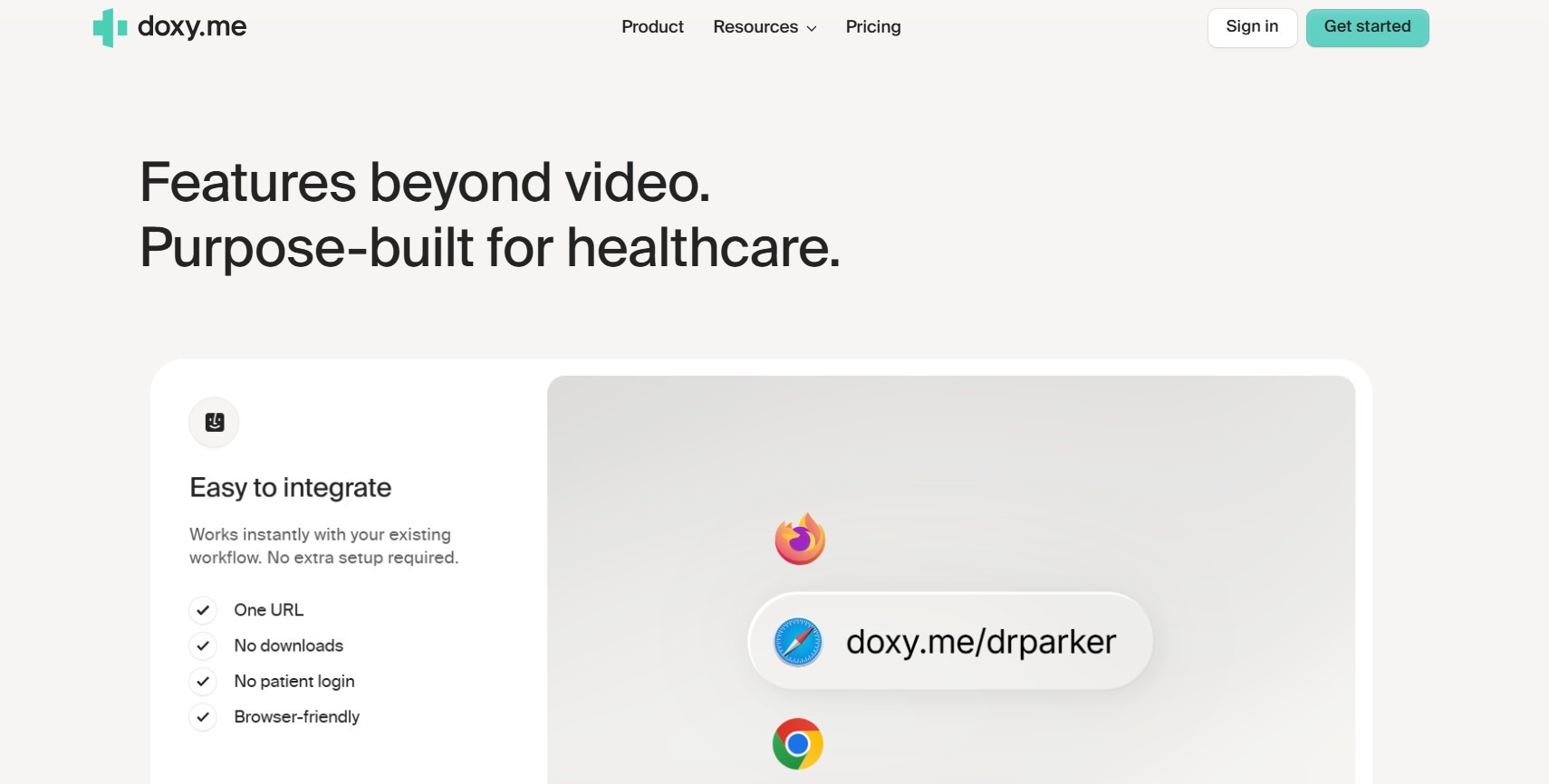
What it is: Doxy.me is a browser-based telemedicine platform designed to provide secure, HIPAA-compliant video consultations and other healthcare tasks. It’s one of the few free telehealth platforms.
Who it’s for: The platform supports a broad spectrum of healthcare providers, from solo practitioners like therapists and general physicians to nonprofit community health centers. Its free-tier access makes it attractive to organizations with limited budgets.
I tested Doxy’s virtual waiting room under dummy back-to-back appointment conditions with 3 sample patients. Each patient held their position in the queue with visible wait time, allowing providers to quickly move between sessions without logging out. But the system lacks built-in scheduling, billing, and clinical documentation.
Features
- Browser-based: Doxy operates entirely within web browsers, eliminating the need for downloads or installations.
- Virtual waiting room: Patients can check in and wait in a personalized virtual space before sessions.
- Custom branding: Paid plans allow you to customize the platform with logos and color schemes to fit your brand.
Pros
✅ Ease of use: The platform's intuitive design requires minimal technical knowledge, allowing for quick adoption by both providers and patients.
✅ Generous free version: Doxy’s free plan is one of the most generous among HIPAA-compliant telehealth platforms. It includes unlimited video sessions, a personalized virtual waiting room, and full browser-based access.
Cons
❌Limited features and integrations: Compared to some competitors, Doxy lacks certain advanced functionalities like integrated billing or EHR integration.
❌ No native scheduling tools: Providers must manage appointments in a separate system, adding coordination overhead that compounds at scale.
What Users Are Saying
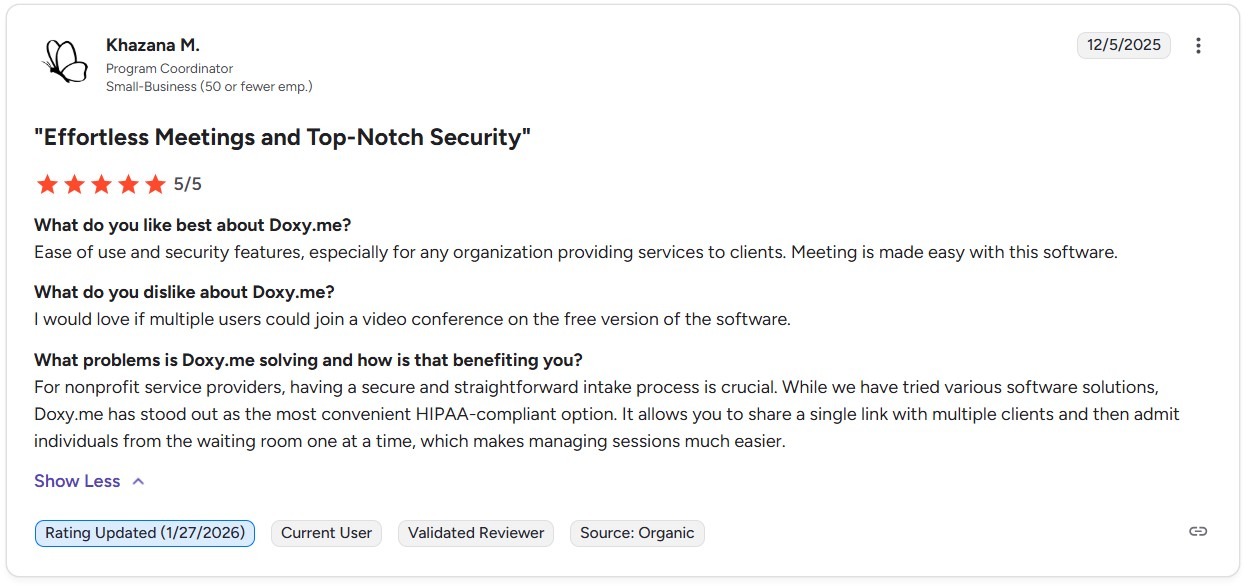
Pro: “For nonprofit service providers, having a secure and straightforward intake process is crucial. While we have tried various software solutions, Doxy.me has stood out as the most convenient HIPAA-compliant option.” Khazana M., G2
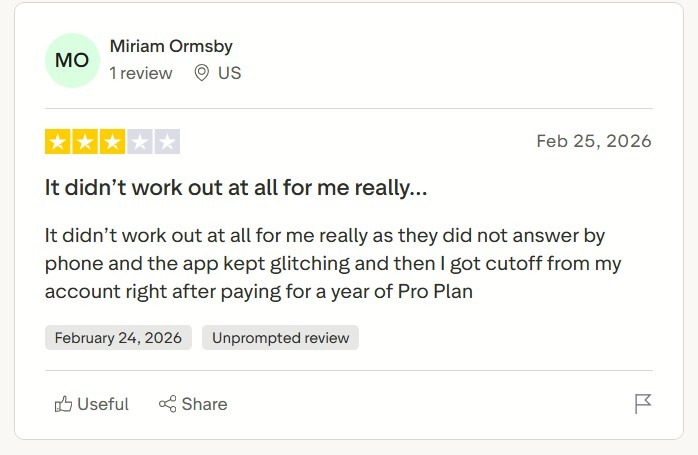
Con: “It didn’t work out at all for me really, as they did not answer by phone, and the app kept glitching, and then I got cut off from my account right after paying for a year of Pro Plan.” - Miriam O., Trustpilot
Pricing
Doxy’s pricing starts at $35/month per user.
Bottom Line
Doxy.me suits solo providers or smaller clinics who only need a video platform. For larger workflows with intake automation, payment collection, or clinical documentation, SimplePractice is a great out-of-the-box option, while Blaze fits providers who want to customize their platform.
9. Amwell: Best for Large-Scale Telehealth Programs
What it is: Amwell runs a multi-specialty telehealth service inside existing EHR workflows.
Who it’s for: It serves Hospital systems and health plans managing high-volume virtual programs across multiple service lines simultaneously.
I tested Amwell’s Converge platform to see how it could integrate with the Oracle Health (formerly Cerner) Millennium workflow. My results showed that the platform could run telehealth services at volume across multiple departments. Although this makes it suitable for large organizations, it’s probably too overloaded with features for solo practitioners.
Key Features
- Epic and Oracle Health (Cerner) integration: Providers launch visits and document directly inside existing EHR workflows without duplicate data entry.
- Converge hybrid care platform: Connects in-person, virtual, and asynchronous care under a single configurable architecture.
- Amwell Medical Group network: Supplements client provider rosters with 24/7 credentialed coverage across primary care and behavioral health.
Pros
✅ Provider staffing augmentation: Blending your network with Amwell Medical Group fills capacity gaps without adding internal headcount.
✅ No-download patient access: Patients join via existing MyChart credentials or a browser link, cutting appointment no-shows.
Cons
❌ Implementation overhead: Enterprise rollout requires a technical staff, making it unsuitable for lean teams.
❌ Not built for solo practice: Feature depth becomes organizational cost for any group that can’t dedicate staff to ongoing platform management.
What Real Users Say
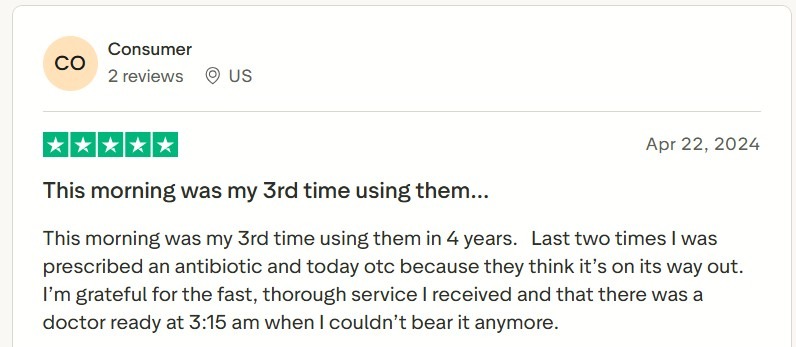
Pro: “This morning was my 3rd time using them in 4 years. Last two times I was prescribed an antibiotic and today otc because they think it’s on its way out.” - Anonymous user, Trustpilot.
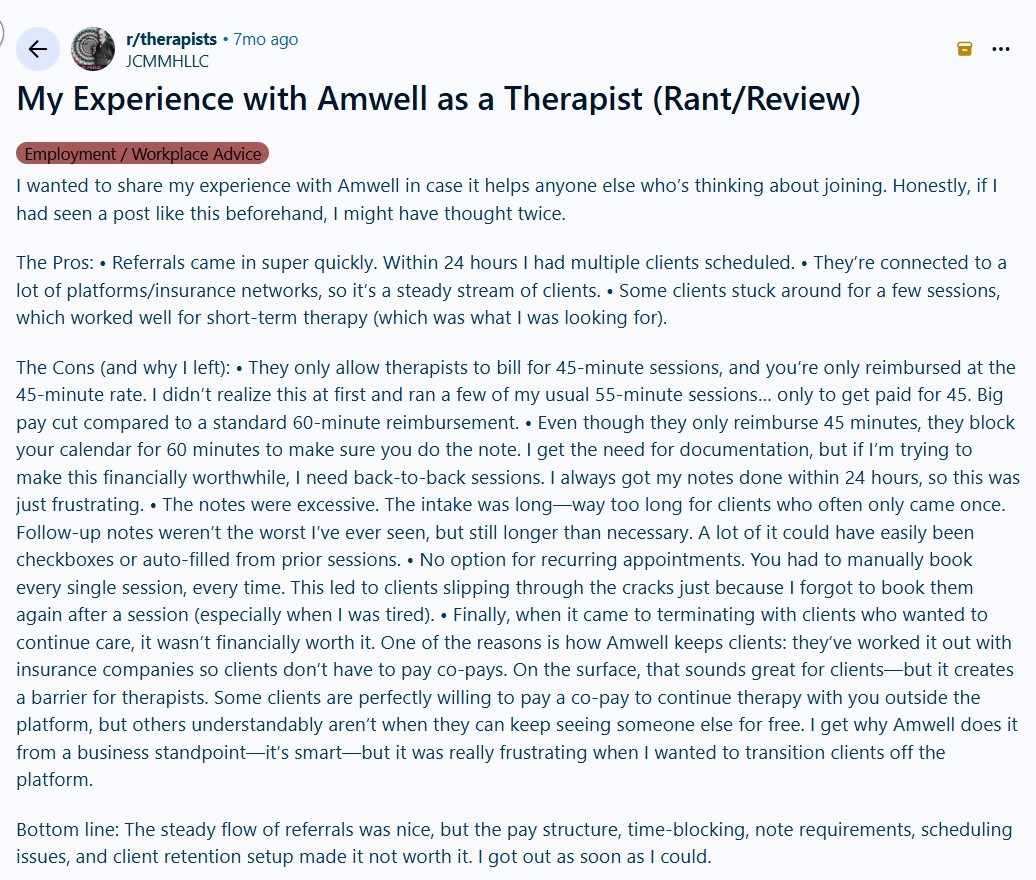
Con: “They only allow therapists to bill for 45-minute sessions, and you’re only reimbursed at the 45-minute rate. I didn’t realize this at first and ran a few of my usual 55-minute sessions… only to get paid for 45.” - Professional Therapist, Reddit
Pricing
Contact Amwell for more information about pricing.
Bottom Line
Amwell suits practices that need virtual care embedded directly inside Epic or Oracle Health (Cerner). Teams that prioritize quick deployment, transparent pricing, or behavioral-health-specific documentation might find Ensora Health a better fit.
10. Teladoc Health: Best for Nationwide Virtual Care Networks
What it does: Teladoc Health is a HIPAA-compliant platform that helps route patients to licensed clinicians across all 50 states.
Who it's for: The platform serves large health systems and insurers managing high patient volumes across dispersed geographic regions.
I tested Teladoc's EHR integration with Epic, to see if my sample virtual consult notes would sync automatically into an existing patient chart. They populated in near real-time without manual entry on the clinician's side. This feature stood out for behavioral health sessions, but practices needing structured progress notes or outcomes tracking might be limited.
Key Features
- Multi-specialty network access: Connects patients to general, mental health, and dermatology providers around the clock.
- EHR integration (Epic/Cerner): Virtual consult notes sync with existing clinical workflows without manual re-entry.
- AI-assisted routing: Sends incoming patient requests to appropriate care levels before a provider joins the session.
Pros
✅ Nationwide coverage: Available in all 50 states, removing geographic constraints for distributed employee health programs.
✅ Per-visit pricing transparency: Costs displayed before visit confirmation, avoiding surprise billing for uninsured patients.
Cons
❌ Shallow specialty depth: Complex or chronic cases regularly require in-person referral, limiting clinical resolution rates.
❌ Scope varies by region: Certain specialties and services are unavailable in specific states, creating inconsistent coverage for national programs.
What Real Users Say
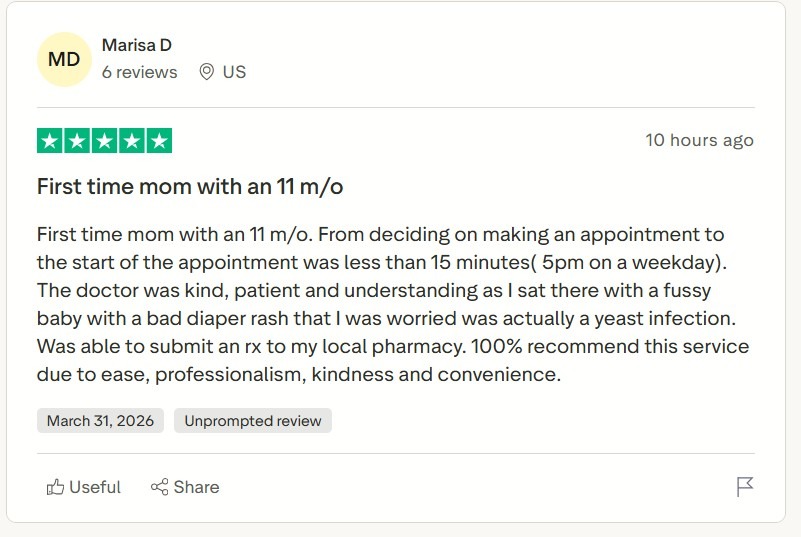
Pro: “Was able to submit an Rx to my local pharmacy. 100% recommend this service due to ease, professionalism, kindness, and convenience.” - Marissa D., Trustpilot
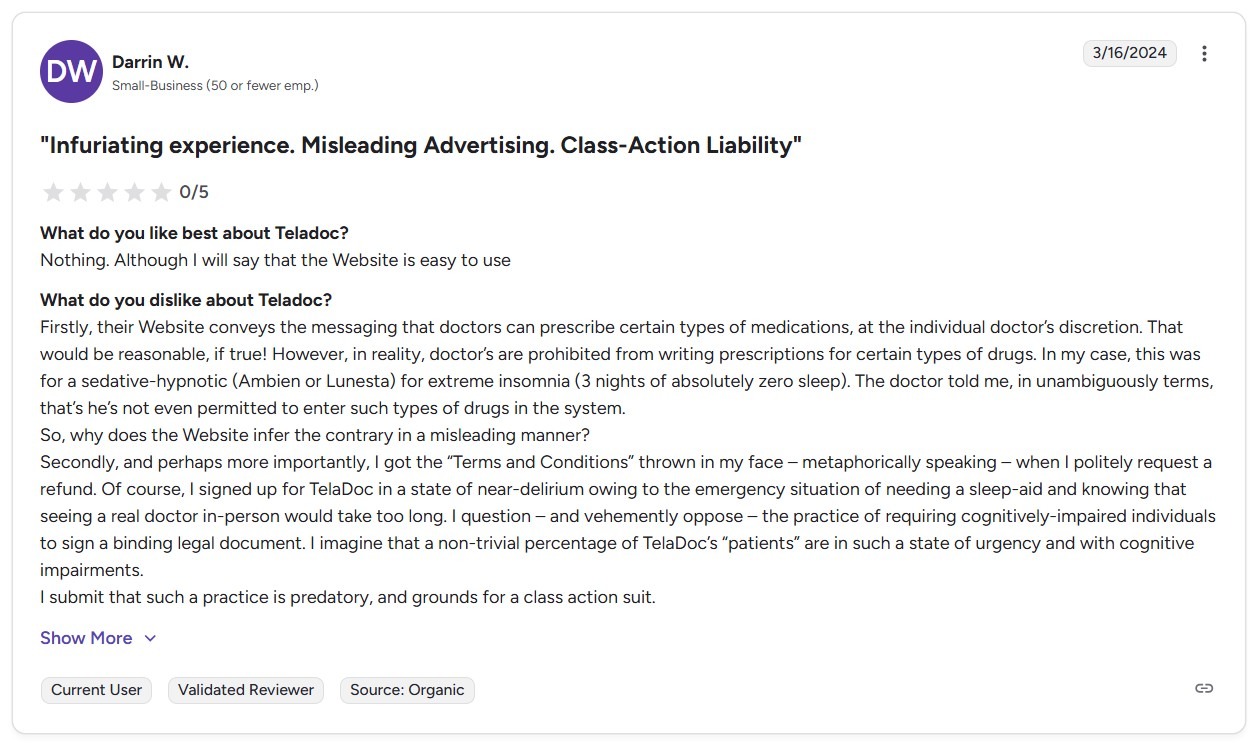
Con: “Firstly, their Website conveys the messaging that doctors can prescribe certain types of medications, at the individual doctor’s discretion. That would be reasonable, if true! However, in reality, doctors are prohibited from writing prescriptions for certain types of drugs.” - Darrin W., G2
Pricing
Contact the Teladoc team for pricing info.
Bottom Line
Teladoc makes the most sense for large health systems or employers that want one vendor for urgent care, mental health, and chronic care across many locations. But if your team needs specialty support or stronger clinical documentation, VSee may be a better fit for your workflow.
My Final Verdict: Which HIPAA-Enabling Telehealth Platform Should You Choose?
Each of the top 10 telehealth platforms on this list offers secure and safe virtual care. The best choice depends on your practice size, your team’s tech skills, and how you run your day-to-day work. Here’s how to choose the right one for you:
Choose Blaze If You:
Your organization needs a proprietary patient portal, a branded virtual care experience, and custom workflows built without hiring a development team.
Choose Zoom for Healthcare If You:
Use Zoom internally and want to extend that familiar interface to HIPAA-compliant patient visits without adopting an entirely new platform.
Choose Mend If You:
Have a group practice that loses revenue to no-shows and manual intake, and you need automated reminders, pre-visit payments, and digital forms.
Choose VSee If You:
Need custom medical workflows for your health system and require adjustable routing, medical device streaming, and multi-clinic waitlisting.
Choose Ensora Health If You
Are a behavioral health practice needing scheduling, telehealth, clinical documentation, and insurance billing.
Choose SimplePractice If You:
Are a solo or small-group therapist who needs scheduling, notes, billing, and telehealth.
Choose Qualifacts If You:
Are a behavioral health network that needs telehealth, clinical documentation, and billing unified inside one enterprise system.
Choose Doxy.me If You:
Need HIPAA-compliant video running today with no patient downloads, no scheduling overhead, and no high upfront cost.
Choose Amwell If You:
Have a health system that needs virtual care embedded directly inside Epic or Cerner.
Choose Teladoc Health If You:
Are an enterprise health system or large employer and need a single vendor to cover urgent care, mental health, and chronic condition management across several locations.
From Scheduling to Compliance — Build Your Own Telehealth Platform with Blaze
If you need a telehealth portal shaped around your exact workflow, Blaze gives you a way to build and revise it without relying on developers for every change. It includes core features like scheduling, intake, and integrations, plus safeguards that help meet HIPAA needs, such as role-based access and audit logs.
Here's why more healthcare organizations go with Blaze:
- Speed meets security: Build and deploy a fully functional telehealth platform far faster than traditional development methods while keeping enterprise-grade security practices in place.
- No-code ease: Blaze's drag-and-drop builder lets non-technical healthcare teams create patient portals, intake forms, scheduling workflows, and virtual care dashboards in days, sometimes hours, instead of months.
- Customizable clinical workflows: Every practice operates differently. Blaze lets you design custom workflows for patient intake, provider routing, consent capture, and post-visit follow-ups that align with how your team actually delivers care.
- Enterprise compliance: Blaze includes features such as audit logs and role-based permissions to support HIPAA and SOC 2 compliance requirements, though actual compliance depends on how each organization configures and uses the platform.
- Dedicated support: Blaze provides hands-on onboarding and implementation support so your team can launch, test, and scale a compliant telehealth app confidently — without a single line of code.
You can avoid using rigid and non-scalable out-of-the-box solutions with Blaze. Schedule a free demo today and learn how you can create your own customized HIPAA-enabling telehealth platform.
Frequently Asked Questions
What Is a HIPAA-Compliant Telehealth Platform?
A HIPAA-compliant telehealth platform offers encrypted video calls, secure messaging, and access controls. It securely transmits and stores patient health information following the U.S. HIPAA Privacy Rule.
Tools like Blaze, Zoom for Healthcare, and VSee are examples that meet HIPAA standards, helping providers maintain legal compliance during virtual care delivery.
Do I Need a BAA for Telemedicine Tools?
Yes, you need a BAA for telemedicine tools. Any telemedicine tool handling protected health information (PHI) must sign a Business Associate Agreement (BAA) with your practice. A BAA outlines how patient data is protected when shared with third-party vendors.
Can I Build My Own HIPAA-Compliant App?
Yes, you can build your own HIPAA-compliant app. Platforms like Blaze eliminate the need for a traditional development team. Blaze is a no-code, enterprise-grade app builder designed for healthcare, offering HIPAA and SOC 2 Type II compliance out of the box.
Sources
1. U.S. Department of Health & Human Services. “Summary of the HIPAA Security Rule.” HHS.gov. https://www.hhs.gov/hipaa/for-professionals/security/laws-regulations/index.html
2. U.S. Department of Health & Human Services. “Security Rule Guidance Material.” HHS.gov. https://www.hhs.gov/hipaa/for-professionals/security/guidance/index.html
3. National Institutes of Health: StatPearls. “Health Insurance Portability and Accountability Act (HIPAA) Compliance.” NCBI. https://www.ncbi.nlm.nih.gov/books/NBK500019/
The Secure No-Code & AI Platform
Supercharge your team's operations and performance with better apps and tools.
Create custom apps fast
Secure & HIPAA compliant
Streamline complex workflows

The Secure No-Code Platform
Build apps with best-in-class security.
Related Articles
Discover related guides on healthcare no-code development, HIPAA compliance, security, integrations, and launching apps faster.
%20(1).png)
Cerner vs. Epic: Which EHR System Is Better? (2026)
I compared Cerner vs. Epic across clinical features, usability, interoperability, implementation, and cost. See which EHR better fits your organization.
%20(1).png)
Mendix vs. Appian: Which Low-Code Platform Is Better? (2026)
I compared Mendix vs. Appian across app development, process automation, integrations, scalability, and pricing. Find out which platform fits your needs.
%20(1).png)
8 Best Base44 Alternatives and How to Pick (2026)
After comparing 8 Base44 alternatives, I found clear differences in code access and mobile deployment. See which platform best matches your project needs.