
Table of contents
I Tested & Ranked The Top 9 Healthcare App Builders for 2026

Written by
Blaze Team

Reviewed by
Nanxi Liu
Expert Verified
9 Best Healthcare App Builders in 2026: At a Glance
| Platform | Best for | Ideal users | Pricing |
|---|---|---|---|
| Blaze.tech | Creating many apps without coding | Mid to large-sized healthcare organizations | From $1,500/month, custom quote for HIPAA version |
| Caspio | Database-driven healthcare apps | Teams replacing spreadsheet-based workflows | From $100/month |
| Knack | Patient operations tracking | Small clinics rebuilding sheet workflows | From $59/month |
| Mendix | Building enterprise healthcare platforms | Enterprise IT and digital health teams | Custom quote |
| OutSystems | Complex and scalable healthcare applications | Large health organization IT departments | From $36,300/year |
| Jotform | Simple scheduling and intake | Solo practices and small clinics | From $129/month |
| Quickbase | Clinical process management | Mid-to-large multi-department clinics | From $35/user/month, billed annually |
| Unqork | No-code enterprise healthcare apps | Large IT teams with developer backlogs | Custom quote |
| Salesforce Health Cloud | Patient relationship management healthcare apps | Mid-to-large Salesforce-based health systems | From $350/user/month billed annually |
After testing several healthcare app builders, I selected the 9 best that let you create custom apps for scheduling and telehealth. These platforms can integrate with other software and scale as your patient base increases. Compare my top 9 platforms for 2026.
How I Tested Each Healthcare App Builder
I tested 20 healthcare app builders to find my top 9. Here’s what I looked for:
- Ease of use: I tested each platform by attempting to build a core workflow, such as intake forms and patient schedules, without writing any code.
- Supports HIPAA compliance: I confirmed whether each platform offered the security features to meet the HIPAA Security Rule, and whether they provided a Business Associate Agreement (BAA) for compliance.
- Database connections: I built forms on each platform and submitted a dummy patient record. Then, I checked to see if the data populated correctly in the database.
- Scalability: I checked whether each platform could handle more than one app or workflow in the same system. I also looked at whether it was built for just one specific use.
- Patient tracking: I built a tracking tool on each platform and updated sample records to see if changes reflected accurately across all connected views.
Overall, testing these 5 things simulated how clinics actually use healthcare app builders. The results indicated how each platform would perform against real-world data.
1. Blaze: Best for Building and Scaling Multiple Healthcare Apps
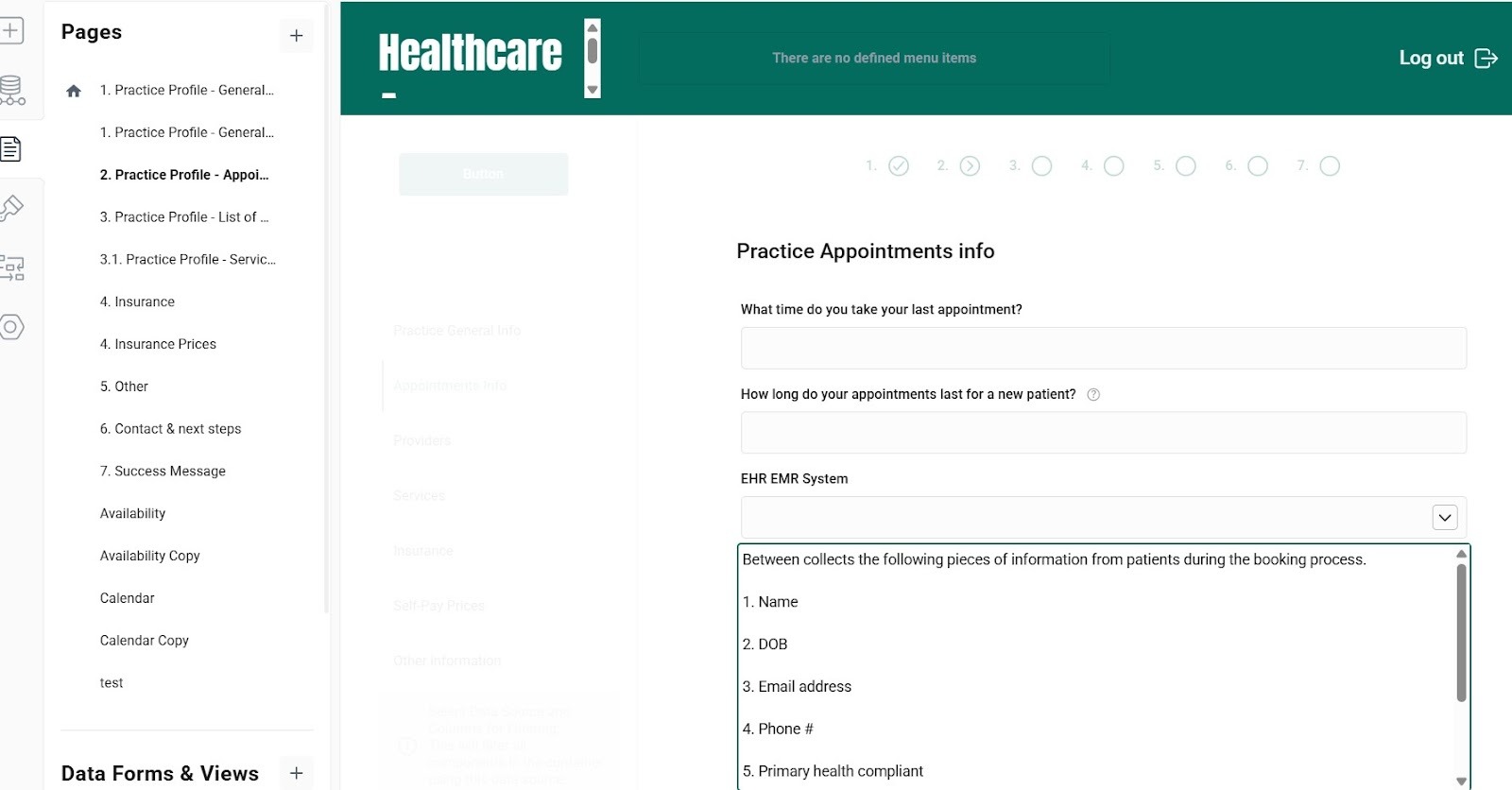
What it does: Blaze is a no-code platform that uses drag-and-drop tools instead of code, allowing you to create apps and workflows that can comply with HIPAA regulations.
Who it's for: Mid-sized and large healthcare teams that need patient-facing apps and operations workflows without in-house engineering support.
I tested Blaze by building a patient scheduling portal connected to a custom database. The drag-and-drop builder was simple to use, allowing me to build a usable screen layout quickly. But, during the SQL connection setup, the first setup step assumes you know where your data is stored. This integration may be harder for teams that don’t have technical staff.
Key Features
- No-code database builder: Build a no-code database with relational tables, field types, and linked records without writing SQL.
- Security features: Role-based permissions, single sign-on, and two-factor authentication.
- Integrations: Connect Blaze to systems like Athenahealth and Cerner using built-in or API connections.
Pros
✅ Guided onboarding: For the HIPAA-compliant enterprise version, Blaze’s team co-designs and co-builds your first workflow or app.
✅ Scalability: Blaze lets you create multiple healthcare apps and workflows like patient portals, EMR/record tools, scheduling, billing, inventory, and equipment tracking.
✅ No-code automation: Non-technical teams can set up workflows and automate processes with simple rules-based tools.
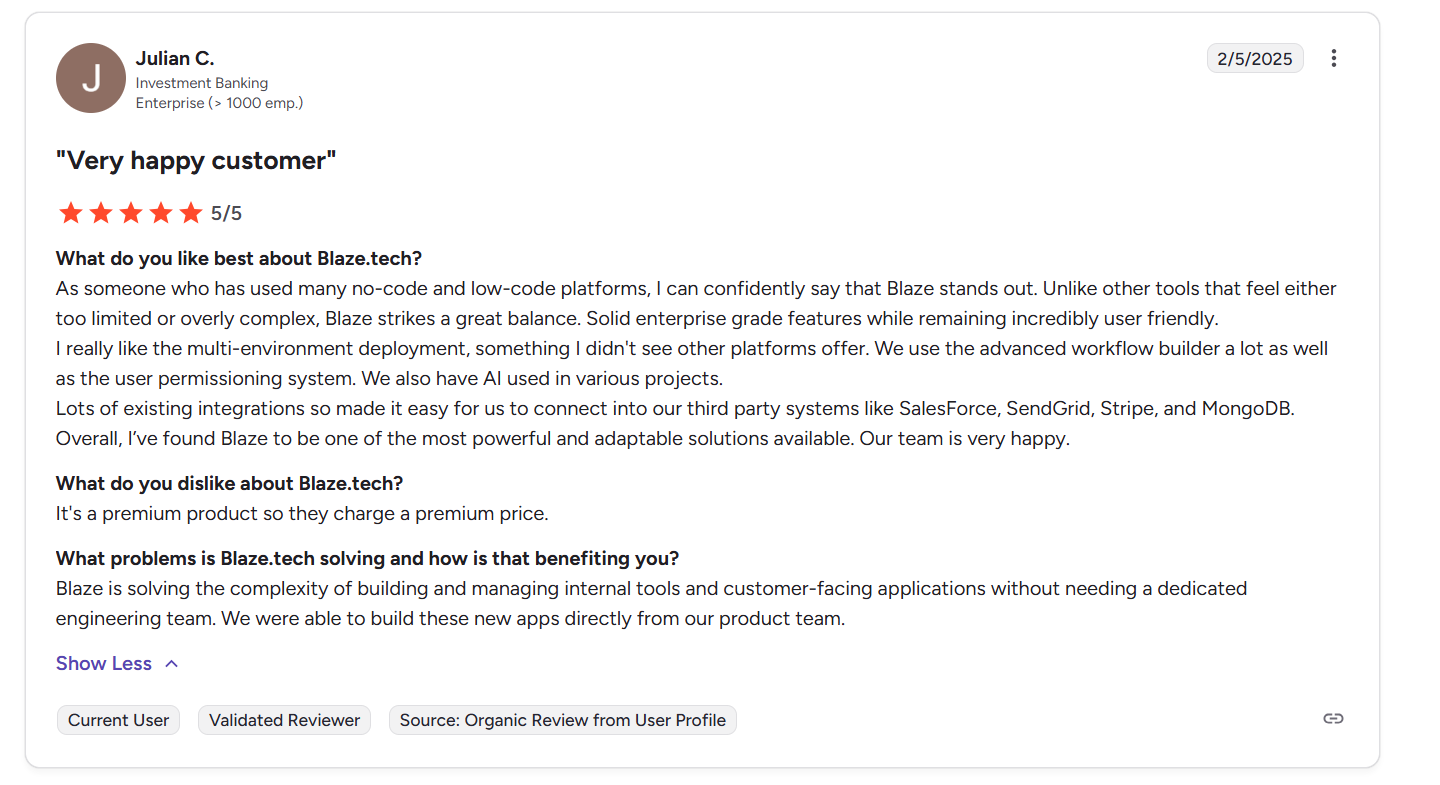
✅ Advanced workflow deployment: A user states that Blaze supports multi-environment deployment, advanced workflow building, detailed user permissions, and integrated AI across projects.
Cons
❌ No fully native, out-of-the-box video application: Teams needing built-in video visits must build and maintain a separate third-party video integration because Blaze doesn’t provide its own.
❌ Feature-heavy for small teams: Blaze’s feature suite and costs might be too much for startups or very small teams just testing ideas.
❌ High premium pricing: The platform positions itself as a premium product, and a user says pricing reflects that higher-tier positioning.
Pricing
Blaze’s pricing starts at $1,500/month. Contact Blaze’s team to receive a custom quote for the HIPAA-compliant version.
Bottom Line
Blaze works best for non-technical, mid-to-large-sized healthcare teams that need to build and manage several apps. If you only need a simple scheduling tool or are still figuring out your workflows, consider a lighter tool like Jotform.
2. Caspio: Best for Database Healthcare Apps
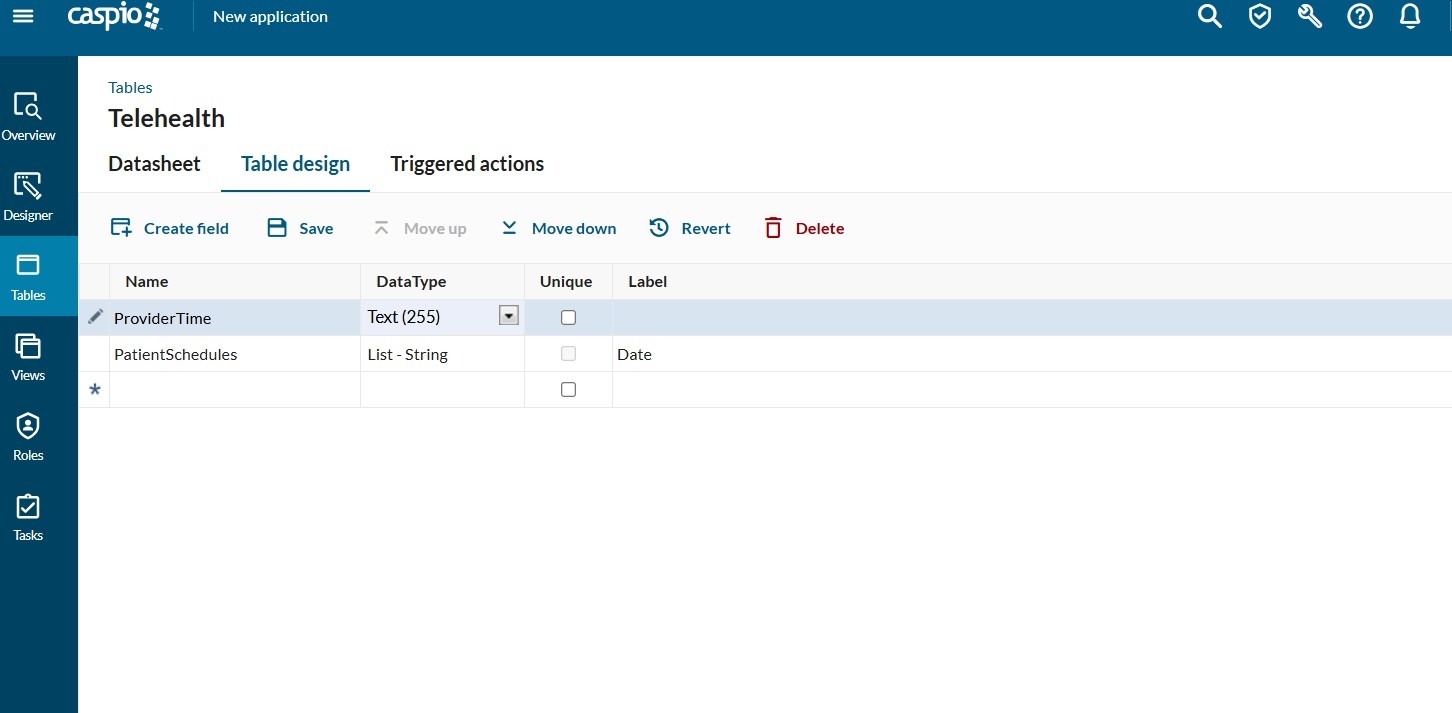
What it does: Caspio is a low-code platform that helps teams replace manual spreadsheet workflows by turning databases into secure, HIPAA-compliant web portals and internal tools.
Who it’s for: Healthcare teams upgrading clunky Excel-based processes into multi-user patient or provider portals.
I tested Caspio by building a hospital intake form and database. When I provided dummy records, they populated instantly on submission, and I didn’t need to tweak my backend.
Key Features
- DataPage builder: Point-and-click tool that changes database tables into forms, reports, charts, and searchable portals.
- Unlimited app users: All plans include unrestricted external user access.
- Triggered automations: Rules-based workflows fire on data changes, sending notifications or updating records automatically.
Pros
✅ No per-seat pricing: Patient-facing portals aren’t billed per end user, helping keep costs predictable as you scale.
✅ Fast form deployment: Clinical intake forms and searchable patient databases can go live in hours instead of full development cycles.
✅ Flexible app building: A user noted that the platform’s flexibility and versatility allow users to quickly build apps and collect data records with ease.
Cons
❌ Web only, no native mobile apps: Caspio builds browser-based portals, so teams needing true native iOS or Android apps will need other options.
❌ Low-code platform: You’ll need some technical know-how to use all of Caspio’s advanced features.
❌ No Microsoft Power BI integration: A user said that Caspio tables don’t connect directly to Microsoft Power BI, limiting native analytics integration.

Pricing
Caspio pricing starts at $100/month.
Bottom Line
Caspio makes the most sense when you're replacing high-volume, multi-role spreadsheet workflows with a compliant web portal, and user count makes per-seat pricing a dealbreaker. Teams that need a less technical tool should try Blaze instead.
3. Knack: Best for Patient Operations Tracking
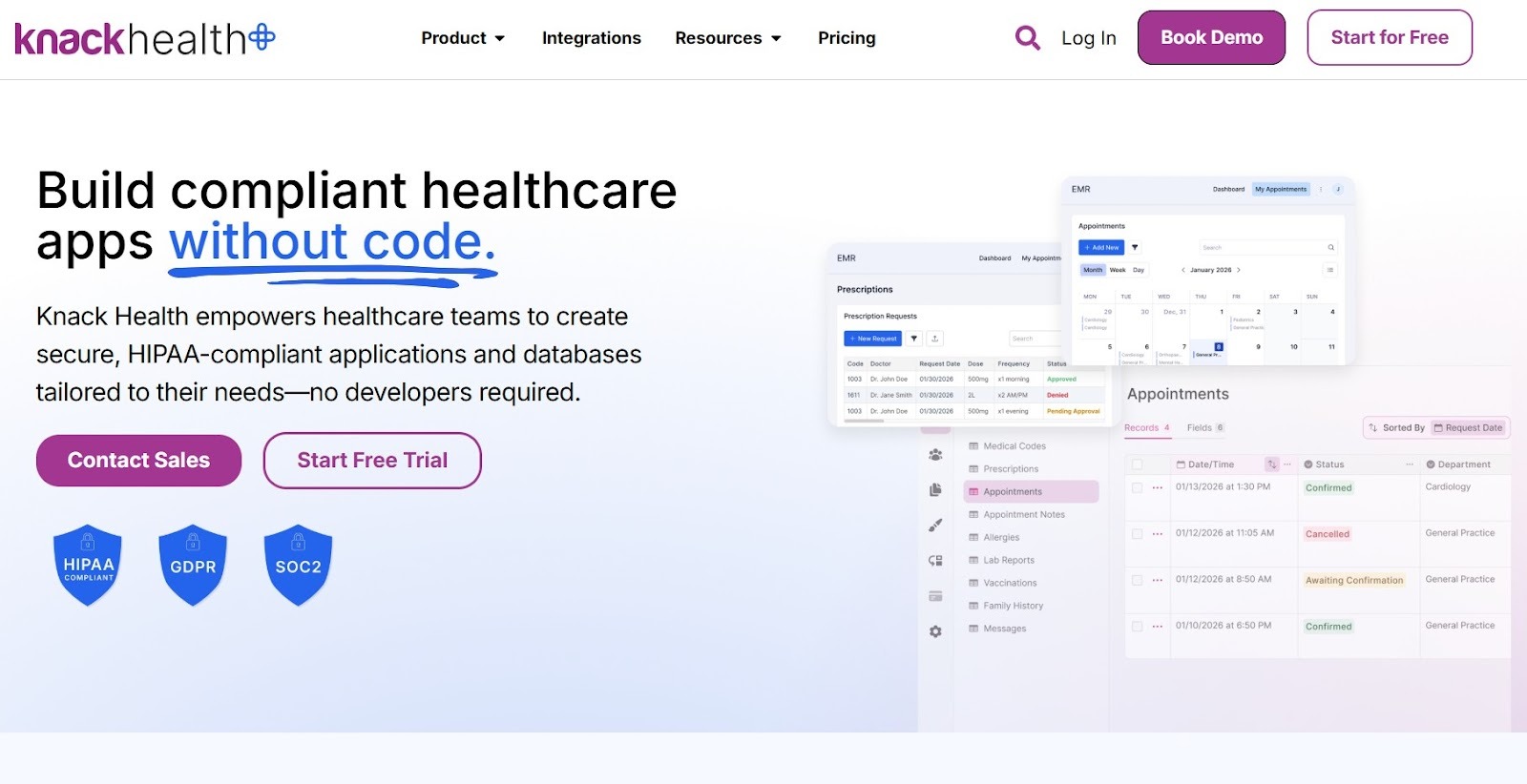
What it does: Knack is a no-code tool that allows you to create HIPAA-compliant apps from pre-existing spreadsheets.
Who it’s for: Small clinic and operations teams rebuilding Google Sheets-style workflows into structured, permission-controlled patient databases.
I linked patient records to appointment slots across 3 views: List, Calendar, and Detail. Every update I made in one place showed up immediately in the others without any manual syncing. For a small clinic that doesn’t have a developer, this kind of built-in data accuracy removes a lot of extra admin work.
Key Features
- HIPAA-compliant version: Enterprise customers can enable HIPAA-only hosting and U.S. GovCloud environments, with additional security controls suitable for PHI and regulated workloads.
- Knack Flows automation: Automate record updates, email alerts, and third-party syncs across 500+ connectors when data changes.
- Embeddable apps: Publish patient-facing forms and portals directly into an existing website.
Pros
✅ Fast relational setup: Linked objects and connected views replace spreadsheet cross-referencing.
✅ Responsive support team: Users report strong customer support from the Knack team.
✅ Balanced flexibility and control: A user praised Knack for offering flexibility without sacrificing control, allowing users to launch projects quickly.
Cons
❌ Complex apps need a builder: Apps beyond basic tracking require a Knack-certified expert, adding more costs.
❌ Not built for clinical documentation: Knack manages structured data records well, but has no native support for SOAP notes, care plans, or clinical templates.
❌ Complex table actions: A Knack client said that performing complex actions between tables can be difficult.

Pricing
Knack pricing starts at $59/month.
Bottom Line
Knack suits small healthcare teams aiming to replace fragmented workflows with an affordable and structured multi-role web app. Teams that need clinical documentation tools or a polished patient-facing interface will find Salesforce Health Cloud a better fit.
4. Mendix: Best Enterprise Healthcare Platform
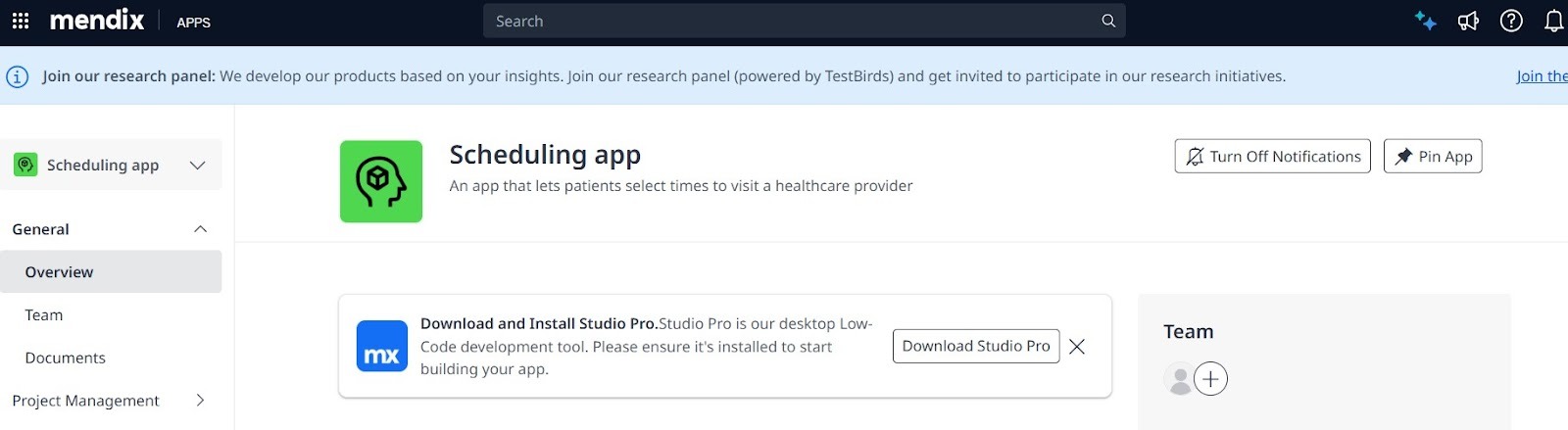
What it does: Mendix is a low-code platform that gives business and IT teams a shared, visual tool to design, build, and deploy HIPAA-compliant apps.
Who it’s for: Enterprise IT and digital teams in healthcare organizations that are upgrading legacy systems and want to co-create solutions directly with operations and clinical stakeholders.
I tested Mendix by building a patient referral workflow. The visual logic editor let me define referral routing rules, including if/then conditions, role assignments, and status triggers, without writing code. The workflow previewed accurately across user roles before I pushed it to a test environment.
Key Features
- Visual editor: Model complex clinical rules, if/then statements, and multi‑step workflows with a visual editor.
- Team Server with Git support: Multi‑developer version control helps you manage each app at a technical level.
- Multi‑environment deployment: Supports cloud and on-prem hosting.
Pros
✅ Business‑IT collaboration built in: Visual modeling and integrated feedback tools let non‑technical team members review and edit requirements.
✅ Production‑grade version control: A shared system that tracks changes and lets developers work on separate versions helps large healthcare teams build projects.
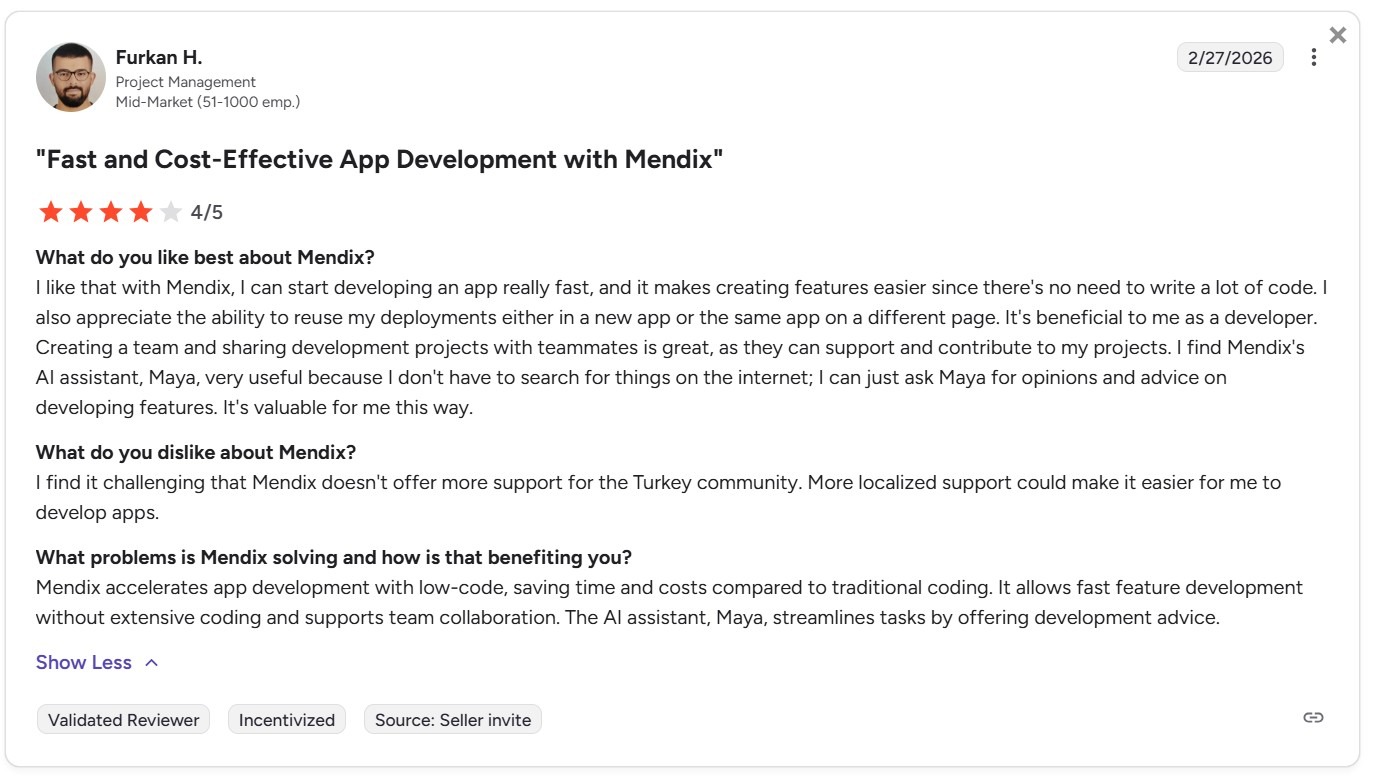
✅ Rapid no-code development: A Mendix customer said that the platform allows developers to start building apps quickly, create features with minimal coding, and reuse deployments across apps or pages.
Cons
❌ Requires developer expertise: Non‑technical healthcare staff generally can’t build complex apps independently, so teams typically need at least one dedicated developer.
❌ Enterprise-level pricing: The platform suits enterprise customers only.
❌ Limited regional support: A user noted that Mendix lacks strong localized support in some regions.
Pricing
Contact Mendix’s team to get a custom quote.
Bottom Line
Mendix fits large healthcare IT teams that need to replace legacy systems. Teams without a dedicated low-code developer on staff will find Blaze a faster path to building and publishing healthcare apps.
5. OutSystems: Best for Complex Healthcare Systems
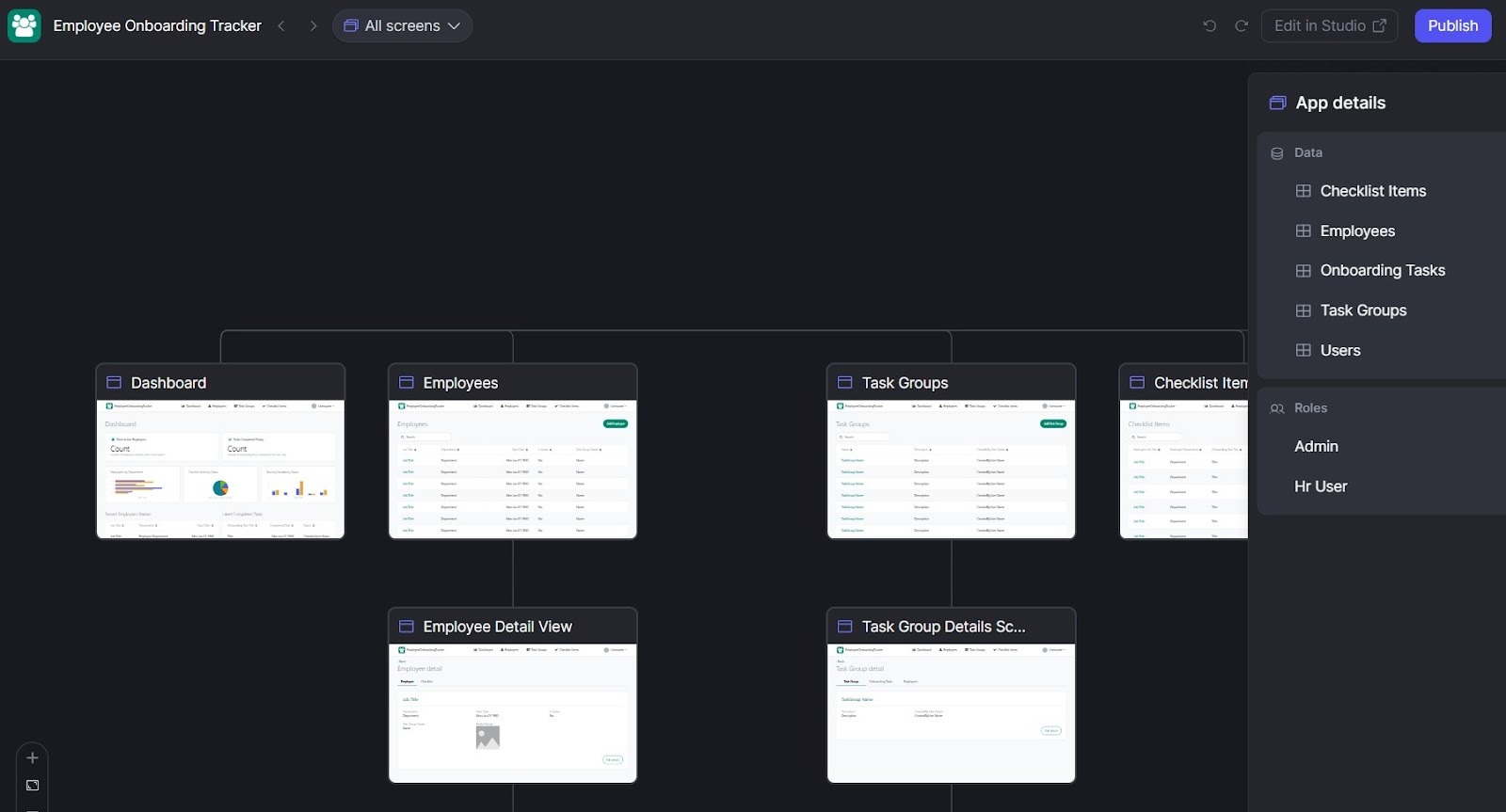
What it does: OutSystems simplifies healthcare app building by letting teams build UI, logic, and data models visually.
Who it’s for: IT departments in large (500‑plus‑person) healthcare organizations needing enterprise‑grade performance and scale.
I tested OutSystems by building a multi-step patient intake workflow live in a test environment in under 30 minutes. The visual editor handled the routing and data updates without writing SQL. It also let me connect form submissions to backend records and set up role-based access rules.
Key Features
- Visual full‑stack development: Builds frontend, backend rules, and databases on a single visual platform.
- Reusable workflow templates: Templates can accelerate building common workflows.
- Enterprise security and compliance: Security controls and deployment options are designed to support HIPAA‑compliant solutions when built correctly.
Pros
✅ Rapid cross‑platform deployment: Builds web and native mobile apps.
✅ Strong enterprise community: Active forums and a broad certified partner network give teams support.
✅ Powerful data fabric: A user noted that the Data Fabric lets him create virtualized representations of data from CRMs, APIs, and legacy databases without needing to migrate data.
Cons
❌ Developer dependent for advanced cases: Complex workflows typically require someone with programming know-how or a professional developer.
❌ Geared to larger budgets: Pricing supports mid‑size and large organizations.
❌ Weak UI components: A customer said that the platform’s UI components are limited, which can create problems for companies that must follow strict brand guidelines.

Pricing
OutSystems pricing starts at $36,300/year.
Bottom Line
OutSystems works best for large health systems that already have an in-house development team. If you don’t have a dedicated developer, or you mainly need secure internal tools instead of full custom apps, Blaze may be a better fit.
6. Jotform: Best for Simple Scheduling Apps

What it does: Jotform lets you create customized intake and appointment forms with a no‑code app builder.
Who it’s for: Solo practices and small clinics that need a simple scheduling solution.
I built a patient intake app using one of Jotform’s healthcare templates and connected it to Google Sheets. The template already included the main form fields, and after a quick setup, sample submissions went straight into a live spreadsheet. For a small clinic that needs patient intake ready the same day, there is nothing you need to build first.
Key Features
- Thousands of form templates: Healthcare-specific forms include intake, consent, medical history, and appointment booking.
- If/then rules builder: Shows or hides fields based on patient input to shorten long intake forms.
- 30+ payment gateway integrations: Collects copays, appointment fees, or subscription payments directly inside forms.
Pros
✅ Broad integration library: Connects submissions to Google Sheets, Slack, Salesforce, and hundreds of other tools through native integrations.
✅ Accessible pricing floor: HIPAA‑eligible plans are affordable and appeal to small clinics on a budget.
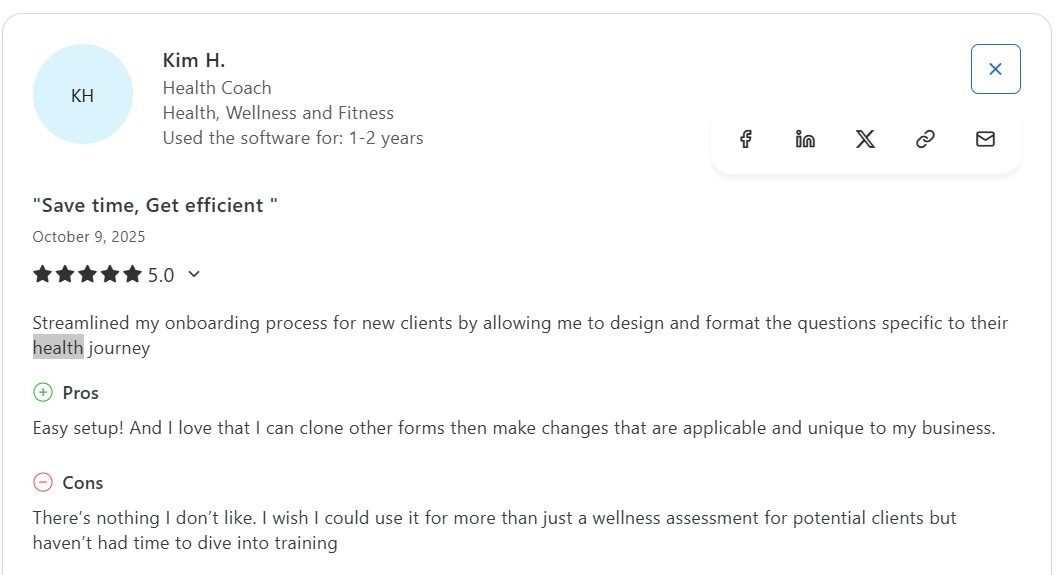
✅ Fast form setup: A user said she set up forms quickly and cloned existing ones to adapt them with business-specific changes.
Cons
❌ Multi-user access requires Enterprise: Practices with multiple staff managing submissions can’t share account-level access on standard plans.
❌ Form‑first architecture limits scope: Building a full CRM, inventory tracker, or custom patient portal is beyond what the platform is primarily designed to do.
❌ Limited broader use: A customer noted that they only use Jotform for a single purpose because the learning curve takes time.
Pricing
Jotform’s HIPAA-compliant version pricing begins at $129/month.
Bottom Line
Jotform meets the needs of small practices that want a simple, budget-friendly patient onboarding tool. If your team needs patient tracking and staff workflows, Knack makes more sense.
7. Quickbase (HIPAA Plan): Best for Clinical Process Management
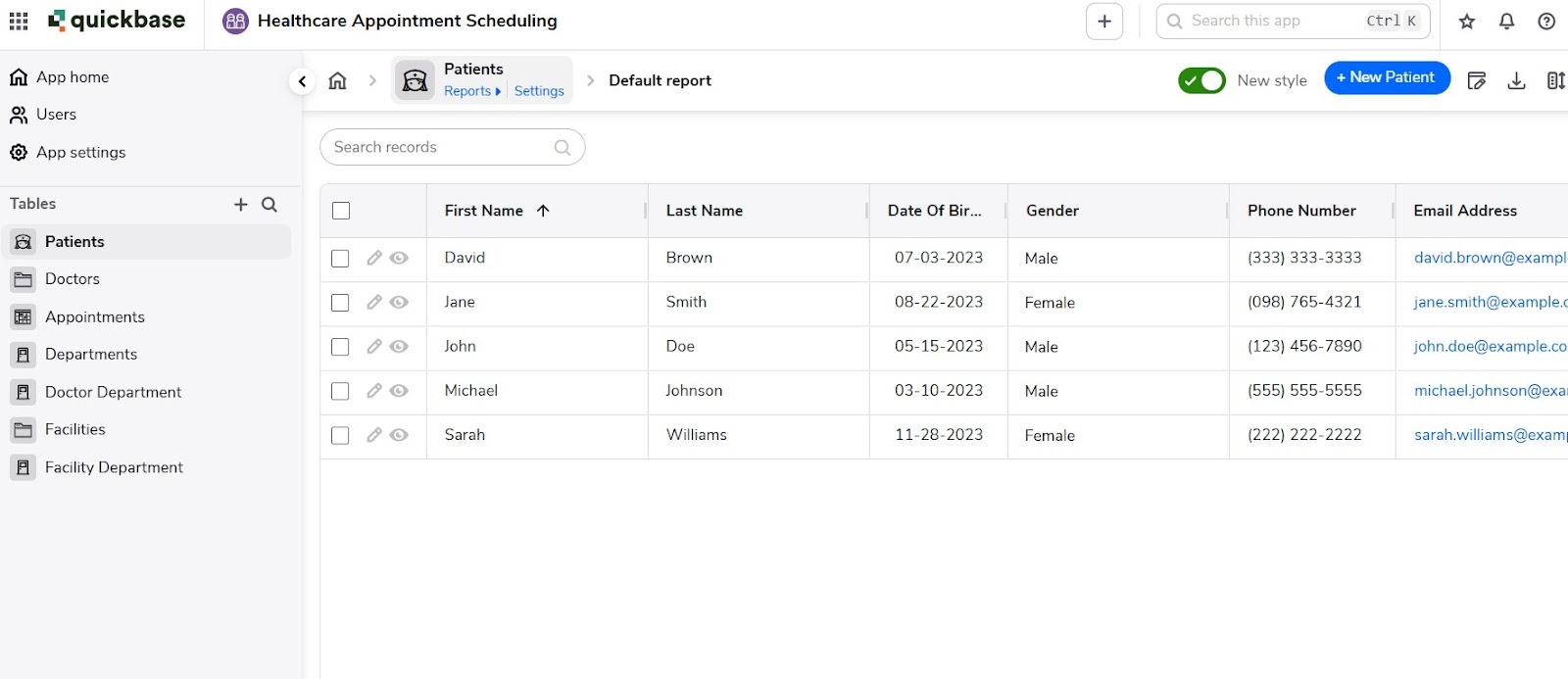
What it does: Quickbase replaces disconnected spreadsheets and email approval chains by centralizing clinical and operational workflows into auditable, role‑based apps.
Who it’s for: Mid‑to large-sized clinics that run multi‑step approval processes across several departments.
I tested Quickbase by linking my app to three core tables: referring providers, appointment statuses, and care teams, using Quickbase's built-in relational tools. The connections held cleanly without any manual configuration between tables. There was no manual refresh and no sync delay.
Key Features
- Conditional workflow automation: Multi-step approval chains trigger actions based on record status, role, or field value.
- Role-based access control: Granular permissions restrict PHI visibility by user type across every app.
- Gantt and dashboard views: Visual project tracking and real-time data visualization.
Pros
✅ Cross-department data visibility: Teams can track across clinical departments in one shared workflow.
✅ Scalable to growing user loads: The platform can handle increasing record volumes and more users without frequent rebuilds.
✅ User-friendly app building: A Quickbase customer said it’s easy to create apps and interconnected databases.
Cons
❌ Limited frontend design control: UI branding and layout options are basic, making Quickbase better suited to internal apps than patient‑facing ones.
❌ Reporting requires formula expertise: Advanced reports and cross-table mashups depend on Quickbase’s proprietary formula language, which requires technical knowledge.
❌ Steep beginner learning curve: A new user felt overwhelmed when starting out, even with available learning resources and community support.

Pricing
Quickbase pricing for the HIPAA-compliant version starts at $35/month per user, billed annually at $420.
Bottom Line
Quickbase works best for healthcare teams that need clear approval steps and a record of every change. If you don’t have someone dedicated to managing Quickbase, the reports and compliance setup may feel harder to handle, so try a platform like Blaze or Knack.
8. Unqork: Best for No-Code Enterprise Healthcare Apps
What it does: Unqork lets large teams build complex, HIPAA-compliant apps without writing code.
Who it’s for: Large IT healthcare teams managing large backlogs with limited developers.
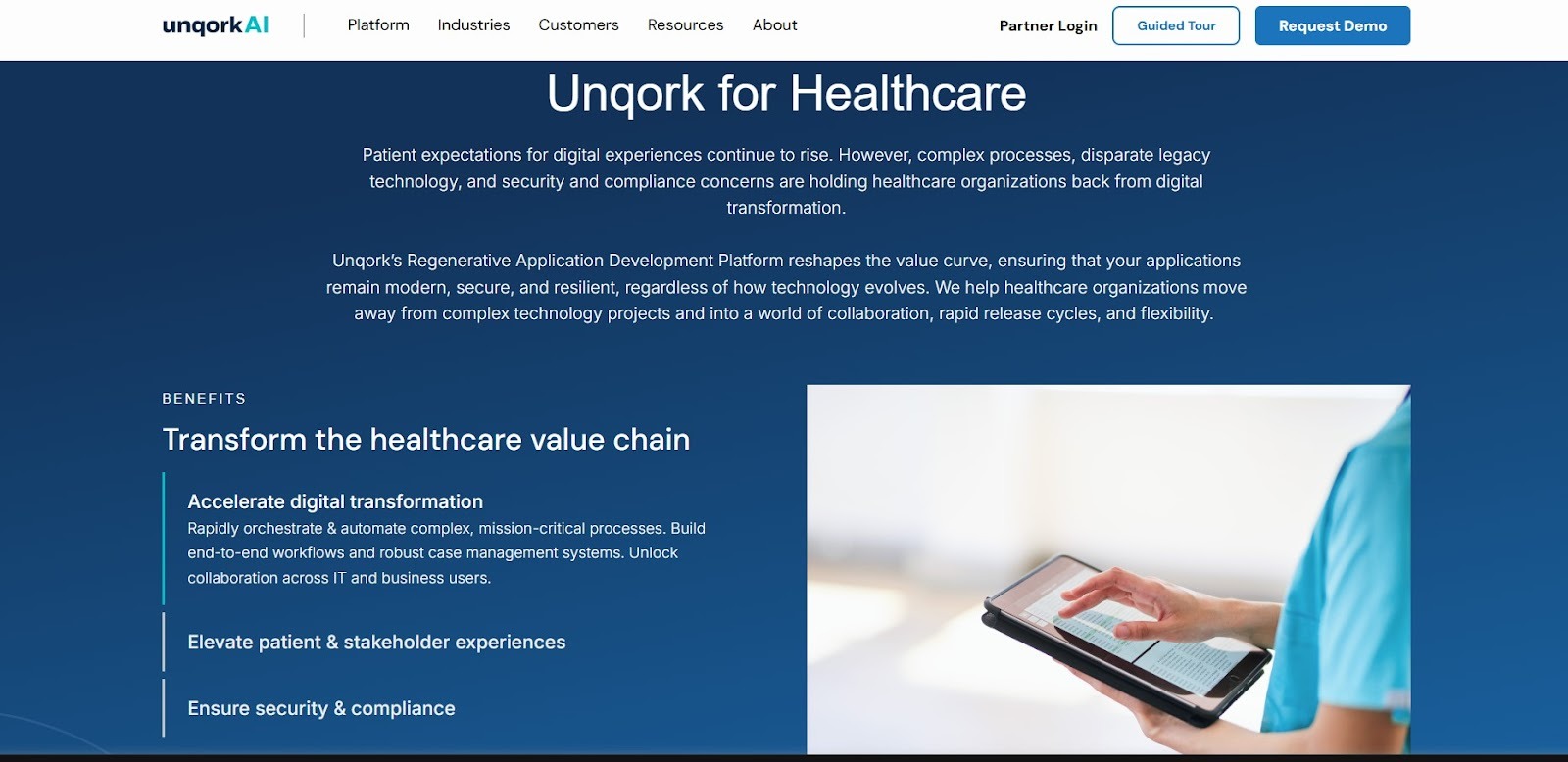
I tested Unqork by building a patient data intake workflow with role-based routing. The drag-and-drop builder handled layouts, logic, and roles in one interface. I never left the visual editor to configure rules or data connections. The resulting workflow was ready to test in a single session without the backend configuration.
Key Features
- Visual workflow builder: Drag-and-drop logic builder handles complex rules without traditional coding or scripting.
- HIPAA compliance: Platform security controls and certified environments support regulated healthcare workflows.
- Pre-built industry templates: Healthcare templates for onboarding, case management, and payer portals.
Pros
✅ Faster build timelines: Teams can make complex apps in weeks instead of the months typical of traditional custom development.
✅ Built-in data separation: A single-tenant setup keeps each healthcare organization’s data completely separate from others.
✅ Strong no-code workflows: A customer said Unqork provides useful integrations, workflows, and drag-and-drop tools that support building diverse projects.
Cons
❌ Enterprise-only access: The platform only suits large enterprises rather than small or mid-sized teams or individual builders.
❌ Steep onboarding requirement: Teams without Unqork-trained staff typically face weeks of ramp-up before they can build and maintain production-ready applications.
❌ Needs feature improvements: A user said areas like grid features, versioning, and case management need improvement to increase efficiency.

Pricing
Contact the Unqork team for a custom quote.
Bottom Line
Unqork makes the most sense for large healthcare IT teams drowning in a custom application backlog. But if you’re a mid-size healthcare team, try a platform like Blaze.
9. Salesforce Health Cloud: Best for Patient Relationship Management
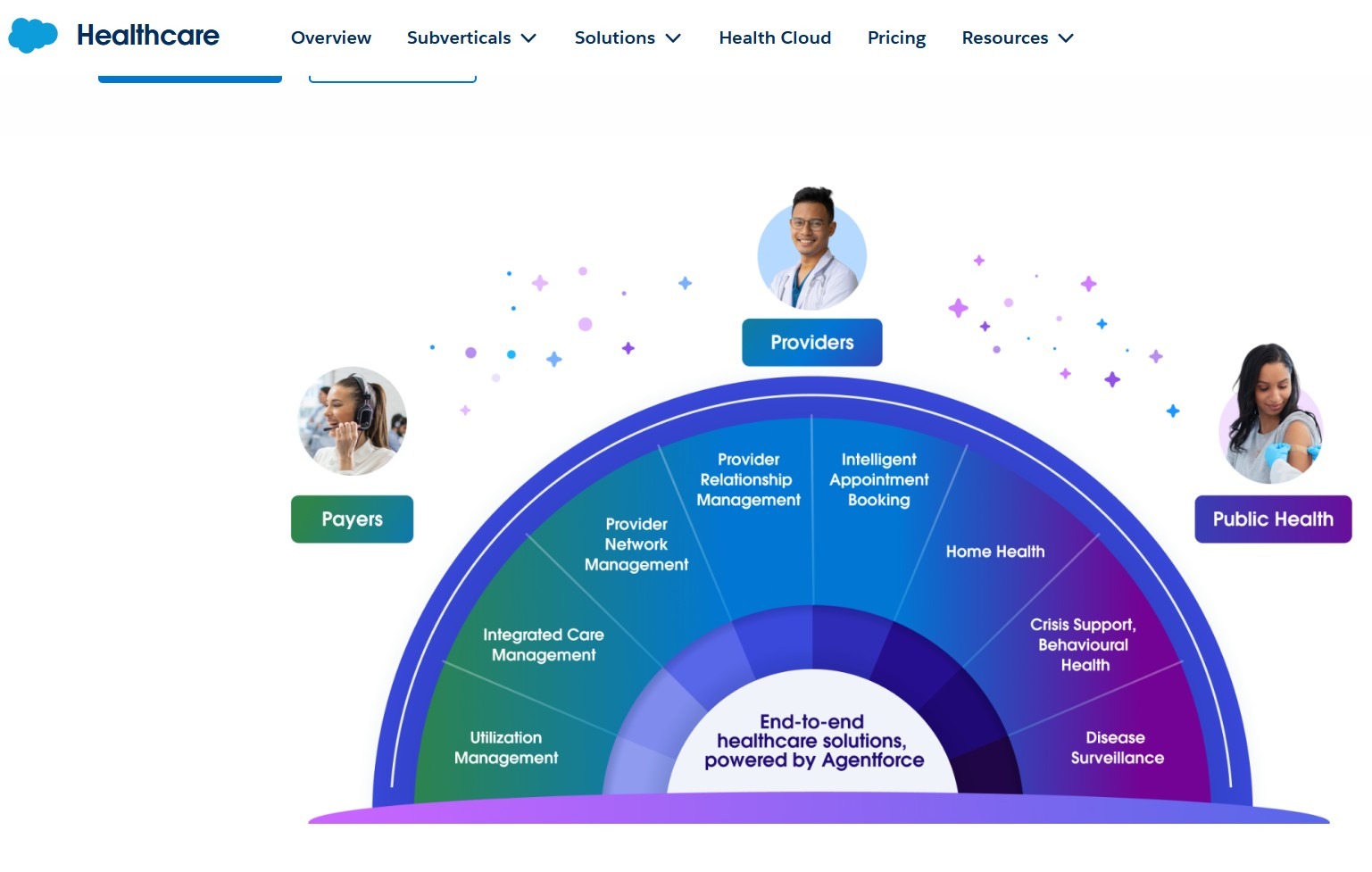
What it does: Salesforce Health Cloud replaces disconnected care coordination tools by centralizing patient data, tasks, and outreach in one system.
Who it's for: Mid-to-large health systems already inside Salesforce that need care team coordination at scale.
I tested single-note documentation for a routine patient visit. To finish the entry, I had to move through several dummy sections before the record updated. In clinics that see many patients each day, that extra time adds up with every visit, not just unusual situations.
Key Features
- 360-degree patient profiles: Organize clinical history, medications, care plans, and demographic data into a unified patient view.
- Concurrent care planning: Supports multiple care plans per patient so different teams can coordinate without data conflicts.
- Care team coordination: Connects providers, caregivers, and family members through secure, multi-channel communication and shared care plans.
Pros
✅ Regulatory compliance support: Health Cloud’s security, encryption, and audit features are designed for HIPAA-aligned deployments.
✅ Salesforce ecosystem depth: Existing Salesforce workflows, automation, and AppExchange integrations can be extended rather than rebuilt from scratch.
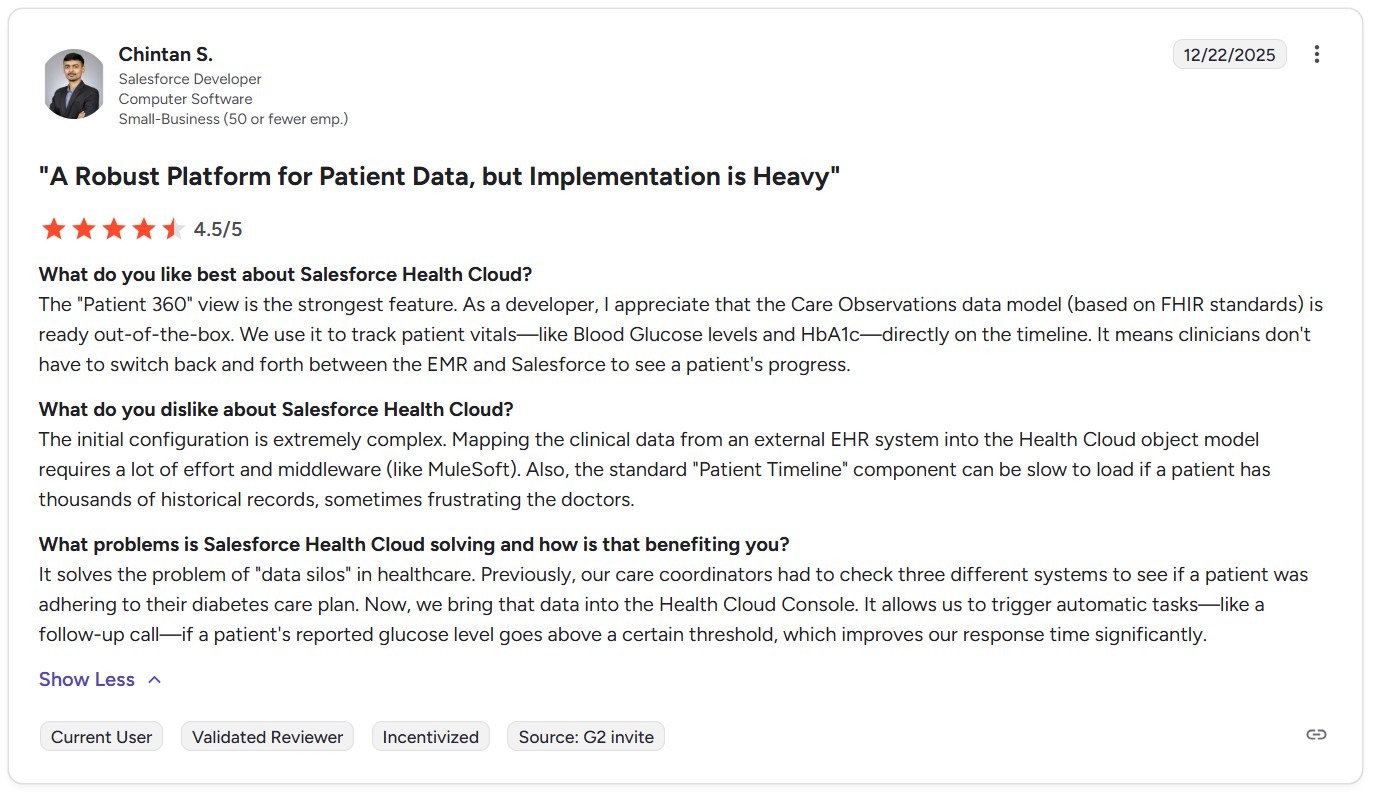
✅ Strong patient data model: A customer praised the Patient 360 view and built-in Care Observations model because these tools give developers a ready-to-use clinical data structure.
Cons
❌ Implementation requires specialists: Standing up Health Cloud usually demands certified Salesforce partners, adding significant service costs and timelines before care teams see value.
❌ Designed for relationship management, not clinical records: Health Cloud complements, but doesn’t replace, an EHR.
❌ Complex initial setup: A user said that initial configuration is difficult, especially when mapping external EHR data into the Health Cloud model and setting up middleware like MuleSoft.
Pricing
Salesforce Health Cloud pricing starts at $350/month per user (billed annually at $4,200 per user).
Bottom Line
Health Cloud works best for large healthcare systems that need all patient data in one place and want care teams to work together in the same system. For teams that want to build complex, custom healthcare applications from the ground up, Unqork may offer greater flexibility.
My Final Verdict: Which Healthcare App Builder Should You Choose?
Each of my top 9 healthcare app builders is an excellent option for different team sizes, technical skill levels, and clinical use cases. Here's how to pick the one for you:
Choose Blaze If You:
Need to build multiple HIPAA-compliant apps without developers, and you want guided onboarding.
Choose Caspio If You:
Are replacing high-volume spreadsheet workflows with a compliant web portal.
Choose Knack If You:
Run a small clinic and need to turn fragmented workflows into a structured, permission-controlled patient operations database.
Choose Mendix If You:
Have a dedicated low-code developer on staff and need complex, enterprise apps.
Choose OutSystems If You:
Lead IT at a large health organization (500-plus people) and need to deploy scalable web and native mobile apps.
Choose Jotform If You:
Run a solo practice or small clinic that needs an affordable, no-code intake and scheduling solution live within hours, not weeks.
Choose Quickbase If You:
Manage multi-step clinical approval processes across several departments.
Choose Unqork If You:
Work in a large healthcare IT department with a growing backlog of custom applications and limited developer capacity to clear it.
Choose Salesforce Health Cloud If You:
Already run operations inside Salesforce and need centralized patient data and care team coordination at a mid-to-large health system scale.
Avoid Healthcare App Builders If You:
Are building a general wellness or fitness app that doesn’t collect protected health information and has no HIPAA compliance requirement.
Build Your Next Healthcare App with Blaze
If you want a healthcare app builder that you can use to customize apps for scheduling, telehealth, and medical inventory management, try Blaze. Here’s why many healthcare organizations have created HIPAA-compliant apps with Blaze:
- Speed meets security: Build and deploy healthcare apps far faster than traditional development methods while keeping strong security practices in place.
- No-code ease: Blaze's drag-and-drop builder lets non-technical teams create patient portals, dashboards, and automation workflows in days (sometimes, hours) instead of weeks.
- Dedicated support: Blaze provides hands-on onboarding and implementation support so your team can launch, test, and scale apps confidently across departments.
Frequently Asked Questions
What Is the Best Healthcare App Builder for Non-Technical Teams?
The best healthcare app builder for non-technical teams is Blaze. Blaze gives mid-to-large healthcare organizations a no-code drag-and-drop interface that builds patient portals, scheduling tools, and internal workflows without programming. Its guided onboarding means your team can publish a working app faster.
Do Healthcare App Builders Support HIPAA Compliance?
Most healthcare app builders support HIPAA compliance, but not all plans include it by default. Platforms like Blaze, Knack, Caspio, and Quickbase offer HIPAA-eligible environments, Business Associate Agreements (BAAs), and security controls. However, your organization's configuration determines actual compliance.
How Much Does It Cost to Build a Healthcare App?
Healthcare app builder pricing ranges from $59/month for small-clinic tools like Knack to $36,000/year for enterprise platforms like OutSystems. Custom-quoted platforms like Blaze, Mendix, and Unqork typically serve larger organizations with more complex needs and higher budgets.
Sources
i. U.S. Department of Health & Human Services. "Summary of the HIPAA Security Rule." HHS.gov. https://www.hhs.gov/hipaa/for-professionals/security/laws-regulations/index.html
ii. U.S. Department of Health & Human Services. "Security Rule Guidance Material." HHS.gov. https://www.hhs.gov/hipaa/for-professionals/security/guidance/index.html
iii. National Institutes of Health — StatPearls. "Health Insurance Portability and Accountability Act (HIPAA) Compliance." NCBI. https://www.ncbi.nlm.nih.gov/books/NBK500019/
The Secure No-Code & AI Platform
Supercharge your team's operations and performance with better apps and tools.
Create custom apps fast
Secure & HIPAA compliant
Streamline complex workflows

The Secure No-Code Platform
Build apps with best-in-class security.
Related Articles
Discover related guides on healthcare no-code development, HIPAA compliance, security, integrations, and launching apps faster.
%20(1).png)
Hospital App Development: Features, Steps, and Costs in 2026
Hospital app development costs range from $1,000 to over $1 million. Compare needed features, EHR integrations, development steps, and the 3 build approaches.
%20(1).png)
EHR Implementation Cost Breakdown
This EHR implementation cost breakdown reveals upfront, ongoing, and hidden expenses. Compare costs from client projects and research to help you budget.
%20(1).png)
7 Top White Label Telehealth Platforms + How to Pick (2026)
I reviewed seven white-label telehealth platforms to see how they compare. Explore pricing, branding, integrations, and the best fits available.