
Table of contents
7 Best CRM for Healthcare: Reviewed for Providers | 2026

Written by
Blaze Team
Expert Verified
The best CRMs for healthcare are Salesforce Health Cloud for large organizations, Tebra for smaller clinics, and HubSpot CRM for Healthcare for fast implementation. I evaluated 15 different CRMs and boiled down my list to 7 based on setup time and HIPAA readiness.
7 Best CRM for Healthcare: At a Glance
- Salesforce Health Cloud: Best for coordinating care across multiple healthcare locations
- Tebra: Best for running small practices with integrated operations
- HubSpot CRM: Best for automating healthcare marketing and patient acquisition
- Microsoft for Healthcare: Best for extending existing Microsoft healthcare technology ecosystems
- Blaze.tech: Best for building custom healthcare CRM workflows on a HIPAA-enabling platform
- LeadSquared: Best for managing high-volume patient acquisition across locations
- Creatio CRM: Best for automating complex pharmaceutical sales workflow processes
7 Best CRM for Healthcare, Compared
How I Tested CRM for Healthcare Tools
I started with 15 CRMs, but finding the right one for healthcare was difficult because most platforms are built for sales teams, not clinical operations. Here’s what I looked for to pick my top 7:
- HIPAA and compliance readiness: A CRM that touches patient data without proper safeguards is a liability, not a tool. I reviewed each platform's compliance documentation, BAA availability, and data access controls.
- Setup and configuration time: I tracked how long each platform took to configure a basic patient pipeline from scratch. Anything requiring an implementation partner before a single workflow ran counted against the platform.
- Multi-location patient intake: Large clinics and health systems often lose patients between inquiry and first appointment when intake isn't centralized. I looked at how each CRM handled simultaneous patient inquiries across multiple locations and channels, either through testing or document review.
- High-volume referral tracking: Specialty and multi-provider practices acquire some patients through referrals. I looked at how each CRM tracked inbound and outbound referrals from initial capture through confirmed appointment. I picked ones that could route referrals into structured, trackable workflows for each follow-up.
1. Salesforce Health Cloud: Best Multi-Provider Care Coordination
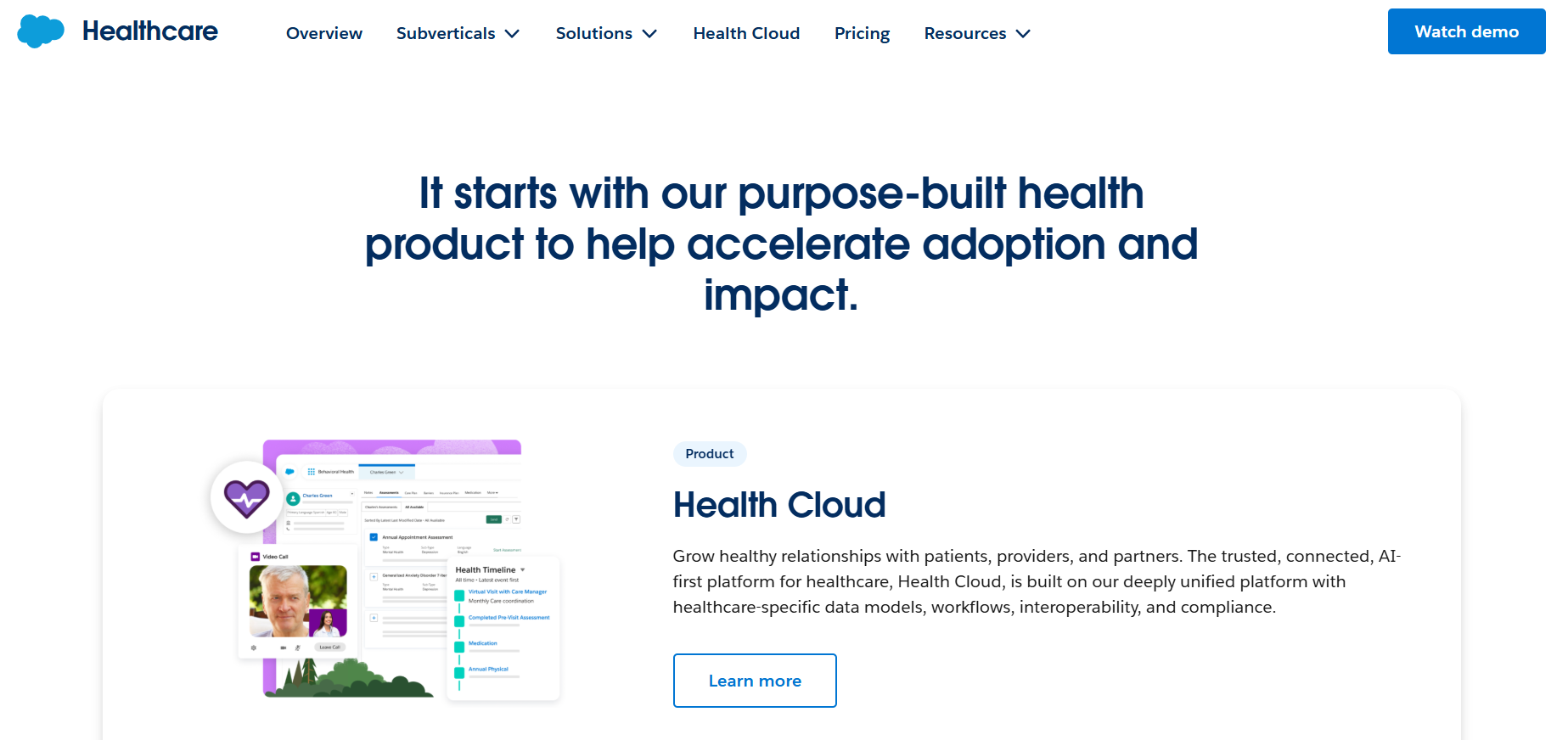
What it does: Salesforce Health Cloud (often called Agentforce) centralizes patient records, care team tasks, and EHR data so coordinators stop rebuilding context on every call.
Who it's for: Health systems running multi-site operations where care teams lose patients between handoffs.
I watched an Agentforce workflow demo that simulated a multi-department patient journey. Routing a patient from intake through specialist referral created zero manual re-entry across teams. This would make it very useful for clinics that have patients who see multiple providers.
But I could see that configuring the admin process was time-consuming and required knowledge of the Salesforce ecosystem.
Key Features
- Patient 360 timeline: Provides a view that can display clinical, claims, and engagement data for a patient in one place when integrated with proper systems.
- Care plan management: Includes care plans, problems, goals, and interventions that can be associated with specific care team members.
- Agentforce AI capabilities: Agentforce for Health Cloud can automate parts of workflows such as scheduling, case routing, and benefits or authorization checks.
Pros
- Cross-team visibility: By centralizing patient information in a single CRM-based record, Health Cloud can give care coordinators and front-office staff a shared view of interactions and care plans.
- Compliance-ready foundation: Health Cloud offers features such as encryption options, granular access controls, and audit logging.
- Designed for scale and complexity: Because it is built on the core Salesforce platform, Health Cloud is intended to support large patient populations and multi-site organizations.
Cons
- Technical admin skills: Health Cloud typically requires an experienced Salesforce administrator or implementation partner to design the data model, security model, and automations.
- Complex and often costly EHR integration: Integrating Health Cloud with EHR systems such as Epic or Cerner usually involves mapping clinical data to Salesforce objects, configuring interfaces (often via FHIR or HL7), and using integration platforms or partner solutions.
What Real Users Say

“It is the best tool that managing doctor-patient relationship; we can manage all the functionality related to patient and doctor within the single cloud and it is used by world no 1 CRM salesforce.” - Shubham O., G2

“The initial configuration is extremely complex. Mapping the clinical data from an external EHR system into the Health Cloud object model requires a lot of effort and middleware (like MuleSoft).” - Chintan S., G2
Pricing
Salesforce Health Cloud pricing starts at $350/user per month.
Bottom Line
Health Cloud is best suited to organizations that need strong cross-team care coordination and a unified patient view. If you need minimal setup, try LeadSquared.
2. Tebra: Best for Small Practices

What it does: Tebra is a one-stop software that handles scheduling, billing, charting, and patient messaging.
Who it's for: Solo providers and small clinics with a small admin team.
I saw a Tebra demo that walked me through how the platform handles new-patient online booking and chart creation. Tebra’s intake form auto-populates the patient record without manual re-entry at the front desk, which allows for quick onboarding.
For marketing, however, configuring Google review requests took more configuration steps, so you’ll need to dedicate admin time for this feature.
Key Features
- Integrated EHR and billing: Connects charting, scheduling, billing, and patient communication in a single cloud-based system designed for private practices.
- Automated claim scrubbing: Includes claims processing and scrubbing tools to help submit clean, compliant claims, track denials, and improve collections.
- Online patient scheduling: Patients can request or book appointments online, including telehealth, with 24/7 access that syncs directly to the practice calendar and EHR.
Pros
- Lower price point: Tebra offers a typically lower cost than many competitors, and it offers different user costs for administrative staff and practitioners.
- Integrated patient communication tools: The platform combines reminder messages, intake forms, and patient portal access in the same platform as the EHR and scheduling.
- Built‑in telehealth: Tebra integrates its telehealth platform into the scheduling and charting workflows, so providers can document visits and bill from the same system.
Cons
- Complexity increases with growth: Organizations planning rapid multi‑site or enterprise‑level growth may find they need additional tooling or reporting solutions.
- Slower onboarding: Users (see below) have noted Tebra’s slower training time, which may complicate your launch.
What Real Users Say

“The EHR side of tebra is great and easy to use. Anyone that is new to Tebra can learn quickly and efficiently. I also believe it is easy for patients to read their medical records if they request them.” - April M., Capterra
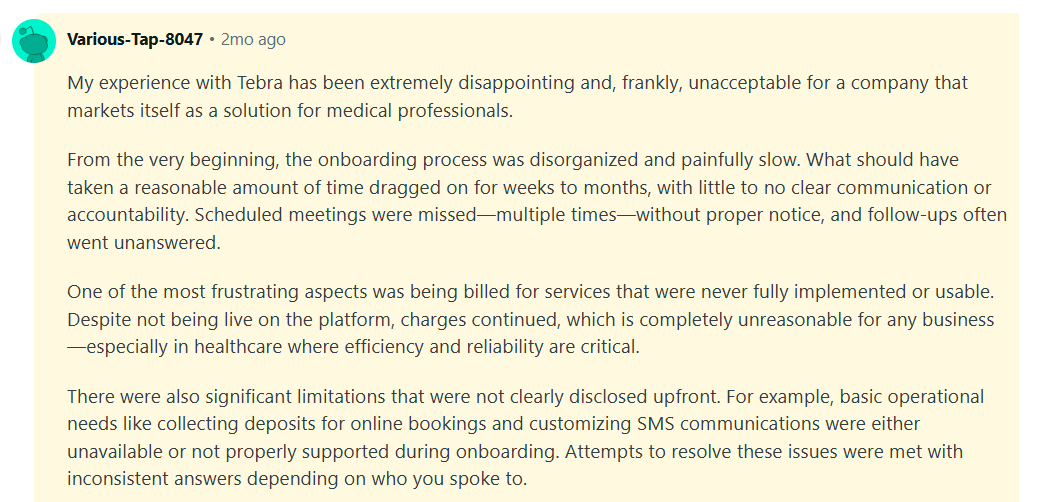
“My experience with Tebra has been extremely disappointing and, frankly, unacceptable for a company that markets itself as a solution for medical professionals. From the very beginning, the onboarding process was disorganized and painfully slow.” - Tebra user, Reddit
Pricing
Tebra’s pricing starts at $49/month for non-physicians and $99/month for physicians.
Bottom Line
Tebra fits smaller practices with a team of ~10 for billing, charting, scheduling, and patient communication. If you’re scaling and need more reporting capabilities, try Salesforce Health Cloud.
3. HubSpot CRM for Healthcare: Best for Healthcare Marketing Automation
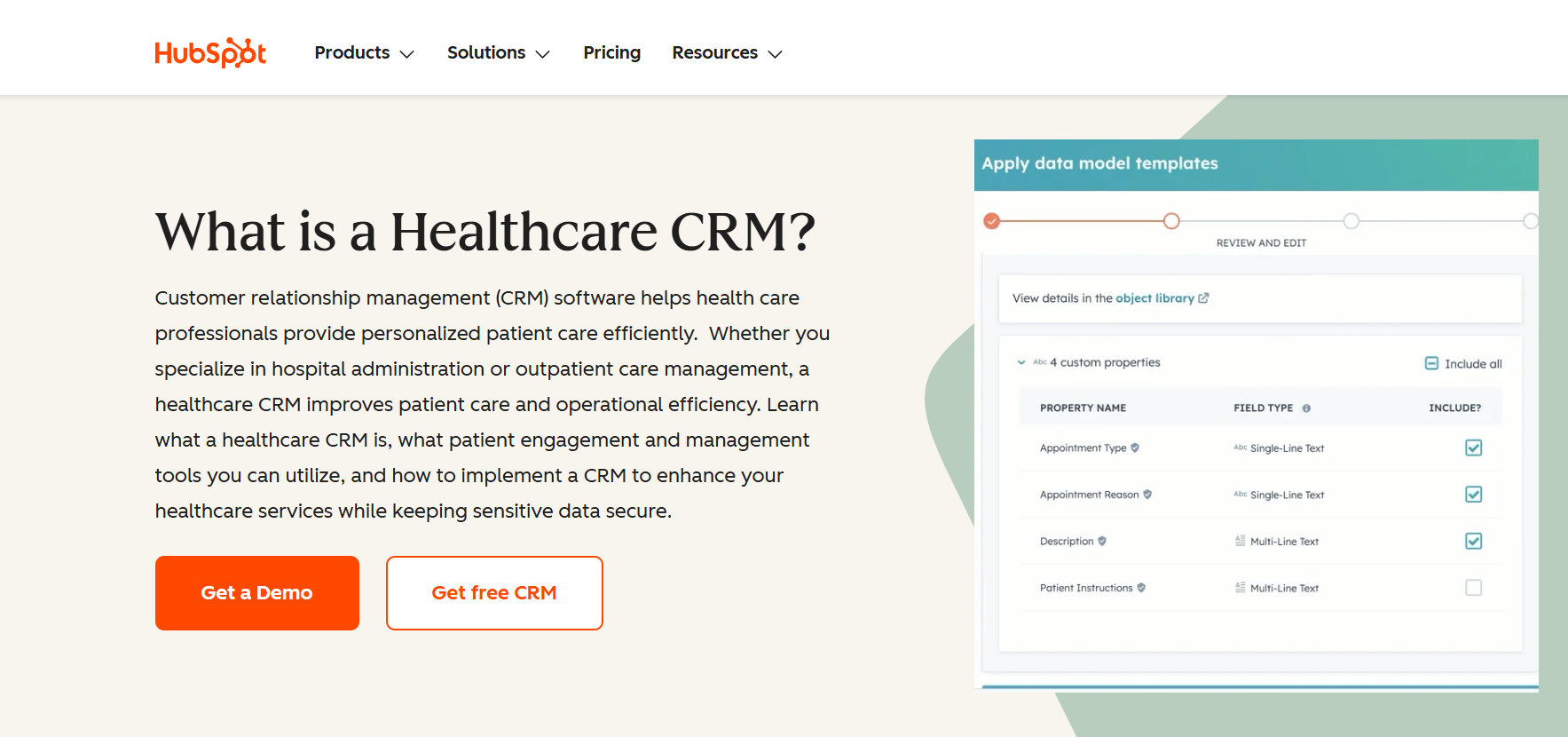
What it does: HubSpot CRM for Healthcare automates patient lead nurturing, appointment follow-ups, and email campaigns without a dedicated marketing team.
Who it’s for: Healthcare marketing departments running patient acquisition and re-engagement campaigns.
I tested HubSpot CRM by setting up a potential patient pipeline. After I answered a few questions about my practice and lead tracking goals, HubSpot generated a pipeline that I could configure with drag-and-drop tools. For instance, I could populate interested patients and add them to email campaigns. This would work great for a clinic aiming to grow.
However, connecting HubSpot to an existing EHR would require technical work. Most EHR platforms use different systems for sharing and organizing data, so healthcare organizations would need custom integration work to sync information between the two platforms.
Key Features
- Pipeline and deal tracking: Provides visual pipelines to track patient or lead inquiry stages from first contact through booked appointment or other conversion goals.
- Reporting dashboards: Offers customizable dashboards that track campaign results, sales pipeline stages, and where leads come from.
- Marketing automation workflows: Supports multi-step nurture sequences triggered by events such as form submissions, page views, email interactions, or deal stage changes.
Pros
- Marketing depth out of the box: Nurture sequences, workflows, A/B testing, and basic lead scoring can be set up without custom development.
- Fast campaign deployment: Non‑technical marketers can launch multi‑step automations in hours once templates are ready.
- Unified contact timeline: Each contact record aggregates emails, form submissions, page activity, calls, notes, and deal updates into a single scrollable timeline.
Cons
- Not a clinical system: The platform isn’t an EHR and doesn’t provide charting, clinical workflows, or medical billing. You’ll need separate systems for clinical operations and revenue cycle management.
- HIPAA features are more difficult to implement: The platform does offer HIPAA-enabling features, but implementing them often takes more steps when compared to a healthcare-first CRM.
What Real Users Say

“HubSpot Service Hub is one of the most user-friendly tools I've used throughout my career. Set-up is as simple as can be, and you can hit the ground running from day 1.” - Paula M., G2

“...I have implemented it in a HIPAA environment. You need to use their various sensitive data field capabilities and be careful with their cookie (it tracks aggressively). Access controls should be in place to ensure that you can restrict users' access to sensitive data as well. All the features and capabilities are there, just not totally straightforward in the UI.” - HubSpot User, Reddit
Pricing
Contact the HubSpot team for a custom quote.
Bottom Line
HubSpot helps organizations that need patient acquisition through digital channels, including marketing automation, segmentation, and lead nurturing. But if you need a customized healthcare CRM, along with EHR integrations, try Blaze.
4. Microsoft for Healthcare: Best for Large Healthcare Ecosystems
What it does: Microsoft for Healthcare connects patient engagement, care operations, finance, and supply chain into a single Microsoft-native platform.
Who it's for: Large health systems already running Microsoft 365, Azure, and Teams who also need CRM and operations.
I tested patient inquiry routing from a sample web form through a Dynamics 365 Customer Service queue. The flow from intake to case assignment ran without custom code using Power Automate defaults. For a health system already paying Microsoft licensing, that configuration cost would be zero incremental.
But the initial configuration of HIPAA-relevant data access controls inside Dynamics required more mapping of security roles across multiple modules than with other platforms. You’ll need an in-house Dynamics admin or implementation partner to spend weeks on implementation before seeing any patient-facing value.
Key Features
- Microsoft ecosystem integration: Connects natively with Outlook, Teams, SharePoint, Azure, and Power BI, so everything stays inside the Microsoft stack.
- Customer Insights (CDP): Uses Microsoft’s customer data platform to unify data from multiple sources into a consolidated contact or patient profile.
- Copilot AI assistance: Provides AI‑driven summaries, suggestions, and next‑step recommendations inside the CRM interface.
Pros
- Analytics and reporting depth: Data from multiple departments and modules can be brought into Power BI dashboards for custom reporting.
- Attach licensing options: When organizations already hold certain base licenses, adding additional CRM modules can be done at reduced “attach” pricing per user.
- Enterprise scalability: The platform is designed to support multiple locations, departments, and service lines within a single deployment.
Cons
- Implementation is a full project: Enterprise deployments typically involve structured implementation work such as requirements gathering, solution design, configuration, data migration, and training.
- Ongoing administration needs: Meaningful customizations, integrations, and governance generally require technically experienced admins.
What Real Users Say

“The app's security and compliance with healthcare rules give peace of mind. The strong encryption and privacy controls make sure that patient data is handled with great care meeting tough regulatory standards.” - Prateek J., SoftwareReviews
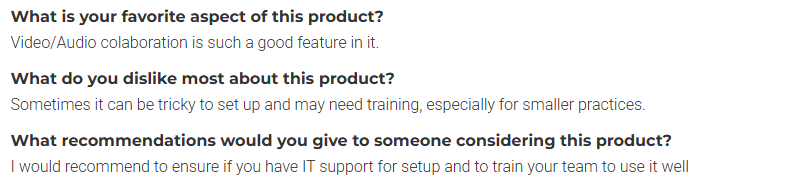
“Sometimes it can be tricky to set up and may need training, especially for smaller practices.” - Ali G., SoftwareReviews
Pricing
Microsoft for Health is built into Microsoft 365, but you’ll need to contact the company for licensing.
Bottom Line
Microsoft for Healthcare fits organizations that already use the Microsoft ecosystem and need a CRM for patient engagement and reporting that runs smoothly. If you’re not on Microsoft but need a dedicated healthcare CRM, try Salesforce Health.
5. Blaze.tech: Best for Building Custom Healthcare CRM Workflows on a HIPAA-Enabling Platform

What it does: Blaze.tech is a self-build or vendor-assisted platform that lets you build your own healthcare CRM or have Blaze's team build it for you.
Who it’s for: Mid-to large healthcare organizations that need control over how their CRM looks and appears and don’t want to settle for a rigid, out-of-the-box solution.
To test Blaze, I built a custom healthcare CRM for a mid-sized dermatology clinic using sample data. My CRM automatically generated intake workflows from forms, which routed to the front desk staff. Unlike an out-of-the-box CRM, I controlled the intake process, routing logic, and follow-up rules, instead of working around fixed workflows and limited automation.
Blaze is probably not the best fit for smaller practices that are satisfied with a standard healthcare CRM and don't expect to expand their patient volume, locations, or care teams.
Key Features
- Visual application builder: Build patient portals, dashboards, and intake forms with drag-and-drop tools instead of writing code.
- Built-in AI automation: Connect OpenAI to sort intake forms, help write notes, and summarize patient information.
- Test before publishing: Try changes in a test version of your app before publishing them to your live app.
Pros
- Quick deployment: Launch a working healthcare CRM in weeks instead of waiting through a traditional software implementation.
- OpenAI under a BAA: Connect OpenAI to automate patient intake, documentation, referral routing, and other CRM workflows while operating under a BAA.
- Built around your workflow: Configure patient intake, referrals, assignments, follow-ups, and care coordination around your existing processes instead of changing how your staff works.
Cons
- Cloud-hosted only: Blaze runs on AWS and doesn't offer self-hosted or on-premises deployment, making it unsuitable for organizations with on-premises infrastructure requirements.
- Enterprise plan required for HIPAA: Blaze limits HIPAA-enabled configuration to its Enterprise plan and includes a custom implementation fee, which may put it out of reach for budget-conscious single-location clinics.
What Real Users Say
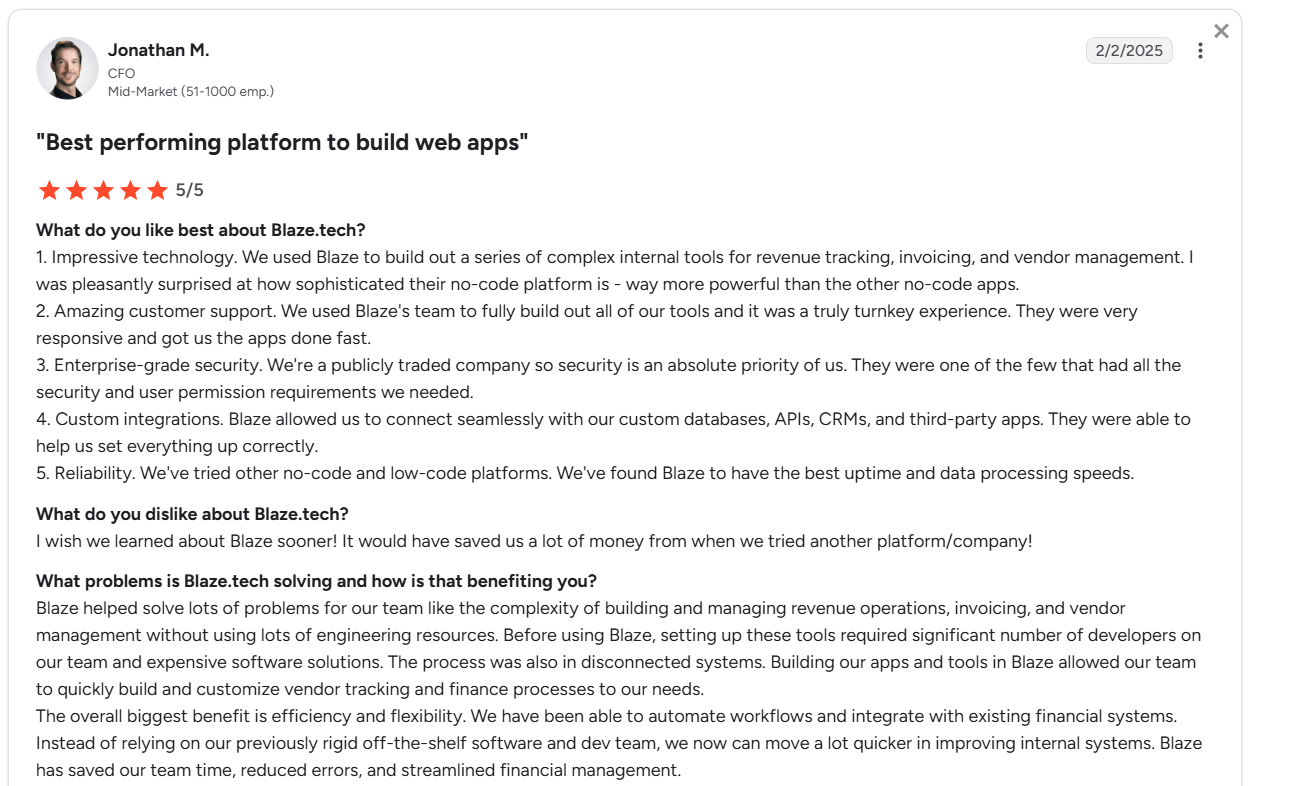
“Blaze helped solve lots of problems for our team like the complexity of building and managing revenue operations, invoicing, and vendor management without using lots of engineering resources. Before using Blaze, setting up these tools required a significant number of developers on our team and expensive software solutions.” Jonathan M., G2
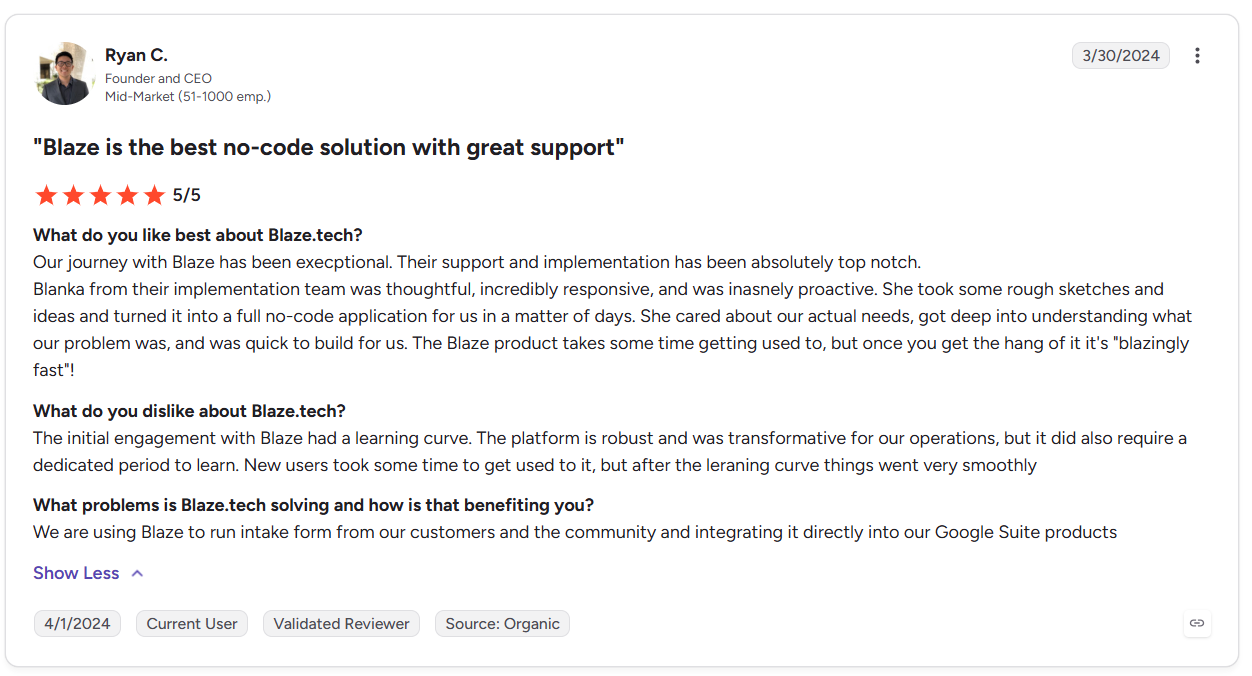
“The initial engagement with Blaze had a learning curve. The platform is robust and was transformative for our operations, but it did also require a dedicated period to learn. New users took some time to get used to it….” - Ryan C., G2
Pricing
Contact Blaze’s sales team to receive a custom quote.
Bottom Line
Blaze fits teams that have outgrown off-the-shelf CRM logic and need flexible patient workflows, intake forms, and data relationships built exactly to their requirements. If you need a faster deployment, try HubSpot.
6. LeadSquared Healthcare CRM: Best for Patient Acquisition Workflows
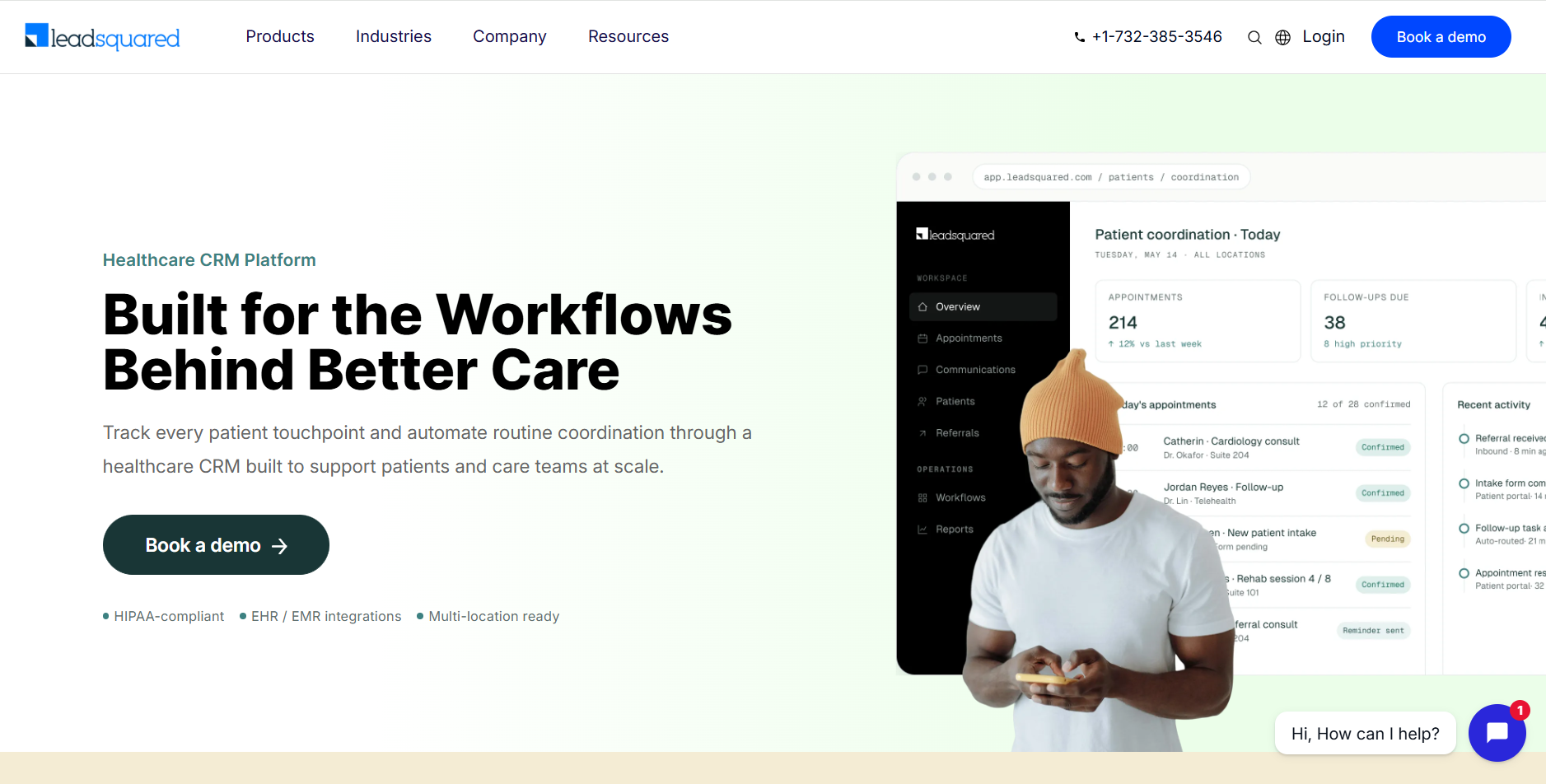
What it does: LeadSquared routes inbound patient inquiries from any connected channel into a confirmed, scheduled appointment automatically.
Who it's for: Multi-location clinics managing hundreds of daily patient inquiries across phone, ads, and digital forms.
I explored LeadSquared’s capabilities by reading case studies and viewing demos. The platform maps different lead sources onto a centralized dashboard with manual merging or duplication. It then allows users to set appointments that you can automate for reminders. However, you’ll need a dedicated admin staff to run LeadSquared.
Key Features
- EHR integration: Connects with existing electronic health record or practice management systems so key status data can sync between the CRM and clinical systems.
- Multichannel lead capture: Consolidates inquiries from web forms, digital ads, call center entries, partner referrals, and in‑person visits into a single patient record.
- Appointment scheduling: Centralizes provider calendars, supports cross‑location scheduling, and helps prevent double‑booking or conflicting appointments by enforcing defined rules.
Pros
- High‑volume intake support: Designed for clinics and health systems that handle large numbers of daily inquiries or referrals, letting teams track and work instead of via spreadsheets or inboxes.
- Referral tracking: Provides structured workflows and dashboards for incoming and outgoing referrals, with status and outcome visibility that helps reduce patient drop‑off.
- Multichannel follow‑up: Automates reminders and outreach via channels like SMS, email, and phone tasks to reduce no‑shows and keep patients moving toward scheduled appointments.
Cons
- Not a full clinical records system: LeadSquared is built to complement, not replace, EHRs and HIS platforms. It manages engagement rather than clinical charting or in‑depth care documentation.
- Requires workflow ownership: Getting full value from its automation often depends on having someone who can design, configure, and maintain workflows.
What Real Users Say

“I appreciate that LeadSquared Sales CRM allows me to see all my records in a single view, which is also editable. This feature stands out as one of the best aspects. I also like that it integrates with all the leading tools like Apollo and Mailchimp, making data sync seamlessly possible. The intuitive UI helps me understand and analyze customer data better, aiding in decisions like revenue forecasting.” - LeadSquared user, G2
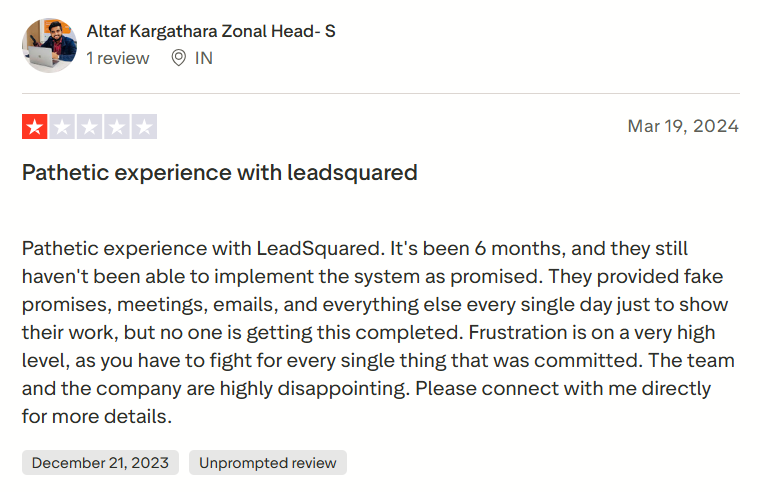
“Pathetic experience with LeadSquared. It's been 6 months, and they still haven't been able to implement the system as promised. They provided fake promises, meetings, emails, and everything else every single day just to show their work, but no one is getting this completed.” - Atlaf K., Trustpilot
Pricing
Contact the LeadSquared sales team for a custom quote.
Bottom Line
LeadSquared makes the most sense when your primary problem is patient leakage between inquiry and first appointment. If you prioritize post-admission care management or clinical documentation, try Salesforce Health Cloud or Tebra.
7. Creatio CRM: Best for Pharmacy Sales

What it does: Creatio automates multi-stage sales and service workflows so reps stop building processes manually inside spreadsheets.
Who it's for: Mid-size pharma sales teams coordinating complex, multi-touchpoint account cycles across providers, formularies, and distribution channels.
I tried Creatio’s free trial and used sample lead data to build a sales pipeline. The builder let me configure my own conditional logic, which helped me log test interactions between a sample sales team and a sample target. However, configuration took about 45 minutes, and I had to consult documentation and their AI question-and-answer chatbot.
Key Features
- Low‑code workflow builder: Allows users to configure and deploy multi‑stage sales and service workflows with conditions, approvals, and escalations using visual tools rather than traditional development.
- Account management: Centralizes all key data for an organization or customer account like contacts, activities, opportunities, service cases, and history all under one unified record.
- AI and analytics: Offers AI‑powered capabilities (such as lead or opportunity scoring) and reporting tools that help teams prioritize accounts and understand engagement patterns.
Pros
- Workflow flexibility: Teams can design complex, multi‑condition processes like approval chains and escalations within the platform, which is difficult to achieve with simpler, pipeline‑only CRMs.
- Cross‑team visibility: Sales, service, and marketing teams work from the same account and contact data, improving handoffs and reducing fragmentation between departments.
- Depth of process support: The platform can model and automate multi‑stage workflows that involve many stakeholders and steps, going beyond simple opportunity stages and basic task lists.
Cons
- Not patient‑facing: Creatio is built to manage sales, service, and marketing data. It doesn’t serve as a patient intake system that would normally sit alongside EHR or patient‑engagement platforms for clinical use cases.
- Technical background required: Since the workflow builder is low‑code, it’s a better fit for a team with technical experience, such as knowing how to connect APIs and how to configure database schema.
What Real Users Say

“We’ve been using Creatio Sales CRM for over a year, and it has significantly improved how we manage leads, opportunities, and our entire sales pipeline. What really stands out is the platform’s low-code customization—we’ve been able to tailor processes to fit our unique workflow without spending a lot of time.” - Sam B., G2

“I feel like because it is so detailed, there are way too many clicks. For example, from creating an account to adding content, I shouldn't have to click 10+ different spots.” - Creatio User, G2
Pricing
Start using Creatio for $40/month per user.
Bottom Line
Creatio fits pharma or healthcare sales companies that need to automate complex account workflows that outgrow what a standard CRM pipeline can hold. If you prioritize patient intake, appointment scheduling, or clinical coordination, try LeadSquared or Salesforce Health Cloud.
My Final Verdict: Which Platform Should You Choose?
Each of these CRM platforms serves a different purpose and audience. Here’s how to pick the right one for your needs:
Choose Salesforce Health Cloud If You:
Run a multi-site health system and need a single platform to coordinate care teams, patient records, and EHR data across departments.
Choose Tebra If You:
Operate a small or solo practice that needs scheduling, billing, charting, and patient messaging handled in one affordable system.
Choose HubSpot CRM If You:
Need to attract new patients, nurture leads, and manage appointment follow-up without a dedicated marketing team.
Choose Microsoft for Healthcare If You:
Already run your organization on Microsoft 365 and Azure and need CRM and patient engagement that stays inside that existing stack.
Choose Blaze If You:
Want to build your own CRM with flexible routing and workflow logic that you can connect to other tools such as EHR or patient portals.
Choose LeadSquared If You:
Manage high daily patient inquiry volume across multiple locations and need every inbound lead routed to a confirmed appointment automatically.
Choose Creatio CRM If You:
Run a pharma sales team managing complex cycles that a standard pipeline-based CRM can't model accurately.
Avoid CRM Platforms for Healthcare If:
Your primary need is clinical documentation, patient-record documentation, or medical billing management. None of these platforms replace a purpose-built EHR or practice management system. Ultimately, a healthcare CRM plays a secondary role because most healthcare organizations use it to capture and nurture leads rather than manage patient care.
Let Blaze Develop Your Healthcare Software
Most off-the-shelf CRMs for healthcare force your team to work around fixed pipelines, and many don’t integrate with other healthcare systems, forcing manual workarounds. Blaze lets you build a custom healthcare CRM that matches how your organization runs and can connect to most of the software you already use.
Here’s why hundreds of companies choose Blaze:
- Build it yourself without coding: Use Blaze's visual application builder to create and manage your own healthcare CRM, or have Blaze's team build it for you.
- Custom healthcare CRM development: Receive a production-ready CRM with patient intake, referrals, dashboards, care coordination workflows, and patient portals built around your organization.
- Faster implementation if you choose vendor-assisted option: Launch in weeks instead of months with a project manager, healthcare developer, and integration engineer.
- AI automation and healthcare integrations: Automate patient intake, documentation, and routing while connecting securely with EHRs, EMRs, and other healthcare systems.
- Built for regulated healthcare: Blaze provides HIPAA-enabling features and maintains HITRUST e1 certification and SOC 2 compliance.
Schedule a free build consultation call today and find out how Blaze can replace rigid CRM workflows with a custom one built around your organization’s day-to-day workflows.
Frequently Asked Questions
What Is the Best CRM for Healthcare Organizations?
The best CRM for healthcare organizations depends on your size and primary needs. Multi-site health systems benefit most from Salesforce Health Cloud, small practices should go for Tebra, and high-volume patient acquisition teams benefit from LeadSquared. Teams that need a special, custom-built option should choose Blaze.
Do Healthcare CRMs Need To Be HIPAA-Compliant?
It depends. If a healthcare CRM doesn’t store protected health information (PHI) and only names and contact information, then it doesn’t need to have HIPAA-enabling features. But as soon as a system touches any PHI, you’ll need to have features like role-based access, encryption, and audit logs so your organization, not the CRM, is HIPAA compliant.
What Features Should a Healthcare CRM Include?
A healthcare CRM should include patient intake workflows, multichannel lead capture, appointment scheduling, referral tracking, and HIPAA-compliant data controls if it handles PHI. These features work together to centralize new patient engagement.
Sources
1. U.S. Department of Health & Human Services. “Summary of the HIPAA Security Rule.” HHS.gov. https://www.hhs.gov/hipaa/for-professionals/security/laws-regulations/index.html
2. U.S. Department of Health & Human Services. “Security Rule Guidance Material.” HHS.gov. https://www.hhs.gov/hipaa/for-professionals/security/guidance/index.html
3. National Institutes of Health: StatPearls. “Health Insurance Portability and Accountability Act (HIPAA) Compliance.” NCBI. https://www.ncbi.nlm.nih.gov/books/NBK500019/
The Secure No-Code & AI Platform
Supercharge your team's operations and performance with better apps and tools.
Create custom apps fast
Secure & HIPAA compliant
Streamline complex workflows

The Secure No-Code Platform
Build apps with best-in-class security.
Related Articles
Discover related guides on healthcare no-code development, HIPAA compliance, security, integrations, and launching apps faster.
%20(1).png)
HIPAA-Compliant LLMs: A 2026 Deployment Guide
HIPAA-compliant LLMs require more than a vendor claim alone. Learn how BAAs, safeguards, and considerations can affect the right model for your organization.
%20(1).png)
Appian Pricing: Plans, Costs, & What You Actually Pay (2026)
Appian offers a free community version, but costs depend on your user count and AI usage. Here’s my breakdown of each Appian pricing plan so you can choose.
%20(1).png)
8 v0 Alternatives That I Tested to Save You Time (2026)
I compared 8 v0 alternatives' backend depth, coding requirements, and pricing. See which tools work best for cloud-based hosting and code portability.