
Table of contents
HL7 Integration: What It Is and When You Need It (2026)

Written by
Blaze Team

Reviewed by
Nanxi Liu
Expert Verified
HL7 (Health Level Seven) integration is a family of standards that connects healthcare systems like EHRs, labs, billing, and apps, so patient data flows between them consistently. I’ve helped many healthcare providers and organizations implement HL7. Here’s my guide that breaks down why HL7 is important, how it works, and if you need one.
HL7 Integration: The 30 Second Answer
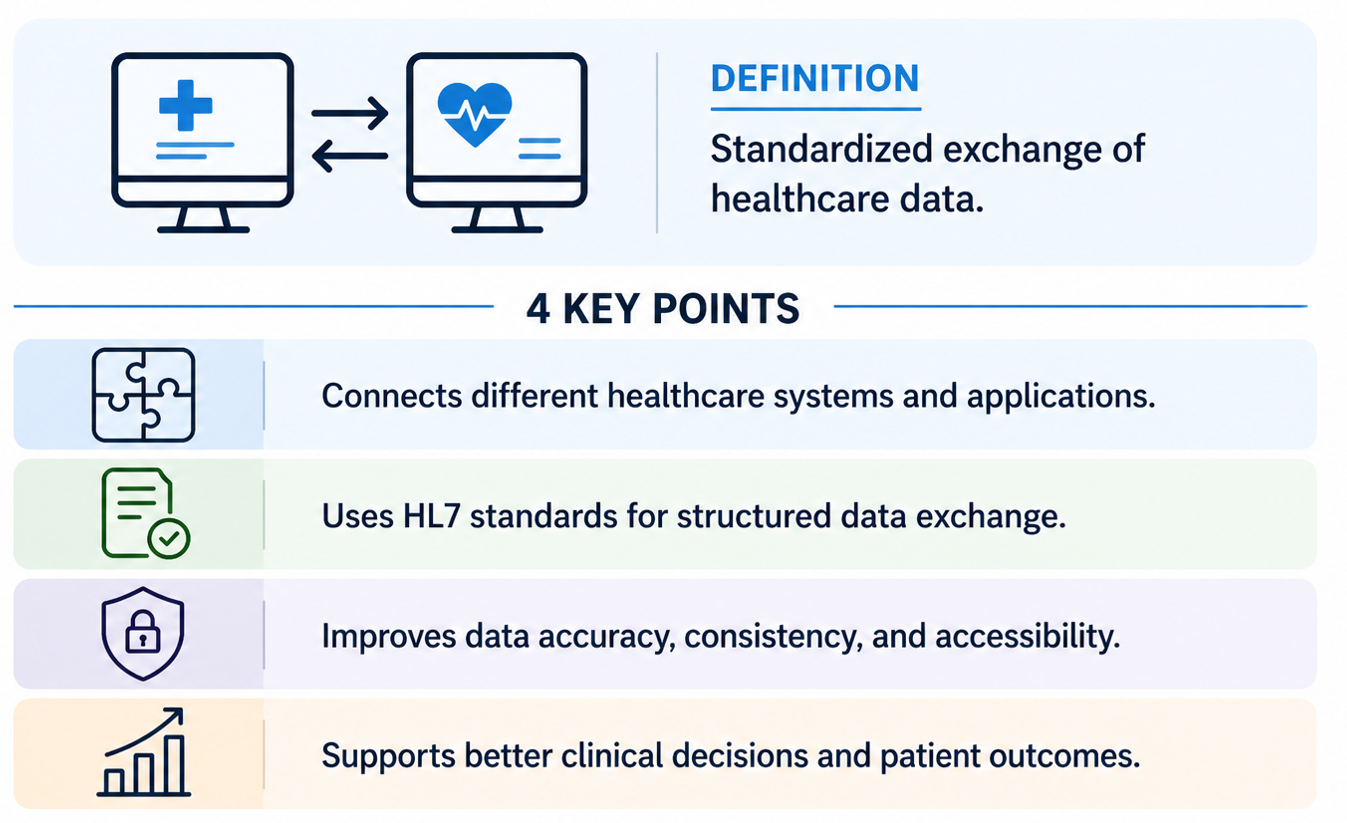
HL7 integration connects different healthcare systems by using standardized formats to exchange clinical and administrative data. It launched in the late 1980s because healthcare organizations needed a consistent way to share patient information across separate systems.
Bottom line: HL7 integration helps healthcare systems share data faster and more accurately, which improves patient care.
Key HL7 Integration Features
HL7 integration relies on the following technical features that control how healthcare systems format, send, receive, and process data:
- Standardized message types for clinical events: ADT, ORM, and ORU are message types that define how systems structure data for sending and receiving messages.
- Interface engines for routing and translation: These tools route, transform, validate, and manage HL7 messages between systems that use different data formats and communication protocols.
- Supports HL7 V2 and FHIR: HL7 V2 is for high-volume internal messaging while FHIR supports modern API-based integrations for external apps and services.
- Broad adoption across healthcare systems: Most EHRs, laboratory systems, and pharmacy platforms support HL7 V2, allowing systems to exchange data using widely recognized and implemented standards
These elements create the foundation for systems that need to share clinical data without constant fixes or extra translation layers. When they’re missing or inconsistent, integrations break more easily, cost more to maintain, and become harder to scale.
How HL7 Integration Works
HL7 integration works by moving clinical data between systems. Here is how the HL7 integration works:
The Core Workflow and Message Types
The core workflow of HL7 starts with a triggering event inside a source system. Here’s how data typically flows when a nurse admits a patient or a registrar updates a patient’s address:
Step 1: Information travels to an integration layer, which reads the header, identifies the recipients, and delivers it.
Step 2: An integration engine (or the receiving application itself) reads and parses the HL7 message.
Step 3: The receiving application (for example, the EHR) writes the data to the correct patient record.
To describe different kinds of events, the sending system chooses an HL7 message type and includes it in the message header. Here are common use cases, with the message types typically used underneath:
1. Patient demographics and movement
- ADT: Patient admission, discharge, and transfer updates
- BAR: Manage patient billing account information
2. Orders and results
- ORM: Place or modify clinical orders
- ORU: Send lab or clinical results
- RDE: Pharmacy/treatment encoded order message type
3. Scheduling and documents
- SIU: Schedule, update, or cancel appointments
- MDM: Share clinical documents and reports
4. Billing and finance
- DFT: Send billing and financial transactions
5. Queries and acknowledgments
- QRY: Original‑mode query messages used to request data from another system
- QBP: Enhanced‑mode query messages to request data with a more flexible response
- ACK: Confirm message receipt status
6. Immunizations
- VXU: Send immunization and vaccination records
Instead of staff retyping demographics into multiple applications, admissions data flows to other systems in seconds. Other departments can see the patient right away on their schedules or worklists.
HL7 and Interface Engines
HL7 doesn’t strictly require an interface engine. Most organizations use an interface engine because it provides a central way for different healthcare systems to communicate.
An HL7 interface engine sits between systems and helps translate, route, and manage HL7 messages as they move between applications.
Without an interface engine, systems must connect directly to each other, which creates a complex, hard-to-manage web of point-to-point interfaces.
For example, if a hospital uses 10 systems, teams may need to manage up to 45 separate connections. Each one requires its own setup and ongoing support. Interface engines like Mirth Connect or Rhapsody solve these issues by providing a centralized integration layer that standardizes and manages all system connections.
HL7 V2 vs FHIR: What's the Difference?
HL7 V2 and FHIR are both HL7 standards, but they solve different problems. V2 is the legacy message format that powers most internal hospital traffic. FHIR is more often used for external and app-facing requests. Most hospitals run both side by side.
How to Choose Between HL7 and FHIR
The choice between HL7 and FHIR comes down to your workflow types, system architecture, and how data needs to move between apps.
HL7 suits systems that must send continuous, high-volume data between core platforms. It fits environments where EHRs, labs, and pharmacy systems exchange event-based updates like admissions, orders, and results throughout the day.
Use FHIR when applications need to request specific data on demand through APIs. It works best for patient-facing tools, mobile apps, and external integrations that pull targeted information like medications or vital signs.
Benefits of HL7 Integration
The benefits of HL7 integration make it easier for clinicians, administrators, and outside organizations to send and receive patient data. Here are the key benefits HL7 integration brings to providers:
Benefit #1: Real-Time Data Exchange
Clinical decisions slow down when data stays in one system, and the provider can’t see it. When systems send updates right away, critical results can reach physicians faster, supporting swifter decisions and care.
Providers are also starting to use HL7 and FHIR-based integrations so data from wearable devices can flow into the EHR. Clinicians can review this data in near real time inside the EHR and use it to inform treatment decisions or follow-up.
Benefit #2: Better Care Coordination
A shared data source means several parties can access the same patient history. For instance, if a patient has a sudden heart attack and rushes to the ER, HL7 integrations allow the ER team to see the patient’s cardiology history.
They can provide care directly, which supports faster treatment.
Benefit #3: Interoperability Between Organizations
Mergers, specialty tools, and regional rules often leave hospitals running several systems at once. For example, a large hospital may use an Epic EHR along with older lab and radiology systems that are still in place.
HL7’s common messaging standard keeps those systems useful past their expected lifespan. It helps protect capital budgets and buys time for finding updates that fit the clinical workflow.
Drawbacks of HL7 Integration
Many organizations need to dedicate extra resources to implementing and maintaining HL7 integration. You should be aware of the following drawbacks if you’re planning on using HL7 integration:
Drawback #1: Inconsistent Implementations
HL7 V2 is flexible, but that flexibility may cause problems when different vendors follow the standard in different ways.
For example, two systems might send the same message. But each system could structure that message differently or add custom fields. Because of this, each new interface needs its own setup, testing, and fixes for special cases.
Instead of plug-and-play connections, teams often end up doing custom integration work that grows with each new system.
Drawback #2: Ongoing Maintenance Requirements
Interfaces aren’t set-it-and-forget-it. When a vendor updates a system or changes a field, a feed that worked yesterday might start failing.
Someone needs to monitor the system, review errors, and fix issues before clinicians miss important results. Most providers assign integration analysts or interface specialists to monitor feeds, review errors, and resolve issues before clinicians miss results.
Drawback #3: Limitations of Legacy Standards
HL7 V2 works well for direct connections between systems inside a hospital, but mobile apps or cloud tools might need workarounds. Its message format doesn’t work easily with modern APIs, so building patient-facing apps on V2 data can be difficult.
FHIR helps solve this problem by making data easier to request and use. But most hospitals still use both V2 and FHIR, so teams need to support both for years.
Final Verdict: Do You Need HL7 Integration?
For some providers, HL7 integration saves time by speeding up communication. But for others, HL7’s deployment and maintenance aren’t worth it. Here’s how to tell if you need HL7 integration:
You Need HL7 Integration If You:
- Are connecting multiple clinical systems: Running more than two clinical applications without a messaging standard usually forces staff to manually reconcile patient data.
- Have existing systems that rely on HL7: Most hospital EHRs, lab systems, and radiology platforms use V2 natively. Completely replacing those interfaces is rarely realistic in the near term.
- Need complex multi-system data exchange: Orders, results, admissions, and charges moving between many systems are best handled with HL7, which often keeps messages intact.
- Face regulatory data-sharing requirements: State HIE participation, CMS reporting, and public health feeds often rely on HL7 messaging or similar standards. Some programs expect proof that they have the required data exchanges in place.
You May Not Need HL7 Integration If You:
- Are building modern API-driven applications: New products designed around REST endpoints and JSON payloads gain little from wrapping themselves in pipe-delimited V2 messages.
- Can handle requirements with FHIR APIs: When every system on both ends exposes the FHIR resources you need, adding a V2 interface engine usually just introduces unnecessary complexity.
- Run simple or isolated integrations: A single feed between two systems with a stable schema rarely justifies the licensing and staffing cost of a full integration platform.
- Have minimal interoperability needs: Smaller practices running one EHR with no external data exchange obligations get very little return from standing up HL7 infrastructure they’ll barely use.
Start by mapping how data moves between your systems today and where it breaks down. You can then spot integration gaps early, which makes it easier to decide if HL7 supports your current architecture and long-term constraints.
Let Blaze Handle Your HL7 Integration Needs
HL7 integration often breaks down during setup, maintenance, or when systems scale. Blaze handles deploying and maintaining your HL7 integration directly, so your team can focus on providing care.
Here’s what else Blaze offers:
- Get healthcare apps built with HL7 integration if you need it: The team builds healthcare tools like patient portals, telehealth apps, and healthcare databases.
- Faster HL7 implementation without heavy overhead: Launch in weeks, not months. Blaze provides a team with a project manager, healthcare developer, and integration specialist.
- Built for actual healthcare workflows: Support AI use cases, automated intake, and secure EHR and EMR integrations that align with existing HL7-based systems.
- Compliance-ready from the start: Blaze runs on HIPAA-enabling, HITRUST e1-certified, SOC Type II infrastructure.
Schedule a free build consultation call today and replace brittle HL7 interfaces with a managed system that stays stable as your integrations grow.
Frequently Asked Questions
How Much Does HL7 Integration Cost?
HL7 integration costs depend on the message types you need, your interface count, and whether you use an engine like Mirth or Rhapsody. Expect a few thousand dollars for a single feed or well over $100,000+ if you’re a large provider and need multi-system connections.
Does HL7 Integration Need to Support HIPAA Compliance?
Yes, HL7 integration needs to support HIPAA compliance because the messages carry protected health information (PHI) between systems. The system should use safeguards like encryption, access controls, and audit logging to avoid penalties and protect data during exchange. HIPAA-enabling infrastructure is what makes those safeguards consistent across every interface.
What Systems Can Be Connected Using HL7 Integration?
EHRs, lab and radiology platforms, pharmacy and billing software, scheduling tools, immunization registries, and HIEs can be connected using HL7 integration. Linking them cuts manual data entry and keeps patient records consistent across departments.
Sources
1. U.S. Department of Health & Human Services. “Summary of the HIPAA Security Rule.” HHS.gov. https://www.hhs.gov/hipaa/for-professionals/security/laws-regulations/index.html
2. U.S. Department of Health & Human Services. “Security Rule Guidance Material.” HHS.gov. https://www.hhs.gov/hipaa/for-professionals/security/guidance/index.html
3. National Institutes of Health: StatPearls. “Health Insurance Portability and Accountability Act (HIPAA) Compliance.” NCBI. https://www.ncbi.nlm.nih.gov/books/NBK500019/
The Secure No-Code & AI Platform
Supercharge your team's operations and performance with better apps and tools.
Create custom apps fast
Secure & HIPAA compliant
Streamline complex workflows

The Secure No-Code Platform
Build apps with best-in-class security.
Related Articles
Discover related guides on healthcare no-code development, HIPAA compliance, security, integrations, and launching apps faster.
%20(1).png)
Cerner vs. Epic: Which EHR System Is Better? (2026)
I compared Cerner vs. Epic across clinical features, usability, interoperability, implementation, and cost. See which EHR better fits your organization.
%20(1).png)
Mendix vs. Appian: Which Low-Code Platform Is Better? (2026)
I compared Mendix vs. Appian across app development, process automation, integrations, scalability, and pricing. Find out which platform fits your needs.
%20(1).png)
8 Best Base44 Alternatives and How to Pick (2026)
After comparing 8 Base44 alternatives, I found clear differences in code access and mobile deployment. See which platform best matches your project needs.