
Table of contents
14 Mental Health App Ideas Worth Building in 2026

Written by
Nanxi Liu

Reviewed by
Blaze Team
Expert Verified
Discover mental health app ideas for patients, caregivers, teens, and remote workers. Here are 14 concepts, target users, and challenges to anticipate.
Some popular mental health app ideas are mood trackers or chatbots that help people manage stress. But before building one, you need to answer a few questions. Who will use it, and how should you get started building your app?
I reviewed 14 mental health app ideas across AI and therapy, user groups and lifestyles, and workplace or community support. Each idea covers target users, main features, a real-world example, and how to get started building. You'll also learn how to choose an idea that fits your audience and follow five steps to build and launch it.
14 Mental Health App Ideas Worth Exploring
Mental health app ideas fall into three groups: AI and therapy apps, apps for specific needs and lifestyles, and workplace or community support apps. The table below compares who each app is for and what it does:
AI and Specialized Therapy App Ideas
AI and specialized therapy apps help support patients in day-to-day life when they’re not meeting with their therapist. Here’s a look at 5 examples:
1. AI-Assisted CBT App
An AI-assisted cognitive behavioral therapy (CBT) app helps patients practice structured exercises between scheduled therapy sessions. Patients may struggle to remember and apply lessons learned in therapy during everyday situations. These apps connect a personalized practice with a patient's ongoing treatment.
The app guides users through thought records, adjusts follow-up questions based on their responses, and organizes recurring patterns for therapist review.
For example, someone who writes “I ruined the presentation” receives prompts to examine the evidence for and against that thought. Then, they can develop a more balanced interpretation. With permission, the completed exercise appears in a summary their therapist can review before the next session.
Core Features
- Guided thought records and cognitive reframing: Users record situations, automatic thoughts, and emotions. The app replies with structured questions that help them evaluate their thinking.
- Daily mood check-ins and symptom tracking: Short check-ins record changes over time, helping patients and therapists find patterns worth discussing.
- Personalized CBT exercises: The app suggests exercises based on users’ answers, such as ways to challenge thoughts that assume the worst will happen.
- Optional clinician dashboards and progress sharing: Patients control which records they share, while authorized therapists review exercise completion and reported symptom trends.
Next Steps
Start by interviewing therapists and patients to learn why patients struggle to complete exercises between sessions or make general improvement. Then, compare existing CBT apps to find features users still need.
Because the app offers mental health advice, clinicians should review its content and test how it handles users in crisis. Developers should also use HIPAA-compliant features to protect patient data and set clear limits on what the AI can do.
2. Voice-Enabled Journaling App
A voice-enabled journaling app lets users record thoughts and emotions aloud. Patients can then search each entry for reference. For many, recording spoken thoughts is much less tiring than writing them down.
Users can record short thoughts during a walk and tag their moods. Then, they can discover patterns over several weeks. AI can summarize their entries, but users should check whether the results match their experiences.
For example, a nurse records her thoughts three times a week after working night shifts. After a month, she notices that her lowest moods often follow several shifts in a row. She uses this information to discuss her schedule with her manager.
Core Features:
- Voice recording and automatic transcription: Record thoughts with one tap and turn spoken words into searchable text.
- Mood tags and searchable entries: Label entries by mood, person, or event to find related thoughts later.
- AI-generated summaries: Get weekly and monthly summaries showing common topics and possible causes of mood changes.
- Secure storage and data deletion: Protect recordings and written entries with encryption. Let users delete entries and request account-data removal under clear rules.
Next Steps
Ask whether your patients prefer written journaling or spoken recording. For those who opt for spoken recording, compare how often patients record entries and how long they keep using the app.
Because recordings may contain private details, the app needs clear user consent, secure storage, and rules for accessing and deleting data. Users should also know that AI can misunderstand their words and can’t reliably judge emotions from someone's voice alone.
3. Anxiety and Panic Management App
An anxiety and panic management app helps patients manage stressful moments with breathing exercises and quick access to support. When anxiety rises, the app responds by prompting the user to start breathing exercises or other coping plans.
Users create coping plans when they feel calm and follow them when symptoms appear. They can also track their symptoms to spot situations that often cause anxiety.
For instance, a commuter always feels anxious when they board a train. So they set a reminder to practice a short calming exercise before getting on.
Core Features
- Guided breathing and grounding exercises: Use audio and visual instructions to practice gentle breathing and exercises that help users focus on their surroundings.
- Anxiety triggers and symptom journals: Record when anxiety happens, how it feels, and what may have caused it.
- Wearable health integrations: Connect compatible devices to track vitals such as heart rate to detect anxiety episodes. Users can use records to identify possible patterns between physical symptoms and emotional distress.
- Personalized coping plans and reminders: Create step-by-step plans and set reminders before stressful situations.
- Quick access to professional support: Find crisis helplines, saved therapist contacts, and advice on when to seek emergency medical care.
Next Steps
Start by interviewing people who experience anxiety to learn what they need help with. Focus on specific situations, such as anxiety before work meetings or worrying about health problems late at night.
Test which coping plans, such as breathing exercises or guided meditation, work best for different users. Avoid claiming the app can detect panic attacks or treat anxiety unless you have evidence to support those claims. Also, check whether medical device regulations apply to the app.
4. Digital Therapy Companion for Depression
A digital therapy companion helps mental health clinics track patients receiving depression treatment and manage their care between appointments. The app helps clinicians spot when symptoms get worse, when patients are skipping medication, or when someone needs extra support.
Patients receive reminders for medications and appointments. Care coordinators review changes in symptoms, record their actions, and schedule earlier appointments when needed.
For example, when a patient's PHQ-9 depression screening score rises, the app alerts a care coordinator, who reviews the patient's records and follows the clinic's response plan. Possible signs of self-harm go through a separate urgent safety process.
Core Features
- Scheduled depression screenings: Patients complete approved depression screenings, such as the PHQ-9.
- Medication and appointment reminders: Send alerts for prescribed medications, upcoming appointments, and follow-up visits.
- Clinical alerts and follow-ups: Flag concerning screening results and notify the staff responsible for reviewing them.
- Care coordination records: Track patient contact, follow-up appointments, assigned tasks, and resolved alerts.
Next Steps
Interview mental health clinics and care coordinators to learn how they handle patients’ worsening symptoms and requests for help. Find out who would review alerts and whether staff have enough time to respond.
Decide when patients should complete screenings, which results need attention, and how quickly staff should respond. Create clear steps for sending urgent concerns to qualified staff and recording what actions they take.
5. ADHD Support App
An ADHD support app helps adults plan their day and manage tasks. People with ADHD may struggle to decide where to start, even when they use reminders and to-do lists. The app guides users through tasks with simple steps, visual timers, and daily routines.
Users can break large projects into smaller tasks, set timers, and follow reminders throughout the day.
For example, a business owner who keeps putting off tax preparation breaks receipt sorting into short sessions. A shrinking color timer shows how much time remains, while the app tracks each completed step.
Core Features
- Task planning and priorities: Break large projects into smaller steps and suggest what to do next based on deadlines and user preferences.
- Visual timers and focus sessions: Show how much time remains using shrinking bars or changing colors during work sessions.
- Custom routines and reminders: Create morning, work, and evening routines with reminders that fit each user's schedule.
- Progress and distraction tracking: Record completed tasks and common distractions to help users spot patterns that affect their focus.
Next Steps
Start by interviewing adult patients with ADHD to learn which daily tasks they struggle with and what tools they already use. Learn whether users start and finish tasks more often with this app than with regular productivity apps.
Track how often users complete tasks, how easy they find the app, and whether they continue using it. Avoid claiming the app can diagnose or treat ADHD unless clinical evidence supports those claims.
Niche and Lifestyle Mental Health App Ideas
Niche and lifestyle mental health apps address emotional and psychological challenges. They tailor support to needs such as sleep difficulties, hormonal changes, parenting stress, and adolescent mental health. Here are 4 ideas:
6. CBT-I Sleep Therapy App
A CBT-I sleep therapy app helps people with insomnia improve their sleep through daily sleep logs, guided lessons, and personal sleep schedules. But finding a trained therapist can be difficult. An app could help eligible patients follow a treatment plan when they cannot attend in-person sessions.
Patients record their sleep each morning, complete weekly exercises, and follow a sleep schedule based on their needs.
For example, someone who struggles with sleep might get a clinician-recommended sleep window. As their sleep improves, the app adjusts the schedule based on sleep quality, daytime tiredness, and safety rules.
Core features
- Sleep diaries and tracking: Record bedtimes, wake-up times, and nighttime interruptions to see how sleep changes over time.
- Guided CBT-I lessons: Teach users how to build better sleep habits, manage bedtime worries, and follow proven sleep exercises.
- Personal sleep schedules: Suggest changes to sleep schedules based on sleep logs, clinician-approved rules, and safety limits.
- Sleep reports and clinician sharing: Create reports showing sleep patterns, schedule changes, and progress that users can share with healthcare providers.
Next Steps
Decide whether the app will serve patients directly or work through healthcare providers. This choice affects which medical rules apply and what testing the app needs.
Work with sleep specialists to create safe schedules and decide who can use the program. Limiting time in bed can cause daytime sleepiness, so some patients may need extra medical supervision. This includes people with bipolar disorder, seizure disorders, or untreated sleep disorders.
Before marketing the app as a treatment, test whether it improves insomnia symptoms, whether patients follow the program, and whether it causes safety problems.
7. PMDD and Menstrual Cycle Mood Tracking App
A PMDD and menstrual cycle mood tracking app helps users record mood changes and physical symptoms related to menstrual dates. Users track their symptoms each day and see how they change before and after their periods.
Over several cycles, the app helps users spot patterns they can discuss with their doctors.
For example, a woman tracks three cycles and notices severe irritability and low mood before each period. Her symptoms improve soon after menstruation begins. She shares the records with her gynecologist to help assess whether she has PMDD.
Core Features
- Daily mood and symptom tracking: Record mood changes, physical symptoms, and how they affect daily life using questions reviewed by medical experts.
- Menstrual cycle tracking: Display daily symptoms alongside period dates and estimates of different menstrual cycle stages.
- Mood pattern reports: Compare symptoms across several cycles to spot repeated mood changes before and after menstruation.
- Downloadable symptom reports: Create PDF and CSV reports that users can share with their doctors during appointments.
Next Steps
Start by interviewing people who track menstrual symptoms to find out whether they would switch to a PMDD-focused app and if importing past records would make switching easier.
Work with experts to create symptom questions, scoring methods, and reports that doctors can use.
The app should help doctors assess PMDD. But it shouldn’t diagnose the condition on its own. Doctors must also check how severe the symptoms are, how they affect daily life, and whether other health conditions could explain them.
8. Postpartum Mental Health Support App
A postpartum mental health support app helps new parents track their mood, check for depression symptoms, and find professional support. According to the CDC, about one in eight women in the U.S. experience postpartum depression after giving birth. Partners can also experience depression during pregnancy or after childbirth.
New parents can spot changes in their mental health between medical appointments. Users complete short check-ins, read mental health tips, and share screening results with their care team.
For example, a mother scores 14 on the Edinburgh Postnatal Depression Scale (EPDS) four weeks after giving birth. The app alerts her care team, which reviews the result and decides what support she needs. Any answer suggesting possible self-harm triggers a separate urgent safety review.
Core Features
- Postpartum mood and wellness tracking: Record daily or weekly changes in mood, sleep, anxiety, and feelings about bonding with the baby.
- Depression screening questionnaires: Complete approved screenings, such as the EPDS, based on schedules agreed upon with healthcare providers.
- Mental health resources and exercises: Learn about baby blues, sleep problems, unwanted thoughts, partner support, and signs that someone needs help.
- Professional referrals and urgent support: Alert care teams to concerning screening results and provide users with contact details for mental health and crisis services.
Next Steps
Start by interviewing maternity clinics, hospitals, and health plans to learn how they screen new parents for depression. Ask whether they would use the app and how it could fit into their daily work.
Work with medical experts to choose approved screening tools and decide who reviews the results. Set rules for sharing patient information and following up on concerning answers.
If a parent reports thoughts of self-harm, the app must alert the responsible care team for a prompt safety review. Other concerning screening results should also receive follow-up based on the clinic's care guidelines.
9. Teen Mental Wellness and Emotional Skills App
A teen mental wellness app helps kids ages 13 to 17 understand their emotions, handle stress, and practice healthy coping skills. Schools and doctors often struggle to meet the demand for teen mental health support. An app could give teens another way to practice these skills between counseling sessions or at home.
Teens complete short activities to identify their feelings, understand stressful situations, and learn ways to cope.
For example, a 14-year-old often feels overwhelmed before Monday quizzes. They choose a guided breathing exercise and use the app to request an appointment with the school counselor. The app protects private journal entries and follows clear safety rules when students report serious concerns.
Core Features
- Guided emotion exercises: Help teens recognize feelings such as frustration, disappointment, and anxiety through everyday examples.
- Journaling and mood tracking: Use short questions and daily check-ins written in language teens can easily understand.
- Interactive coping exercises: Offer breathing, calming, and problem-solving activities that help teens practice managing difficult emotions.
- Trusted adult and professional support: Provide school counselor contacts, crisis helplines, and advice on asking trusted adults for help.
Next Steps
Decide whether schools, parents, or healthcare providers will buy the app. Interview each group to learn what features they need and how much they would pay.
Schools may want activities that fit their lessons and clear rules for student safety. Parents and healthcare providers may have different concerns about privacy and how well the app works.
Because the app serves minors, collect only the personal information needed and explain how it will be used. Set clear rules for parental consent, privacy, and when information must be shared with adults.
Check which state privacy laws apply, along with COPPA and FERPA where required.
Workplace and Community Mental Health App Ideas
Workplace and community mental health apps help employees, caregivers, and community members access emotional support and professional care. These app ideas address challenges such as workplace stress and caregiving demands:
10. Workplace Burnout Prevention App
A workplace burnout prevention app helps employees track job stress, spot signs of burnout, and find support. The app can help employees who feel uncomfortable asking for support because of privacy concerns or don't know what resources are available.
Employees complete daily optional check-ins about stress, exhaustion, and workload. They can review their results over time. Employers see team reports, but individual responses remain anonymous.
For example, a 40-person customer support team reports growing concerns about workload over six weeks. The operations director reviews support tickets and staffing levels, then adjusts performance targets and adds more holiday coverage.
Core Features
- Stress and burnout check-ins: Let employees record feelings of exhaustion, stress, and workload pressure through short, optional surveys.
- Guided relaxation exercises: Offer short audio exercises and calming activities that employees can use during breaks or after work.
- Workload and boundary-setting tools: Help employees identify stressful tasks and prepare conversations with managers about workloads and personal boundaries.
- Private team reports: Show employers overall stress trends while hiding individual answers and limiting reports that could identify employees.
Next Steps
Interview employers to see whether they would pay for the app, and ask employees whether they would feel comfortable using it. Measure employee participation and determine whether managers find the reports useful.
Keep individual answers anonymous to prevent employers from using them to make decisions about promotions, performance reviews, or employment. Set clear rules for how employers can use the data.
Small teams need extra privacy protections because managers may guess who submitted certain answers. The app should track workplace stress trends and keep individual employee responses private and anonymous. That way, employers can't see who reported what.
11. Anonymous Peer Support Community App
An anonymous peer support community app connects people facing similar mental health challenges. Members can share experiences, ask questions, and support each other without showing their real names.
For example, a woman in a postpartum anxiety group says she has barely slept for days and feels unsafe. The app shows emergency support information and alerts moderators to review her post. Moderators follow safety rules and guide her toward urgent professional care.
Core Features
- Anonymous user profiles: Let members join discussions without publicly sharing their real names, photos, or social media accounts.
- Topic-based discussion groups: Organize conversations around mental health conditions, personal struggles, and shared life experiences.
- Content reporting and moderation: Let members report harmful posts and use trained moderators to review content and handle safety concerns.
- Crisis and professional support resources: Provide emergency contacts, crisis helplines, and directories of qualified mental health professionals.
Next Steps
Start by interviewing therapists and patients to learn why patients struggle to complete exercises between sessions or make progress in therapy. Compare groups focused on specific conditions with broader communities to see which users prefer.
Create clear community rules explaining that peer support can’t replace professional mental health care. Plan how many moderators you'll need and how they'll handle harassment, harmful advice, false information, and urgent safety concerns.
Protect user privacy by collecting as little personal information as possible. Explain that anonymous profiles cannot guarantee complete privacy, especially when posts contain details that could identify someone.
12. Caregiver Mental Health Support App
A caregiver mental health support app helps family caregivers track stress, arrange breaks from caregiving, and find local support services. According to the 2025 Caregiving in the U.S. report, nearly one in four American adults cares for someone with a medical condition or disability.
Users complete short check-ins, track their stress levels, and find ways to share caregiving duties with others.
For example, a daughter caring for her father with dementia notices her stress increasing over several weeks. She uses the app to find a local adult day care program. She then contacts his Medicaid care coordinator to check coverage and explore options for temporary care.
Core features
- Caregiver stress and wellness tracking: Record changes in sleep, mood, loneliness, and physical stress through short check-ins.
- Break planning and self-care reminders: Arrange help from family members, find temporary care services, and schedule personal medical appointments.
- Peer support communities: Connect with other caregivers facing similar health conditions, family responsibilities, or daily challenges.
- Caregiving resources and local services: Find information about dementia care, disability support, financial benefits, and nearby care programs.
Next Steps
Talk with caregivers to learn what support they need and which services they struggle to find. Then, contact hospitals, employers, and caregiver support groups to see whether they would use the app.
Test whether caregivers continue using the app and can find support services that meet their needs. Constantly check whether listed programs remain available and whether users can afford them.
Medicaid coverage varies by state, income, medical needs, and available providers. The app should help users check their coverage before recommending paid care services.
13. Mental Health Support App for Remote Workers
A remote-worker wellbeing app helps remote and hybrid employees stay connected with coworkers, set work-life boundaries, and take regular breaks. A 2026 study published in the Journal of Affective Disorders found that people working remotely three or more days a week reported greater loneliness.
Employees set reminders to finish work, track their well-being, and join optional social activities with coworkers.
For example, a developer notices she’s had little social contact over two weeks. She joins a virtual coffee chat and meets a designer from another department to talk about their lives outside of work.
Core Features
- Daily wellbeing check-ins: Track changes in mood, energy, and social interaction through short daily questions.
- Work-life boundary reminders: Set reminders to finish work, take lunch breaks, and turn off notifications.
- Guided breaks and relaxation exercises: Offer short activities that encourage employees to rest between meetings.
- Optional social activities: Help coworkers connect through virtual coffee chats, shared interests, and informal group discussions.
Next Steps
Discuss day-to-day life with remote workers to learn what they struggle with and which tools they already use. Determine whether employees feel more connected and manage their work hours better after using the app. Compare their results with teams using existing tools.
Keep wellbeing check-ins private and make social activities optional. Some employees may prefer fewer meetings, even when they work remotely.
14. Group Therapy Management App
A group therapy management app helps licensed therapists schedule remote sessions and manage patient records. The app includes telehealth features such as video calls, scheduling, and messaging. Automatic reminders help patients remember appointments, while privacy settings protect their information.
For example, a clinic runs an eight-week anxiety management program for ten patients. Staff collect consent forms, schedule sessions, and share a worksheet before the fourth meeting. They also send attendance records and session notes to the clinic's EHR (Electronic Health Record) system for billing and recordkeeping.
Core features
- Secure group video calls and messaging: Let therapists hold private group sessions and exchange messages using tools that meet HIPAA security requirements.
- Session scheduling and reminders: Schedule weekly meetings and send automatic text or email reminders to participants.
- Shared worksheets and therapy exercises: Let therapists send learning materials, exercises, and worksheets to groups or individual patients.
- Patient consent and access controls: Track consent forms, manage who can join sessions, and update permissions when patients leave.
Next Steps
Learn how therapists and mental health clinics manage group therapy programs. Ask about scheduling, patient records, billing, and connections to their EHR systems.
Group therapy also creates privacy concerns because patients may share personal information about other members. Create clear privacy agreements, set rules for recording sessions, and track each patient's consent.
How to Build a Mental Health App
Build a mental health app by defining your app’s purpose and selecting a development approach. Here’s my 5-step system for app creation:
Step 1: Define the App’s Purpose and Target Audience
Define your mental health app’s purpose by identifying the specific problem it solves, who will use it, and whether it provides general wellness support or clinical care.
Write a short product plan that covers your target users, main features, and what you want the app to achieve. This plan helps you estimate costs and choose the right technology.
For example, a postpartum mental health app might focus on mood tracking, mental health screening questions, and access to professional support. These features would take priority over therapy scheduling tools that users may never need.
Step 2: Select a Development Approach
Choose between in-house development, a healthcare-focused app development platform, or custom development. Here’s an explanation of each development approach and how to choose one:
- Self-build: Your own developers build the app, manage security, and handle updates. Choose this option if you're building a general wellness app and your team has experience launching and maintaining mobile apps.
- Vendor-assisted: A healthcare-focused development platform provides tools for building apps that handle patient data. It may also offer HIPAA security features and a signed business associate agreement (BAA). Choose vendor-assisted if your app handles PHI or needs custom tools for doctors and therapists. It's worth considering when you have a small team and need to launch quickly.
- Custom development: Hire an agency or onboard engineers to build an app around your needs, including connections to electronic health record (EHR) systems. Go with custom development when you require features that existing platforms can’t support. Be prepared to spend $100,000 or more before launch.
Step 3: Choose the Essential Features and Integrations
Choose your mental health app’s main features based on who will use it and what they need. These may include mood tracking, journaling, secure messaging, or dashboards for therapists. Consider other applications that you’ll need to integrate with so you can transfer data between the platforms easily.
For example, a mood-tracking app might need daily check-ins and journaling. But an internal app for therapists may need secure messaging, appointment scheduling, and an EHR or EMR integration to keep track of patient records.
Step 4: Plan for HIPAA Compliance and Data Privacy
Plan for HIPAA compliance and data privacy by identifying what health information your app handles and how you’ll protect it. Start by listing what health information your app collects, stores, and shares. Then, check which privacy and security laws apply. If your app doesn’t handle protected health information, you might not need HIPAA compliance.
HIPAA rules generally apply to healthcare providers, health plans, and companies handling PHI on their behalf. Your app’s vendor, as well as the apps you integrate with, will need to provide BAAs (Business Associate Agreements).
BAAs define how vendors can use, disclose, and safeguard PHI, establish their responsibilities under HIPAA, and require them to report breaches and other security incidents.
Some consumer mental health apps fall outside HIPAA. These apps may still need to follow Federal Trade Commission (FTC) privacy rules and the Health Breach Notification Rule.
Here are some pointers for building privacy and security protections into your app:
- Control which employees can view patient information.
- Encrypt sensitive data to help prevent unauthorized access.
- Keep records of who views or changes patient information.
- Check how outside services collect, store, and protect user data.
Also, check tools that track app activity and crashes. Make sure they don't send private health information to outside companies without proper safeguards.
Step 5: Test, Launch, and Improve the App
Test your mental health app to make sure it’s easy to use, keeps user data safe, and supports treatment goals when needed. After launch, use feedback and usage data to improve.
If your app provides mental health treatment, you may also need studies to show that it works. Some apps require review by the Food and Drug Administration (FDA), depending on their features and medical claims.
App store reviews and usage numbers can show whether people like your app. However, they can't prove that the app improves mental health.
If you plan to sell to healthcare providers or insurance companies, prepare your security records and any clinical research they may request. Explain how your app connects to their existing systems.
After launch, review user feedback, crash reports, and support requests. Fix problems that could put patients at risk first, then work on other improvements.
Create Your Mental Health App With Blaze
If you’re looking for a cost-effective option to bring your mental health app idea to life, try Blaze.tech, a HIPAA-enabling app builder that also offers a vendor-assisted option.
Here’s why healthcare companies go with Blaze:
- Mental health software built for you: An expert-led three-person implementation team, including a project manager, healthcare developer, and integration engineer, builds production-ready apps such as patient portals, therapy client hubs, and clinical outcome databases. Blaze's Integrations team can also connect your EHR, scheduling, and telehealth systems.
- Opt to self-build: Use Blaze's visual builder to create custom mood trackers, clinician dashboards, and care apps without technical expertise.
- Replace repetitive administrative work: Automate patient intake, assessment routing, approvals, appointment reminders, and other manual tasks without replacing your existing EHR.
- Faster implementation than traditional builds: Take your app from concept to launch in weeks, not months.
- AI integrations built for real clinical workflows: Supports use cases like automated intake screening, document extraction, and OpenAI integration alongside secure EHR and EMR connections built for how your care team actually works.
- Built on compliance-ready infrastructure: Blaze is a HIPAA-enabling, HITRUST e1-certified, SOC 2 Type II platform for building healthcare and mental health apps.
- Own your custom workflows and designs: Retain ownership of the workflows and designs behind your app, and export your data and designs out of Blaze while Blaze runs the underlying infrastructure.
Schedule a free build consultation call today and build your mental health app on HIPAA-enabling infrastructure, without hiring an engineering team or a multi-month custom build.
Frequently Asked Questions
What Are the Most Promising Mental Health App Ideas?
The most promising mental health app ideas include AI-assisted therapy tools, sleep therapy apps, postpartum mental health support, and workplace burnout prevention apps. Their success depends on demand and how you plan to reach users. Talk to potential users and healthcare providers before choosing which app to build.
How Much Does It Cost to Develop a Mental Health App?
The cost of developing a mental health app depends on its features, security needs, and connections to other systems. A basic mood tracker usually costs less to build than an app that connects to EHRs. Adding AI features, clinical testing, and ongoing maintenance can also increase costs. Start with the features your users need most to keep early costs down.
Can You Build a Mental Health App Without Coding?
Yes, you can build a mental health app without coding by using no-code or low-code development platforms. These tools let you create features like mood tracking, patient intake forms, and dashboards for therapists. However, you may still need developers for complex features, healthcare system connections, and security requirements.
Do Mental Health Apps Need to Be HIPAA-Compliant?
No, not all mental health apps need to be HIPAA-compliant. HIPAA generally applies to healthcare providers, health plans, and companies handling PHI on their behalf. Consumer wellness apps may fall outside HIPAA but still need to follow FTC privacy rules and state laws. HIPAA compliance applies to your organization and depends on how you implement your app, train your staff, and safeguard physical hardware like servers and workstations.
Sources
1. U.S. Department of Health & Human Services. “Summary of the HIPAA Security Rule.” HHS.gov. https://www.hhs.gov/hipaa/for-professionals/security/laws-regulations/index.html
2. U.S. Department of Health & Human Services. “Security Rule Guidance Material.” HHS.gov. https://www.hhs.gov/hipaa/for-professionals/security/guidance/index.html
3. National Institutes of Health: StatPearls. “Health Insurance Portability and Accountability Act (HIPAA) Compliance.” NCBI. https://www.ncbi.nlm.nih.gov/books/NBK500019/
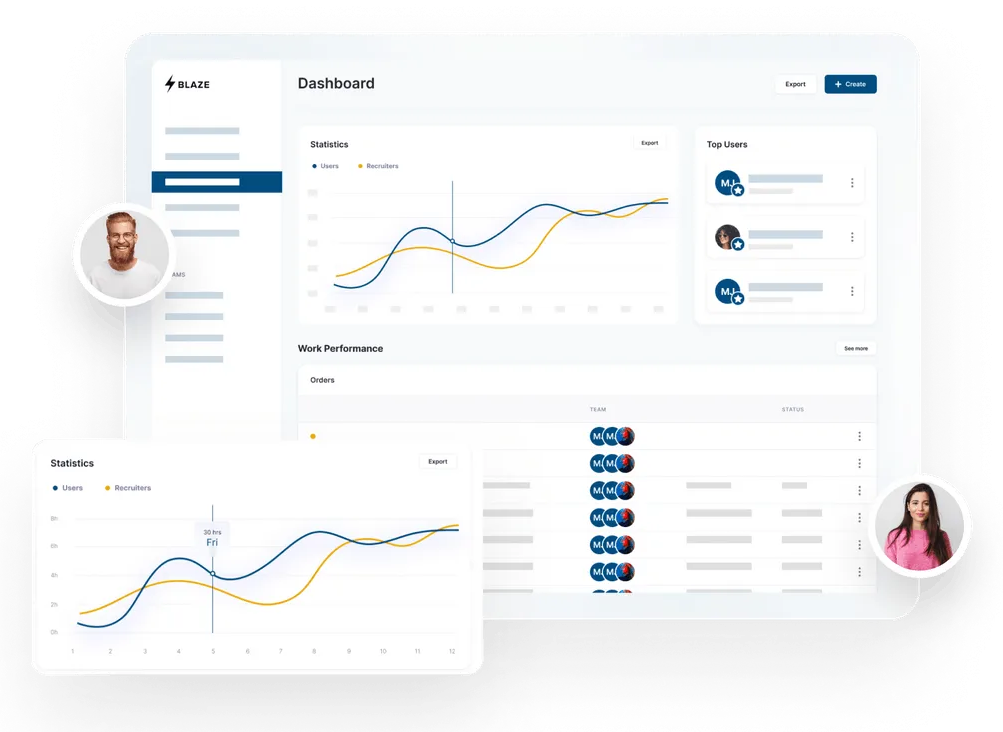
Build a HIPAA-Compliant App Today
Request the app you want. Blaze AI assembles it for you and your healthcare team.
Trusted by Fortune 500s and startups
HIPAA compliant, SOC 2 and HITRUST certified
Zero coding required

Ready to Build Your Custom Healthcare App?
Launch your own healthcare app today that's fully HIPAA compliant.
Related Articles
Discover related guides on healthcare no-code development, HIPAA compliance, security, integrations, and launching apps faster.
14 Mental Health App Ideas Worth Building in 2026
Explore 14 mental health app ideas, from AI therapy tools to workplace wellness platforms. Learn features, target audiences, and development requirements.
11 Lovable Alternatives I Evaluated + How to Pick One (2026)
After testing 11 Lovable alternatives, I found differences in pricing and coding requirements. Compare features and costs to find the best fit for your project.
Automated Medical Billing: Benefits and Limits Explained
Automated medical billing helps practices reduce errors and speed up payments. Learn billing workflows and discover where automation saves your team time.