
Table of contents
11 Lovable Alternatives I Evaluated + How to Pick One (2026)

Written by
Nanxi Liu

Reviewed by
Blaze Team
Expert Verified
Lovable turns prompts into working React apps with databases and GitHub sync. But costs can rise as debugging drains credits, and its React and Supabase setup limits your options. If you need predictable pricing or HIPAA compliance, other tools may work better.
I tested 11 Lovable alternatives using free plans or trials to build projects, including a patient portal, inventory tracker, and restaurant app. My top picks are Blaze.tech for HIPAA-compliant healthcare apps, Bolt.new for full-stack prototypes, and v0 for React frontends. Compare pricing, ease of use, and coding requirements to help you choose.
11 Best Lovable Alternatives: TL;DR
1. Blaze.tech: Best for Building HIPAA-Compliant Healthcare Apps
2. Bolt.new: Best for Generating Full-Stack Web Apps From Prompts
3. v0 by Vercel: Best for Building React Interfaces and Frontends
4. Cursor: Best for AI-Assisted Development in an IDE
5. Replit: Best for Coding, Testing, and Deploying Apps in One Workspace
6. Bubble: Best for Building Complex Web Apps Without Coding
7. WeWeb: Best for Building Custom Frontends With External Backends
8. Base44: Best for Building Database-Backed Apps Without Coding
9. Glide: Best for Turning Business Data Into Internal Apps
10. Softr: Best for Building Client Portals and Database-Driven Apps
11. Adalo: Best for Building Native Mobile
Why Look for Lovable Alternatives When Building Your Next App?
You should look for Lovable alternatives because it’s tough to predict costs, and the platform has a limited tech stack. Here are the reasons why many users switch from Lovable:
- You can't predict what every prompt will cost: Lovable's Default Mode charges credits based on how complex each request is. A small design change may use fewer credits than adding a login system, but Plan Mode charges one credit per message.
- Debugging loops eat credits: When the AI creates a bug, you may need more prompts to find and fix it. Each attempt can use credits, and fixing one bug may create another.
- Your live app adds to your platform costs: Lovable credits can pay for development, Cloud hosting, and AI features inside your app. Paid plans include usage allowances, but going over those limits can lead to extra charges.
- The tech stack limits your options: Lovable builds React apps and supports Supabase and other backend connections. Developers who want Next.js or more control over their app may need to work outside Lovable's visual builder. GitHub sync helps, but switching to a different tech stack can mean more development work.
Which Lovable Alternative Should You Choose?
Use this quick guide to match your project to the right tool. Each recommendation names the buyer it fits best and when you should look elsewhere:
Choose Blaze If You…
Need HIPAA-compliant healthcare apps. Blaze works well for healthcare teams building patient portals and internal apps.
Choose Bolt.new If You...
Want to build a working prototype quickly. Bolt creates full-stack apps from detailed prompts.
Choose v0 If You...
Build with Next.js and Vercel. v0 creates React interfaces that you can deploy to Vercel.
Choose Cursor If You...
Already know how to code. Cursor helps developers update code across multiple files in existing projects.
Choose Replit If You...
Want coding and hosting in one place. Replit combines AI agents, databases, and app deployment in one workspace.
Choose Bubble If You...
Need complex app features without coding. Bubble lets you build workflows, manage user roles, and create native mobile apps visually.
Choose WeWeb If You...
Want to keep your existing backend. WeWeb connects to Xano or Supabase and lets eligible users export Vue.js code.
Choose Base44 If You...
Want an affordable all-in-one app builder. Base44 creates apps with user logins, databases, and payment tools.
Choose Glide If You...
Manage your business with spreadsheets. Glide turns Google Sheets or Excel data into internal apps with little setup.
Choose Softr If You...
Need a secure client portal. Softr builds portals with user logins and controls which records each client can view.
Choose Adalo If You...
Need a native mobile app. Adalo lets you build and publish iOS and Android apps without coding.
Stick With Lovable If You...
Want to build a quick web MVP with GitHub sync. Lovable helps beginners create React apps and share code with developers.
How I Evaluated Each Lovable Alternative
I evaluated these 11 Lovable alternatives using free plans or trials to test how each tool handled building a basic user interface and database.
For features I couldn’t test, such as complex integrations, I read up on each tool’s documentation to evaluate connection capabilities.
To see what other users had to say, I checked official pricing pages, product pages, and reviews on sites like G2 and Trustpilot. I compared each platform based on ease of use, integration capabilities, and costs. I also considered how well each tool works for beginners and experienced developers.
11 Lovable Alternatives: At a Glance
1. Blaze.tech: Best for Building HIPAA-Compliant Healthcare Apps
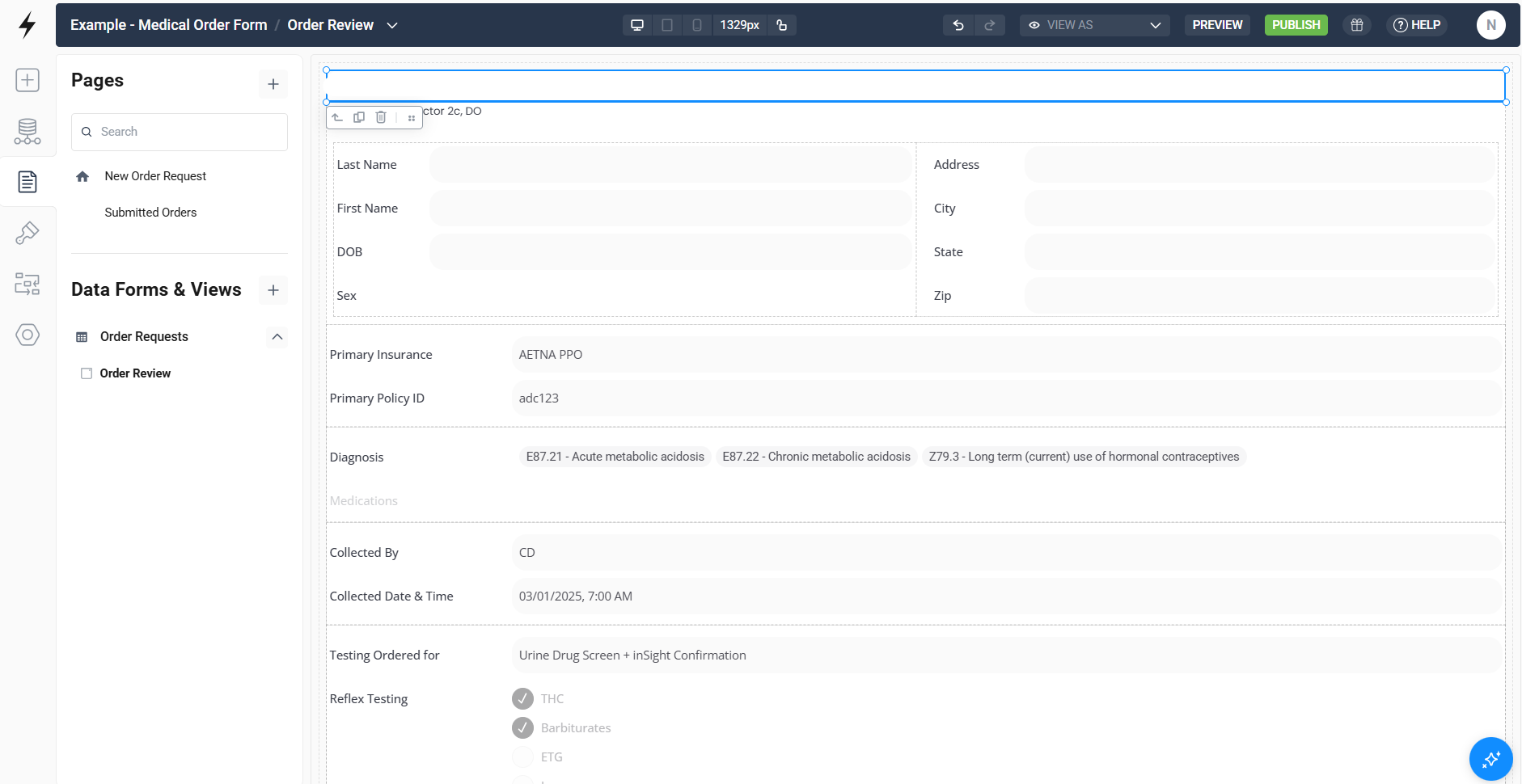
Blaze.tech is a healthcare app builder that offers both vendor support and a visual builder. Your team can control how the app looks and works.
I tested Blaze by building a patient signup portal connected to a database. I created a form to collect names, contact details, and insurance information. I then made a database table with Blaze’s visual database builder. After publishing the portal, I signed up as a test patient using mock data. I checked the database and confirmed that my information appeared.
The test gave me a working sign-up portal with the form and database connected. New submissions appeared in the correct fields automatically. I could also edit records and change which form fields users had to complete using the visual builder.
Use Feedback
“Our journey with Blaze has been exceptional. Their support and implementation have been absolutely top-notch...their implementation team was thoughtful, incredibly responsive, and was insanely proactive.” - Ryan C., G2
“It's a premium product, so they charge a premium price.” - Julian C., G2
Key Features
- Visual app builder: Build patient portals, dashboards, and intake forms with drag-and-drop tools. You can adjust layouts and features directly.
- Built-in compliance: Blaze includes features that support HIPAA compliance, along with SOC 2 Type II and HITRUST e1 certification.
- OpenAI integration under a BAA: Build intake chatbots, medical note assistants, CPT code tools, and document scanners that handle patient data under a BAA.
- EHR/EMR integrations: Connect apps to Epic, Oracle Health, athenahealth, and eClinicalWorks. Blaze uses FHIR APIs and HL7 to exchange patient data with these systems.
Pros
- Build it yourself or get help: You can build and maintain apps yourself or hire Blaze's team to handle development and launch.
- Fast healthcare app launches: Teams can launch working healthcare apps in weeks, not months, with complex client platforms typically built in about three weeks.
- No prompt-based charges: Blaze bases pricing on published apps and total users. Fixing bugs or changing layouts doesn't use prompt credits.
Cons
- EHR integration work: Connecting Epic or athenahealth may take longer because of their API requirements. These connections can also raise costs.
- Vendor-hosted apps: Blaze hosts apps on AWS. It doesn't offer on-premises hosting or the option to use your own cloud.
Best for
- Healthcare teams that need a platform to support HIPAA compliance and real patient data.
- Large healthcare companies building patient portals, intake forms, and care management apps.
- Growing healthcare startups that need to update their apps as their business expands.
- Teams that want Blaze to build their first app and then handle future updates themselves.
Pricing
Start using Blaze for $750/month.
2. Bolt.new: Best for Generating Full-Stack Web Apps From Prompts
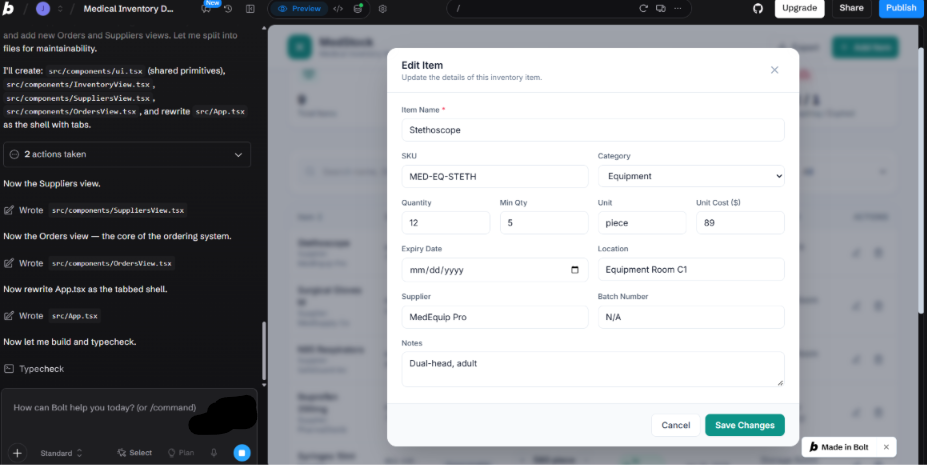
Bolt.new is an AI development platform that creates and runs applications from prompts.
I asked Bolt to build a healthcare ordering database with a services page, signup form, and customer database. Bolt created the database and connected it to the signup form during the first build. I didn't need to set up the backend myself. When I entered test customer details, they appeared in the database as expected.
User Reviews
“Extremely fast for prototypes and MVPs. It’s very good at generating initial UI and application structure. Natural-language development makes iteration easy.” - Roopa S., G2
“I am submitting a formal complaint regarding the consumption of my paid Tokens as a result of AI behavior that was outside the scope of the task I requested. I want to make one principle absolutely clear: A user should not be required to pay for errors, hallucinations, unnecessary processing, repeated analysis, or inefficient behavior generated by the AI system itself.” - Farid, Trustpilot
Key Features
- Bolt Cloud: Bolt Cloud bundles hosting, databases, and authentication so you can ship to production without leaving the platform.
- Figma import: Import Figma designs into Bolt and use them to guide interface generation.
- Mobile app support: Bolt generates React Native apps through Expo, so you can prototype mobile apps alongside web apps.
Pros
- Plan mode before you build: Planning Mode lets you discuss your approach before changing code, helping reduce unnecessary iterations and token consumption.
- Token rollover on paid plans: Unused Pro tokens roll over for one additional month, giving you extra capacity during heavy build weeks.
Cons
- WebContainer limits: Bolt's browser-based environment cannot run every native dependency, so unsupported libraries may require external services or a separate development environment.
- Migration gets harder on Bolt Cloud: Moving away from Bolt Cloud may require additional work to migrate databases, authentication, and backend services, even when you can export your code.
Best for
- Testing a business idea with a signup flow.
- Prototyping a payment-enabled customer portal.
- Turning a Figma mockup into a working React prototype.
Pricing
Bolt's free plan includes 1 million tokens per month, subject to a 300,000-token daily limit. Paid plans start at $25/month, with 10 million monthly tokens on Pro.
3. v0 by Vercel: Best for Building React Interfaces and Frontends
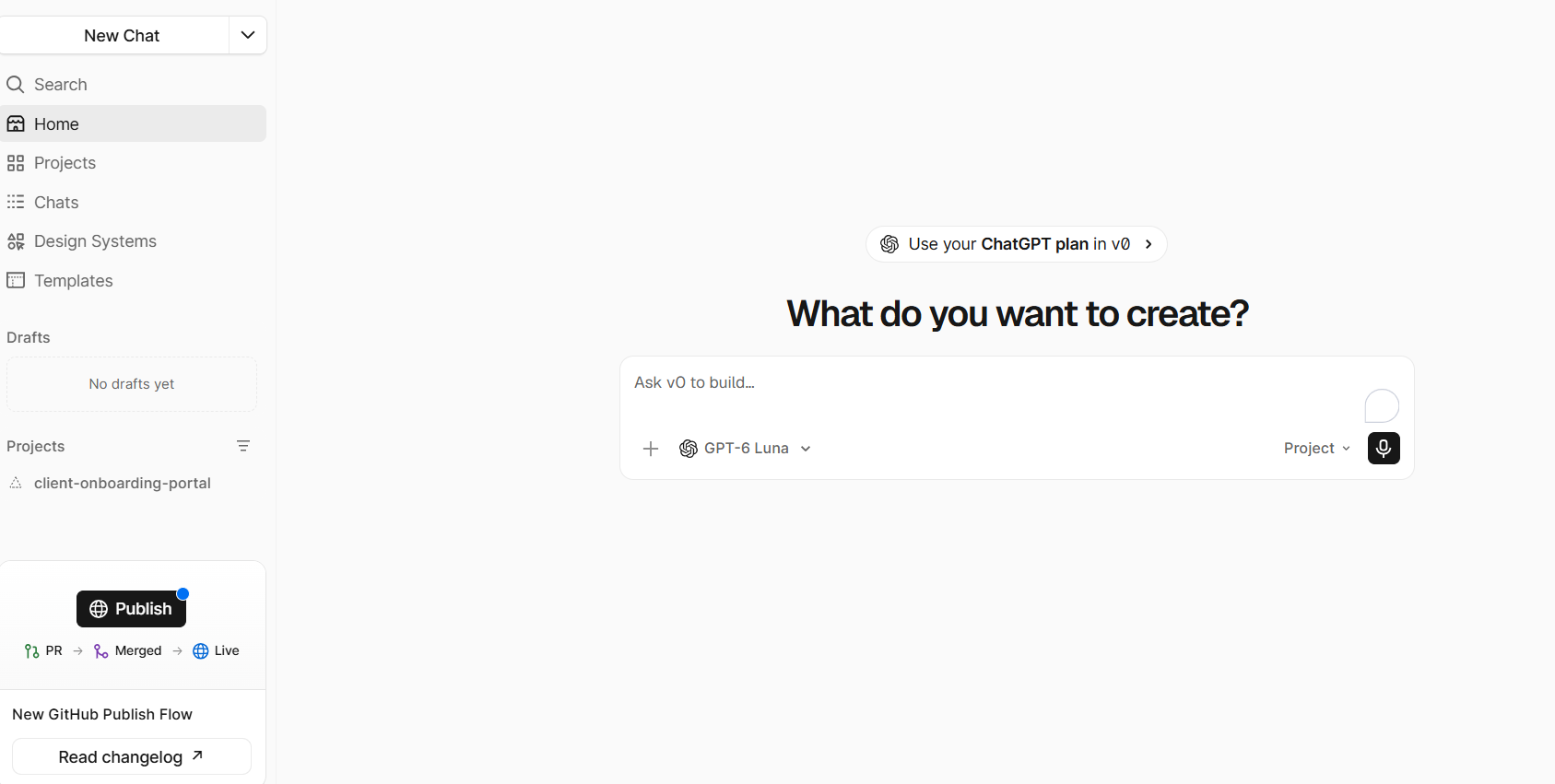
v0 is Vercel’s AI app builder that turns written prompts into web apps built on React, Next.js, and Tailwind CSS.
I built a client onboarding portal with v0. Partway through, a server error broke the live preview, and v0’s error details didn’t make the cause clear. I had to dig through the generated code and error messages myself before I could continue building.
User Reviews
“The tool feels smart – it actually explains what it’s doing, why it’s making changes, and how it will bring your idea to life. That makes working with it feel more like a collaboration than just using a tool. Overall, V0 makes coding faster, cleaner, and way more enjoyable. Definitely recommend it.” - Bruno L., Trustpilot
“Instead of speeding things up, it keeps generating awkward, broken results that you have to redo by hand. You end up spending more time fixing its output than if you had built it yourself from scratch.” - Andrei R., Product Hunt
Key Features
- GitHub support: Connect a GitHub repository and use Git tools as you build.
- Database and API connections: Link your app to databases, APIs, and third-party services.
- Design Mode: Select any element in the preview to open a floating toolbar for visual edits, then leave annotations and send them all to the AI as one prompt.
Pros
- Multiple AI models: v0 offers four AI models: Mini, Pro, Max, and Max Fast. Each has different strengths and token costs.
- Uses your brand designs: Imported design systems help v0 create interfaces using your existing components. This can reduce the time you spend fixing colors, layouts, and styles.
Cons
- Complex features take work: Adding databases, user logins, APIs, and server features may still require manual setup and debugging.
- Limited free messages: The free plan allows 7 messages per day. You can run out quickly when fixing bugs or testing changes.
Pricing
v0 pricing starts at $30/month.
4. Cursor: Best for AI-Assisted Development in an IDE
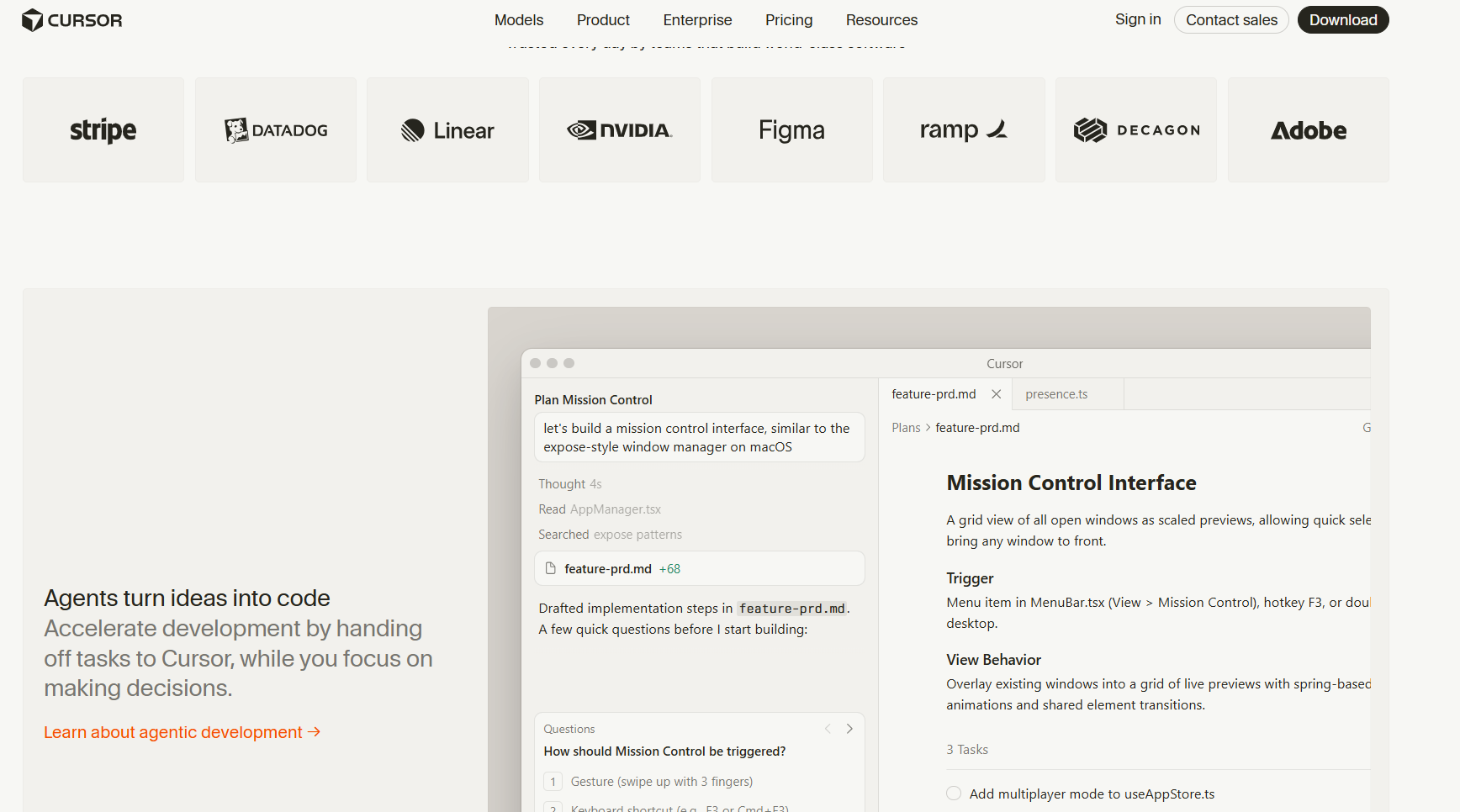
Cursor is an AI code editor based on VS Code. It scans your codebase to find files and details the AI needs when writing or editing code.
I tested Cursor by building a customer onboarding form from scratch. It generated the form and validation in one pass, but I had to correct a mismatched field type before it ran. Its inline suggestions caught most issues as I went, though the field-type miss showed you still need to read what it writes.
User Reviews
“The AI is embedded in the core of the editor and not attached to a side widget. The autocomplete with Tab is super fast, and being able to launch refactorings that affect multiple files at once from Composer saves you a lot of time.” - Antonio T., G2
“This used to be an amazing product, but now it sucks after the recent update. Since October 2026, the Ultra subscription no longer gives access to external APIs, and also just everything has been nerfed.” - Payton L., Trustpilot
Key Features
- Shared team indexing: Cursor can reuse a teammate's existing code index. This helps you search large projects faster.
- Architecture diagrams: Create Mermaid diagrams that show how data moves through your app. These can help new team members understand the project.
- VS Code extensions: Import your VS Code settings and keep using compatible extensions.
Pros
- Edit multiple files: Cursor can update several files at once, including code and related dependencies. This helps when changing features that affect different parts of your app.
- Full code control: Work directly in your own repository and choose how to build and organize your app.
Cons
- Separate hosting: Cursor supports deployment through services like Vercel, but it doesn't host your app itself. Lovable includes hosting on its platform.
- Coding skills required: You need to understand code to review Cursor's changes and fix errors. Lovable lets beginners build more features using text prompts.
Use Cases
- Finding and fixing bugs in existing applications.
- Updating code across an existing project.
- Adding new features to apps using AI coding assistance.
Pricing
Cursor offers a free plan; the Plus plan starts at $8/month and Teams start at $30/user/month.
5. Replit: Best for Coding, Testing, and Deploying Apps in One Workspace
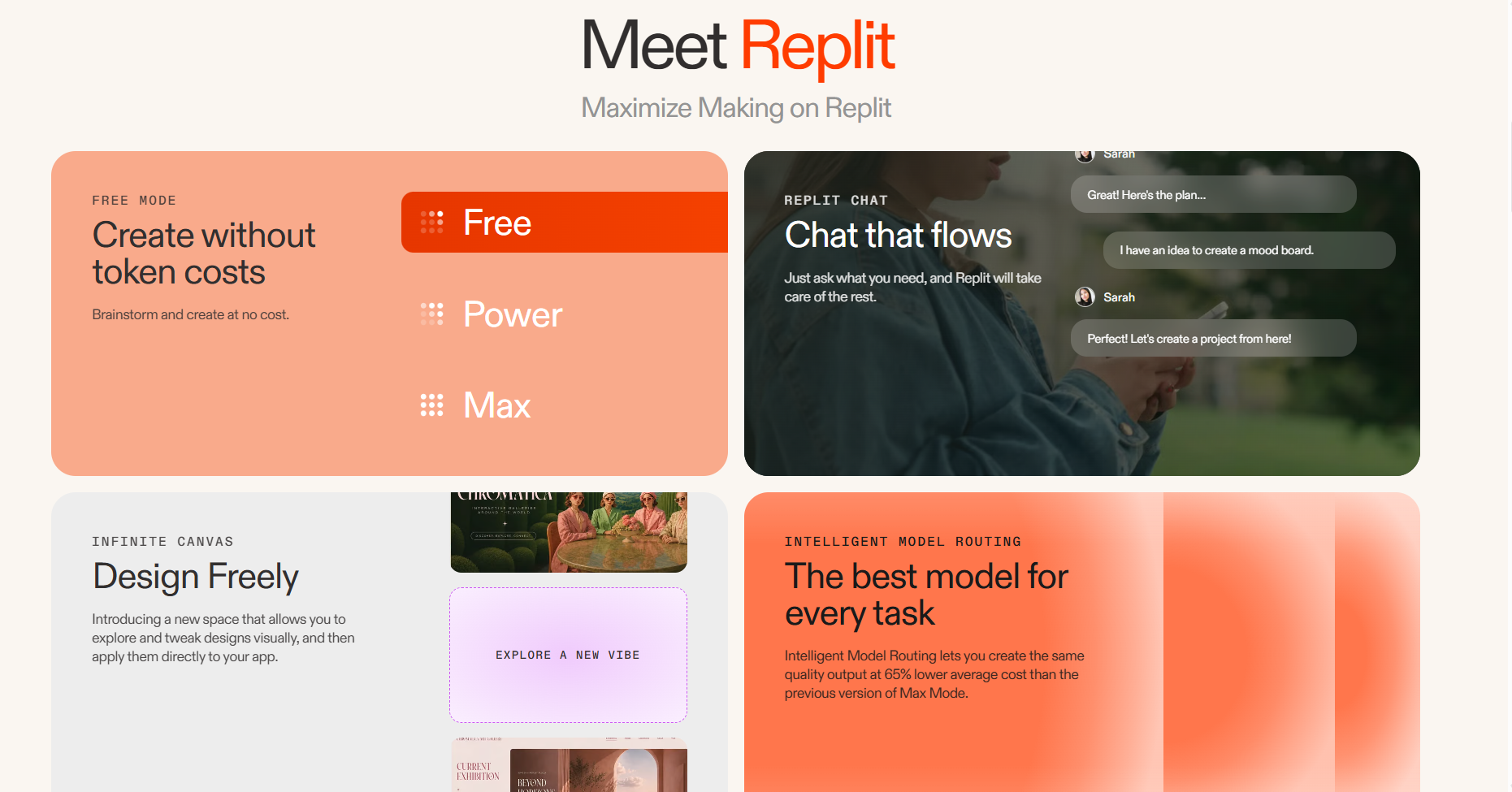
Replit is an AI app builder with a full coding workspace that can build apps while working directly with your project files and databases.
I prompted Replit to build a medical inventory management app that tracked supplies, quantities, and expiration dates in a connected database. The agent generated the dashboard, the database tables, and a form for adding new stock. I added test supplies, updated a few quantities, and watched the dashboard reflect each change without any manual setup.
User Reviews
“Quick startup means we can begin right away without setting up a development environment on our system. The feature I liked most is the AI-assisted building feature; this agent can help turn ideas into an app and make changes throughout the conversation. We can build and publish everything in one place.” - Achu A., G2
“The main thing I like least is the credit system. As an independent developer with a limited budget, it can be difficult to keep developing and keep a published project online when credits run out. More affordable options or additional support for early-stage international projects would be very helpful.” - Replit User, G2
Key Features
- Team workspace: Invite up to five teammates on Core or 15 on Pro. Everyone can work together in the same workspace.
- Multiple AI agents: Run up to two AI agents on Core or 10 on Pro. Each agent can work on a different task.
- Agent modes: Choose Lite, Economy, or Power mode on supported paid plans. Pro and Enterprise also offer Turbo for faster AI development at a higher cost.
Pros
- Built-in development tools: Manage files, software packages, databases, hosting, secret keys, and development tools in one place.
- Automatic security checks: Replit Auto-Protect scans software packages for known security issues and can prepare tested fixes.
Cons
- Harder for beginners: Replit has more coding tools and settings than Lovable. New users may need time to learn how everything works.
- AI can break working features: Agents may introduce bugs when changing your app. You'll still need to test new features and check existing ones.
Best for
- Developers adding AI tools to existing projects.
- Teams using AI agents alongside coding tools.
- Founders building web and mobile apps together.
- Builders turning design screenshots into working apps.
Pricing
Start using Replit for $20/month.
6. Bubble: Best for Building Complex Web Apps Without Coding
Bubble is a full-stack app builder with AI prompts, a visual editor, a built-in database, and workflow tools. You can use it to build web and native mobile apps.
I asked Bubble to build an accounts receivable app for a small business. It created the basic app quickly, but setting up custom payment rules in the visual editor took more time. Bubble handled the first build well, though I still had to configure the more complex payment workflows myself.
User Feedback
"Bubble takes some getting used to but, once you are familiar with the layout, features and functions it is on a par with other WYSIWYG, low-code builders." — Adam, Trustpilot
"There's a lot of "quirks" that you'll just have to learn to make it work. The order or methodology for writing Bubble expressions can sometimes be extremely fidgety." — User, G2
Key Features
- Visual builder: Design app screens and adjust layouts, colors, and styles using visual tools.
- Large plugin library: Choose from more than 7,000 plugins for payments, messaging, APIs, and other features.
- AI Agent for data and workflows: Bubble's AI Agent can create database fields, privacy rules, and backend workflows. It can also update existing API connections.
Pros
- Native mobile apps: Publish iOS and Android apps that share data with your web app. Lovable mainly supports web apps.
- Edit AI-generated features: See what Bubble's AI Agent creates and make changes yourself in the visual editor.
Cons
- Takes time to learn: Setting up complex payment rules can take practice, even with visual tools. Beginners may prefer a simpler Bubble alternative.
- AI credits for building: Since October 6, 2026, Bubble charges AI credits for building and editing with its Agent. Initial app generation and manual edits remain free of AI credit charges.
Best Use Cases
- Building SaaS apps with non-technical teams.
- Managing different user roles and permissions.
- Publishing web and mobile apps with shared data.
- Using Claude Code through Bubble MCP while teammates edit apps visually.
Pricing
Bubble costs $39/month for web only, $49/month for mobile only, and $69/month for both web and mobile.
7. WeWeb: Best for Building Custom Frontends With External Backends
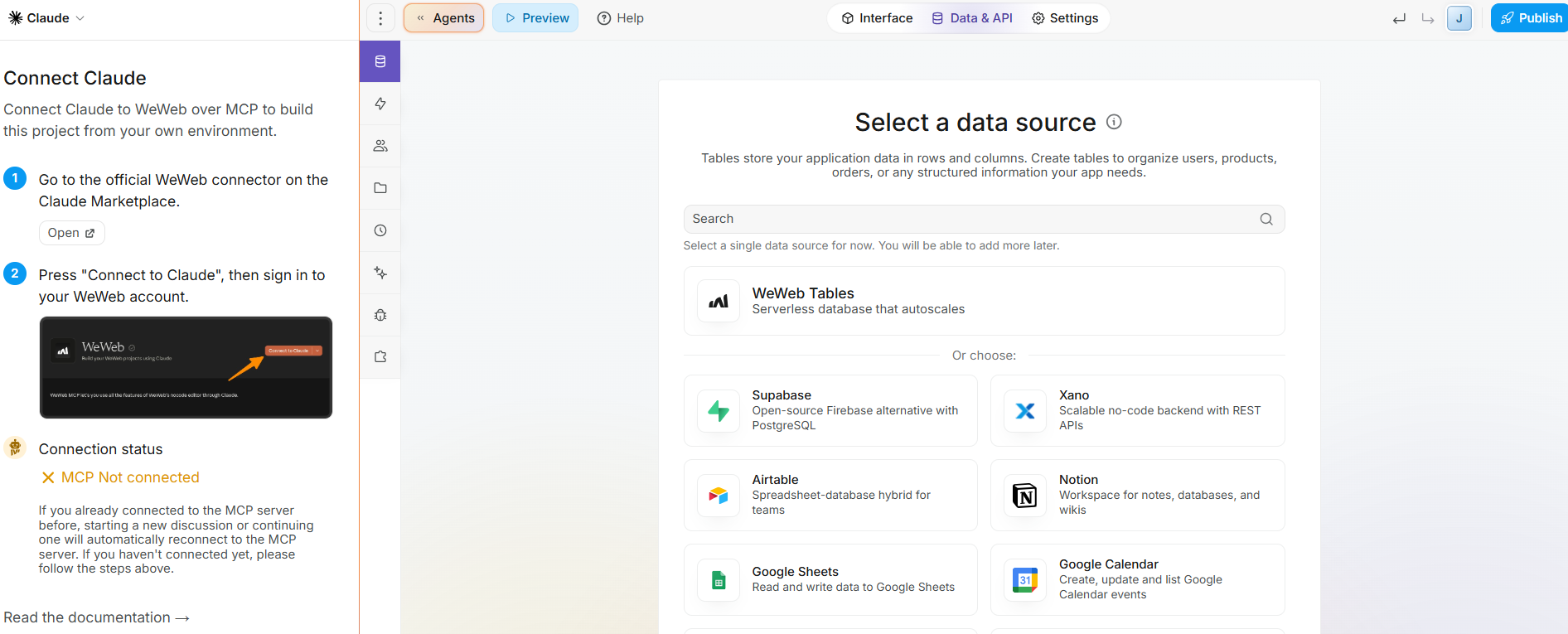
WeWeb combines AI generation, a drag-and-drop editor, and Figma import. You can connect your interface to WeWeb's native backend, Xano, Supabase, or REST and GraphQL APIs.
I built a signup form with name, email, and password fields. The visual editor made it easy to arrange the inputs and customize the layout without writing code. However, connecting the form to a backend for user authentication required additional work.
User Reviews
“The learning curve is well worth it, as the platform is incredibly well-designed. It allows you to create standards-compliant, SEO-optimized, and ultra-fast web applications without sacrificing user interface customization. Plus, the ability to integrate custom Vue/React code means that the platform adapts to your tech stack—not the other way around!” - Clement L., Product Hunt
“At times components behave a little differently across browsers, which is understandable given differences in browser engines, yet it can reduce the sense that everything will just work everywhere.” - Martin K., Capterra
Key Features
- Vue.js code export: Export your compiled frontend for self-hosting, making it a solid alternative to other on-prem-supporting platforms like Retool. But some integrations depend on WeWeb services.
- Release safeguards: Preview changes before deployment and use supported staging or versioning features to manage releases.
- Formula-driven logic: Build frontend behavior with formulas, variables, and collections instead of writing full JavaScript.
Pros
- Backend flexibility: Keep your data in Xano or Supabase, making it easier to replace the frontend without migrating your backend.
- Low-code depth: Expressions and logic blocks give developers real control without leaving the visual editor.
Cons
- Separate editor and hosting costs: Seat plans and WeWeb Cloud hosting are billed separately. Self-hosting avoids WeWeb hosting charges but adds infrastructure responsibilities.
- Security requires backend controls: Sensitive data, permissions, and authentication must be protected through appropriate backend safeguards, not frontend logic alone.
Best for
- Teams already running Xano or Supabase.
- Agencies building portals for multiple clients.
- Designers turning Figma files into apps.
- SaaS founders planning to self-host later.
Pricing
WeWeb pricing starts at $25/month.
8. Base44: Best for Building Database-Backed Apps Without Coding
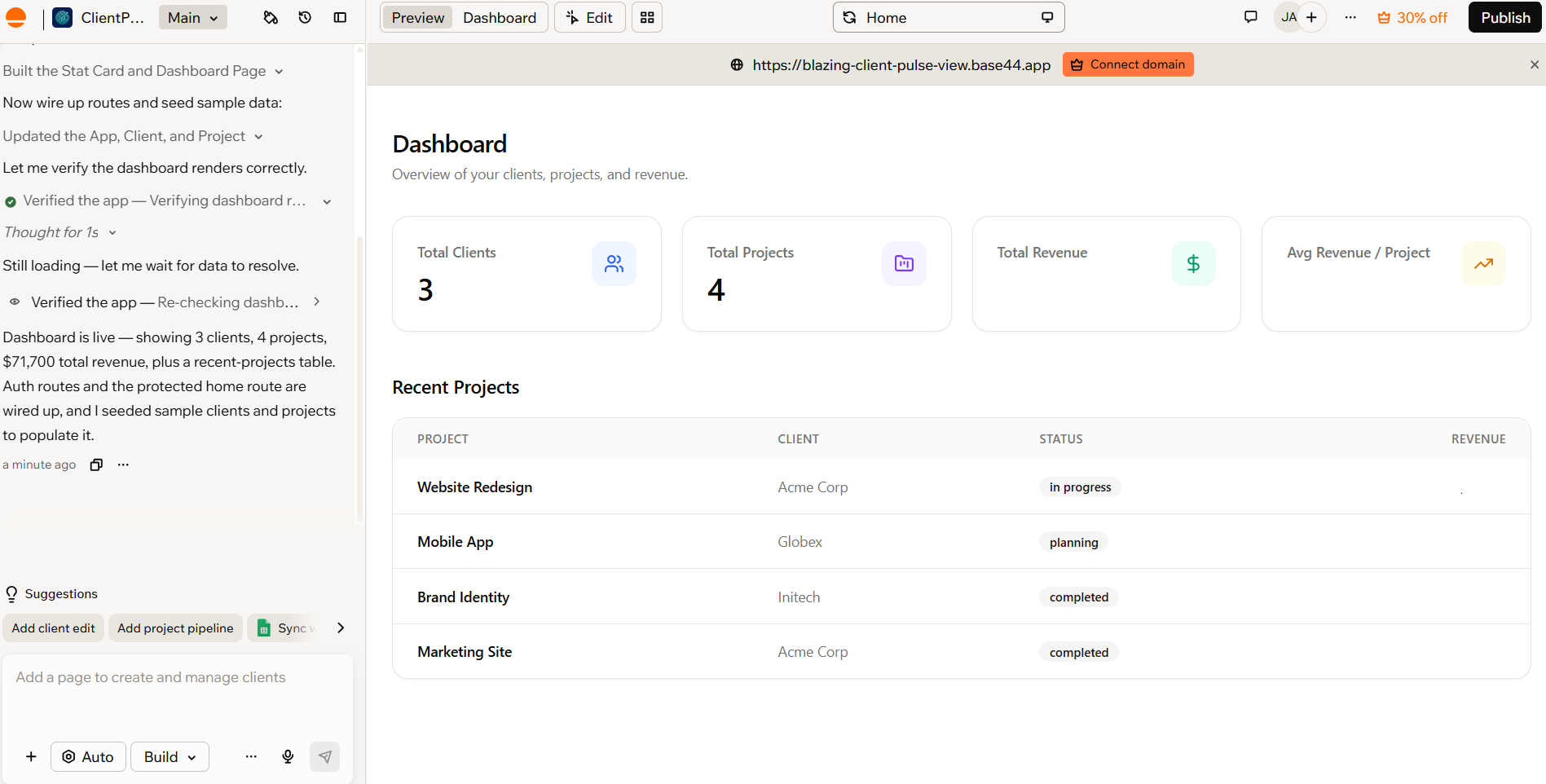
Base44 is a Lovable alternative for beginners who want to build apps with databases through AI prompts.
I used Base44 to build a client dashboard. I described the layout and features I wanted, and the AI generated a starting app with navigation, data tables, and dashboard components. The initial build was straightforward. But I still needed to check whether the generated workflows and data structure matched my requirements.
User Reviews
“Ease of Use: It’s extremely simple to use. You just enter a prompt, and the platform analyzes it, generates both the backend and frontend, and displays the result in either web or mobile format.” - Dulce M., G2
“The pitch is compelling: an AI agent that remembers your work, builds on your context, and gets things done without you having to repeat yourself. The reality is that every session begins with the agent rediscovering what it already knew, searching in the wrong places for material it was explicitly told how to find, and burning your paid credits on the loops.” - Base44 User, G2
Key Features
- Built-in backend: Get a database, user logins, and analytics, even on the free plan.
- Test as a user: Preview your app as a specific user to check what they can see and do.
- Discussion mode: Plan app features through chat before building them. This can help reduce extra changes later.
Pros
- One-prompt app generation: Non-coders can generate apps with working logins, databases, and payment integrations without manually setting up a backend.
- Fast app building: Base44 can create simple dashboards and internal tools quickly. Credit usage depends on the app's features and how many changes you make.
Cons
- Bug fixes use credits: Fixing AI errors may take several prompts. These attempts can use your message credits before your app is ready.
- Limited export options: The free plan doesn't include paid code export or GitHub sync features. Moving your backend to another service may also take extra work.
Best For
- Beginners testing app ideas on a budget.
- Teams building simple internal dashboards.
- Startups testing ideas before hiring developers.
Pricing
Base44's pricing starts at $20/month.
9. Glide: Best for Turning Business Data Into Internal Apps
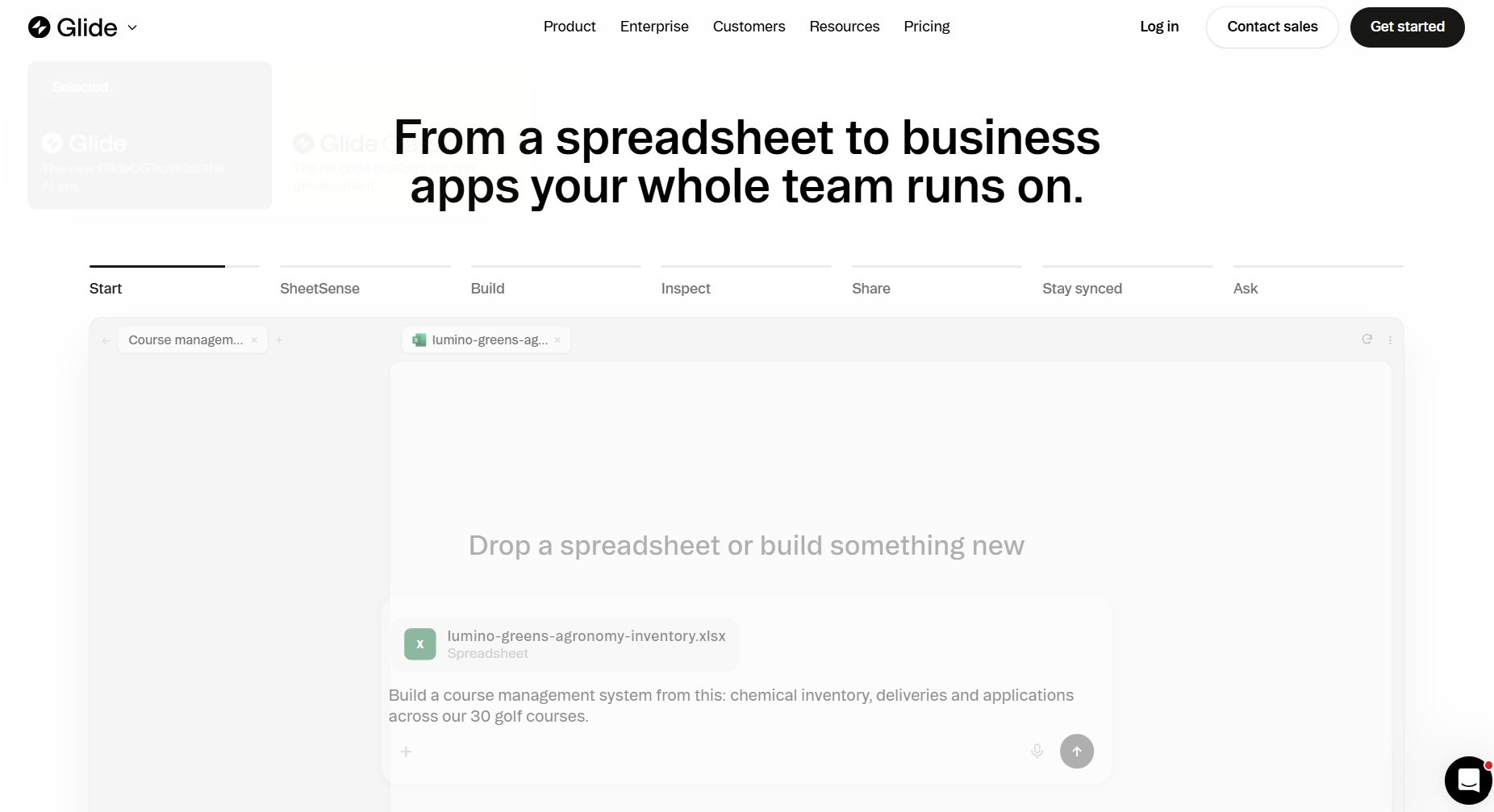
Glide lets you build an app from data that’s already in Sheets or Excel.
I used Glide to build a KPI tracker for measuring business performance and created a dashboard with charts, summary cards, and tables to track progress toward goals. Glide's visual editor made it easy to organize the dashboard without coding. However, I had to spend more time setting up calculations and connecting metrics to the right data.
User Reviews
“I'm very pleased with the results of Glide Classic so far. As a beginner, I find it great for creating a nice interactive app that allows me to add and extract data by voice from my hobby dataset. The ease of data input is a standout feature for me, as I can add data during or immediately after an activity through my phone, making the process very convenient.” - Scott R., G2
“In my 46 years of RE experience, this is the worst program I have ever had the misfortune of using. When my company bought into Glide, I loved the idea of the “workflow” disclosure documents and even upgraded to the Pro version….Right after investing in the upgraded version, support informed me that they no longer offer that option.” - Heidi W., Trustpilot
Key Features
- SheetSense analysis: Upload a workbook, and GlideOS checks its sheets, formulas, and connections. It then helps turn your spreadsheet processes into an app.
- Spreadsheet-based building: Start with spreadsheet data and use the GlideOS agent to build your app through text prompts.
- AI features in live apps: Add AI tools that help employees work with business data inside published apps.
Pros
- Easy for spreadsheet users: Familiar tables and AI tools make GlideOS easier to learn. Complex workflows may still need extra setup.
- Build and manage work: Teams can build apps and use them to handle daily tasks in the same workspace.
Cons
- No native mobile publishing: GlideOS builds web apps that work on phones and computers. You can't publish them directly as native iOS or Android apps.
- Limited design control: GlideOS offers fewer options for custom layouts than coding tools. It may struggle with consumer apps that need detailed branding.
Best For
- Teams managing daily work in spreadsheets.
- Turning spreadsheets with multiple tabs into apps.
- Building internal tools with simple designs.
- Field teams recording data on mobile devices.
Pricing
Glide pricing starts at $25/month.
10. Softr: Best for Building Client Portals and Database-Driven Apps
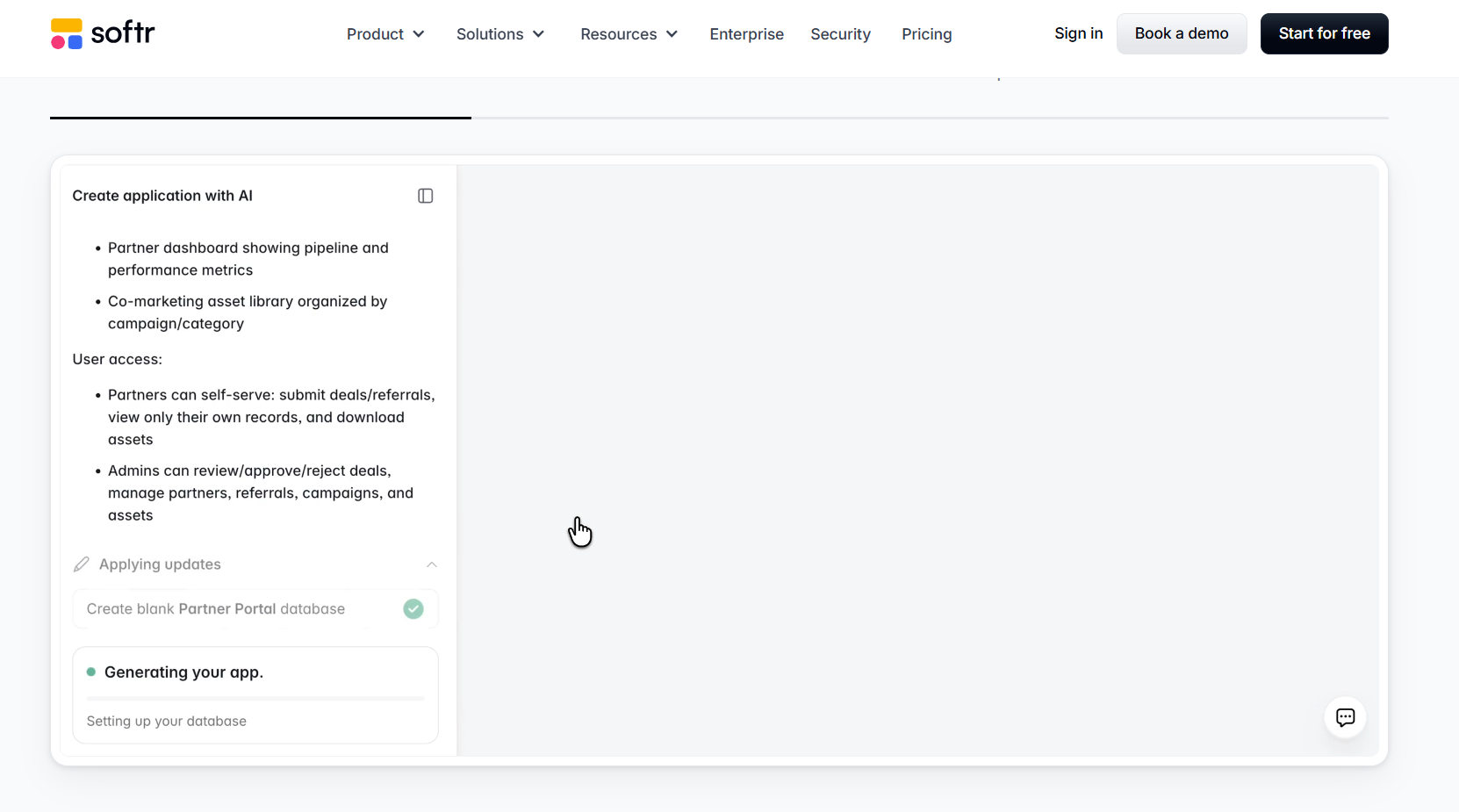
Softr lets you build internal tools and web apps using its database, Airtable, Google Sheets, and other sources.
I used Softr to build a client portal where customers could log in, check project updates, and view shared documents. The ready-made blocks made it easy to organize the dashboard and change its layout without coding. But setting up user permissions and controlling what each client could see took more work.
User Reviews
“I truly think Softr is the best piece of SaaS/software in the world. I'm a software engineer by trade with over a decade of experience in leading global companies. I'm on the path now, working on my own startup. The speed and ease you can build web applications on Softr is truly mind-blowing.” - JL, Trustpilot
“I think Softr could improve by offering more community involvement and opportunities for sharing learning. There should be more learning opportunities because I'm constantly creating new things quickly, and it would be nice to have an easy way to engage with that learning. That's where I see potential for improvement.” - Gavin D., G2
Key Features
- Live data sync: Connect to more than 21 outside data sources. Supported connections can update data in real time.
- Softr API and MCP: Connect Softr to outside tools and AI agents, starting with the Basic plan.
- Payment tools: Accept payments through Stripe checkout inside your portal.
Pros
- Fast portal launches: Softr's templates and AI Co-Builder help teams create login-protected portals without building everything manually.
- Two-way Airtable sync: Changes made through supported Softr actions can update connected Airtable records.
Cons
- Bounded app scope: Complex consumer products and deeply custom backend logic can outgrow Softr's abstraction.
- No native mobile: Softr supports installable progressive web apps on eligible plans, but it doesn't publish native iOS or Android applications to app stores.
Best for
- Agencies sharing project updates with clients.
- Airtable teams needing a secure frontend.
- Membership sites with gated content.
Pricing
Softr pricing starts at $25/month.
11. Adalo: Best for Building Native Mobile Apps
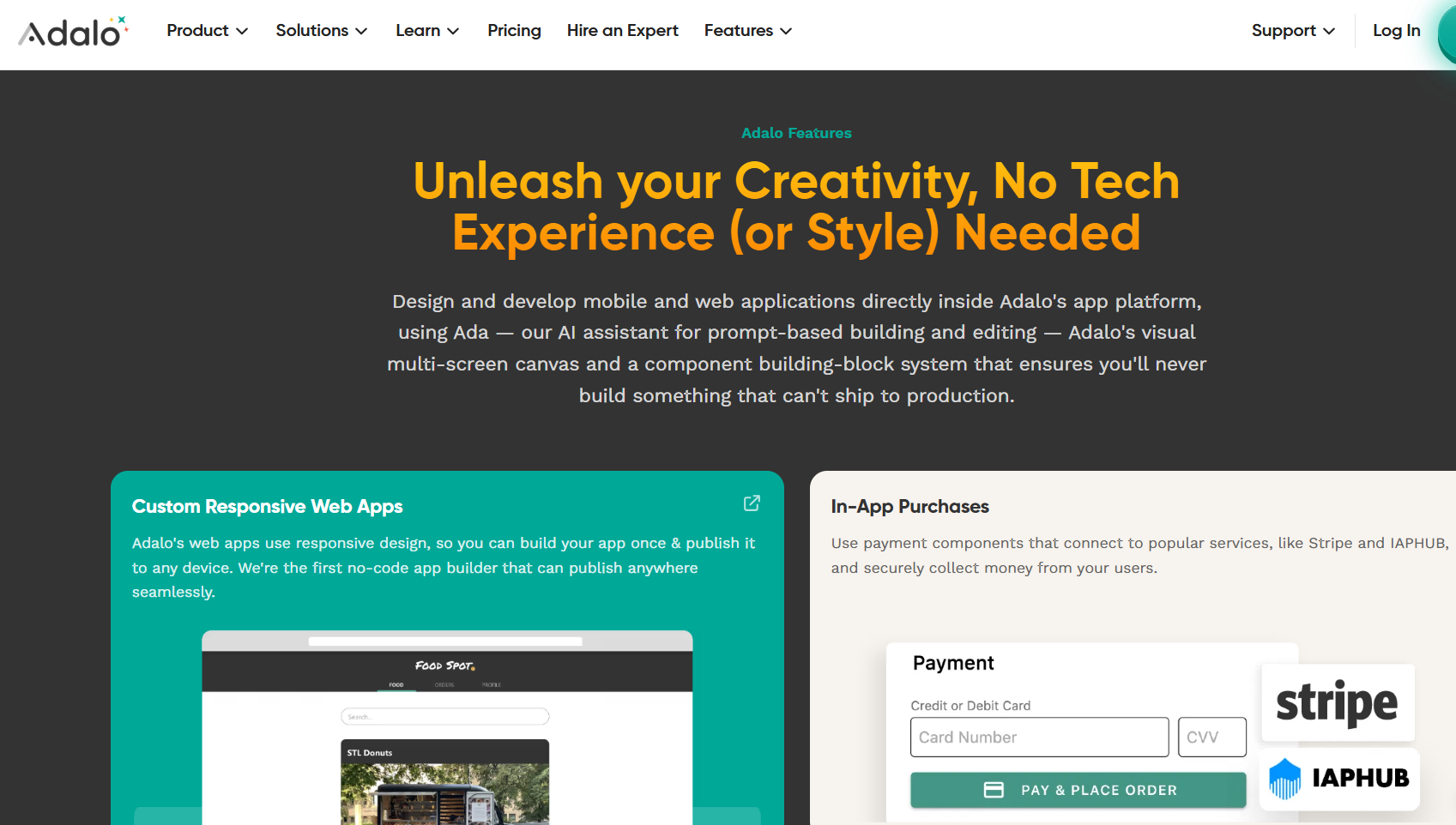
Adalo suits beginners who want to build mobile apps and publish them on the Apple App Store and Google Play Store.
I used Adalo to build a restaurant app with a menu, item details, and an ordering system. The drag-and-drop editor let me arrange screens and connect them without writing code. Creating the layout was easy, but linking menu items, orders, and customers in the database took more work. I also had to spend extra time setting up how customers could place orders.
User Reviews
“I had an issue integrating Stripe with Adalo, and the support team guided me through the process with clarity and efficiency. The problem was resolved within just three email exchanges, which I really appreciated. Their responsiveness, attention to detail, and willingness to help made the entire experience smooth and stress-free.” - Lana D., Trustpilot
“Adalo must continue working on the speed improvement and basic features to allow their users having more than 5'000 users without getting really bad reviews.” - Adalo User, G2
Key Features
- Publish across platforms: Build one app and publish it on the web, iOS, and Android.
- AI app building: Magic Start and Magic Add help create app layouts and features, saving time during the first build.
- Push notifications: Send notifications to bring users back to your app, starting with the Professional plan.
Pros
- Native apps without coding: Build and publish iOS and Android apps without learning Flutter or React Native.
- Ready-made templates: Start with templates for common app types and customize them to fit your needs.
Cons
- Complex apps may slow down: Large databases, complex data connections, and poorly designed queries can affect performance. Paid plans don't have fixed record limits.
- No code export: You can export your app data, but Adalo doesn't let you download the full source code. Moving to another platform may require rebuilding your app.
Best for
- First-time founders building mobile MVPs
- Local businesses creating branded customer apps
- Startups testing ideas before hiring developers
Pricing
Adalo pricing starts at $65/month.
How to Evaluate Lovable Alternatives
Evaluate these Lovable alternatives by comparing the cost of making changes and each platform's backend and data capabilities:
- Cost per change: Check how each tool charges for prompts, bug fixes, and live app usage. Some AI builders charge credits even when a fix fails, which can raise your costs. Look for tools that charge separately for building and running apps or let you edit code for free.
- Backend and data support: Decide whether you need a built-in database or want to use your existing data. If your team uses Airtable, spreadsheets, or Supabase, look for tools that connect to those services. This can save you from moving your data to another platform.
- App publishing options: Check where you want people to use your app. Some builders focus on web apps, while others support mobile apps that users can install. If you want an App Store listing, choose a tool that supports native mobile publishing.
- Compliance requirements: Apps that handle protected health information (PHI) need security controls that meet HIPAA requirements. Organizations covered by HIPAA also need a Business Associate Agreement (BAA) with vendors that handle PHI on their behalf. Check each platform's security documents and agreements before building your app.
Blaze: The Best Lovable Alternative for Healthcare Apps
If you’re comparing Lovable alternatives for a healthcare product, prompt-based builders can get you a prototype but not a compliant app you can launch with real patient data. Blaze brings you HIPAA-ready infrastructure, EHR integrations, and a team that can build the app for you.
Here’s why more healthcare organizations choose Blaze:
- Replace repetitive administrative work: Automate patient intake, document routing, approvals, reminders, and other manual tasks while keeping your existing EHR.
- Faster implementation than traditional builds: Go from prototype to production in weeks instead of months.
- AI integrations built for real clinical workflows: Support automated patient intake, document extraction, and OpenAI integration under a BAA, alongside secure EHR and EMR connections built around how your team actually works.
- Built on compliance-ready infrastructure: Blaze is a HIPAA-enabling, HITRUST e1-certified, SOC 2 Type II healthcare app development platform, so you can build on HIPAA-ready infrastructure.
- Own your custom workflows and designs: The workflows and designs you create in Blaze are yours. Plus, you can export your data and designs out of the platform.
Schedule a free build consultation call today and learn how you can launch a HIPAA-compliant app without paying credits to debug AI-generated code.
Frequently Asked Questions
1. What Are the Best Free Alternatives to Lovable?
The best free Lovable alternatives include Blaze, Bolt.new, v0, Replit, Base44, and Bubble. Blaze offers a free Sandbox for testing healthcare workflows with synthetic patient data, while Bolt.new works well for prompt-based prototypes. Base44 offers built-in databases and authentication, and Bubble suits users who prefer visual editing.
2. Are There Open-Source Alternatives to Lovable?
Yes, open-source alternatives to Lovable include Bolt.diy and Dyad. Bolt.diy supports multiple AI providers, while Dyad offers a local-first desktop app builder. However, running these tools may require API keys, model configuration, or additional technical setup.
3. Does Google Have an AI Alternative to Lovable?
Yes, Google has an AI alternative to Lovable called Google AI Studio. Its Build mode creates web apps and native Android apps from a description, sets up a Firestore database and Firebase authentication, and deploys to Cloud Run.
4. Is Lovable HIPAA Compliant?
No, Lovable's standard service is not HIPAA compliant, and its plans don’t include a Business Associate Agreement (BAA). Although Lovable has a SOC 2 Type II report and ISO 27001 certification, neither establishes HIPAA compliance. Healthcare teams handling PHI should choose a platform that supports HIPAA requirements and provides a signed BAA.
Sources
1. U.S. Department of Health & Human Services. “Summary of the HIPAA Security Rule.” HHS.gov. https://www.hhs.gov/hipaa/for-professionals/security/laws-regulations/index.html
2. U.S. Department of Health & Human Services. “Security Rule Guidance Material.” HHS.gov. https://www.hhs.gov/hipaa/for-professionals/security/guidance/index.html
3. National Institutes of Health: StatPearls. “Health Insurance Portability and Accountability Act (HIPAA) Compliance.” NCBI. https://www.ncbi.nlm.nih.gov/books/NBK500019/
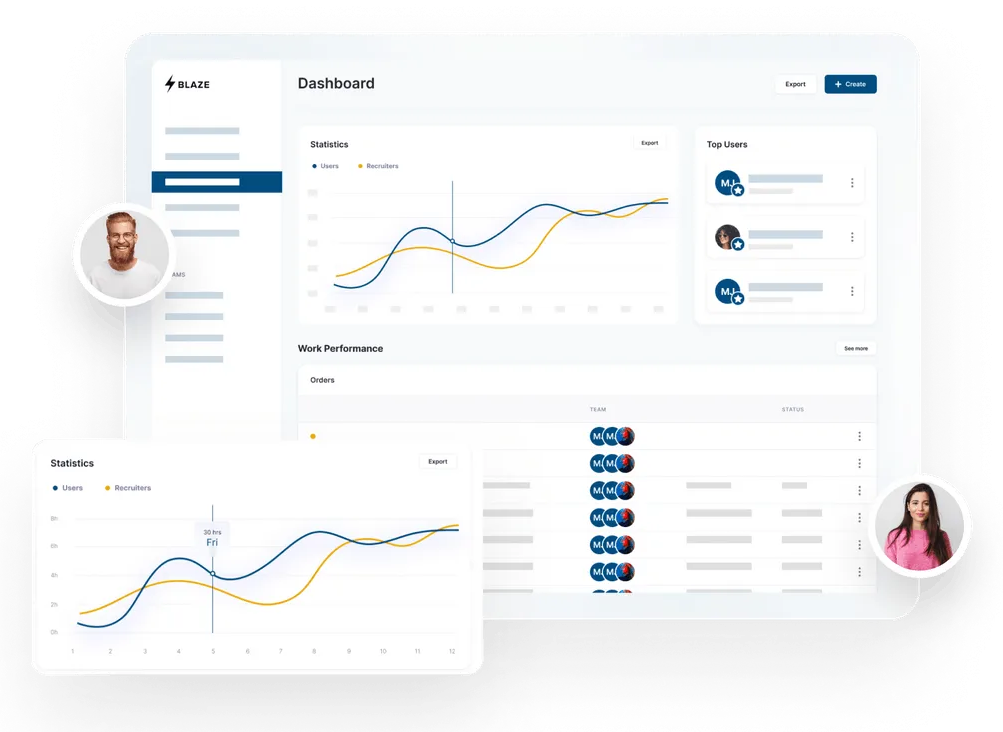
Build a HIPAA-Compliant App Today
Request the app you want. Blaze AI assembles it for you and your healthcare team.
Trusted by Fortune 500s and startups
HIPAA compliant, SOC 2 and HITRUST certified
Zero coding required

Ready to Build Your Custom Healthcare App?
Launch your own healthcare app today that's fully HIPAA compliant.
Related Articles
Discover related guides on healthcare no-code development, HIPAA compliance, security, integrations, and launching apps faster.
Epic EHR Cost for Small Practice: Pricing & Alternatives (2026)
Epic EHR cost for small practices varies by access method. Drawing on client experience and research, I break down pricing and affordable alternatives.

11 Lovable Alternatives I Evaluated + How to Pick One (2026)
After testing 11 Lovable alternatives, I found differences in pricing and coding requirements. Compare features and costs to find the best fit for your project.
Automated Medical Billing: Benefits and Limits Explained
Automated medical billing helps practices reduce errors and speed up payments. Learn billing workflows and discover where automation saves your team time.