
Table of contents
OutSystems Review: Pros, Cons, and Ideal Users (2026)

Written by
Nanxi Liu

Reviewed by
Blaze Team
Expert Verified
OutSystems helps enterprises build apps with visual tools, integrations, and deployment controls. However, its licensing costs, learning curve, and platform lock-in can make it expensive for smaller teams.
I tested OutSystems Mentor by generating a healthcare database and adjusting patient and provider data in Service Studio. I also reviewed feedback from G2, Capterra, and Trustpilot to understand common complaints and benefits.
My OutSystems review will cover what drives costs, where the platform falls short, and whether it fits your team's needs.
OutSystems Review: Our Verdict
OutSystems is a good fit for large companies creating complex apps that connect with multiple systems. But its customized costs might be too high for smaller teams that only need to build 1 or 2 internal tools.
What Is OutSystems?
OutSystems is a visual-building platform for developing business web and mobile apps. Developers can also add custom code when needed.
Most companies use OutSystems to build customer portals, field-service apps, claims systems, and internal tools that connect to ERP and CRM software. For example, an insurance company could use it to rebuild its claims process. However, the team would still need developers who understand how data moves between systems.
The platform supports complex business apps with features for managing code changes, testing updates, and connecting existing systems. OutSystems can speed up development, but teams still need technical skills to build and maintain their apps.
OutSystems’ Key Features
OutSystems’ key features are a visual-building interface and AI-assisted development. Here’s a look at the platform’s features:
Visual Building Interface
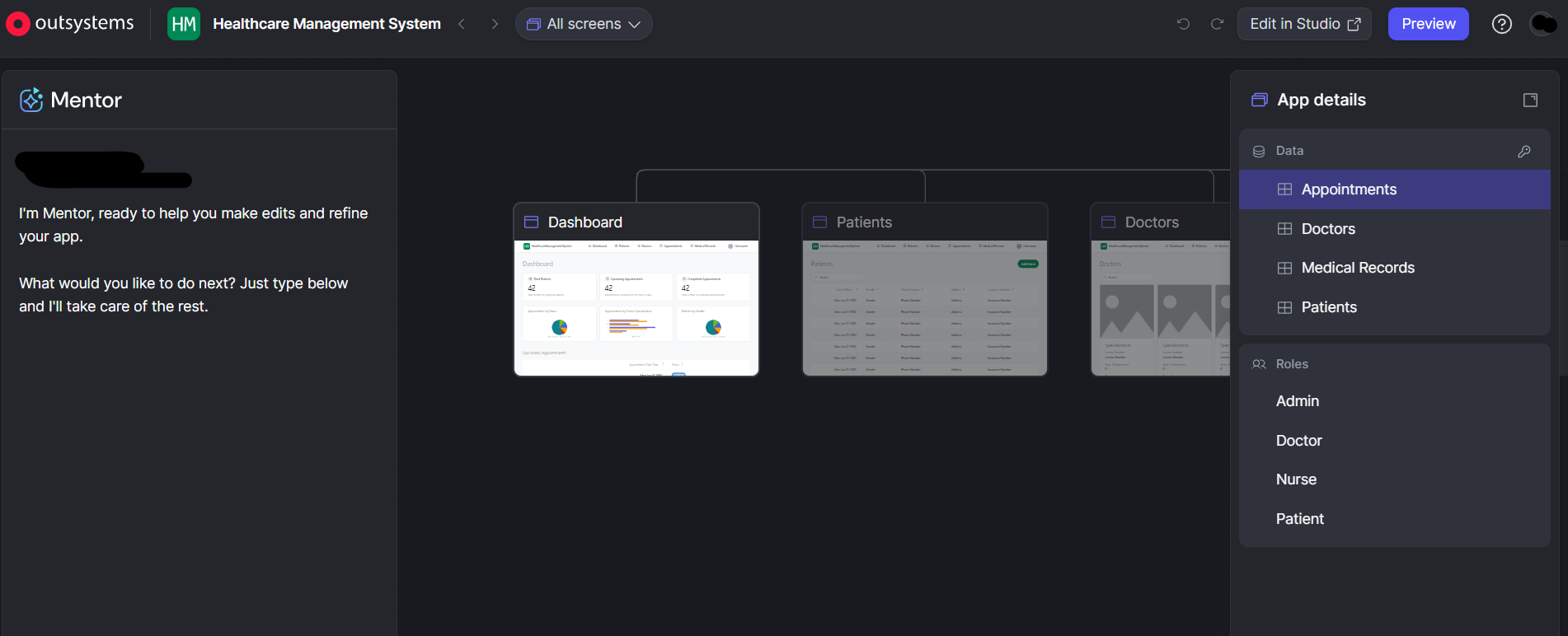
The platform’s visual building interface, Service Studio, lets developers build apps with a drag-and-drop interface and reusable components. You can create screens, organize data, and set up app functions. OutSystems also lets you add your own code to customize your app.
AI-Assisted Development
OutSystems Mentor uses AI to help you plan, build, and review applications from a simple prompt. You can upload project requirements and review AI-generated app designs. Make manual changes with the visual builder to customize your app to your own specifications.
You still need to check security settings, business rules, and system connections. For example, a product manager can upload requirements for an internal app and review Mentor's suggested design.
When I tested OutSystems, I prompted Mentor to build a healthcare database. After Mentor generated a database with patient and provider sections, I used the building interface to configure a schema specific to my healthcare workflow.
Workflow Automation
Workflow automation tools help you manage tasks and approvals. These tools can also help your entire team meet deadlines across different departments. You can create rules that assign work, send requests for approval, and alert staff when deadlines pass.
For example, your finance team can automatically send large purchase requests to a director for approval. If the director hasn't responded within two days, the system can send a reminder or alert another manager.
Integrations and APIs
Developers can connect apps to other business systems using APIs and ready-made integrations. These connections let apps share information with ERP, CRM, and other company software.
For example, a warehouse app can pull inventory data from SAP so workers can check stock levels on their phones.
However, you’ll need folks with development experience to manage access permissions, data formats, and connection errors. These tasks are too difficult for non-technical team members.
Application Deployment and Scalability
Manage app updates across development, testing, and live environments using built-in deployment tools. Developers can test updates, check system dependencies, and follow recovery steps when releases cause problems.
Developer Cloud also manages cloud infrastructure and offers tools for handling changes in demand.
For example, if you’re a retailer, you can test a returns portal update before a holiday sale, release it, and monitor its performance.
Security and Governance
Security tools help you control who can access, change, and publish applications. Administrators can assign user roles, limit permissions, and set rules for approving software updates.
The platform also provides logs and release histories that help teams investigate changes. However, the records available depend on the platform version and its settings.
For example, your compliance team can check deployment records to see when an update went live and which account released it.
OutSystems Pricing: How Much Does It Cost?
OutSystems doesn’t publish pricing plans. However, OutSystems offers a free Personal Edition for development and testing, with up to 100 internal users. But it provides no production runtime, uptime guarantee, or compliance options. Here’s a look at the plans:
OutSystems Add-Ons: What You Should Know
OutSystems add-ons are available if you purchase the base Developer Cloud subscription. The platform doesn’t publish add-on prices, so you’ll need to get a custom quote to learn the cost.
Here’s a look at the add-ons:
What Affects OutSystems Pricing?
Your app’s scale, licensing, and deployment requirements all affect the price you pay for OutSystems. Let’s look at each factor:
- Scale and licensing metrics: OutSystems prices apps by Application Objects (AOs): screens, database tables, and API methods. It also counts internal and external logged-in users, so estimate AOs early.
- Deployment requirements: Extra runtimes, self-hosting, a 99.95% uptime guarantee, and PCI DSS compliance all raise costs and depend on your plan.
- Development and implementation: You pay for engineering time, implementation services, and staff training. Budget for implementation separately from licensing.
- Integrations and customization: Connecting to SAP, Salesforce, or legacy databases takes design, setup, and testing. API methods raise your AO count. Plan connectors early and reuse existing ones.
- Support and maintenance: Your plan includes 8×5 professional support, with 24×7 as an upgrade. Budget separately for developer time on bug fixes, security reviews, code cleanup, and system updates.
OutSystems’ Pros and Cons: What Users Say
I researched user feedback from sites like G2, Capterra, and Trustpilot to find the platform’s highlights and hangups:
OutSystems Pros
- Fast development with flexible AI integrations: OutSystems simplified infrastructure management and accelerated development while supporting HIPAA and FedRAMP compliance requirements.
- User-friendly development: A user noted that OutSystems delivered intuitive development tools, impressive interfaces, and AI capabilities that accelerated development.
- Building apps is quick and easy: OutSystems made it easier for a user to build apps. Its tool, Service Studio, let their team design apps visually and reuse parts they’ve already built. It also connects to other software, works with databases, and makes apps that fit any screen size.
OutSystems Cons
- High licensing costs and steep learning curves: A user complained that licensing costs increased significantly as applications and user counts expanded across their large enterprise environment.
- Steep learning curve for advanced development: An OutSystems customer noted that developers faced increasing complexity when handling architecture, integrations, performance optimization, and advanced customization requirements.
- High licensing costs and slower development: A review questioned OutSystems' value after spending over $1 million annually on licensing and experiencing vendor lock-in. They mentioned that traditional technology stacks and AI offered faster, cheaper development alternatives.
Best OutSystems Alternatives
The best OutSystems alternatives depend on the type of application you’re aiming to build, your organization’s size, and compliance needs. Here’s a look at some of our top OutSystems alternatives:
My Final Verdict: Who Is OutSystems a Good Fit for?
OutSystems works great if you have developers and need large, enterprise-level apps. But if you’re a smaller organization, you should avoid the platform. Here’s how to determine if OutSystems is right for you:
Choose OutSystems If You:
- Have experienced developers and a need to build several complex business apps.
- Need applications that integrate with enterprise systems such as SAP, Salesforce, or legacy databases.
- Require role-based access controls and deployment audit trails to support governance and compliance.
Avoid OutSystems If You:
- Only need a few simple applications that don't justify enterprise licensing costs.
- Lack the budget or time to train developers or hire experienced implementation specialists.
- Need transparent, published subscription pricing rather than a custom sales quote.
Blaze: The Best OutSystems Alternative for Healthcare Apps
If this OutSystems review has convinced you that OutSystems isn’t the ideal choice for your healthcare app, try Blaze. You can build HIPAA-compliant apps without a custom quote or a team of developers.
Here’s why more companies go with Blaze:
- Healthcare software built for you: An expert-led three-person implementation team, including a project manager, healthcare developer, and integration engineer, builds apps such as production-ready patient portals and clinical databases, with no outside partner to hire. Blaze’s Integrations team also connects your EHRs and other systems.
- Opt to self-build: Use Blaze’s visual builder to create custom healthcare dashboards and applications without technical expertise or platform certification.
- App and workflow ownership: You can export your data and designs out of the platform, with no 6-figure price tag and no year-long wait for custom development,
- Replace repetitive administrative work: Automate patient intake, document routing, approvals, reminders, and other manual tasks while keeping your existing EHR in place.
- Faster implementation than enterprise low-code builds: Launch in weeks, not months, with no developer ramp-up period.
- AI integrations built for real clinical workflows: Blaze supports automated patient intake, document extraction, and OpenAI integration alongside secure EHR and EMR connections designed around how your care team actually works.
- Built on compliance-ready infrastructure: Blaze is a HIPAA-enabling, HITRUST e1-certified, SOC 2 Type II healthcare app development platform, with a BAA and HITRUST e1 included from day one.
Schedule a free build consultation call today and avoid onboarding developers and prepping for a months-long ramp-up. Get your compliant healthcare app built and launched in weeks.
Frequently Asked Questions
1. Is OutSystems HIPAA Compliant?
Yes, OutSystems can support HIPAA-compliant applications, but not right away or on every plan. HIPAA support comes through OutSystems Developer Cloud, which OutSystems says is certified for HIPAA and PCI DSS. To get it, you need the right plan and a signed BAA. As with any platform, staying HIPAA compliant also depends on how you set up your app, who can see PHI (Protected Health Information), and how well you check for risks.
2. What Do Gartner Reviews Say About OutSystems?
Gartner Peer Insights reviews say OutSystems excels at development speed, ease of use, and enterprise scalability. Users credit it with noticeably shortening delivery cycles. Reviewers also report high licensing costs, challenges with advanced development, and difficulties upgrading components. Feedback varies by reviewer, with some praising the platform's flexibility and others identifying limitations in debugging and development workflows.
3. Is OutSystems Worth the Cost?
OutSystems is worth the cost for enterprises building multiple complex, integrated applications at scale. However, cost savings depend on application complexity, team productivity, and long-term maintenance requirements. Smaller organizations building simple applications may find better value in lower-cost alternatives.
Sources
1. U.S. Department of Health & Human Services. “Summary of the HIPAA Security Rule.” HHS.gov. https://www.hhs.gov/hipaa/for-professionals/security/laws-regulations/index.html
2. U.S. Department of Health & Human Services. “Security Rule Guidance Material.” HHS.gov. https://www.hhs.gov/hipaa/for-professionals/security/guidance/index.html
3. National Institutes of Health: StatPearls. “Health Insurance Portability and Accountability Act (HIPAA) Compliance.” NCBI. https://www.ncbi.nlm.nih.gov/books/NBK500019/
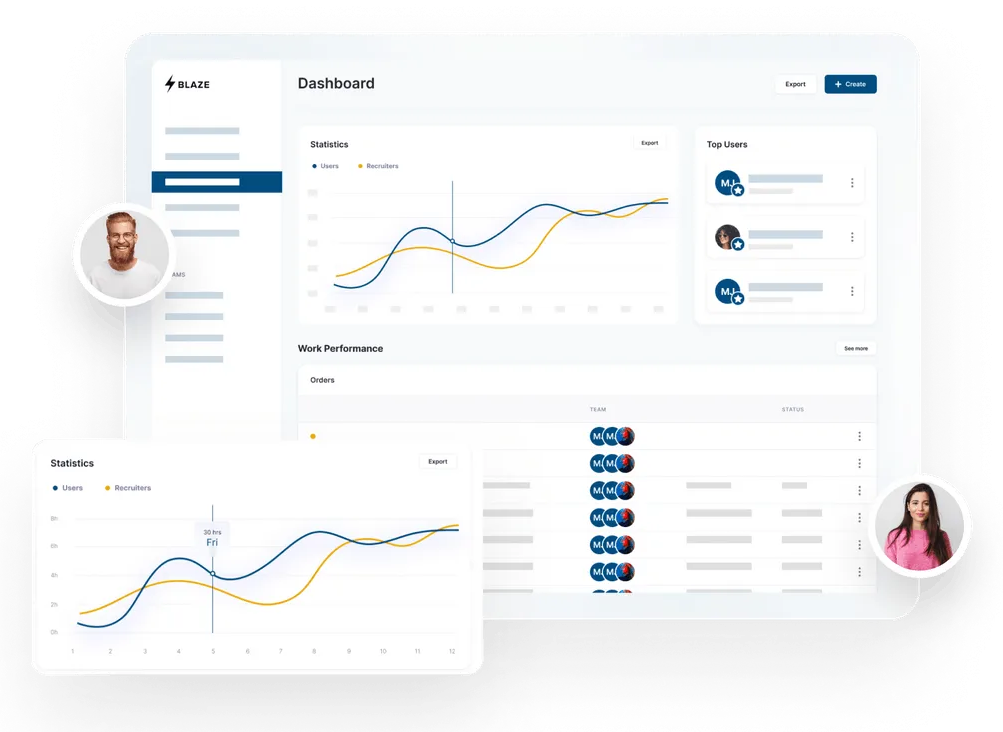
Build a HIPAA-Compliant App Today
Request the app you want. Blaze AI assembles it for you and your healthcare team.
Trusted by Fortune 500s and startups
HIPAA compliant, SOC 2 and HITRUST certified
Zero coding required

Ready to Build Your Custom Healthcare App?
Launch your own healthcare app today that's fully HIPAA compliant.
Related Articles
Discover related guides on healthcare no-code development, HIPAA compliance, security, integrations, and launching apps faster.
Telemedicine Platform Cost: Pricing, Fees, and Options in 2026
Telemedicine platform costs range from $29 monthly to $500,000+ for custom builds. I compared vendor pricing and client cases to find budgeting considerations.
OutSystems Review: Pros, Cons, and Ideal Users (2026)
My OutSystems review reveals where the platform delivers and where it falls short. I tested its AI tools and examined user feedback to assess usability.
Hospital App Development: Features, Steps, and Costs in 2026
Hospital app development costs range from $1,000 to over $1 million. Compare needed features, EHR integrations, development steps, and the 3 build approaches.