
Table of contents
Top 9 Cursor Alternatives: Tested & Ranked 2026

Written by
Nanxi Liu

Reviewed by
Blaze Team
Expert Verified
Cursor is great for tab completion and cloud agents in a code editor. However, usage-based pricing can push costs above the $20 Pro plan.
Try Blaze.tech if you need to build HIPAA-compliant healthcare apps and GitHub Copilot if you want AI agents inside an IDE you already use.
I tested 9 Cursor alternatives on multi-file changes and fixing failed tests and compared each on cost, agent control, and AI model options. By the end, you’ll know which Cursor alternative fits your workflow, budget, and deployment needs.
The 9 Best Cursor Alternatives: TL;DR
- Blaze.tech: Best for HIPAA-Compliant Healthcare App Development
- Devin Desktop: Best for AI-Native Desktop Development
- GitHub Copilot: Best for AI Assistance in Existing IDEs
- Claude Code: Best for Terminal-First Agentic Coding
- Cline: Best for Open-Source VS Code Agents
- Zed: Best for Fast Collaborative AI Coding
- Aider: Best for Open-Source Terminal Coding
- Trae: Best for Free AI IDE Features
- OpenHands: Best for Open-Source Autonomous Coding
Why People Seek Cursor Alternatives
People seek Cursor alternatives because its pricing can get expensive, and the usage limits get in the way of large workflows. Here’s a look at the reasons:
- Usage-based pricing can get expensive: The Pro starts at $20 per month, but heavy use of agents and more expensive models can push costs beyond the base subscription. This makes spending less predictable for developers who rely heavily on AI throughout the workday.
- Usage limits can interrupt heavy workflows: Plans include usage allowances, and different models can consume those allowances at different rates. Developers who exhaust their included usage may need additional paid usage or a higher plan to maintain the same workflow.
- Some developers want to keep their existing workflow: Cursor is its own AI code editor. Developers who prefer working from the terminal or keeping their existing IDE may favor alternatives such as Claude Code, GitHub Copilot, Cline, or Aider.
- It’s still a developer tool: Engineers can use it to speed up software development, but Cursor doesn't eliminate the need to understand code and application structure. Teams that want to describe an application and have more of the infrastructure handled for them may prefer an app builder instead.
Which Cursor Alternative Should You Choose?
Choose a Cursor alternative based on your development workflow and how much control you want over your AI agents. Follow this guidance:
Choose Blaze.tech If You...
Need HIPAA-ready patient portals, intake systems, or EHR-connected apps without building compliance infrastructure.
Choose Devin Desktop If You...
Run Codex, Claude Agent, and Devin side by side and want one Kanban board to track them all.
Choose GitHub Copilot If You...
Want AI agents inside JetBrains, Visual Studio, or Xcode without switching editors.
Choose Claude Code If You...
Prefer handing off migrations, refactors, and test-fix loops from Claude’s terminal, then reviewing diffs instead of typing line by line.
Choose Cline If You...
Want an open-source agent inside VS Code and already hold API keys or model contracts.
Choose Zed If You...
Feel lag in Electron-based editors or pair program with teammates in real time.
Choose Aider If You...
Want free, terminal-based AI edits with every change saved as its own Git commit, plus support for multiple models, including local ones.
Choose Trae If You...
Are a student, hobbyist, or solo developer who wants a familiar VS Code-based IDE and an autonomous SOLO agent for free or $3 per month.
Choose OpenHands If You...
Want agents fixing CI failures, updating dependencies, and triaging tickets inside your own VPC.
Stick With Cursor If You...
Want tab completion, multi-file agent edits, and cloud background agents in one polished VS Code-based editor, and you accept usage-based costs.
9 Cursor Alternatives: At a Glance
1. Blaze.tech: Best for HIPAA-Compliant Healthcare App Development
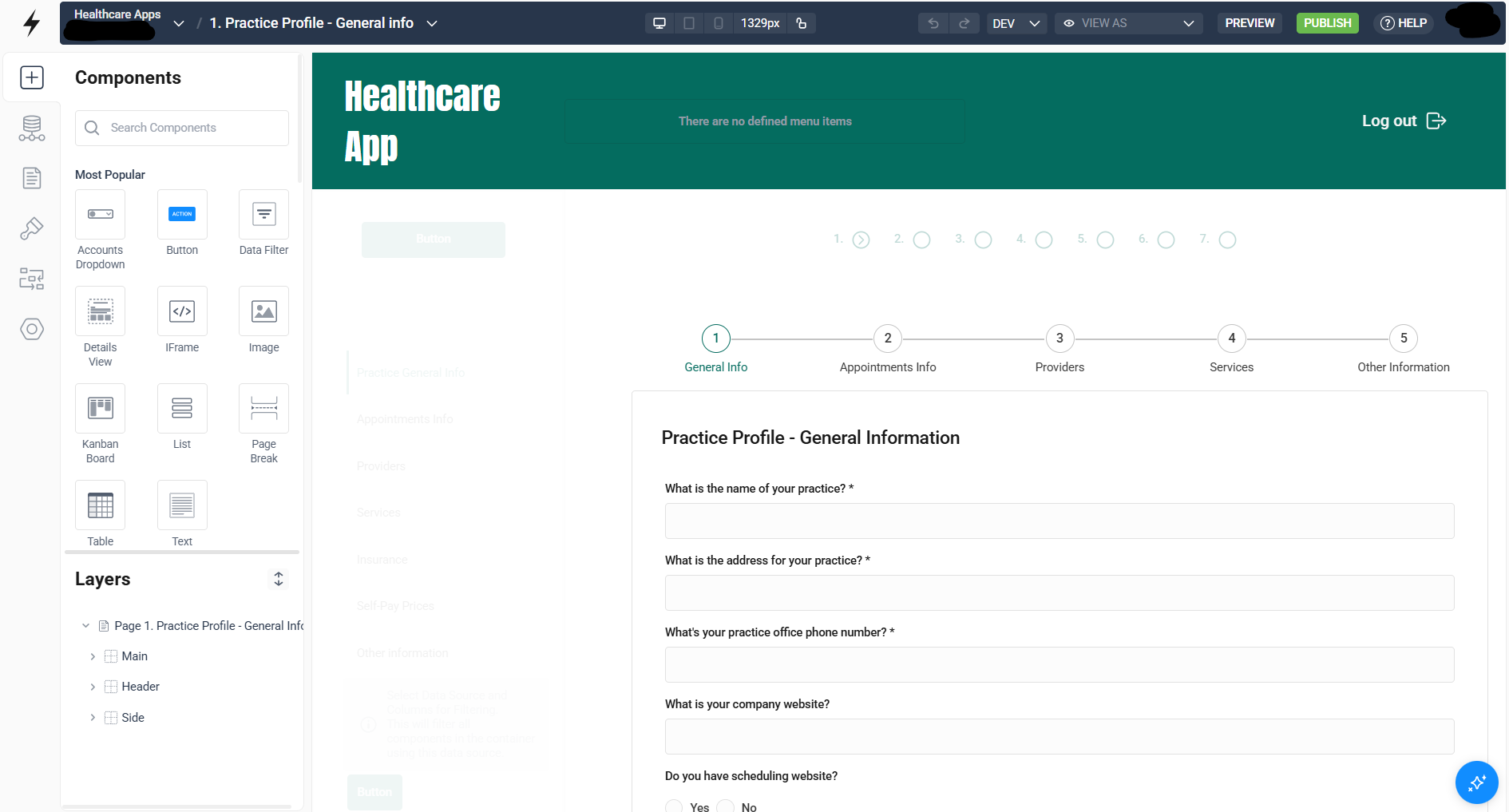
Blaze.tech is a vendor-assisted healthcare app builder that also provides a visual builder that puts your team in the driver's seat for app building.
I tested Blaze by building a healthcare chatbot that explained mock lab reports. After building the workflow, I logged into the finished app and viewed test results. I then asked the chatbot questions about LDL and HDL levels.
The test gave me a working healthcare app with the chatbot already built into it. The chatbot explained the results in plain language and covered heart health risks. Its answers stayed general and did not provide specific treatment advice.
User Reviews
“Lots of existing integrations, so it made it easy for us to connect to our third-party systems like Salesforce, SendGrid, Stripe, and MongoDB. Overall, I’ve found Blaze to be one of the most powerful and adaptable solutions available. Our team is very happy.” - Julian C., G2
“The initial engagement with Blaze had a learning curve. The platform is robust and was transformative for our operations, but it did also require a dedicated period to learn. New users took some time to get used to it…” Ryan C., G2
Key Features
- Visual application builder: Build patient portals, intake systems, dashboards, internal tools, and other healthcare applications through a visual development environment instead of writing the entire application in an AI code editor.
- HIPAA-ready infrastructure: Blaze includes HIPAA-enabling controls alongside SOC 2 Type II and HITRUST e1 certification, reducing the compliance infrastructure developers would otherwise need to configure around generated code.
- OpenAI integration under a BAA: Add AI-powered intake, document processing, summarization, coding, and other workflows with OpenAI covered under a business associate agreement.
- Pre-built EHR integrations: Connect applications to Epic, Oracle Health, athenahealth, and eClinicalWorks without building every healthcare integration from scratch.
- FHIR and HL7 connectivity: Use healthcare-specific APIs and interfaces to exchange clinical data instead of relying on screen-scraping automation.
Pros
✅ Less engineering required: Blaze handles hosting, infrastructure, access controls, deployment, and healthcare integrations, so your team has fewer systems to set up.
✅ Built for healthcare apps: Includes HIPAA-ready features and healthcare integrations within the platform. Developers have fewer outside tools to connect and manage.
Cons
❌ Not a Cursor-like code editor: Blaze is not built for developers who mainly want AI autocomplete, coding help, or a new IDE.
❌ Vendor-hosted deployment: The platform runs on AWS and does not support on-premises or bring-your-own-cloud deployment.
Best for
- Healthcare organizations building apps that handle PHI
- Healthcare startups building patient-facing or clinical apps
- Non-technical teams needing hands-on development support
- Teams needing EHR, FHIR, or HL7 integrations
Pricing
After the free sandbox version, Blaze pricing starts at $750/month.
2. Devin Desktop: Best for AI-Native Desktop Development
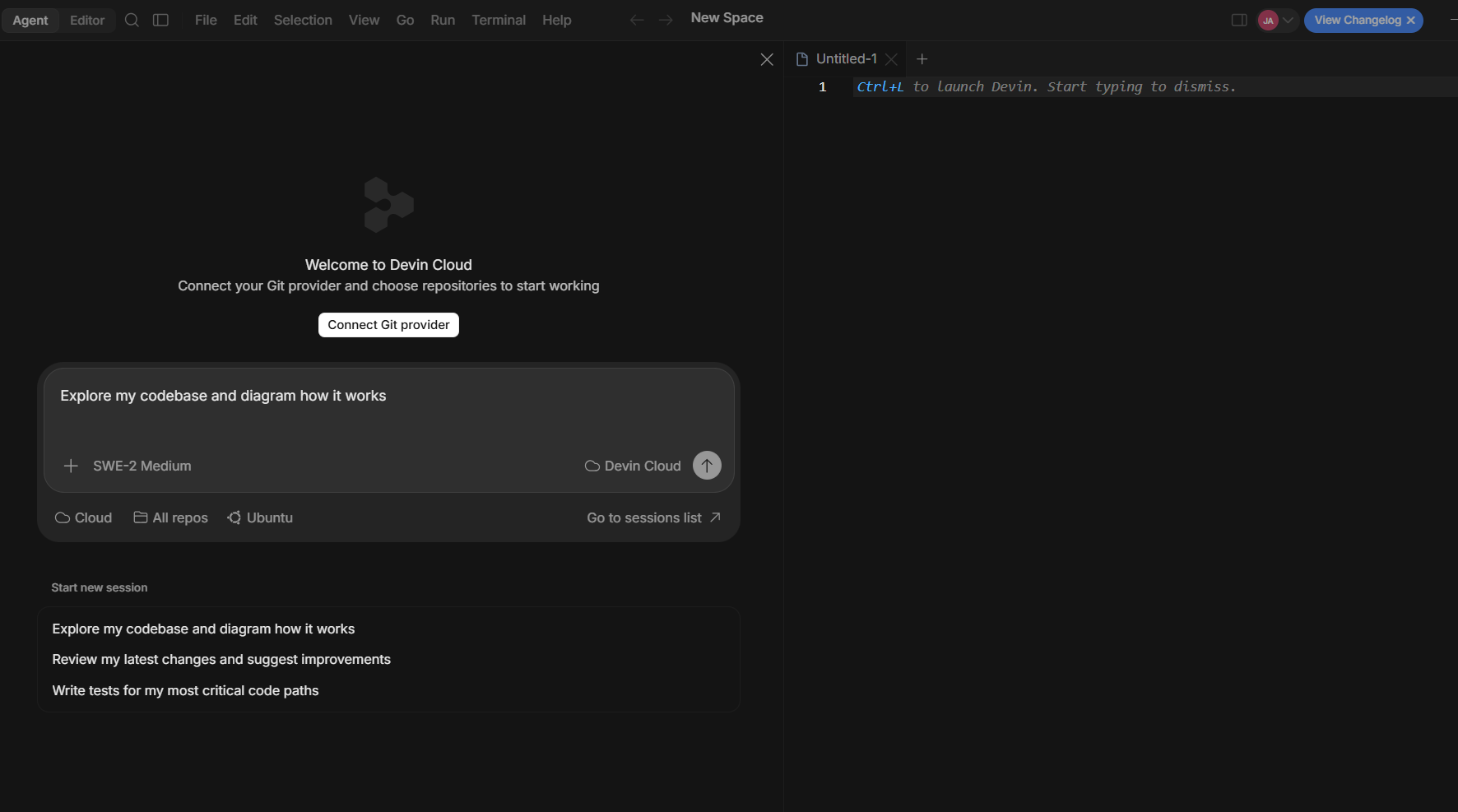
Devin Desktop, the next generation of Windsurf, lets you manage local and cloud coding agents from one workspace.
I tested Devin Desktop using its Agent Command Center, which defaults to a Kanban-style view for managing local and cloud agent sessions. I could move into the full IDE when I wanted to work directly with the code. Spaces kept related sessions, pull requests, files, and project context together so I could manage everything in one place.
User Reviews
“Devin AI is great for speeding up software development and handling repetitive coding tasks. I especially like that it can take a task from start to finish, including understanding the codebase, making changes, running tests, and debugging issues.” - Meet S., G2
“Sometimes this Devin AI makes changes beyond the scope of the task. Sometimes it makes its own assumptions and makes changes that can break running code.” - Vyankatesh C., G2
Key Features
- Agent command center: Manage local and cloud coding agents from one Kanban-style board.
- Shared-context Spaces: Keep related sessions, pull requests, files, and project details together.
- ACP agent support: Run Codex, Claude Agent, OpenCode, and compatible custom agents alongside Devin.
Pros
✅ Manage local and cloud agents: Your team can control agents running locally and in Devin Cloud from the same workspace.
✅ Free plan available: Devin Desktop currently has a free plan so you can learn if the platform fits with no cost.
Cons
❌ Third-party agents need ACP (Agent Client Protocol) support: External and custom agents must support ACP to work within Devin Desktop’s shared agent interface.
❌ Desktop installation required: You must download Devin Desktop and install it locally, so you can’t use its full development environment entirely through a web browser.
Best for
- Teams managing several coding agents at once
- Previous Windsurf users moving into multi-agent workflows
- Engineers managing local and cloud agents
- Teams using ACP-compatible custom coding agents
Pricing
Start using Devin Desktop for $20/month.
3. GitHub Copilot: Best for AI Assistance in Existing IDEs
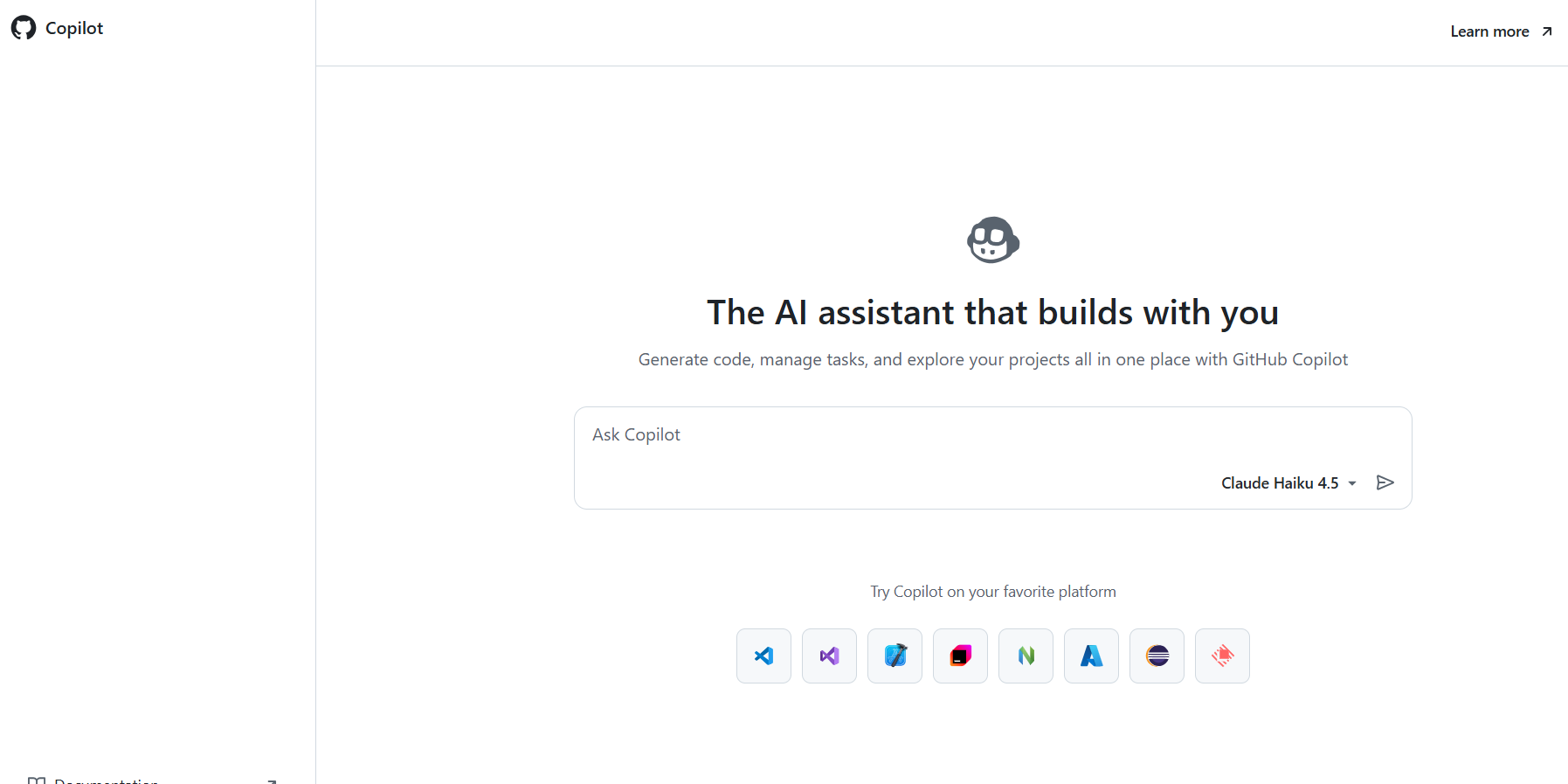
GitHub Copilot adds agentic coding tools to the development environments your team already uses.
I tested GitHub Copilot inside VS Code, where I used code completion and agent mode to edit multiple files and work through coding tasks.
Copilot also works with JetBrains IDEs, Visual Studio, Xcode, Neovim, and Eclipse. This feature let me keep using my existing editor and development workflow while using Copilot for code completion and agent-based programming tasks.
User Reviews
“The most helpful part is having the Copilot assistant built directly into the mobile app. It completely removes the friction of brainstorming code updates when I am away from my desk. For example, when working on a repository issue to expand a Python script, I can use the chat interface to map out the logic.” - Chandra K., G2
“The main issue I’ve faced while using it is that when there’s an error in the code, GitHub Copilot isn’t very helpful. In those situations, I end up going back to ChatGPT to figure it out.” - Rushi S., G2
Key Features
- Pull request reviews: Ask Copilot to review pull requests and suggest code changes directly on GitHub.
- Model selection: Choose from supported OpenAI, Anthropic, Google, and other models, with access differing by feature and plan.
- Organization controls: Business and Enterprise admins can manage Copilot policies, access, spending, and supported content exclusions.
Pros
✅ $10 individual plan: Copilot Pro costs $10 per month and includes unlimited code completions, LLM selection, code review, and cloud-agent access.
✅ Works across major IDEs: Teams can add Copilot to supported development spaces without adopting a dedicated AI-first editor.
Cons
❌ Features vary by environment: Agent mode and other advanced Copilot features aren’t available across every editor and connection.
❌ Cloud agent requires GitHub: Copilot’s cloud agent works with libraries stored on GitHub, so it can't directly take assignments against libraries hosted only on GitLab or another Git platform.
Best for
- Teams keeping their current IDE
- Organizations that already work in GitHub
- Developers who want unlimited code completions
- Individuals starting at $10 per month
Pricing
GitHub Copilot pricing starts at $10 per user/month.
4. Claude Code: Best for Terminal-First Agentic Coding
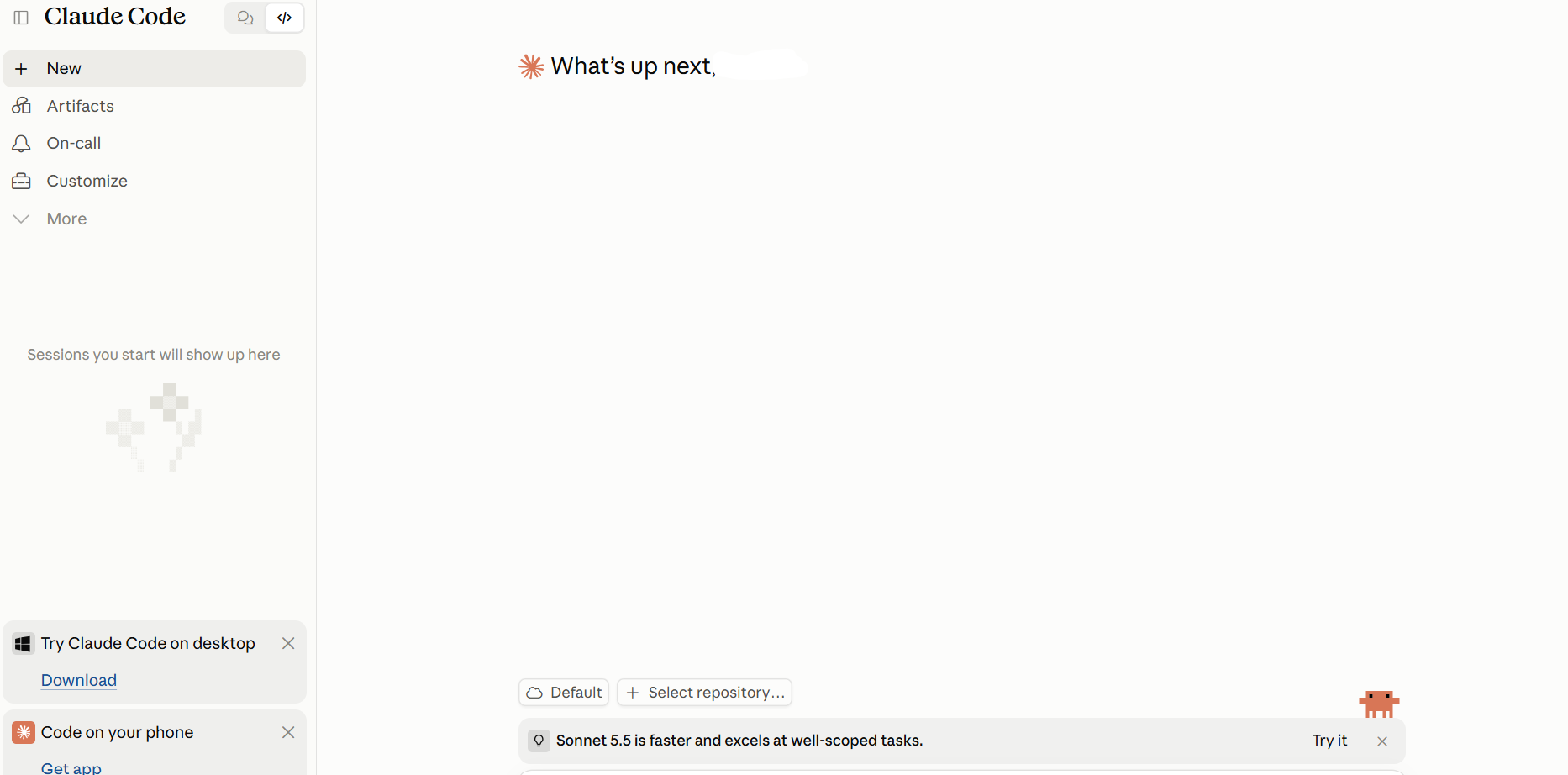
Claude Code fits developers who prefer to delegate whole tasks directly from a terminal.
I tested Claude Code on a multi-step coding task. It read the codebase, edited files, ran tests, and kept working when tests failed. As it worked, I could review each change and approve commands before they ran. This gave me control over the process while Claude Code handled the coding steps.
Anthropic later added Claude Code Projects, which lets developers run several cloud coding agents on different tasks at the same time.
User Reviews
“Claude Code has the best agentic workflow for code development. Also, the recent models like Opus 5 and Fable are the best in the industry. I no longer need to write code; I just need to orchestrate the agents and keep a watch on them, and they do all the work for me.” - Suraj, G2
“People having "good experiences" with Claude don't know enough to recognize bad code. They accept the output, don't verify it works, don't maintain it long-term. The code compiles, so it must be fine. They're not doing serious work with actual standards.”: - Claude Code User, Reddit
Key Features
- Codebase exploration: The platform searches files and folders to find relevant code for you.
- Test-and-fix workflows: Claude Code can run tests, check failures, edit code, and rerun commands as it works through a task.
- Parallel agent workflows: Run several Claude Code sessions or subagents at once, with each one handling a separate task.
Pros
✅ Handles multi-step coding tasks: Claude Code can explore your codebase, edit files, run commands, and test its changes. It can then fix problems it finds along the way.
✅ Works across several editors: The platform runs from the terminal and connects with VS Code, Cursor, other VS Code forks, and JetBrains IDEs.
Cons
❌ Claude model lock-in: Claude Code uses Anthropic's Claude models and has no built-in option to switch to GPT or Gemini.
❌ Usage limits apply: Pro and Max have session and weekly limits that are shared with Claude. You can buy additional usage or switch to API billing after reaching those limits.
Best for
- Developers handling multi-step coding tasks
- Teams working with large existing codebases
- Terminal-first developers using AI coding agents
- Organizations using Bedrock or Vertex AI
Pricing
Individual Claude Code plans start at $20/month.
5. Cline: Best for Open-Source VS Code Agents
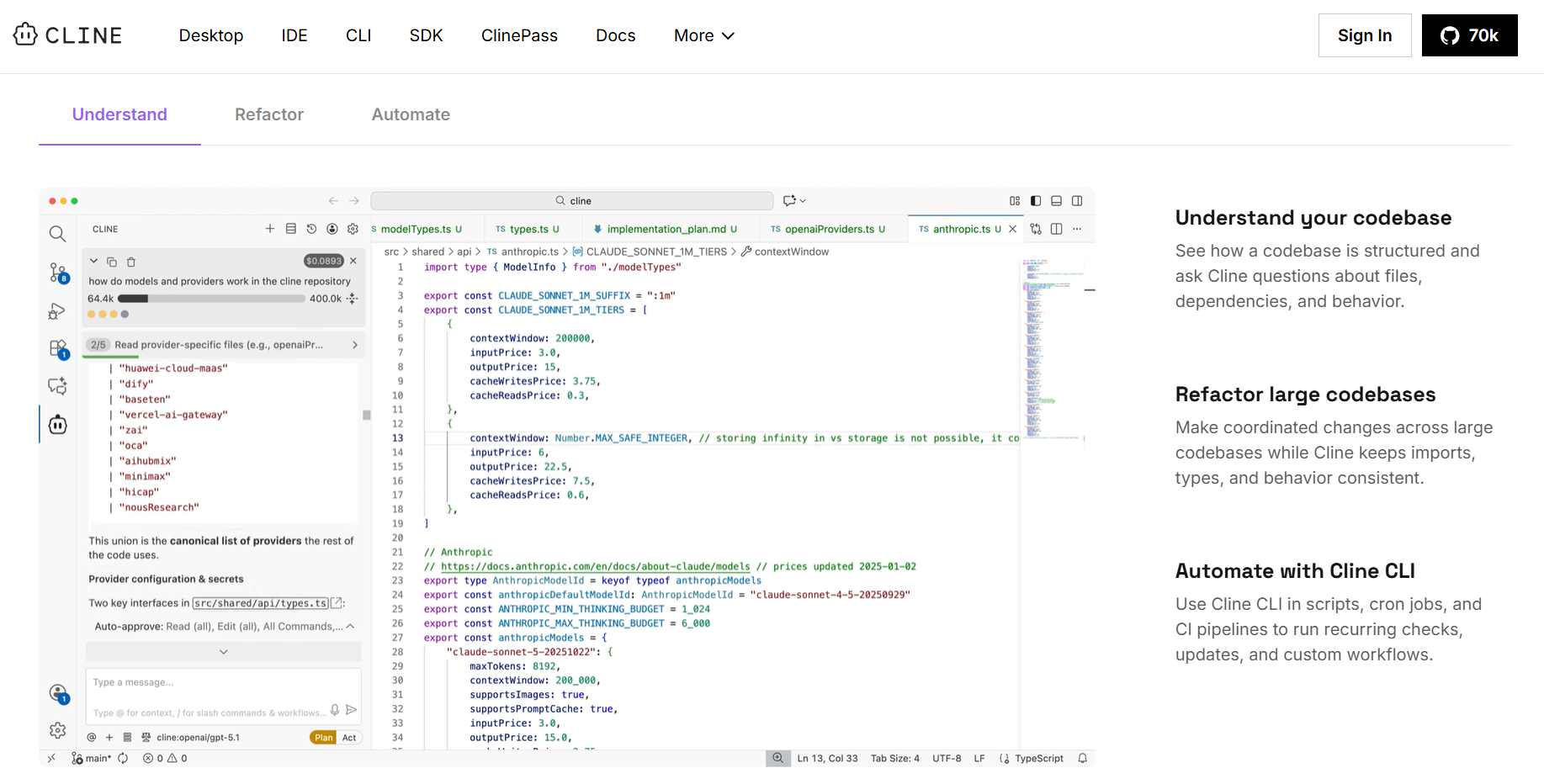
Cline brings an autonomous, open-source coding agent into stock VS Code, giving you control over which models you use and how much you spend.
I tested Cline inside VS Code, starting with Plan mode to map out my changes. After switching to Act mode, Cline could edit files and run terminal commands. Before taking action, Cline asked for my approval. Auto-approve was also available when I wanted the agent to work with less supervision.
User Reviews
“Cline is simply the best AI coding agent out there. Part of my team's job is to test them all, and the Cline / Roo paradigm is great, and has been shaping the industry for the last 6 months, hence why Claude Code and others are copying them.” - Romain B., Product Hunt
“Definitely do not buy the premium version of Cline. When I first created an account on cline.bot, the trial worked well, so I assumed the premium version would offer the same experience. I ended up purchasing a full year of premium, and that was a mistake.” - Sami, Trustpilot
Key Features
- Bring your own key: Connect supported model-provider API keys and have inference usage billed by the provider.
- MCP Marketplace: Install MCP servers that connect Cline to external tools, services, and data sources.
- Local model support: Connect local models through providers such as Ollama and LM Studio.
Pros
✅ Works inside VS Code: Developers can add Cline to an existing VS Code environment without moving to a separate AI-first editor.
✅ Private deployment options: Cline Enterprise supports VPC, on-premises, and air-gapped deployments.
Cons
❌ AI costs can vary: Your costs depend on the AI provider, model, and number of tokens Cline uses to complete a task.
❌ Limited focus on code suggestions: Cline focuses on planning tasks, editing code, and running commands. Developers who rely on inline code suggestions may prefer another tool.
Best for
- Developers bringing existing model API keys
- Teams wanting open-source agent tooling
- VS Code users keeping their current editor
- Organizations requiring private or offline deployments
Pricing
Cline’s open-source version is free. Enterprise users should contact the Cline sales team for custom pricing.
6. Zed: Best for Fast Collaborative AI Coding
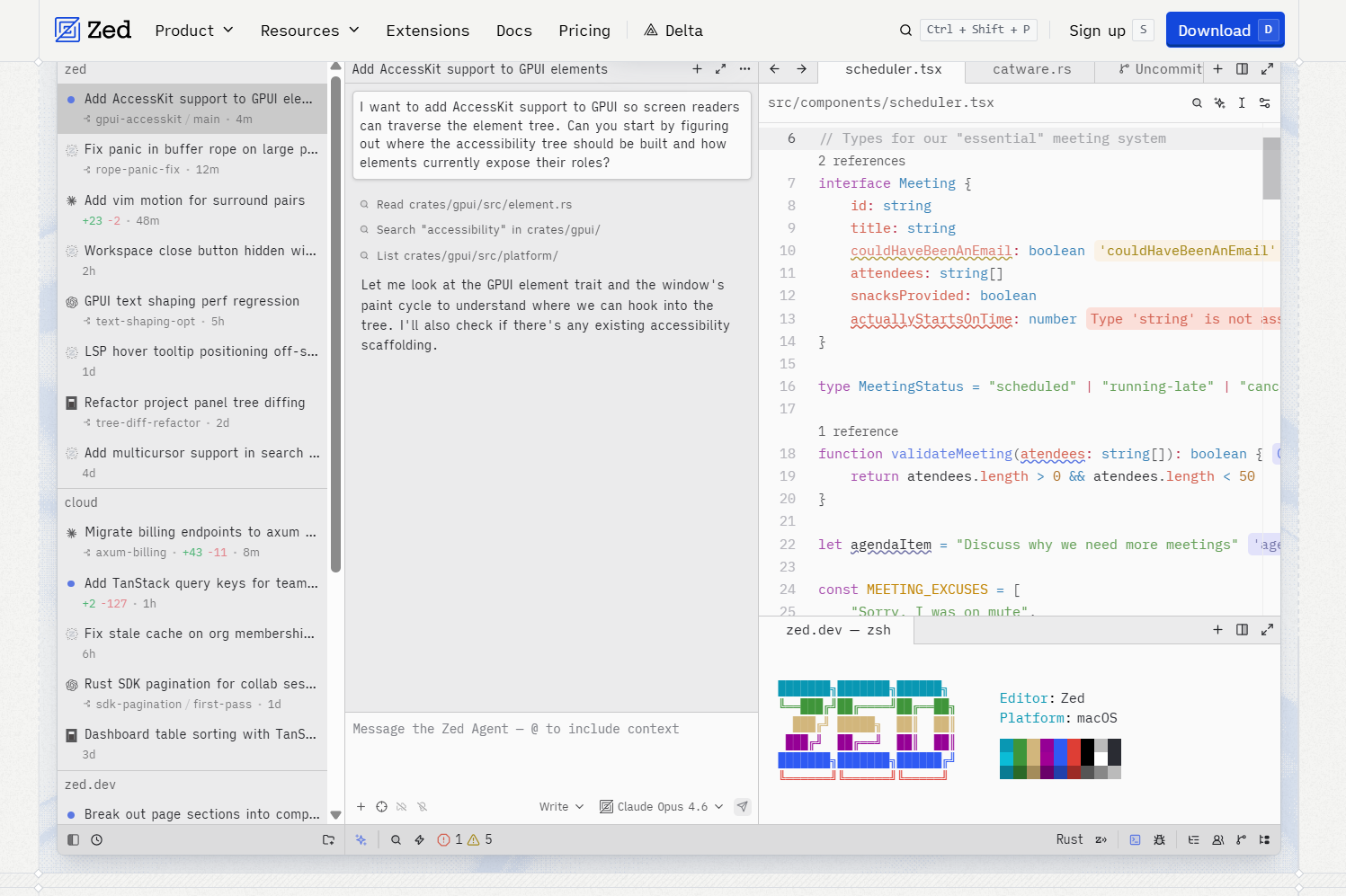
Zed combines AI agents and real-time collaboration in a native Rust editor.
I tested Zed on a larger codebase to see how it handled everyday development work. Its Rust-based editor and GPU rendering kept navigation and editing responsive. The Agent Client Protocol support also let me use Claude Agent and Codex CLI inside the editor. This saved me from jumping between separate tools as I worked.
User Reviews
“ZED helps me retrieve actionable next steps from scattered CRM sales data. It provides conversation-based deal intelligence in an easy-to-deploy tool, making it simpler to turn sales conversations and CRM information into clear follow-up actions.” - Melanie S., G2
“I stopped using it for Python projects as the LSP / linters just seemed dog slow. Maybe it was a skill issue, but the whole value prop for me is that it will "just work", so needing to try to troubleshoot was undesirable.” Matt C., Product Hunt
Key Features
- External agent support: Run agents including Claude, Codex, OpenCode, Copilot, and Cursor through ACP connections.
- Edit predictions: Accept single-line or multi-line AI code predictions with Tab as you type.
- Built-in Vim mode: Use Vim-style keyboard commands without installing a separate extension.
Pros
✅ Built-in collaboration: Real-time multiplayer features are part of the editor instead of requiring a separate collaboration extension.
✅ Weekly releases: Zed maintains a weekly release cycle for editor improvements, fixes, and AI features.
Cons
❌ Requires editor migration: Unlike an AI extension added to VS Code or JetBrains, adopting Zed means moving development work into a separate editor.
❌ No VS Code extension compatibility: Zed has its own extension system, so teams can't simply carry their existing VS Code extensions into the editor.
Best for
- Developers wanting a native Rust editor
- Teams using real-time collaborative editing
- Vim users wanting built-in modal editing
- Developers combining multiple external AI agents
Pricing
Start using ZED for $10/month.
7. Aider: Best for Open-Source Terminal Coding
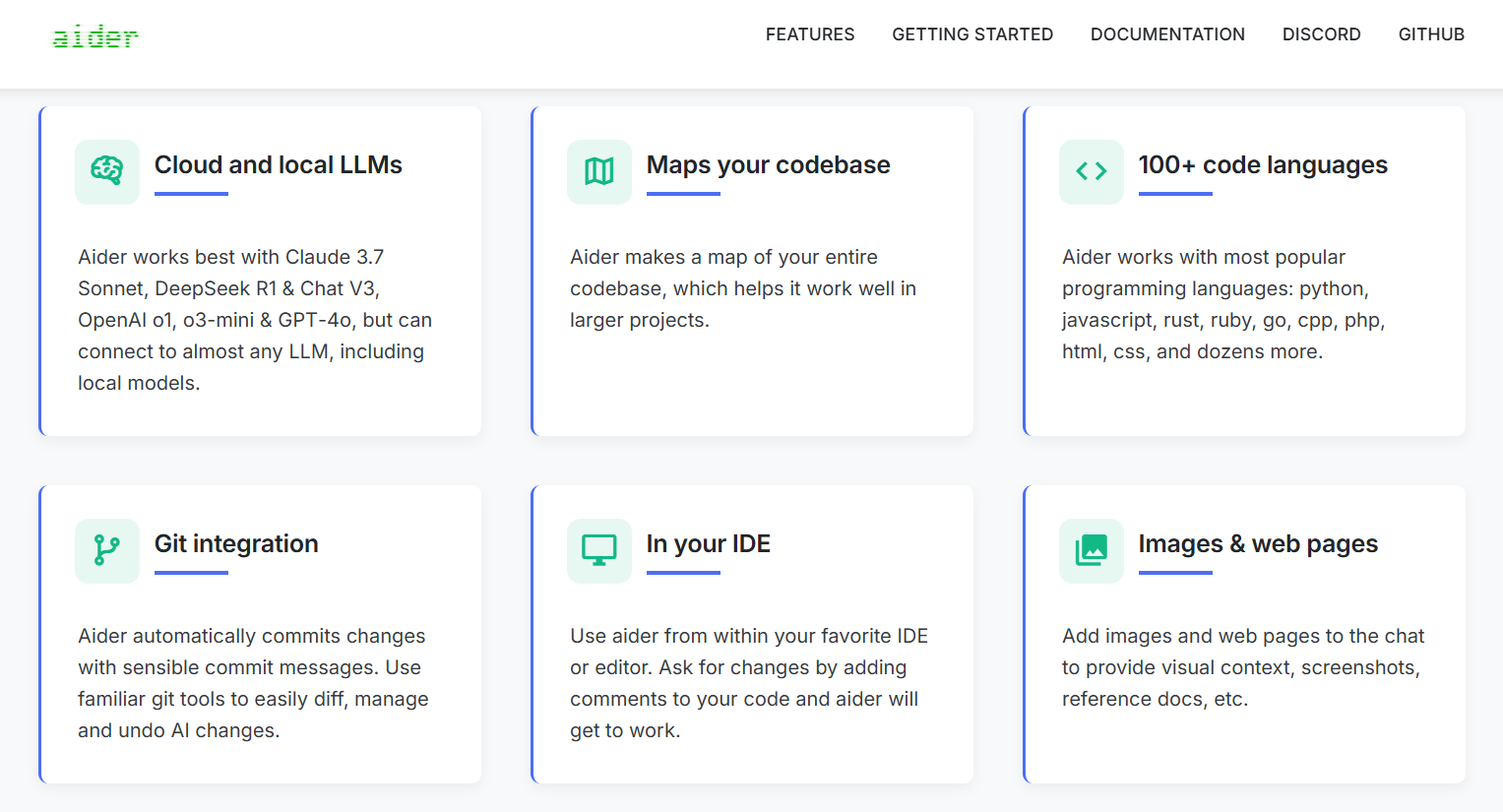
Aider uses Git to protect your work; it saves AI-made changes, which you can review or undo.
I tested Aider from the command line, adding specific files to the chat and describing the changes I wanted. Its repository map helped it understand the wider codebase before editing my selected files and creating Git commits with clear messages. The platform also provided flexible model selection, supporting both cloud and local models.
User Reviews
“Aider clicked for me once I realized it commits each change as its own git commit, so the model's work is reviewable and revertable like any teammate's. Being model-agnostic means I can point it at whatever is cheapest or strongest that week.” - Depanker, Product Hunt
“I am experimenting with both Cursor and Aider and find them great, but it is difficult to review changes coming from Aider. I came up with the following solution; it is a little bit of work, but it utilizes the traditional PR review mechanics.” - Aider user, Reddit
Key Features
- Repository map: You can map your codebase to help the AI understand important files, code, and connections.
- Automatic Git commits: Aider saves its code changes as Git commits by default, so you can review or undo them.
- Lint and test tools: Set Aider to run tests and code checks, then ask the AI to fix any problems.
Pros
✅ Control over AI context: Choose which files to add or remove while the repository map gives the AI a wider view of your code.
✅ Broad model support: Connect models from OpenAI, Anthropic, Google, DeepSeek, OpenRouter, and other providers. Local models also work.
Cons
❌ AI costs can vary: Costs depend on the provider, model, and number of tokens used during each coding session.
❌ Built around the terminal: Most work happens through the command line, which may not suit developers who prefer a visual AI editor.
Best for
- Developers wanting Git-backed AI edits
- Terminal users working with several AI models
- Developers testing local AI models
- Individuals avoiding another seat fee
Pricing
Aider is a free, open-source tool with no subscription fee. You pay any usage charges from the AI model you connect. See Aider's usage documentation for details.
8. Trae: Best for Free AI IDE Features
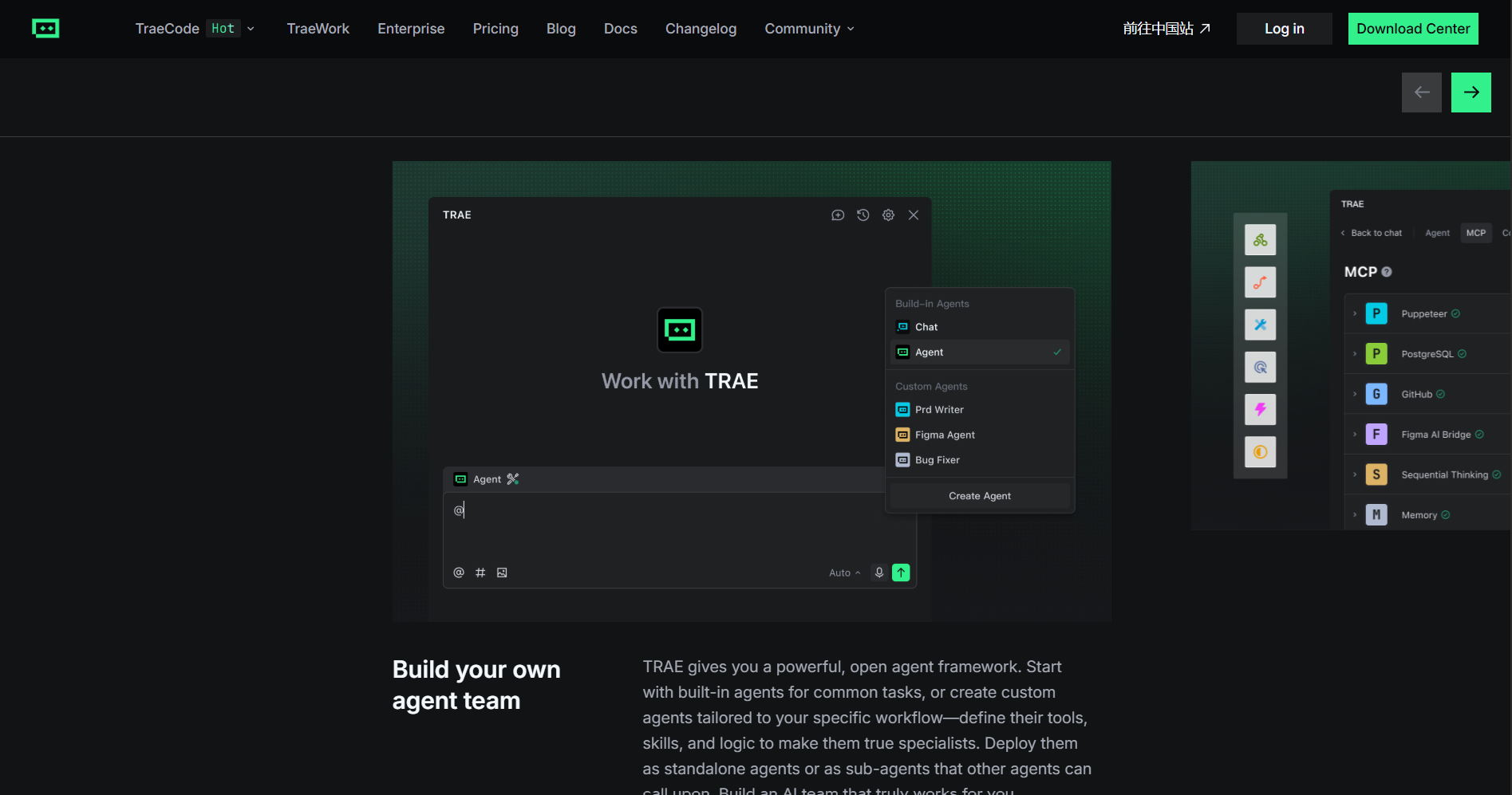
Trae offers a Cursor-style AI IDE with its autonomous SOLO agent for free.
I tested Trae as a Cursor and Replit alternative and found the transition easy. Its VS Code-based interface, extensions, and keyboard shortcuts felt familiar. Chat, inline editing, and autocomplete covered everyday coding. SOLO mode handled larger tasks by planning and completing multiple steps.
User Reviews
“I’ve been using Trae for a short time and already see how it significantly streamlines the coding process. Its AI-driven task planning, automated environment setup, and real-time previews make development both faster and more intuitive.” - Gene D., Product Hunt
“I subscribed in July 2025, the week after they removed the good agents, and my account has 600 fast premium requests and unlimited slow requests. I logged in and I noticed that they changed the billing system, so every month I should get 20$ to spend; when I tested it with a small task, it charged 1.17$...” Youcef, Trustpilot
Key Features
- IDE and SOLO modes: Switch between coding yourself in IDE mode and letting the agent handle tasks in SOLO mode.
- Built-in AI models: Use supported AI models through TRAE without setting up separate API keys.
- Custom agents: The platform offers built-in agents, or you can create your own with custom tools, skills, and workflows.
Pros
✅ Handles larger coding tasks: SOLO can use the editor, terminal, browser, and other tools to complete multi-step tasks.
✅ Regular product updates: TRAE frequently releases updates for its IDE, agents, AI models, and workflows.
Cons
❌ ByteDance ownership: ByteDance develops TRAE. Companies with rules covering ByteDance software may need extra security or vendor reviews before using it.
❌ AI usage has limits: Requests use your monthly balance based on the AI model and number of tokens processed.
Best for
- Developers testing autonomous coding workflows
- Hobbyists building projects with SOLO
- Programmers wanting a low-cost AI IDE
- Developers wanting built-in AI models
Pricing
Start using Trae for $3/month.
9. OpenHands: Best for Open-Source Autonomous Coding
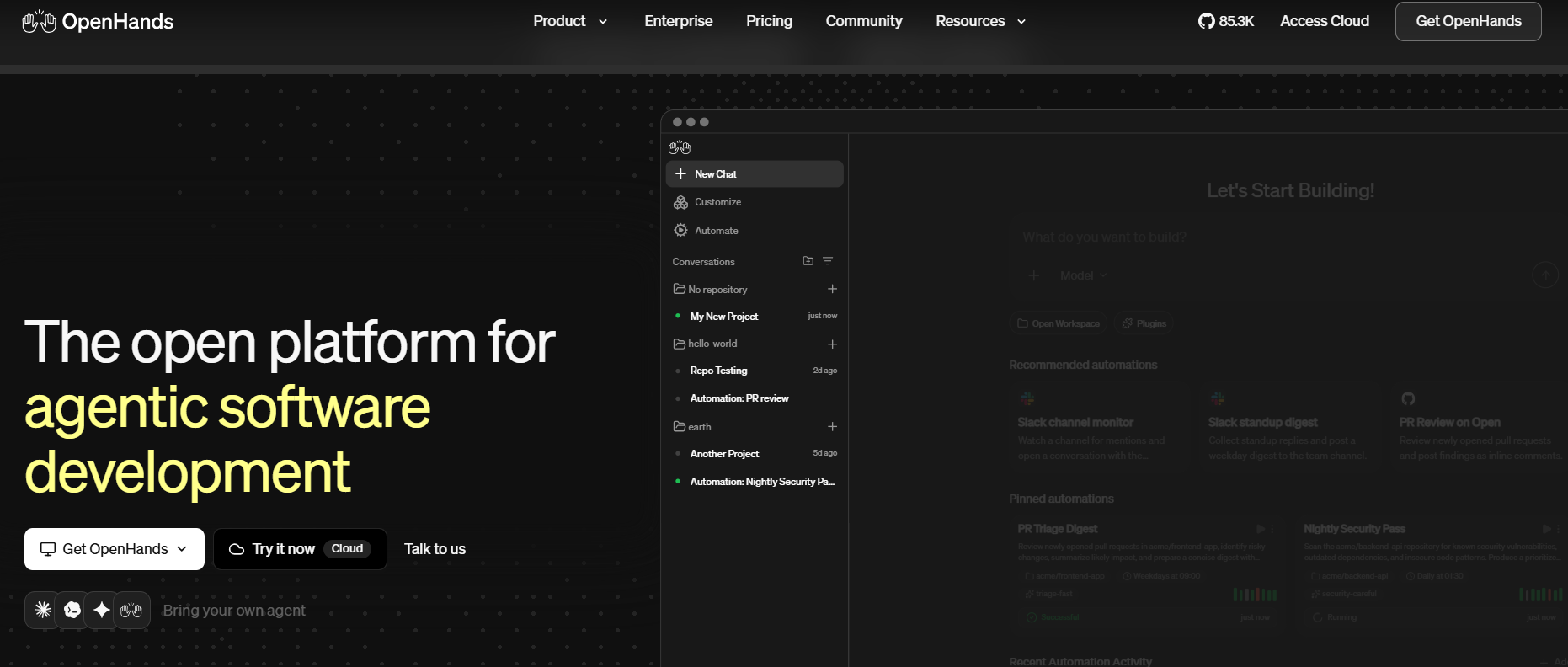
OpenHands suits teams that want to run autonomous coding agents on their own infrastructure and start tasks from tickets.
I tested OpenHands with coding tasks that required planning, code changes, and testing inside an isolated sandbox. Agents could run locally or through OpenHands Cloud. GitHub, Slack, Jira, and Linear integrations also gave me several ways to start tasks. It worked well for recurring development tasks such as CI fixes, dependency updates, and pull request reviews.
User Reviews
“What I like best about OpenHands is how it makes working with AI feel practical and genuinely useful. It can understand what I’m trying to accomplish, work through tasks step by step, and actually take action instead of just giving suggestions.” - Ranit, G2
“One area that could be improved is the amount of guidance needed for more complex tasks. The quality of the output can depend heavily on how clearly I describe the task and provide project context.” - Muhammed A., G2
Key Features
- Automation support: Run OpenHands through CI/CD pipelines, scripts, and other automated development workflows.
- Software Agent SDK: Build custom coding agents using OpenHands tools and its agent framework.
- Multiple AI models: Connect OpenHands to different AI providers and choose the models you want to use.
Pros
✅ Self-hosting options: Run the open-source version locally or deploy Enterprise inside your company’s private VPC.
✅ Large open-source community: The main OpenHands GitHub repository has about 90,000 stars and receives regular updates.
Cons
❌ No traditional code editor: OpenHands focuses on coding agents, command-line workflows, and a web interface. It does not work like a standard IDE.
❌ Self-hosting requires extra work: Teams must set up, run, and maintain the systems needed for a private OpenHands deployment.
Best for
- Platform teams automating development workflows
- Organizations needing self-hosted coding agents
- Teams connecting agents to development tools
- Developers building custom coding agents
Pricing
OpenHands offers a free, open-source version and an Enterprise plan. You’ll need to contact the company for Enterprise pricing and details.
How to Evaluate Cursor Alternatives
Every tool on this list solves a different Cursor problem. Your best choice depends on your workflow, budget, and deployment needs. Compare your options using these factors:
- Cost: Pricing can change based on subscriptions, usage, and whether you bring your own API key. Estimate how often your team will use AI agents. Then check included usage, extra usage fees, and model costs.
- Editor and workflow: Switching editors may mean moving your settings, keyboard shortcuts, extensions, and other tools. Decide whether you want a new AI editor, an extension for your current IDE, or a terminal-based agent.
- Agent control: Some tools suggest code as you type, while agents can plan tasks, edit files, run commands, and test code. Decide how much control you want to give the agent. Look for approval settings, checkpoints, Git support, and ways to undo changes.
- AI model options: Some tools limit you to certain AI models, while others support several providers, API keys, or local models. Check which models each tool supports. Your team may want to switch providers later based on cost, performance, or privacy needs.
Blaze: The Best Cursor Alternative for Healthcare Apps
Most Cursor alternatives still leave you writing, editing, and securing the code yourself. Blaze takes a different route for healthcare teams, pairing a visual builder with an expert implementation team and HIPAA-ready infrastructure.
Here’s why more teams go with Blaze for building healthcare apps:
- Healthcare software built for you: An expert-led three-person implementation team, including a project manager, healthcare developer, and integration engineer, builds production-ready apps such as patient portals and clinical databases. Blaze's Integrations team also connects your EHRs and other systems.
- Opt to self-build: Use Blaze's visual builder to create custom healthcare dashboards and applications without writing code line by line in an AI editor.
- Replace repetitive administrative work: Automate patient intake, document routing, approvals, reminders, and other manual tasks while keeping your existing EHR in place.
- Faster implementation than coding from scratch: Launch in weeks instead of months, without stitching together hosting, authentication, and deployment yourself.
- AI integrations built for real clinical workflows: Support use cases like automated patient intake, document extraction, and OpenAI integration alongside secure EHR and EMR connections designed around how your team actually works.
- Built on compliance-ready infrastructure: Blaze is a HIPAA-enabling, HITRUST e1-certified, SOC 2 Type II healthcare app development platform, so you don't have to build compliance controls around AI-generated code.
Schedule a free build consultation call today, stop wasting time editing your own code, and get a HIPAA-ready healthcare app built for you in just a few weeks.
Frequently Asked Questions
1. What Is the Best Free Alternative to Cursor?
The best free alternative to Cursor is Aider. It’s a genuinely free, open-source terminal tool where you pay only for the model you connect, which avoids another seat fee. OpenHands offers a free open-source version, while Trae and Devin Desktop offer free tiers with usage limits.
2. Are There Any Open-Source Alternatives to Cursor?
Yes, Cline, Aider, OpenHands, and Zed are the open-source alternatives to Cursor. Cline runs inside VS Code, Aider works from the terminal, OpenHands runs autonomous agents on self-hosted infrastructure, and Zed is a Rust editor. Open-source tools let you choose models, cutting vendor lock-in.
3. What Do Developers on Reddit Recommend Instead of Cursor?
Developers on Reddit recommend Claude Code, Aider, and Cline. Reddit developers say these tools offer more favorable pricing, usage limits, or workflow preferences. Aider and Cline let you choose cheaper models, which cuts AI spend, while Claude Code suits terminal-first developers, and GitHub Copilot keeps your existing IDE.
4. Can AI Code Editors Be Used for Healthcare Apps?
No, not on their own. AI code editors like Cursor, GitHub Copilot, and Claude Code write the code but leave hosting, access controls, audit logging, and the Business Associate Agreement (BAA) to you. For an app that handles PHI, you need HIPAA-enabling infrastructure and a signed BAA, which a platform like Blaze provides and a code editor doesn't.
Sources
1. U.S. Department of Health & Human Services. “Summary of the HIPAA Security Rule.” HHS.gov. https://www.hhs.gov/hipaa/for-professionals/security/laws-regulations/index.html
2. U.S. Department of Health & Human Services. “Security Rule Guidance Material.” HHS.gov. https://www.hhs.gov/hipaa/for-professionals/security/guidance/index.html
3. National Institutes of Health: StatPearls. “Health Insurance Portability and Accountability Act (HIPAA) Compliance.” NCBI. https://www.ncbi.nlm.nih.gov/books/NBK500019/
The Secure No-Code & AI Platform
Supercharge your team's operations and performance with better apps and tools.
Create custom apps fast
Secure & HIPAA compliant
Streamline complex workflows

The Secure No-Code Platform
Build apps with best-in-class security.
Related Articles
Discover related guides on healthcare no-code development, HIPAA compliance, security, integrations, and launching apps faster.
%20(1).png)
7 Top White Label Telehealth Platforms + How to Pick (2026)
I reviewed seven white-label telehealth platforms to see how they compare. Explore pricing, branding, integrations, and the best fits available.
%20(1).png)
Top 9 Cursor Alternatives: Tested & Ranked 2026
I compared 9 Cursor alternatives' pricing plans and codebase editing features. See which platforms work for agent building so you can pick for your workflow.
.png)
Scytale Pricing: Plans, Costs, and What You Pay (2026)
Scytale pricing isn’t publicly listed, making budgeting difficult. But I researched the 5 plans and their features to uncover where additional costs can appear.