
Table of contents
Healthcare Process Automation: What It Is, How It Works (2026)

Written by
Blaze Team

Reviewed by
Nanxi Liu
Expert Verified
If you’re stuck chasing approvals, re-entering data, or tracking claim statuses by hand, consider getting a healthcare process automation tool to fix it. I’ve helped many providers implement healthcare process automation, which often results in fewer human errors and clean data transfer.
Here’s how it works, 10 healthcare processes you should automate, and how to implement them for your clinic.
What Is Healthcare Process Automation?
Healthcare process automation uses software rules to speed up clinical and administrative work. It reduces manual handoffs and data entry. Both admin and provider staff spend less time tracking statuses and moving paperwork, giving them more time for patient care.
Types of Healthcare Process Automation
Popular types of healthcare process automation are robotic process automation, AI, and integration automation. Each of the following automatically moves approvals, notifications, and tasks forward:
- Robotic process automation (RPA): By using software bots that mimic keystrokes and clicks, RPA automates repetitive, rules-based tasks across existing applications without requiring manual data entry. For example, a billing team might have a bot move claim numbers into a clearinghouse portal at a set time every day.
- AI-powered automation: This process automation type uses machine learning to read documents, extract key data, and come up with key insights. However, staff should always verify model output before moving it forward. For instance, this process automation lets a nurse start from a pre‑flagged chart summary.
- Integration automation: Most organizations use integration automations to connect EHRs, billing platforms, and scheduling tools so data updates automatically flow across systems. A scheduling change, for example, updates an EHR and billing system as soon as the patient makes a change in the scheduling app.
These automation types aren’t mutually exclusive. One workflow might combine AI, integrations, and RPA to complete one process from start to finish. So when you adopt a system, you’ll most likely use all three automation types.
Benefits of Healthcare Process Automation
The benefits of healthcare process automation are reduced manual work across teams. Here’s how you’ll get measurable gains from adopting these systems:
- Reduce administrative work: Healthcare process automation helps cut repetitive paperwork from both admin and clinical staff.
- Minimize manual data entry: Automation tools help fields on forms populate from existing records, such as by pulling registration from pre-entered insurance data automatically.
- Reduce processing errors: Error reduction means fewer mismatched records from transcription. A claim auto-fills from the EHR instead of a biller copying numbers.
- Accelerate patient throughput: Throughput acceleration moves patients through registration to meet their provider without paperwork delays. Check-in data arrives ahead of the appointment instead of at the desk.
- Help with compliance: The system automatically logs who accessed it and when, creating an audit trail that supports HIPAA requirements.
- Lower operating costs: An investment in a healthcare process automation tool can help with the reduction of manual hours, which can reduce costs over the long run.
How Healthcare Process Automation Works in 6 Steps
Healthcare process automation typically follows these 6 steps:
Step 1: A Workflow Triggers the Process
An event such as a booked appointment or completed admissions form initiates the automation. Your team can configure what makes the automation start so they don’t need to watch for these events themselves.
Step 2: Rules Decide What Happens Next
Rules are the logic that determines the next step. Just like how you defined the trigger, you’ll also define what happens next. For instance, you map out where completed admissions forms go, or who’s notified once a patient books an appointment. AI tools can also extract data, such as insurance details from an uploaded card, before sending the claim to billing.
After setup, routine workflows move automatically, and staff only review exceptions the rules flag as incomplete or unclear. For example, a claim missing a modifier code routes to billing for correction instead of processing first and bouncing back later.
Step 3: Connected Systems Exchange Data
Integrations move data automatically between the systems you connect. For example, when a patient completes an intake form, the information can flow directly into your billing system to create a patient profile. Connecting your applications eliminates duplicate data entry and reduces manual work.
Step 4: The EHR Updates the Patient Record
With an EHR integration running, you can get updates from any department landing in the same record. It covers registration, prior authorization status, referrals, and notes. Providers no longer need to click through many different software applications to find patient data. Everything’s neatly organized in one place.
Providers can enter data directly into the EHR, such as SOAP notes or X-rays. This info can also be transferred to other connected apps.
Step 5: Staff Receive Notifications and Approval Requests
Notification routing alerts the right person when a task needs a decision, such as prior authorization exceptions, billing discrepancies, or compliance flags. After adoption, the right person gets pulled in automatically instead of a request sitting in a shared inbox. A denied claim notifies the billing lead directly, instead of waiting for someone to check a queue.
Step 6: The System Logs Each Completed Workflow
Once a workflow finishes, the system automatically logs every action, timestamp, approval, and outcome. This creates a complete record of how work moved through the process while generating reports that reveal delays and completion times.
For example, if insurance claims keep getting delayed during verification, reports highlight the bottleneck so managers can fix the configuration so the next workflow improves.
Healthcare Processes You Should Automate
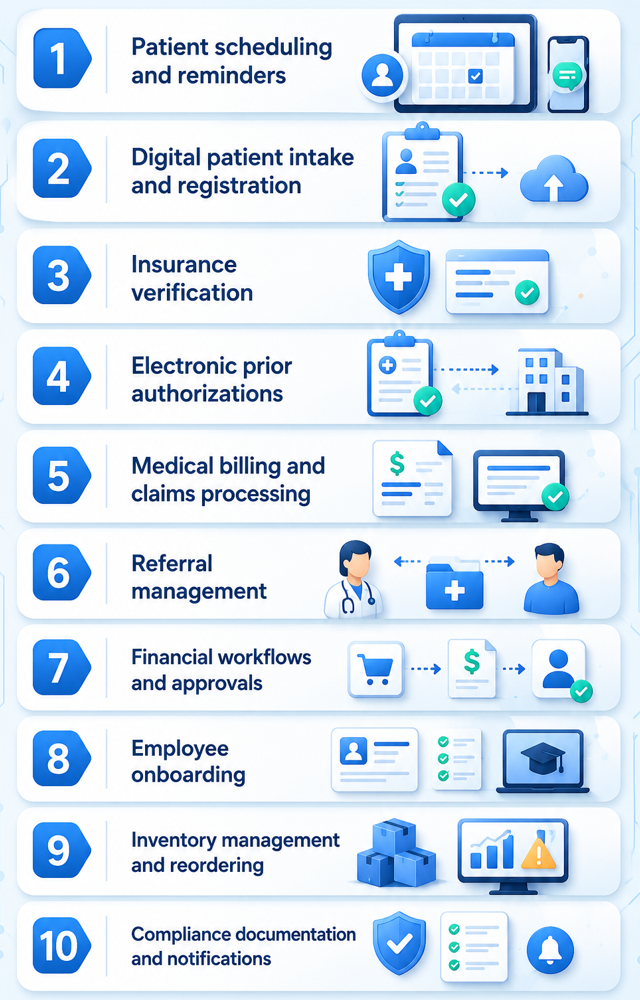
Automate processes that require repetitive manual entry, like scheduling and patient intake. These 10 consistently produce the best return once automated:
1. Patient Scheduling and Appointment Reminders
Patient scheduling automatically coordinates appointments by matching providers, services, and available time slots with patient requests. When automated, this process helps reduce human errors like scheduling conflicts and missed appointments. It also reduces unnecessary phone calls.
The system sends reminder messages to patients at a set time before appointments arrive. It also briefs providers about upcoming appointments and patients' status.
2. Digital Patient Intake and Registration
Digital patient intake captures demographic, insurance, consent, and medical history information as soon as a patient sends a filled-out electronic form. Information flows directly into connected systems instead of being read and retyped by staff, and registration finishes before arrival, automatically creating a patient record when finished.
3. Insurance Verification
An insurance verification automation confirms active coverage and benefit details before treatment begins. Healthcare organizations automate this process to avoid manually looking up information, which can consume a large amount of time. Staff handle exceptions rather than routine confirmations.
4. Electronic Prior Authorizations
Electronic prior authorization submits and tracks payer approval requests. Providers use it to replace manual authorization done via faxing and sending paperwork. For instance, an MRI request reaches the insurer immediately after physician approval. This automation helps accelerate care.
5. Medical Billing and Claims Processing
Medical billing and claims processing convert completed clinical services into payer-ready reimbursement requests. This automation helps prevent human coding errors and payment delays. Claims automatically move through validation and submission, giving staff extra time to resolve rejected claims instead of preparing every submission.
6. Referral Management
Referral management tools track patients as they move between providers, specialists, and healthcare organizations. Requests route immediately and notify the receiving office to action. This helps reduce time-consuming manual coordination between offices.
7. Financial Workflows (Procurement, Invoice Approvals, Payroll)
Financial workflow automation routes procurement requests, invoice approvals, and payroll through predefined rules instead of manual sign-off. Approvals automatically move to the right team, allowing finance to track status instead of chasing signatures.
8. Employee Onboarding
Employee onboarding tools organize hiring documents and manage new employee account creation. They also distribute required training before new staff begins work. Managers monitor completion from a central dashboard instead of cobbling together several pieces of paperwork.
9. Inventory Management and Supply Reordering
Inventory management tracks supply levels and alerts staff before shortages affect patient care. Automated systems continuously update inventory counts, show where supplies are stored, and notify teams when products are nearing expiration.
Some platforms can also automatically generate purchase orders when inventory falls below a preset threshold. I recommend requiring a procurement manager to review and approve those orders before they're sent to vendors.
10. Compliance Documentation and Automated Notifications
Compliance automation records required activities and alerts staff when they need to take action, such as completing annual HIPAA training or renewing access privileges before they expire. You can automate tasks such as compliance training reminders and audit log reviews to help support your organization’s ongoing HIPAA compliance.
How to Successfully Implement Healthcare Process Automation
Successful automation starts with understanding existing operations before introducing new technology. Here’s how to start implementing healthcare process automation tools from the ground up:
- Map existing workflows: Jot down your organization’s existing workflows so you can document every task and handoff. Aim to create clear processes that expose redundant work.
- Identify bottlenecks: Ask both clinical and administrative staff where they’re losing time and slowing operations. Note these complaints down, as they’ll be some of the first issues you aim to fix with healthcare process automation.
- Choose the right platform: The platform you select should provide ample automation to meet your needs while also integrating all your existing software. Check out our article on AI tools for healthcare to learn about some options available.
- Integrate existing systems: Connect all your applications into one workflow. Connected platforms usually eliminate duplicate entry while reducing manual tasks.
- Train employees: Employee training establishes consistent use across departments. Always collect feedback from staff and use it to improve your automations.
- Measure outcomes and refine workflows: Performance measurement tracks exactly where your tools are making an impact. Use the results to update processes as needed.
Lasting operational improvements come from consistent execution. When every process supports the same goal, work becomes more predictable and easier to manage.
Customize Your Healthcare Process Automation with Blaze.tech
Healthcare process automation works best when it matches your existing workflows instead of forcing your staff to adapt to rigid software. Blaze helps healthcare organizations automate administrative processes with custom applications built around their operations, compliance requirements, and existing systems.
Here’s why hundreds of healthcare organizations have chosen Blaze:
- Custom workflow automation built for your organization: Receive production-ready healthcare applications that automate patient intake, billing, approvals, referrals, scheduling, and other administrative workflows through an expert-led three-person implementation team.
- Choose no-code if you prefer: Build and update your own healthcare workflow automation using Blaze's no-code platform without writing code or hiring developers.
- Launch faster than traditional development: Replace months of custom programming with implementations measured in weeks, helping staff spend less time on repetitive administrative work.
- AI and healthcare integrations built together: Connect OpenAI, EHRs, EMRs, billing systems, and other healthcare applications to automate document processing, data movement, and repetitive workflows.
- Built on compliance-ready infrastructure: Blaze is a HIPAA-enabling, HITRUST e1-certified, SOC 2 Type II healthcare application development platform designed for handling sensitive healthcare data.
Schedule a free build consultation call today and learn how Blaze can help you replace repetitive manual processes with automated workflows, without replacing your existing healthcare systems.
Frequently Asked Questions
What Is the Difference Between Healthcare Process Automation and Workflow Automation?
Healthcare process automation applies specifically to clinical and administrative healthcare tasks. Workflow automation is a broader term covering any industry, not just healthcare. Choosing healthcare-specific tools often avoids costly software rework later. Many of these healthcare tools have HIPAA-enabling features that some broader tools don’t have.
Do I Need a HIPAA Compliant Healthcare Process Automation Tool?
Yes, HIPAA-compliant tools are necessary whenever your automation handles PHI (Protected Health Information) like patient records or billing data. Choosing HIPAA-enabling infrastructure strengthens your compliance program and helps reduce the risk of violations. However, compliance ultimately depends on your BAA, system configuration, and ongoing operational practices.
How Long Does Healthcare Process Automation Take to Implement?
Implementation timelines vary by workflow complexity. If you choose to build your automations yourself with a no-code platform or a premade solution, you can launch in weeks instead of months. However, if you have a complex workflow for a large organization, timelines can take several months.
Sources
1. U.S. Department of Health & Human Services. “Summary of the HIPAA Security Rule.” HHS.gov. https://www.hhs.gov/hipaa/for-professionals/security/laws-regulations/index.html
2. U.S. Department of Health & Human Services. “Security Rule Guidance Material.” HHS.gov. https://www.hhs.gov/hipaa/for-professionals/security/guidance/index.html
3. National Institutes of Health: StatPearls. “Health Insurance Portability and Accountability Act (HIPAA) Compliance.” NCBI. https://www.ncbi.nlm.nih.gov/books/NBK500019/
The Secure No-Code & AI Platform
Supercharge your team's operations and performance with better apps and tools.
Create custom apps fast
Secure & HIPAA compliant
Streamline complex workflows

The Secure No-Code Platform
Build apps with best-in-class security.
Related Articles
Discover related guides on healthcare no-code development, HIPAA compliance, security, integrations, and launching apps faster.
%20(1).png)
7 Top White Label Telehealth Platforms + How to Pick (2026)
I reviewed seven white-label telehealth platforms to see how they compare. Explore pricing, branding, integrations, and the best fits available.
%20(1).png)
Top 9 Cursor Alternatives: Tested & Ranked 2026
I compared 9 Cursor alternatives' pricing plans and codebase editing features. See which platforms work for agent building so you can pick for your workflow.
.png)
Scytale Pricing: Plans, Costs, and What You Pay (2026)
Scytale pricing isn’t publicly listed, making budgeting difficult. But I researched the 5 plans and their features to uncover where additional costs can appear.